
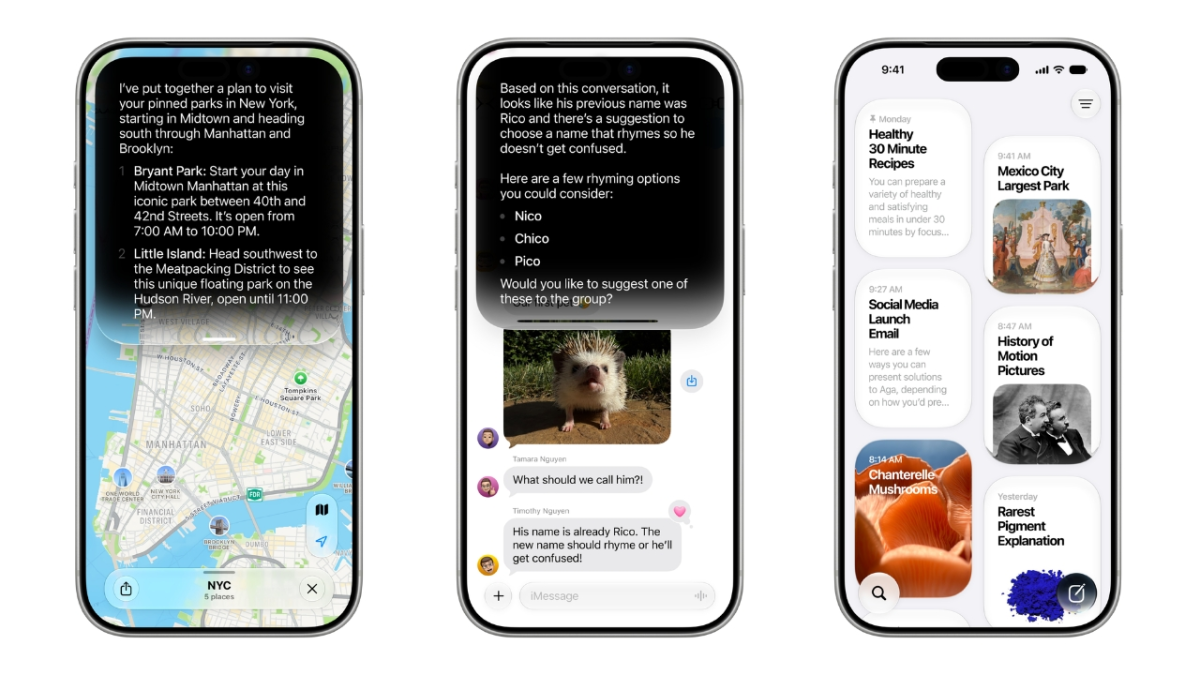

What Siri’s new AI beta is and who it’s for
The Siri AI public beta is Apple’s test version of a redesigned, AI-powered Siri that runs on iOS 27 and other platforms, offering more natural conversations, on-device processing, and deeper access to information on your device before these features are released to everyone later this fall.
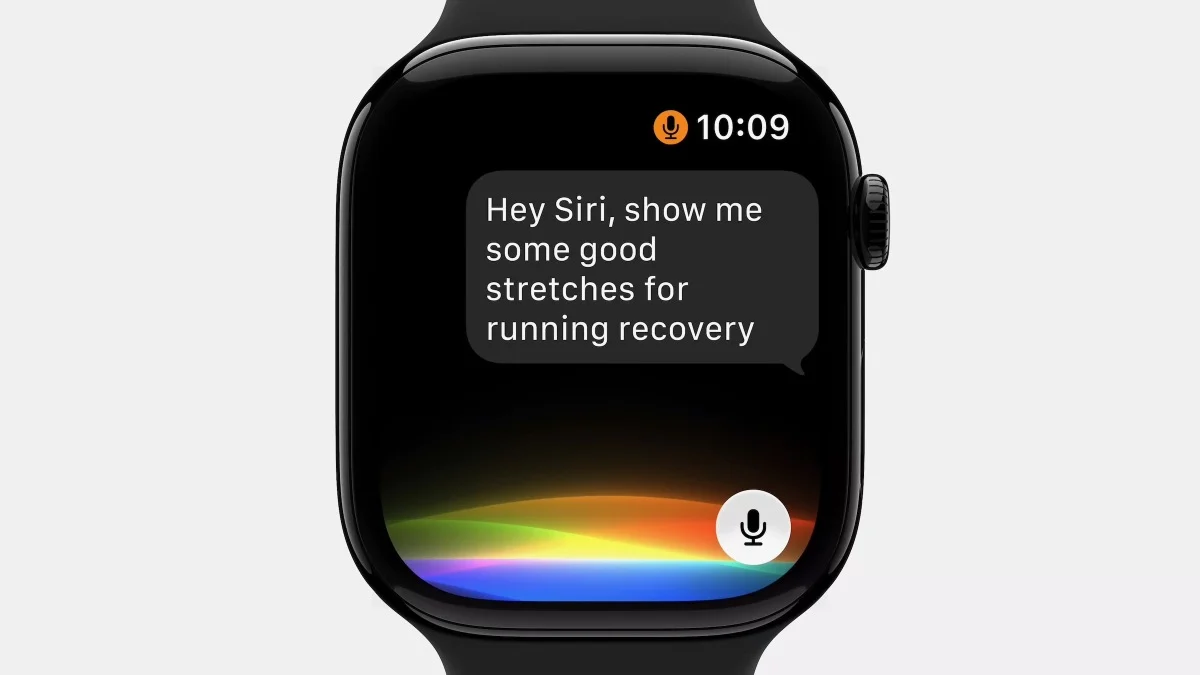
Think of this as getting early access to a much smarter Siri. The updated assistant can pull from your emails, photos, and messages, respond to what’s on your screen, and ground its answers in broader world knowledge, similar to modern AI chatbots. It is hooked into Spotlight, can be summoned with “Hey Siri,” the side button, or a swipe from the Dynamic Island, and even has its own standalone app for chat-style use. You should bother if you like trying new features before they launch and you’re comfortable living with a few bugs. The big caveat: this is beta software, so you must be ready for occasional glitches and be disciplined about backups.
Check your device and understand the trade-offs
Before you chase Siri AI beta access, you need to confirm your device can run Apple Intelligence at all. The public betas of iOS 27, macOS 27 Golden Gate, iPadOS 27, watchOS 27, tvOS 27, and visionOS 27 are now available, and the new Siri AI rides on top of those updates. However, not every device that can install these systems will support the full Siri AI feature set.
For iPhones, Siri AI support starts with newer devices such as the iPhone 15 Pro series and newer, including the iPhone Air. Some devices with Apple Intelligence support will still miss extras like expressive voices. On iPad and Mac, you’ll need at least an M1 chip, with full Siri AI features reserved for newer hardware and higher RAM configurations. This is the first time Apple’s AI-powered Siri is being widely opened beyond developers, giving everyday users a chance to test it at scale. If your main device is mission-critical, consider whether beta quirks and potential app issues are worth the early access.
Step-by-step: How to join the Siri AI public beta and waitlist
Now to the important part: how to join the beta without getting lost. Apple has split this into two layers: the operating system public beta (like iOS 27) and a separate Siri AI beta waitlist. You’ll need both for full Siri AI beta access.
- Make sure your device supports Siri AI: Confirm your iPhone, iPad, Mac, or other device is on the supported list for Apple Intelligence and Siri AI. Some older devices won’t support these features at all, and even supported devices may not unlock every Siri AI capability, especially the more advanced voices.
- Sign up for the Apple beta program and back up your device: Enroll in the Apple beta software program using your Apple ID, then create a full backup before changing anything. Beta updates can occasionally break apps or corrupt data, so this backup is your safety net.
- Turn on Apple Intelligence on your device: On your device, open Settings, then tap Apple Intelligence & Siri and choose “Turn On Apple Intelligence.” Without this toggle enabled, you won’t see the new Siri experiences, even if the OS beta is installed.
- Update to the latest public beta (such as iOS 27): Go to Settings > General > Software Update, then under Beta Updates pick the relevant public beta (for example, “iOS 27 Public Beta”) and install it. This is the system update that carries the Siri AI plumbing.
- Join the Siri AI waitlist: Once the beta is running, go to Settings > Siri and tap “Try the new Siri (Beta)” to join the waitlist. Approval times vary; some users are approved in about a day, while others wait between five and ten days. While you wait, the classic Siri remains available.
Installing a public beta always carries a risk of bugs, even if early developer builds have seemed fairly stable. If you rely on your device for work or study, consider joining on a secondary device instead. The upside is clear: you’ll be among the first to experience Apple’s largest-ever Siri overhaul before its broader launch later this fall.
What the new Siri AI feels like in daily use
Once you’re approved from the waitlist, the new Siri AI begins to replace the old assistant in familiar spots: your “Hey Siri” voice trigger, the side button, Spotlight, and the new Siri app. Under the hood, Siri AI uses Apple Intelligence and new on-device Foundation Models, plus Private Cloud Compute for tasks that need more power, to keep personal data from being stored or accessible to Apple.
In early tests, the upgraded Siri has handled tasks like finding specific photos, summarizing group texts, adding calendar events from messages, and even checking nutritional information through your camera view. It is also better at answering open-ended questions that you might previously have searched the web for, such as local events or news updates. Apple says its Foundation Models were built for Apple Silicon and distilled from Google’s Gemini to create smaller, efficient models embedded in iOS and other software. You may still see occasional errors or odd interpretations—this is beta, after all—but overall, Siri starts to feel less like a rigid voice script and more like a conversational AI helper threaded through your device.
Is the Siri AI public beta worth it?
If you enjoy experimenting, the answer is likely yes. Apple is opening its redesigned AI assistant to everyday users through the iOS 27 public beta and related platforms so people can “try out the new AI assistant ahead of its broader launch later this fall.” You gain early access to Apple Siri features like on-device AI models, deeper integration with your apps, and a chat-style Siri app, plus system-wide search improvements.
The main downside is that you must live with beta quirks and go through the extra step of joining the Siri AI waitlist after installing the public beta. There is no way to get Siri AI beta access without accepting those trade-offs. If that sounds stressful, you can sit out the beta and wait until the general release; Siri AI will arrive more polished by then. But if you’re willing to back up your device, follow the steps carefully, and accept a few rough edges, the public beta is a practical way to see where Apple is taking Siri next.





