
From Camera-Shy to Camera-Free: What Google Vids Avatars Change
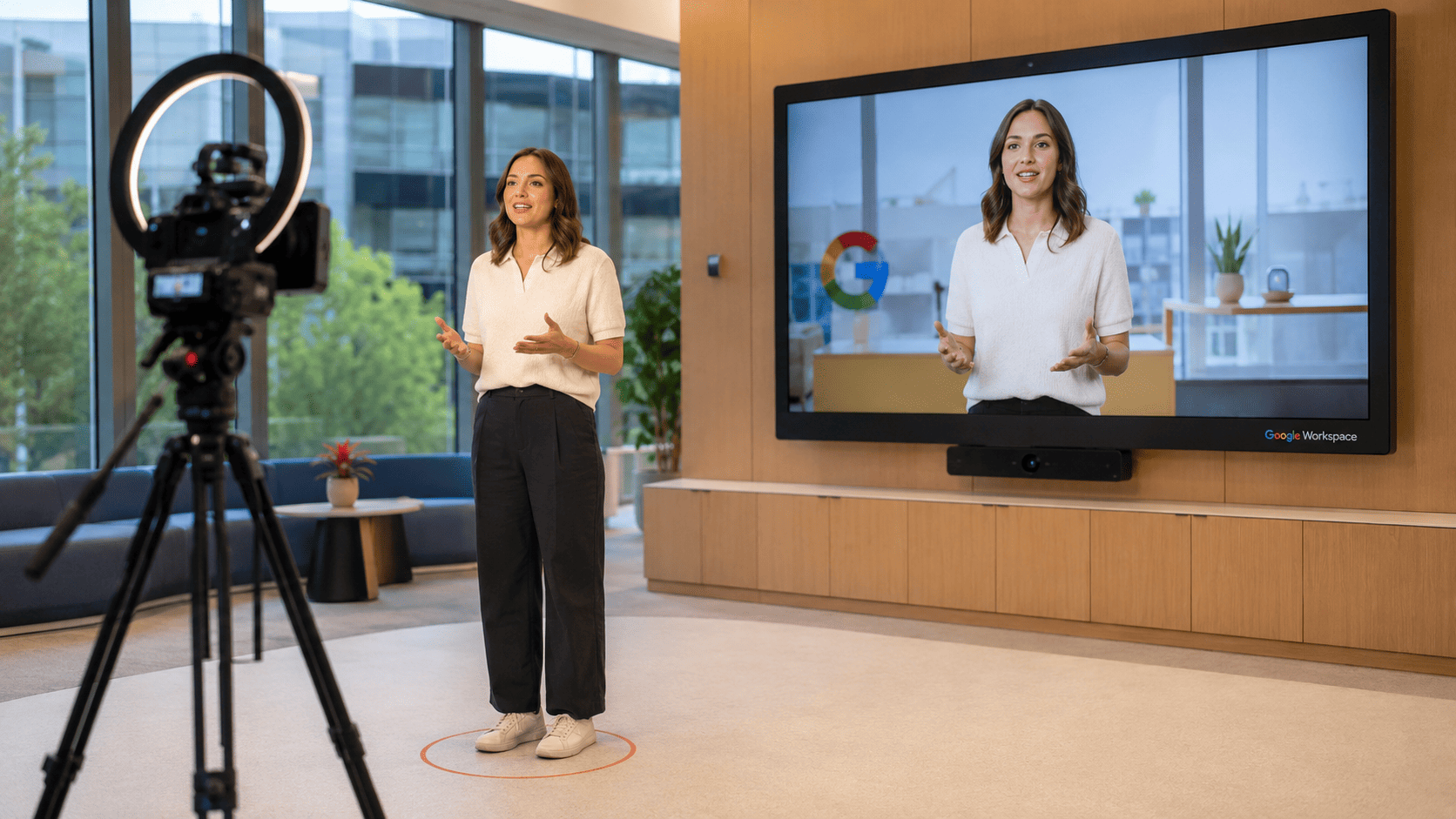
Google Vids’ AI avatar video creation feature lets professionals turn a selfie and a voice clip into a realistic, talking digital version of themselves that can deliver structured workplace messages without traditional filming, lighting setups, or on-camera performance anxiety.
This is not another generic talking head generator; it is a synthetic presenter layer designed for work. The new Google Vids avatars look and sound like the account holder, built directly from their selfie and voice recording, and then used as the face of internal updates, training modules, and company announcements. Instead of booking a studio or cleaning up a home office, you upload two assets and let synthetic video generation handle the rest. That shift matters because the hardest part of workplace video is not editing, it is persuading busy people to get on camera, re-record until it is polished, and feel confident enough to send it. Now, the person who needs to be on camera may no longer need to be on camera at all.
How Google Vids Uses Gemini Omni to Automate Video Workflows
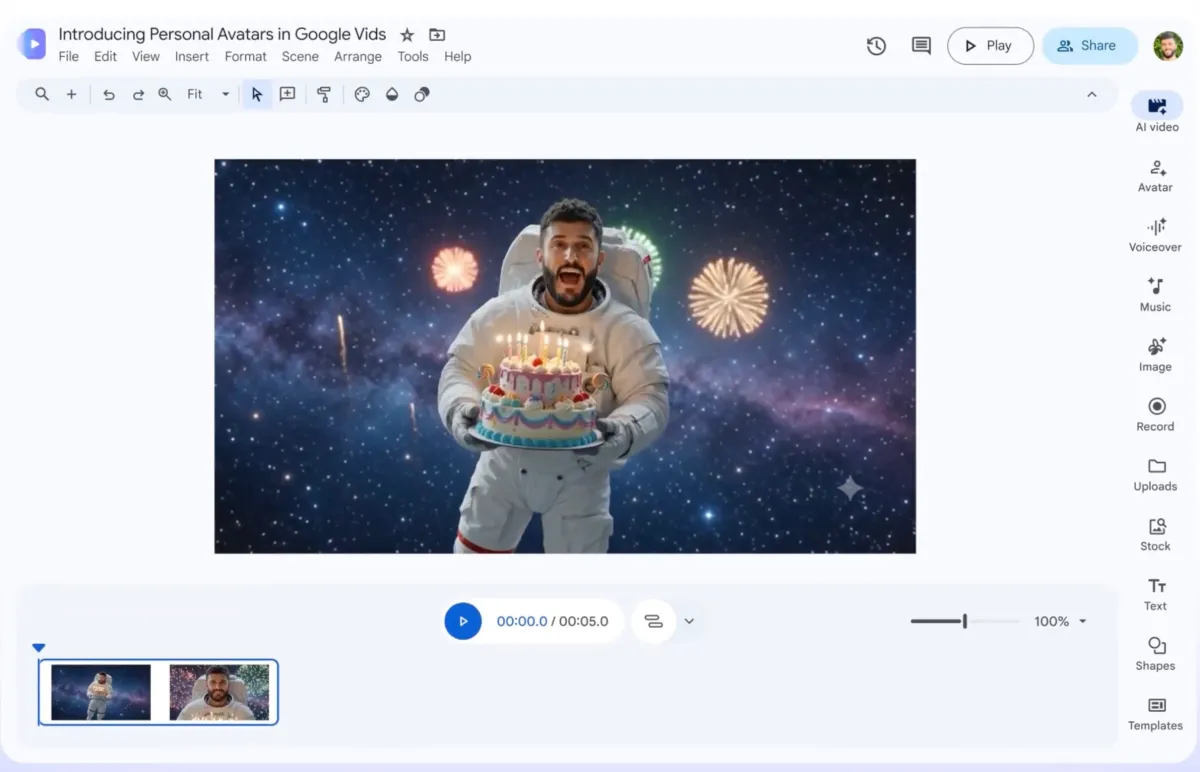
The real power of Google Vids avatars is how they plug into Gemini Omni and turn video into a prompt-driven workflow, not a production slog. Inside Vids, Gemini Omni can create videos from a written prompt plus reference images, so the brief now includes both the script and visual direction in one place.
Once your avatar exists, Omni handles synthetic video generation: it can swap out a background, fix lighting on footage recorded on a phone, add effects, and support step-by-step edits so you refine the output instead of starting over. You write the message, add images that show the vibe or layout you want, assign your avatar as the presenter, then talk to the system to adjust sections, pacing, or visuals conversationally. In practice, that turns workplace video tools into something closer to document editing: iterative, fast, and forgiving. The friction moves from learning complex timelines and keyframes to drafting clear prompts and reviewing cuts, which is a far lower skill barrier for most teams.
Trust, Guardrails, and the Synthetic Presenter Line
Google is drawing a clear line between "synthetic presenter" and "free-for-all deepfake factory". The new Google Vids avatars are tied to the account holder’s likeness and connected to their Workspace identity, not to an open character marketplace. Each avatar is locked to a specific user, which reduces the risk of casual impersonation and keeps the feature focused on legitimate workplace use.
Crucially, Google says these avatars are invisibly watermarked with SynthID, its technology for identifying AI-generated content. That watermark is a quiet but important trust signal: it makes synthetic video traceable even when it looks and sounds like a real person. Access is also limited to account holders who meet age requirements in select regions, further narrowing the risk surface. This is a deliberate contrast with earlier, less constrained video tools that became deepfake vectors. If avatars are going to become standard workplace video tools, they need these guardrails. Without them, every polished update risks being questioned as possible manipulation, which would undermine the very communication efficiency they aim to deliver.
Head-to-Head With Synthesia: The Workplace Video Market Shift
By turning a selfie into a talking digital you, Google Vids walks straight into the synthetic video generation market that Synthesia and HeyGen built. According to one analysis, Synthesia reports around $150 million in annual recurring revenue and says more than 90% of the Fortune 100 use its platform for training and internal communications. That is not a hobby market; it is a core part of how large companies teach and inform at scale.
The twist is that Alphabet’s venture arm led Synthesia’s $4 billion funding round, then Google shipped a directly competing avatar feature inside Workspace months later. Google is not aiming to be the best standalone avatar product; it is aiming to be the default one by bundling Vids into a platform already used by billions. Once "make a talking avatar" becomes a checkbox in Workspace, independent tools have to win on depth, compliance, localization, and integration rather than on access to the capability itself. That pressures their margins even if it does not erase demand. For buyers, it means avatar video creation moves from a separate purchase decision to a feature they expect by default in their productivity stack.
Why This Makes Workplace Video Creation Accessible to Everyone
The biggest change is practical: workplace video stops being the domain of teams with cameras, studios, and editing skills, and becomes a natural part of day-to-day communication. Google Vids was always framed around workplace presentation and communication; with AI avatars and Gemini Omni, it now looks like a full synthetic presenter layer that can sit on top of every department’s workflows.
For companies, the appeal is obvious. Internal updates, training clips, product explainers, onboarding videos, and async messages could all become faster to produce. The manager who hates being on camera can record a single voice clip, upload one selfie, and then approve scripts that their digital twin delivers on demand. Teams that would never buy dedicated workplace video tools now get "good enough" synthetic presenters inside a subscription they already use. The trade-off is clear: less production polish than a specialized platform, but dramatically lower friction. In a world where attention is scarce, the ability to turn any written update into a short, human-feeling video without filming is likely to matter more than perfect cinematography.