

Phone Link Android: The Missing Bridge Between Phone and PC
Phone Link is a Windows app for Android phones that centralizes access to your mobile photos, files, notifications, calls, texts, and installed apps directly on your desktop, turning separate devices into one continuous mobile desktop workflow for faster, less fragmented work across screens. This is not a cute extra; it is the bridge that Android Windows integration has been lacking. For years, many people assumed smooth phone–computer sync belonged to another ecosystem, but Phone Link proves that cross-platform productivity can be both powerful and practical. It started as an underrated tool that a reviewer downloaded "expecting it to last a weekend," yet within a year it became so embedded in daily work that they forgot it was optional. That transformation hints at a bigger truth: once you remove friction between phone and PC, you do not go back.
From Cables to Clicks: Frictionless Files and Photos
The strongest argument for Phone Link is simple: it eliminates the slow, fiddly steps that used to stand between your Android and your Windows machine. Before Phone Link Android tools matured, even power users fell back on USB cables or cloud uploads to move photos and documents. You had to find a cable, unlock the phone, approve the connection, and drag files over every single time. Phone Link replaces that ritual with a live Photos tab, displaying recent shots as soon as you take them, with options to save, edit, or share in a couple of clicks. On top of that, the Files tab exposes your phone as another entry in the Devices and drives list, alongside your local and cloud storage. In effect, your handset becomes one more drive in your desktop environment, not a separate gadget you must constantly tend. That is what real Android Windows integration should feel like.
Apps and Notifications: Turning the PC into a Mobile Hub
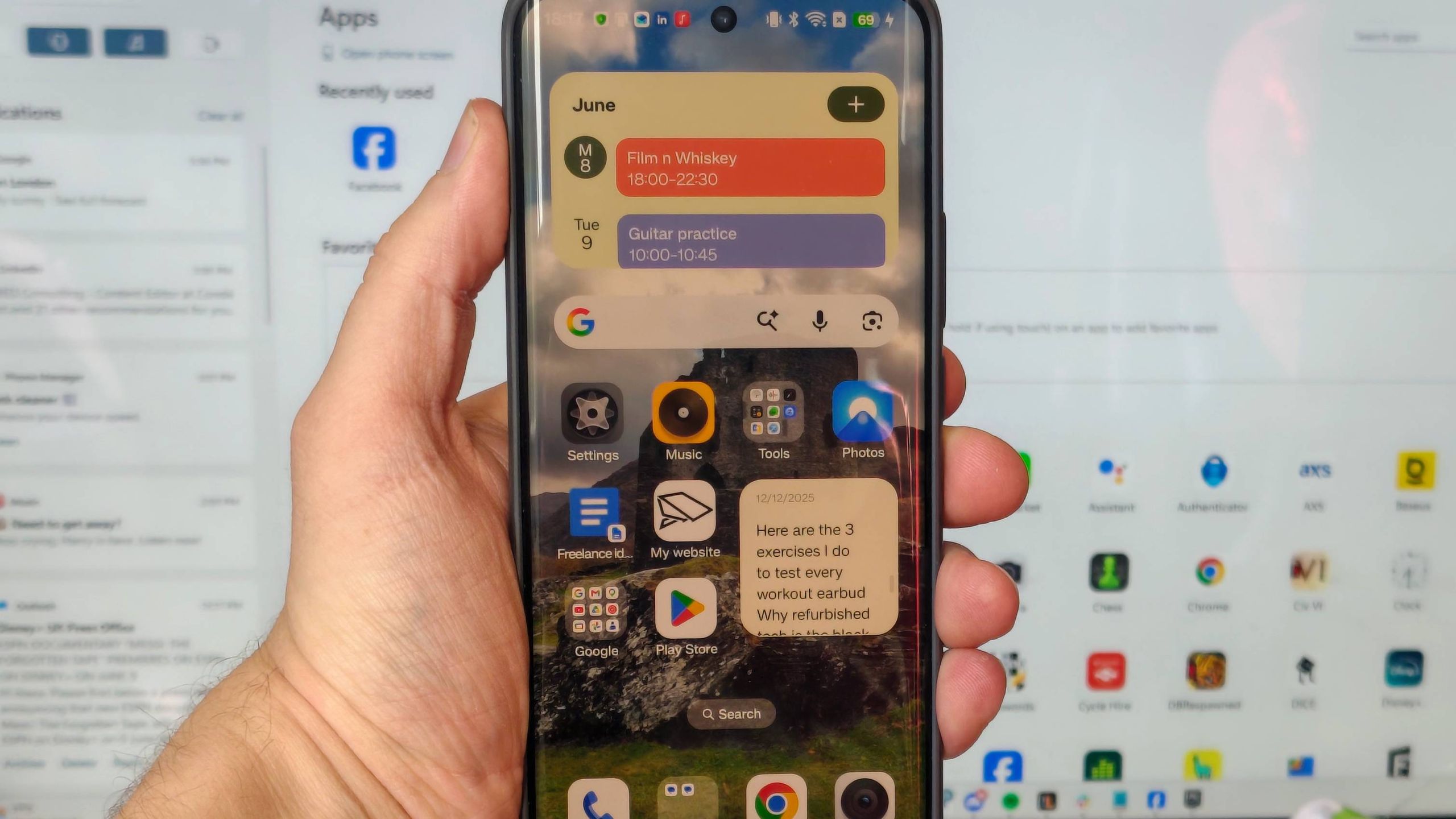
Where Phone Link moves from useful to essential is in how it handles apps and alerts. Its Apps page lists every Android app on your phone and opens any of them in a desktop window when clicked. You can run messaging, media, or niche work apps from your PC without picking up the phone, and without interrupting whatever the handset is doing as a second screen or music player. Then there is the notification panel down the left side: rather than a few mirrored pop-ups, you get a persistent stream of mobile notifications that turns Phone Link into a central information hub on your PC. Calls and texts are managed there too, which matters during meetings or focus time; with one click on Do Not Disturb, you avoid surprise interruptions while keeping visibility on what is happening. For anyone chasing cross-platform productivity, this unified view of apps and alerts is the main event.
Workflow Game-Changer for Professionals and Power Users
The reason Phone Link has become a critical workflow tool is not that it is clever software; it is that it cuts hours of micro-distractions. Every time you reach for your phone to check an email, move a photo, or respond to a message, you break focus. Phone Link collapses those checks into your existing desktop flow, slashing context-switching for professionals and power users. One reviewer described it bluntly: "Phone Link saved me hours," especially when it became the workaround for seeing a work Gmail account on a personal computer after IT locked down direct access. Those lost minutes of tapping on a phone or waiting for a slow work laptop add up to real time. When mobile desktop workflow tools like Phone Link quietly absorb that overhead, the result is not flashy—it is steady, compounding productivity you notice only when you try to live without them.
From Overlooked Utility to Everyday Essential
Phone Link’s story mirrors how many of the best tools enter our lives: installed out of curiosity, kept out of necessity. It was first downloaded as part of a duty to "test every tool" and expected to be uninstalled after a weekend. A year later, it had become so baked into daily habits that the user forgot other Android owners might not know it exists. That shift—from obscure utility to invisible backbone—says more than any feature list about its value for cross-platform productivity. There are downsides: you still need the phone nearby, and every session requires unlocking the device and approving the connection. Yet those frictions are minor compared with the constant device juggling it replaces. The verdict is straightforward: if your work touches both an Android phone and a Windows PC, Phone Link is no longer a nice-to-have. It is the glue that makes the whole setup feel like one system.





