

Verdict: A Budget Chromebook Under 300 That Finally Feels Finished
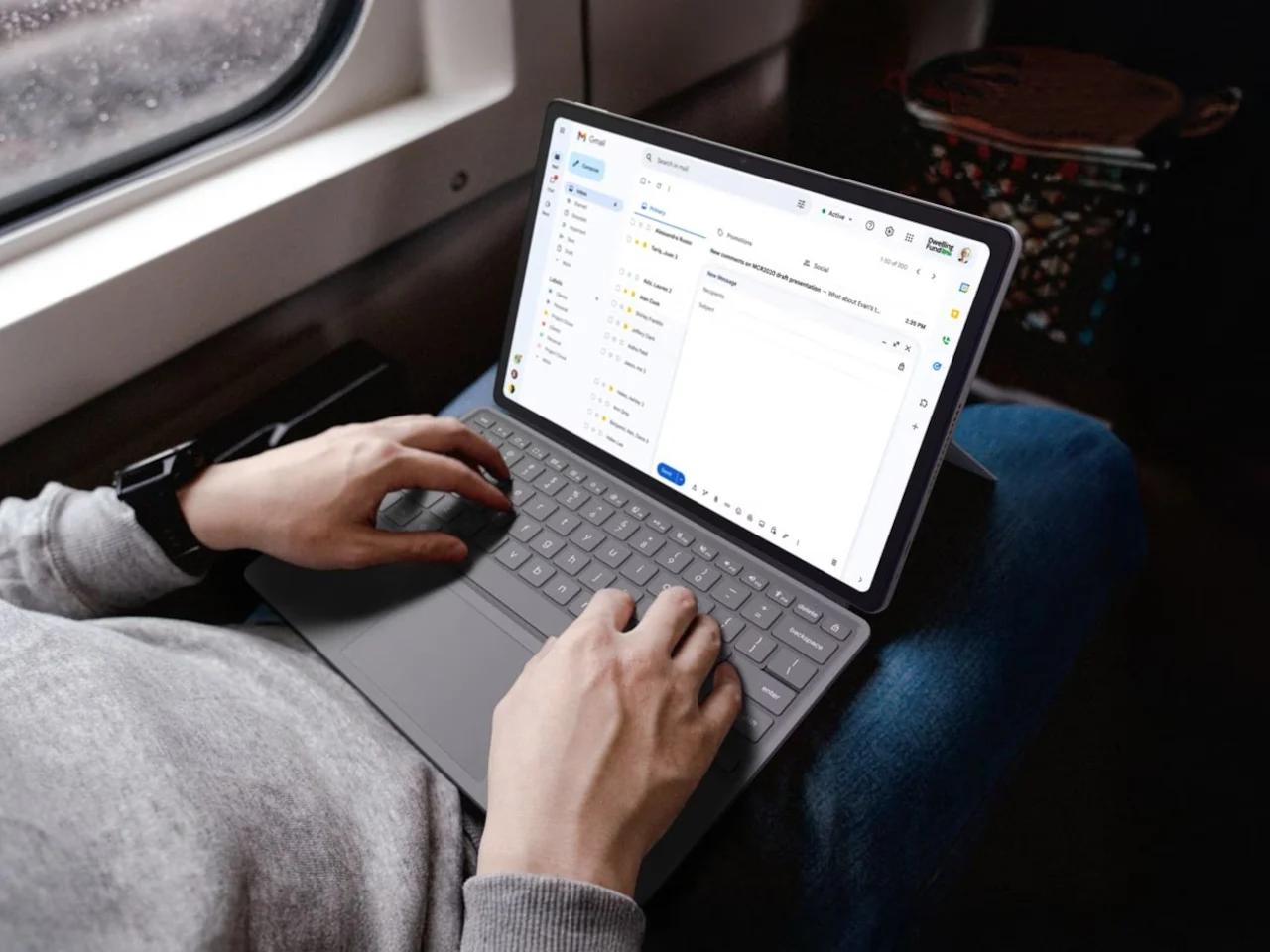
A budget Chromebook under 300 is a low-cost laptop running ChromeOS that aims to cover everyday tasks like web browsing, streaming, schoolwork, and light productivity without the weak displays, fragile bodies, and short battery life that usually define cheap machines. The ASUS Chromebook CM15 and CM32 Detachable come surprisingly close to that ideal, and the bottom line is this: for most students, casual users, and home workers who live in the browser and Android apps, the CM15 at USD 269.99 (approx. ₱15,100) feels like one of the best budget laptops you can buy right now. The CM32 at USD 579.00 (approx. ₱32,400) pushes into mid-range territory, but its detachable design, 2.5K 120 Hz touchscreen, and stylus make sense for people who want a flexible tablet-plus-laptop setup rather than a single-purpose clamshell.
Pros
- MediaTek Kompanio 540 and up to 8 GB LPDDR5X deliver solid everyday performance for web, streaming, and Android apps.
- Both pass 24 MIL-STD-810H durability tests and use 30% recycled plastics on the CM15, adding long-term and eco-friendly value.
- Fast boot under ten seconds, automatic background updates, and access to Android apps like Netflix, Adobe Lightroom, Zoom, and Microsoft 365 out of the box.
- Three-month Google AI Pro trial with NotebookLM and Gemini integration adds useful productivity tools without extra cost.
Cons
- The CM32’s price pushes it beyond typical budget chromebook under 300 territory, so it competes with more powerful traditional laptops.
- MediaTek Kompanio 540 is tuned for everyday tasks rather than heavy local workloads, limiting appeal for users who need demanding native apps.
Design, Display, and Build Quality: Crushing Low Expectations
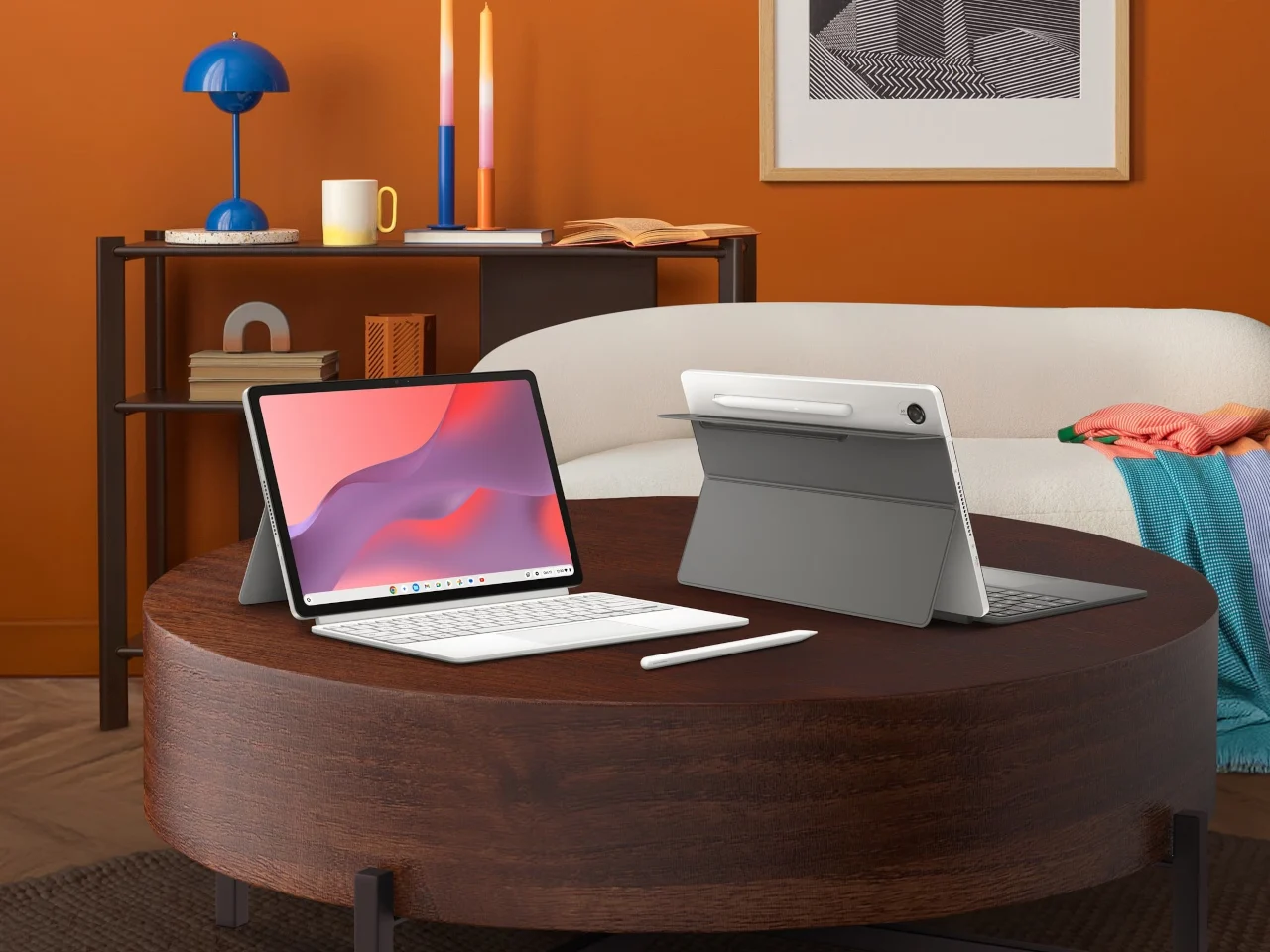
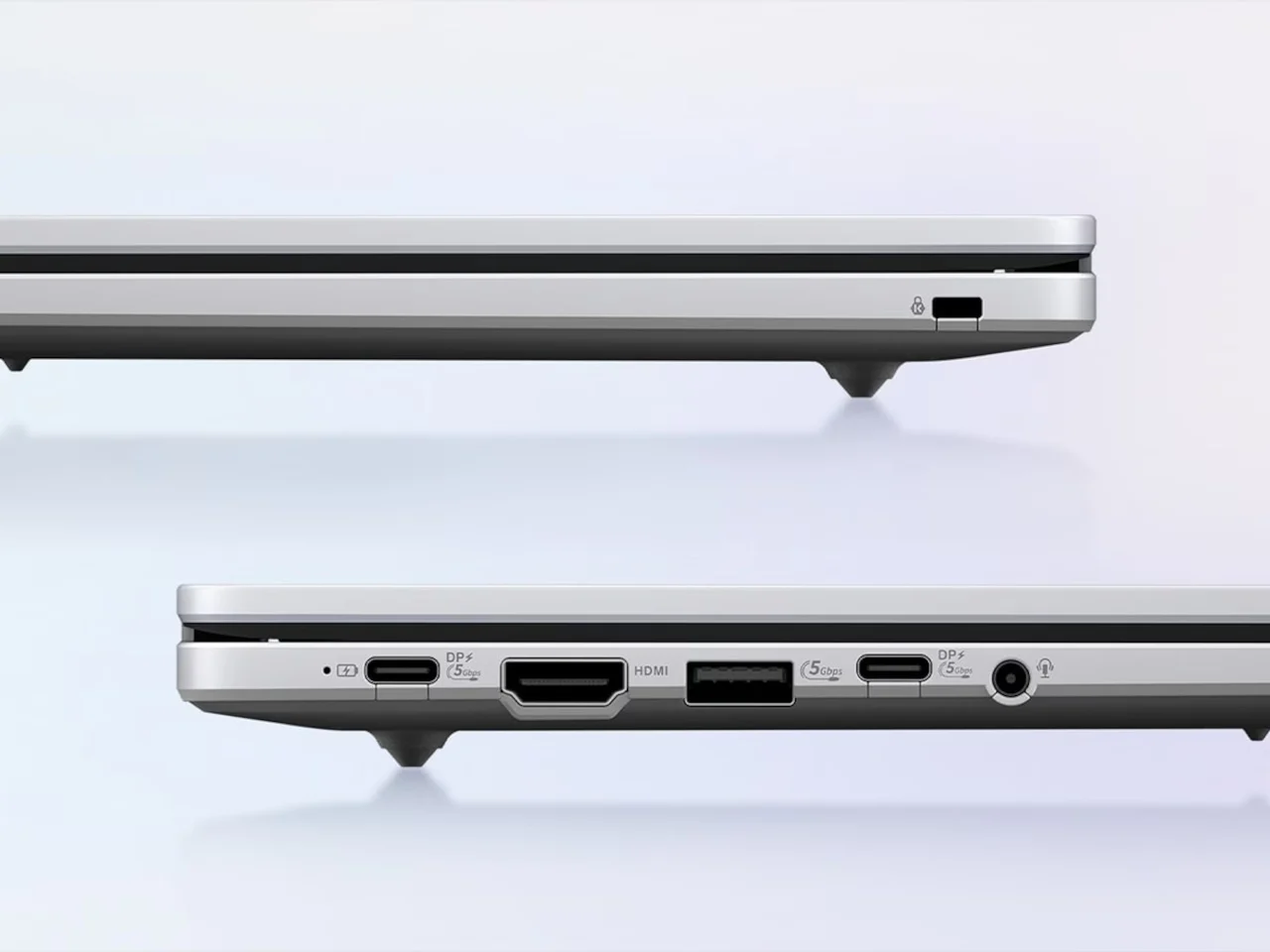
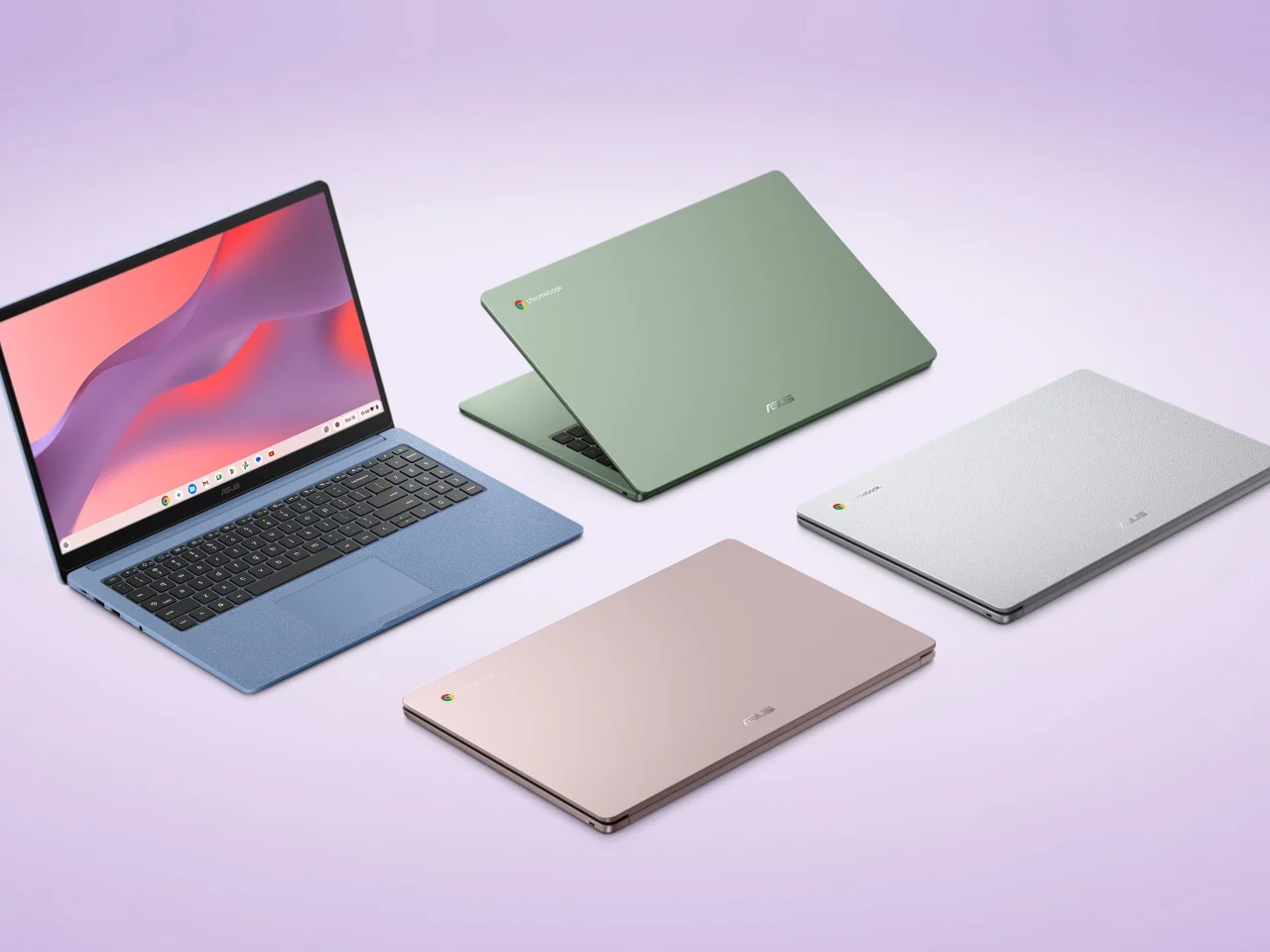
The CM series exists to challenge the long-standing idea that affordable laptop value means accepting bad screens and flimsy shells. The CM15 is a straightforward 15.6-inch clamshell with a Full HD anti-glare panel, a 180-degree lay-flat hinge, and a 3.26 lb chassis in four colors: Pure Grey, Fabric Blue, Cream Pink, and Misty Green. Each finish has a washi-paper-inspired texture, which sounds like a small touch but makes it feel far less like generic budget plastic in the hand. Port selection is unusually generous at this price: you get HDMI, two USB 3.2 Gen 1 Type‑C ports, and a USB Type‑A, a clear bonus for students and home users who plug into monitors or TVs often. The CM32 Detachable leans into versatility instead, pairing a 12.1-inch, 2.5K 120 Hz touchscreen with Corning Gorilla Glass, a magnetically attached stand, a detachable keyboard with 1.35 mm key travel, and a wirelessly charged stylus shaped like a ballpoint pen for note-taking and sketching.
| Spec | Chromebook CM15 | Chromebook CM32 Detachable |
|---|---|---|
| Display | 15.6-inch FHD anti-glare | 12.1-inch 2.5K 120 Hz touchscreen with Corning Gorilla Glass |
| Form factor | Clamshell with 180-degree lay-flat hinge | Detachable tablet-laptop hybrid with stand and keyboard |
| Weight | 3.26 lbs | 1.41 lbs without keyboard |
| Colors / finish | Four colors with washi-paper-inspired texture | Tablet body with stylus and magnetic stand |
| Ports / input | HDMI, two USB 3.2 Gen 1 Type‑C, one USB Type‑A | Detachable keyboard (1.35 mm travel) and wirelessly charged stylus |

Performance, Battery Life, and Everyday Use
Under the hood, both Chromebooks run the MediaTek Kompanio 540 processor with up to 8 GB of LPDDR5X memory, a combination aimed squarely at web-centric workloads rather than heavy native software. In practice, they boot in under ten seconds, handle background updates by themselves, and support Android apps from Google Play, including Netflix, Adobe Lightroom, Zoom, and Microsoft 365. According to one design-focused review, “they’re designed to cover the full range of what most people actually do on a laptop,” which is a fair summary of their intent. The three-month Google AI Pro trial adds NotebookLM and Gemini integration into Gmail and Docs, making them more attractive to students and writers who want AI-assisted research and drafting without another subscription. While the sources don’t quote specific battery figures, they stress that these machines break from the usual budget stereotype of short-lived batteries and weak displays, indicating that power and screen quality are no longer glaring compromises at this price.
Durability, Sustainability, and Long-Term Value
One of the biggest surprises at these ASUS Chromebook deals is how seriously ASUS treats durability and sustainability, areas that budget hardware typically ignores. Both CM models pass 24 MIL-STD-810H military-grade tests, meaning their chassis and hinges are rated to survive more than the usual bumps and knocks that classroom or home use tends to involve. The CM15 goes further by using 30% recycled plastics in its body and arriving in sustainable packaging, a detail that shifts it away from the disposable feel of many cheap laptops. For buyers comparing best budget laptops, this combination of build quality and eco-friendly materials makes the CM series stand out as affordable laptop value that is meant to last rather than be replaced quickly. It also dovetails with growing concern about repairability and spare parts: as more users expect a path to long-term use instead of a two-year throwaway cycle, durable and greener designs become part of the value story even in the sub‑USD‑300 (approx. ₱16,800) bracket.
Buy if / Skip if
- Buy the ASUS Chromebook CM15 if you want a budget chromebook under 300 with a 15.6-inch FHD screen, full-size keyboard, and HDMI for school or home use.
- Skip the ASUS Chromebook CM15 if you need heavy local apps or demanding creative work that go beyond web and Android workloads, where the Kompanio 540 is not ideal.
- Buy the ASUS Chromebook CM32 Detachable if you want a tablet-laptop hybrid with a 12.1-inch 2.5K 120 Hz touchscreen, detachable keyboard, and stylus for note-taking and flexible use.
- Skip the ASUS Chromebook CM32 Detachable if you are strictly shopping in the budget chromebook under 300 range and do not need its detachable form factor or stylus, since its price is USD 579.00 (approx. ₱32,400).
- Buy the ASUS Chromebook CM series if military-grade durability, recycled plastics, and sustainable packaging matter to you as part of long-term, affordable laptop value.
- Skip the ASUS Chromebook CM series if you prefer traditional desktop software ecosystems over ChromeOS and Android apps, or rely on specialized native programs not available on these platforms.