

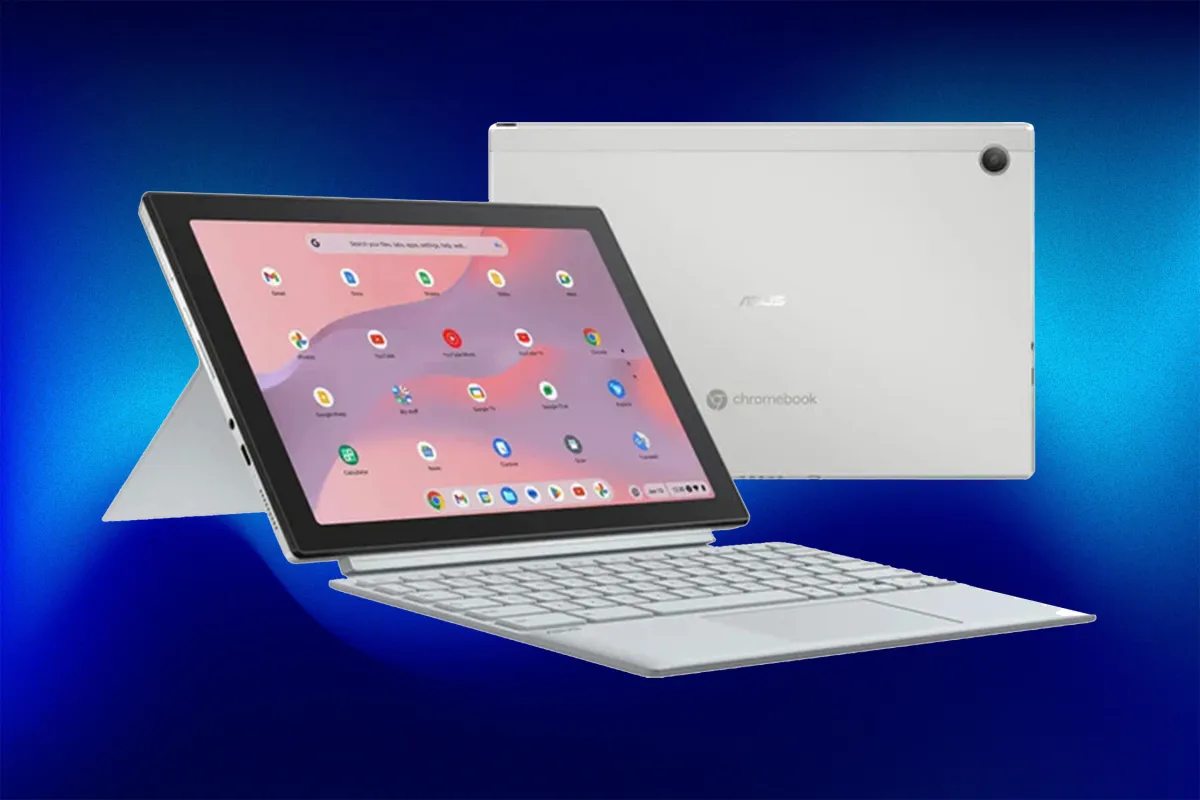
Top pick: ASUS Chromebook CM30 is the best budget 2‑in‑1 under $200
A budget 2-in-1 convertible is a compact device that works as both a laptop and a tablet, giving you a keyboard for typing and a touchscreen for touch-first tasks, all at a price far below premium notebooks while still covering everyday web, email, and streaming needs.
For most people hunting for budget 2-in-1 laptop tablet deals, the refurbished ASUS Chromebook CM30 is the clear starting point. It costs USD 144.97 (approx. ₱8,100), down from USD 369.99 (approx. ₱20,700), and you get a full detachable 10.5-inch WUXGA touchscreen plus keyboard, so it feels like both a small laptop and a tablet in one. This budget 2-in-1 Chromebook runs a MediaTek Kompanio 520 chip with 8GB of RAM and 128GB eMMC storage, which is well matched for ChromeOS basics like Google Docs, Gmail, cloud apps, and streaming. Battery life is rated up to 12 hours, it includes Wi‑Fi 6 and a military-grade aluminum chassis, and the built-in garaged stylus and dual 5MP cameras round out an everyday machine that costs less than many tablets.
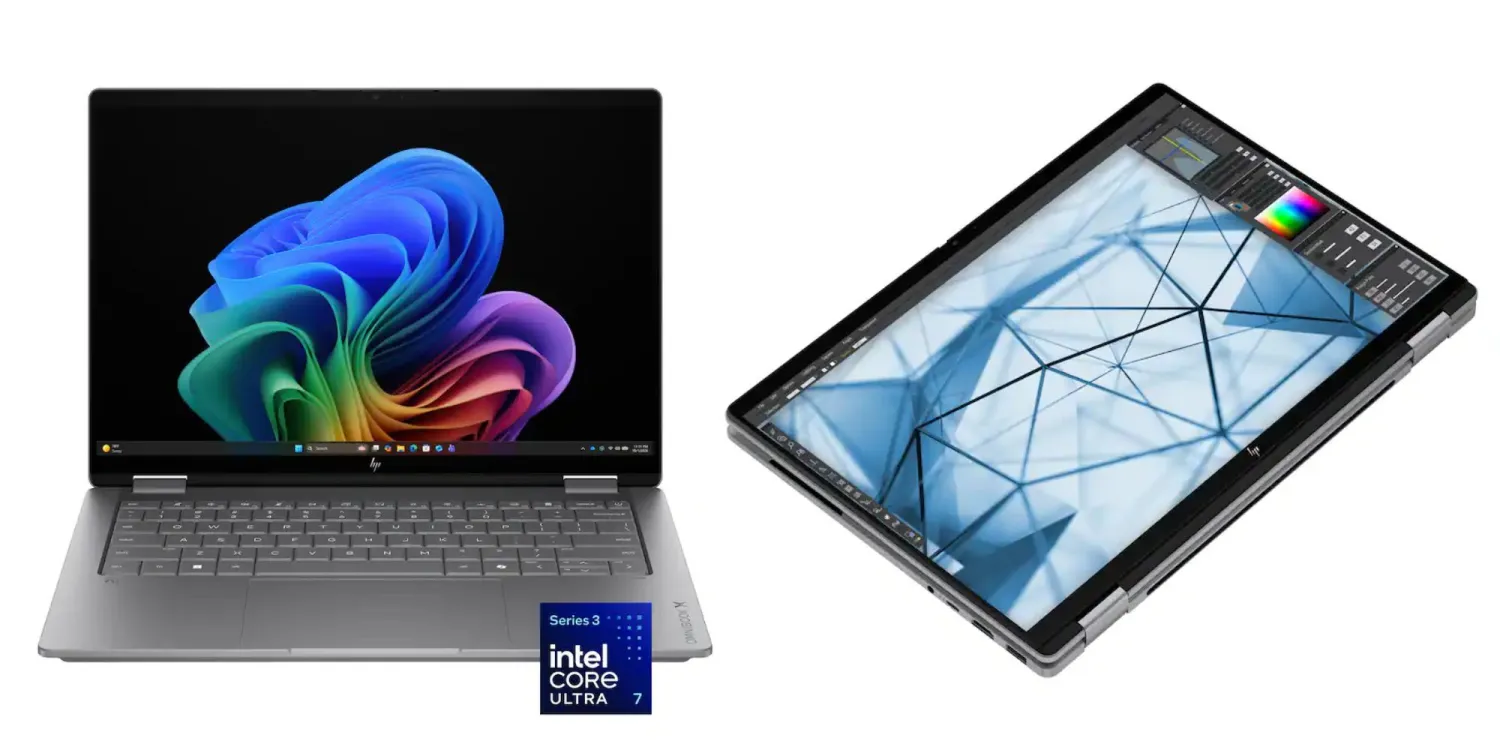
Step up: HP OmniBook X Flip OLED for premium Windows flexibility
If you want a more powerful convertible with full Windows software support, the HP OmniBook X Flip OLED 2-in-1 sits in a different league. It is currently USD 999.99 (approx. ₱56,000), down from USD 1,650 (approx. ₱92,000), a USD 650 (approx. ₱36,000) convertible laptop discount that makes this premium machine far more competitive in price. The 14-inch 2K OLED touchscreen (1920 x 1200) is paired with a 360-degree hinge, so you can switch between laptop, tablet, tent, and presentation modes for work or entertainment. Inside, it uses an Intel Core Ultra 7 processor with 16GB LPDDR5x memory, a 1TB PCIe Gen4 NVMe SSD, and a 49TOPS NPU to power Copilot+ features and other AI tasks. According to the deal listing, this makes it a strong all-round Windows notebook for coursework, entertainment, and day-to-day usage under the four-figure mark.
Detachable vs flip: How these two convertibles fit different workflows
Although both machines are 2-in-1s, their designs target different use patterns. The ASUS Chromebook CM30 uses a detachable keyboard, so you can keep it on for laptop-style typing or pull it off to go all-in on a compact tablet experience with the 10.5-inch touchscreen and garaged stylus. That makes it well suited to curled-up-on-the-couch browsing, jotting down notes, and light document work where a tablet-first feel matters. The HP OmniBook X Flip, by contrast, keeps its keyboard attached but adds a 360-degree hinge, letting the 14-inch OLED display fold into tablet, tent, or presentation modes. This flip design favors users who type a lot, need a stable keyboard for long writing sessions, and occasionally switch into tablet or stand modes for reading, watching lectures, or sharing the screen around a table.
| Spec / Design | ASUS Chromebook CM30 | HP OmniBook X Flip OLED |
|---|---|---|
| Design type | Detachable keyboard 2-in-1 | 360° flip-hinge 2-in-1 |
| Screen | 10.5" WUXGA touchscreen | 14" 2K OLED touchscreen (1920 x 1200) |
| Processor | MediaTek Kompanio 520 | Intel Core Ultra 7 with Intel AI Boost (49 NPU TOPS) |
| Memory (RAM) | 8GB | 16GB LPDDR5x |
| Storage | 128GB eMMC | 1TB PCIe Gen4 NVMe SSD |
| Battery / portability notes | Up to 12 hours, compact Chromebook for everyday tasks | Compact form factor for carrying between classes |
| Deal price | USD 144.97 (approx. ₱8,100) | USD 999.99 (approx. ₱56,000) |
Which 2-in-1 laptop tablet deal should you buy?
Choosing between these two 2-in-1 laptop tablet deals comes down to how much you want to spend and what software you rely on. The ASUS Chromebook CM30 is the obvious pick if you need a cheap, light secondary computer for web work, email, and streaming, and you like the idea of a tablet that can become a laptop when you snap on the detachable keyboard. It is a budget 2-in-1 Chromebook aimed at everyday tasks, not heavy creative workloads or serious gaming. The HP OmniBook X Flip sale, on the other hand, gives you a full Windows Copilot+ PC with a 14-inch 2K OLED screen, mainstream Intel Core Ultra 7 performance, 16GB RAM, and 1TB SSD for a sharply reduced price. If you want one device that can anchor your work or studies and still feel premium for movies and long projects, the OmniBook X Flip is worth the higher cost.
- Buy the ASUS Chromebook CM30 if you want the lowest-cost 2-in-1 that still covers ChromeOS basics for web, email, and documents.
- Skip the ASUS Chromebook CM30 if you need a machine for heavy creative work or serious gaming, which it is not built to handle.
- Buy the ASUS Chromebook CM30 if you prefer a detachable keyboard design that can switch from laptop to compact tablet with stylus in seconds.
- Skip the HP OmniBook X Flip if your budget cannot stretch to a premium Windows convertible, even with the USD 650 (approx. ₱36,000) discount.
- Buy the HP OmniBook X Flip if you want a 14-inch 2K OLED touchscreen with a 360-degree hinge for laptop, tablet, tent, and presentation modes in one device.
- Buy the HP OmniBook X Flip if you need Intel Core Ultra 7 performance, 16GB RAM, and a 1TB SSD for demanding Windows coursework or daily workloads.





