

Are These Mac Dock Deals Worth It?
Today’s Mac dock deals center on a Thunderbolt 5 dock discount and a Mac mini dock sale that meaningfully improve connectivity, display support, and storage expansion, making them strong value picks for turning modern Macs into more capable workstations without replacing core hardware. The short verdict: both offers are worth a look, with the Thunderbolt 5 dock delivering high-end multi-monitor and 120Gbps performance for power users, and the Mac mini dock providing affordable, well-designed port expansion at 40% off. If you have been waiting to build a more complete Mac mini workstation or consolidate cables and displays on a single Thunderbolt hub, these prices beat the usual going rate and undercut many rival setups. In other words, this is the kind of sale where spending once can clean up your desk and remove a lot of day-to-day friction.
Price snapshot: Ugreen Mac Mini M4 Dock down to USD 60 (approx. ₱3,360) from USD 100 (approx. ₱5,600), HyperDrive Next Thunderbolt 5 Dock with SSD Enclosure at USD 319 (approx. ₱17,864) instead of USD 400 (approx. ₱22,400).
Hyper Thunderbolt 5 Dock: High-End Performance, Lower Price
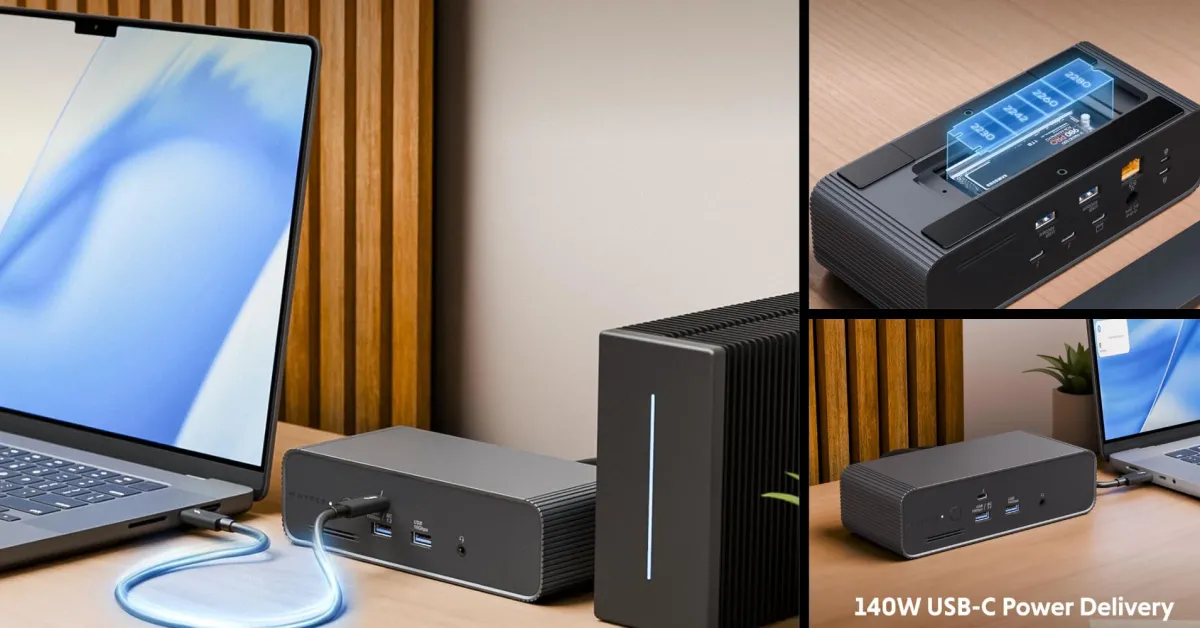
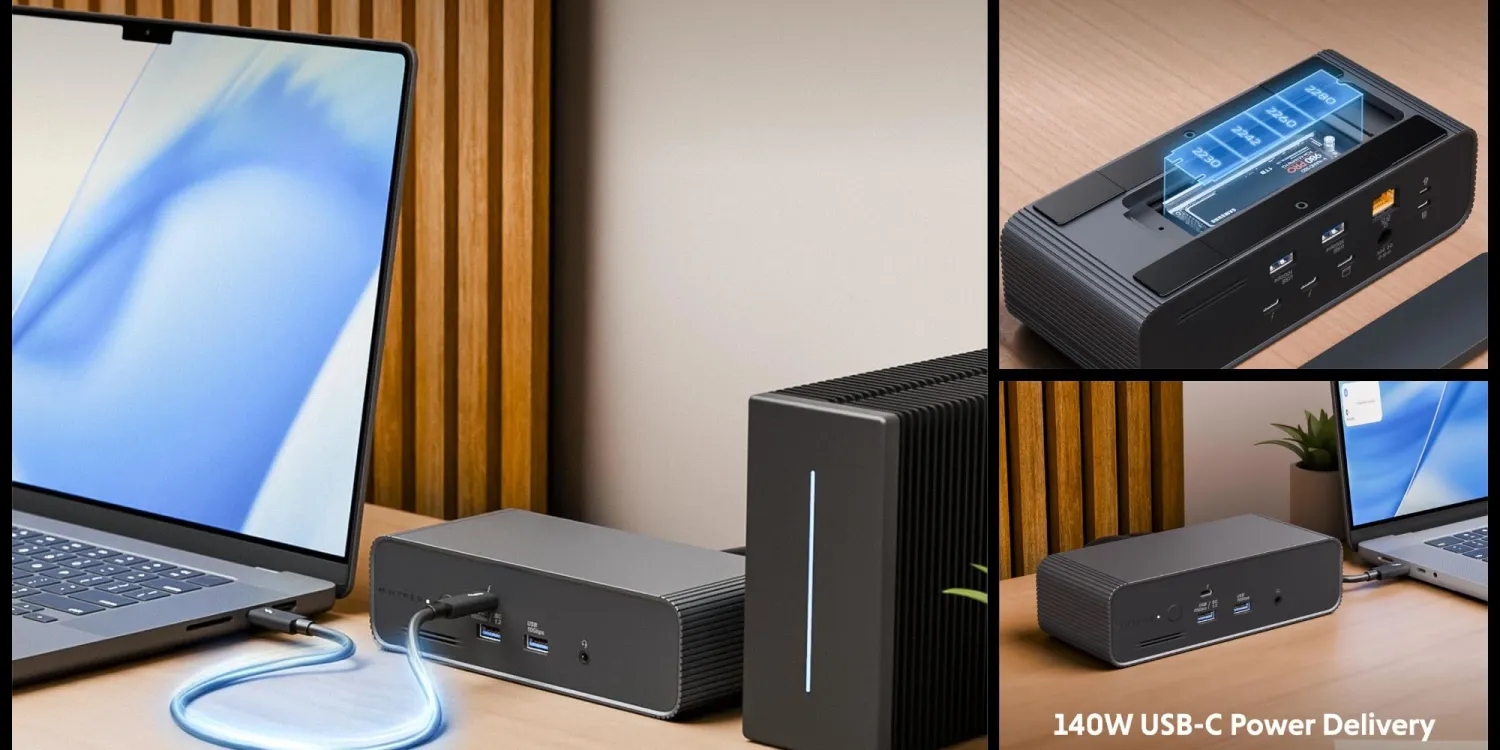
The strongest deal here is the HyperDrive Next Thunderbolt 5 Dock with SSD Enclosure, now USD 319 (approx. ₱17,864), which is USD 80 (approx. ₱4,480) off its regular USD 400 (approx. ₱22,400) price and the lowest tracked on Amazon. For a proper Thunderbolt 5 dock discount, that is significant, especially if you have run into flaky behavior with cheaper hubs. This model supports 120Gbps Thunderbolt 5 connectivity for demanding professional workflows, including up to three 4K 60Hz displays or one 8K 144Hz display for smooth motion and sharp detail. It is clearly aimed at videographers, photographers, engineers, and hybrid work setups where multi-monitor reliability is non-negotiable.
Connectivity is extensive: two Thunderbolt 5 downstream ports, three USB-A ports at 10Gbps, 2.5Gbps RJ-45 Ethernet, 3.5mm audio, nano and standard security lock slots, 140W power passthrough, and a DC 20V power supply. A built-in M.2 PCIe Gen 4 x4 and Gen 3 slot lets you add fast storage directly to the dock for a clean, cable-light setup. According to the source, “as far as 120Gbps Thunderbolt 5 docks go, this is a proper Mac-supported brand delivering its latest and greatest model”, which helps justify the still-premium price.
Ugreen Mac Mini M4 Dock: Affordable Workstation Upgrade
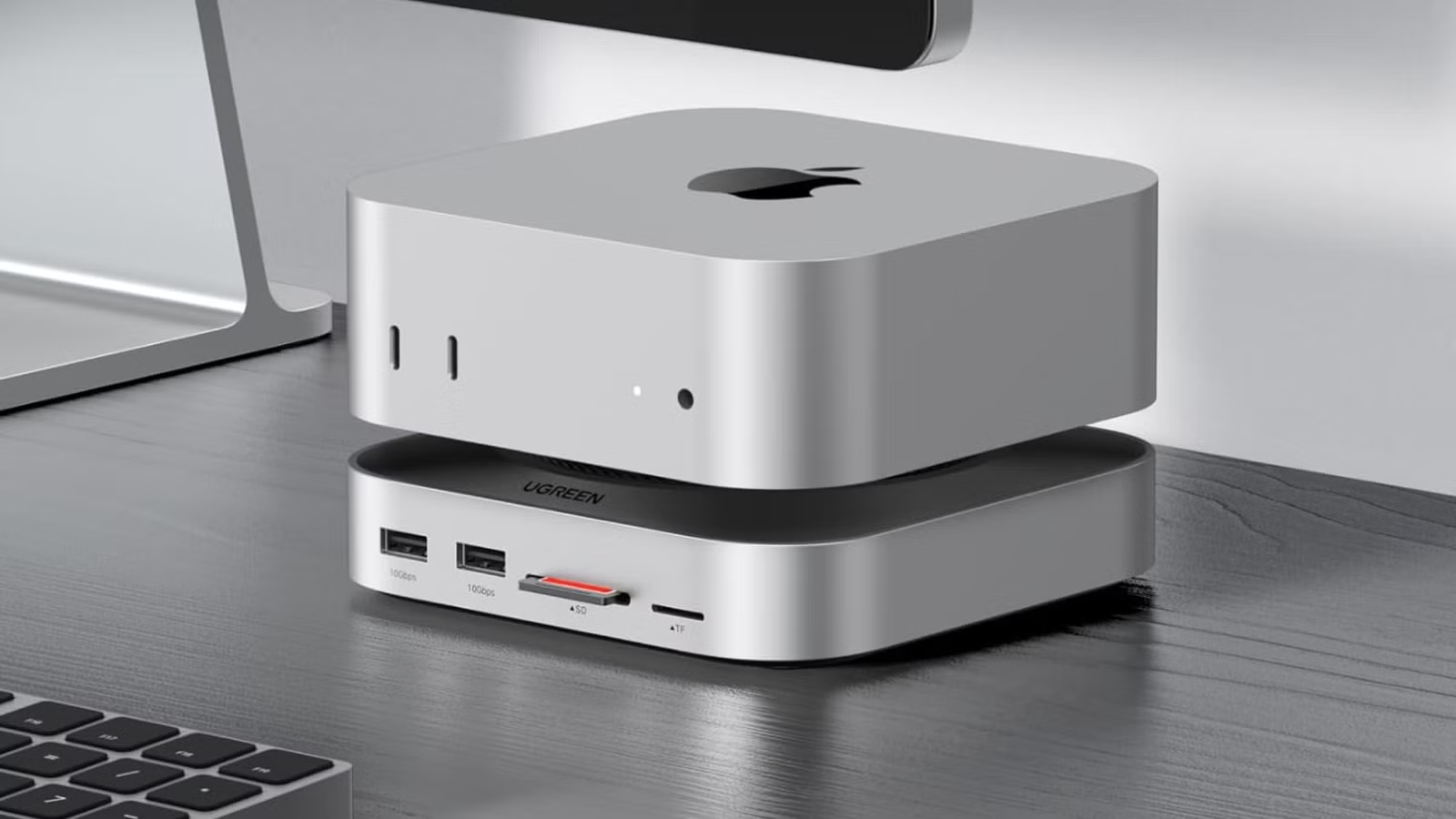
If you care more about everyday usability than raw Thunderbolt bandwidth, the Ugreen Mac Mini M4 Dock is the standout Mac mini dock sale. It drops from an original USD 100 (approx. ₱5,600) to USD 60 (approx. ₱3,360), a 40% discount and USD 40 (approx. ₱2,240) savings. The Mac mini with M4 chip is already packed with ports, including multiple USB-C and Thunderbolt connectors, Ethernet, HDMI, and a 3.5mm audio jack. However, this dock makes the compact machine feel more like a complete Mac mini workstation by adding a better front-facing port layout and extra rear outputs while keeping a flush, integrated design.
On the front, the dock adds one USB-C port, a 3.5mm audio jack, plus SD and microSD card readers for quick access to cameras or handheld devices. On the rear, you get DisplayPort, multiple USB-C ports, and another 3.5mm audio jack. The design is described as extremely well-built with a look that makes it seem like part of the original hardware. For many users, this is the ideal way to upgrade Mac connectivity without replacing the computer itself, especially if your workflow depends on memory cards and cleaner cable routing on the desk.
Which Mac Dock Deal Fits Your Setup?
Both of these Mac dock deals answer the same problem from different angles: getting more out of your existing hardware. The Hyper Thunderbolt 5 dock targets high-end professionals who need reliable multi-monitor support, fast external storage via M.2 SSD, and 120Gbps connectivity tied into a single hub. The Ugreen dock, meanwhile, focuses on giving the Mac mini M4 a more ergonomic front I/O panel and extra display and USB-C options, turning it into a fuller desktop-style workstation. If your daily work involves several 4K or even 8K displays and constant file transfers, the Thunderbolt 5 dock’s discount is strong enough to be worth paying for. If you simply want your compact Mac mini to feel more like a conventional desktop tower with handy card readers and ports where you can reach them, the cheaper Ugreen dock is the better fit.
- Buy the HyperDrive Next Thunderbolt 5 Dock with SSD Enclosure if you run professional multi-monitor setups and need 120Gbps Thunderbolt 5 connectivity with triple high-res display support.
- Skip the HyperDrive Next Thunderbolt 5 Dock with SSD Enclosure if you do not use more than one external display and mostly rely on basic USB-C accessories.
- Buy the Ugreen Mac Mini M4 Dock if you want to turn a Mac mini into a more complete workstation with front-facing USB-C, audio, and card readers at 40% off.
- Skip the Ugreen Mac Mini M4 Dock if your Mac mini already has all the ports you need and you rarely plug in SD or microSD cards.
- Buy the HyperDrive Next Thunderbolt 5 Dock with SSD Enclosure if you prefer to expand storage through the dock’s built-in M.2 PCIe slots instead of separate external drives.
- Skip the Ugreen Mac Mini M4 Dock if you primarily work on a MacBook and do not plan to build a dedicated Mac mini workstation.





