

Are These Budget Chromebook Deals Worth It?
Budget Chromebook deals in this round-up deliver affordable 2-in-1 laptops and durable clamshells that undercut typical sub-$300 Chromebook compromises, offering better displays, sturdier builds, and useful extras like stylus support, AI tools, and long battery life for everyday cloud-first computing tasks.
Yes, most of these discounts are worth a look. The standout is the refurbished ASUS Chromebook CM30 at USD 144.97 (approx. ₱8,500), which is a dramatic drop from its original USD 369.99 (approx. ₱21,700) price and makes a flexible secondary machine feel like an impulse buy rather than a big investment. At the midrange, the ASUS Chromebook CM15 starts at USD 269.99 (approx. ₱15,800), offering a level of build quality and display that is uncommon in the sub-$300 Chromebook space. Higher up, the CM32 Detachable at USD 579.00 (approx. ₱33,900) is not a bargain-bin option, but its durability and 120 Hz touchscreen make sense for buyers who need a rugged, tablet-first workflow. Overall verdict: strong value if your expectations match what each tier is built to do.
Price snapshot: CM30 2-in-1 at USD 144.97 (approx. ₱8,500) refurbished, CM15 clamshell at USD 269.99 (approx. ₱15,800), CM32 Detachable at USD 579.00 (approx. ₱33,900).
USD 145 ASUS Chromebook CM30: Ultra-Cheap 2-in-1
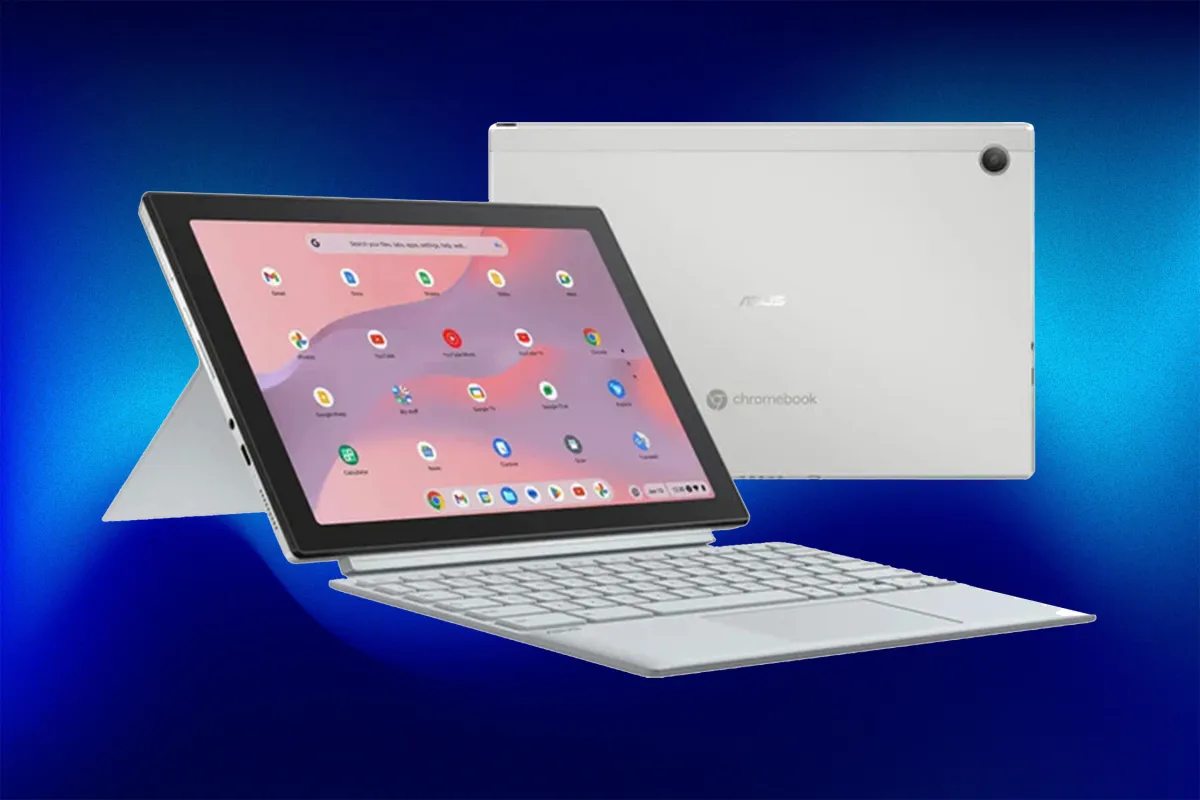
The refurbished ASUS Chromebook CM30 is the headline budget Chromebook deal here: USD 144.97 (approx. ₱8,500), down from USD 369.99 (approx. ₱21,700). According to the seller, “Get the refurbished ASUS Chromebook CM30 for USD 144.97, down from USD 369.99, with a detachable touchscreen, 8GB RAM, 128GB storage, stylus, and up to 12 hours of battery life.” That price undercuts many low-end tablets while offering laptop versatility. You get a 10.5-inch WUXGA touchscreen, a detachable keyboard for quick switches between laptop and tablet modes, and a garaged stylus for notes or sketches. The MediaTek Kompanio 520 processor paired with 8GB RAM and 128GB eMMC storage is tuned for typical ChromeOS tasks—Docs, Gmail, streaming, and light multitasking—rather than heavy creative workloads. Grade A refurbishment and a military-grade aluminum chassis make it a safe bet if you want a cheap secondary device that you can toss in a bag without stress.
| Spec | ASUS Chromebook CM30 | Deal Detail |
|---|---|---|
| Form factor | Detachable 2-in-1, laptop and tablet modes | Detachable keyboard, stylus included |
| Display | 10.5-inch WUXGA touchscreen | Touch input with stylus support |
| Processor & RAM | MediaTek Kompanio 520, 8GB RAM | Built for everyday ChromeOS tasks |
| Storage | 128GB eMMC | Plenty for apps and offline files |
| Battery & build | Up to 12 hours, military-grade aluminum chassis | Grade A refurbished condition |
| Price & deadline | USD 144.97 (approx. ₱8,500) refurbished | Deal ends July 19 at 11:59 p.m. PT |
USD 270 ASUS Chromebook CM15: A Rarely Good Sub-$300 Chromebook
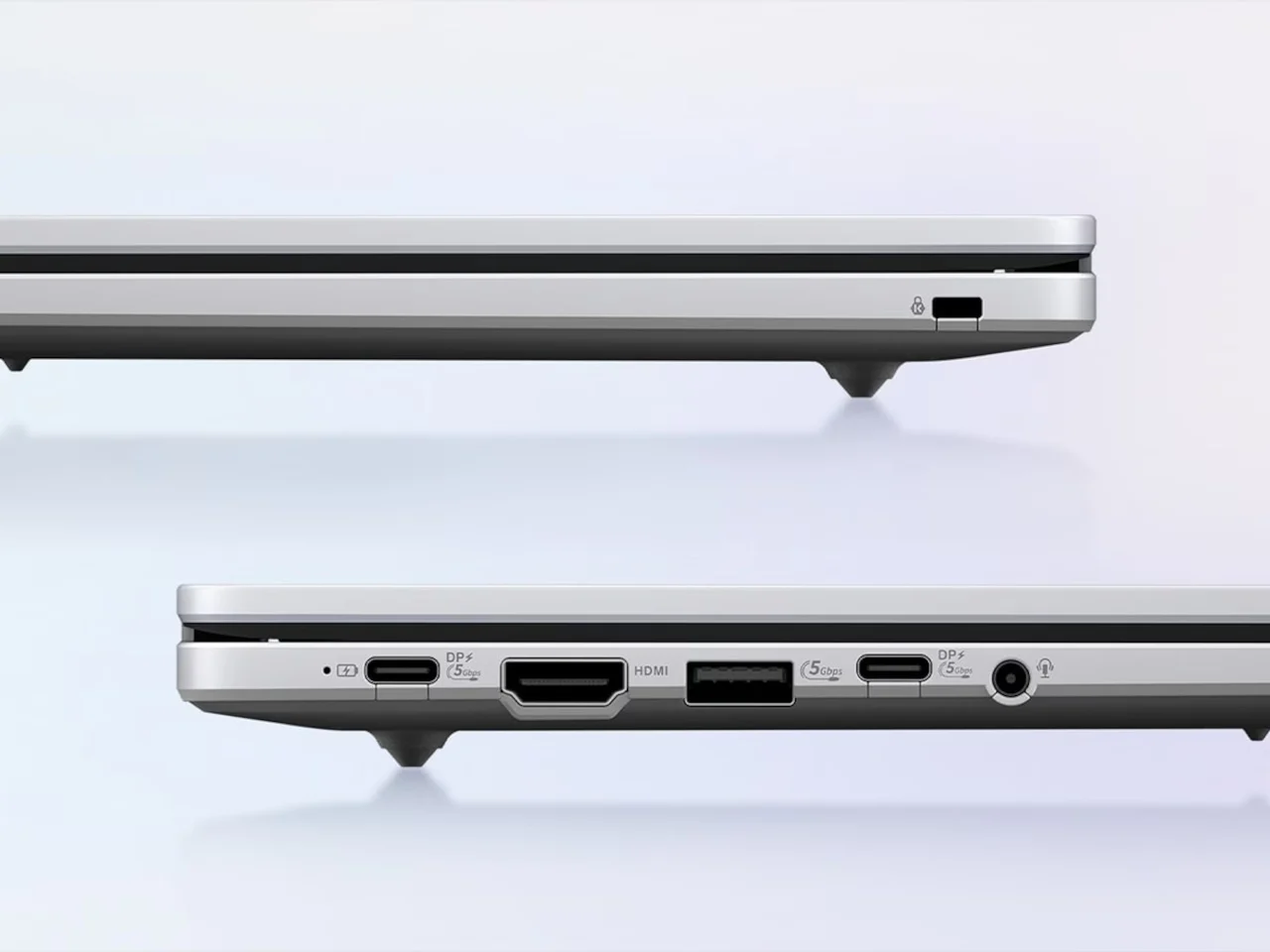
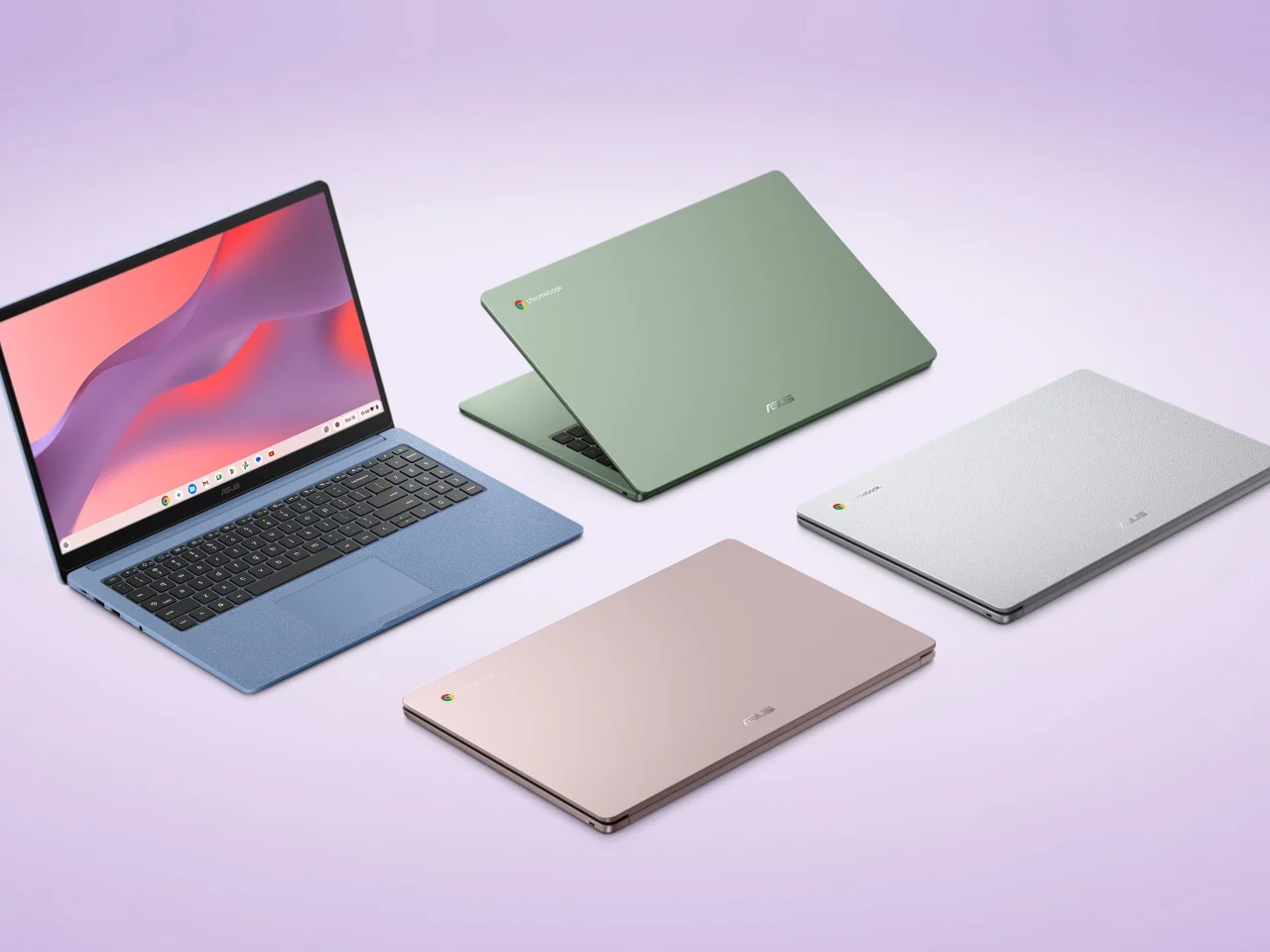
If you prefer a traditional laptop, the ASUS Chromebook CM15 sits at the heart of the sub-$300 Chromebook segment and manages to feel well thought-out instead of stripped-down. It starts at USD 269.99 (approx. ₱15,800), bringing a 15.6-inch Full HD anti-glare panel, a 180-degree lay-flat hinge, and a 3.26 lb chassis in four colors with a washi-paper-inspired texture. Under the hood, the MediaTek Kompanio 540 processor and up to 8GB of LPDDR5X memory balance performance and affordability, covering the range of tasks most people do daily—from browser work and cloud apps to Android apps via Google Play. You also get HDMI alongside dual USB-C and a USB-A port, which is unusual at this price point and handy for external displays. Added perks include MIL-STD-810H durability, under-10-second boot times, and a three-month Google AI Pro trial with Gemini and NotebookLM integration.
| Spec | ASUS Chromebook CM15 | Value Angle |
|---|---|---|
| Display & hinge | 15.6-inch FHD anti-glare, 180° lay-flat | Better screen and flexibility than typical budget laptops |
| Processor & memory | MediaTek Kompanio 540, up to 8GB LPDDR5X | Balanced performance for everyday use |
| Ports | HDMI, 2× USB-C, 1× USB-A | External monitor support at budget pricing |
| Durability & design | MIL-STD-810H tests, 30% recycled plastics, textured finishes | Rugged yet more stylish than typical budget shells |
| Price | Starts at USD 269.99 (approx. ₱15,800) | Strong sub-$300 Chromebook value |
ASUS Chromebook CM32 Detachable: Rugged 2-in-1 Power at USD 579
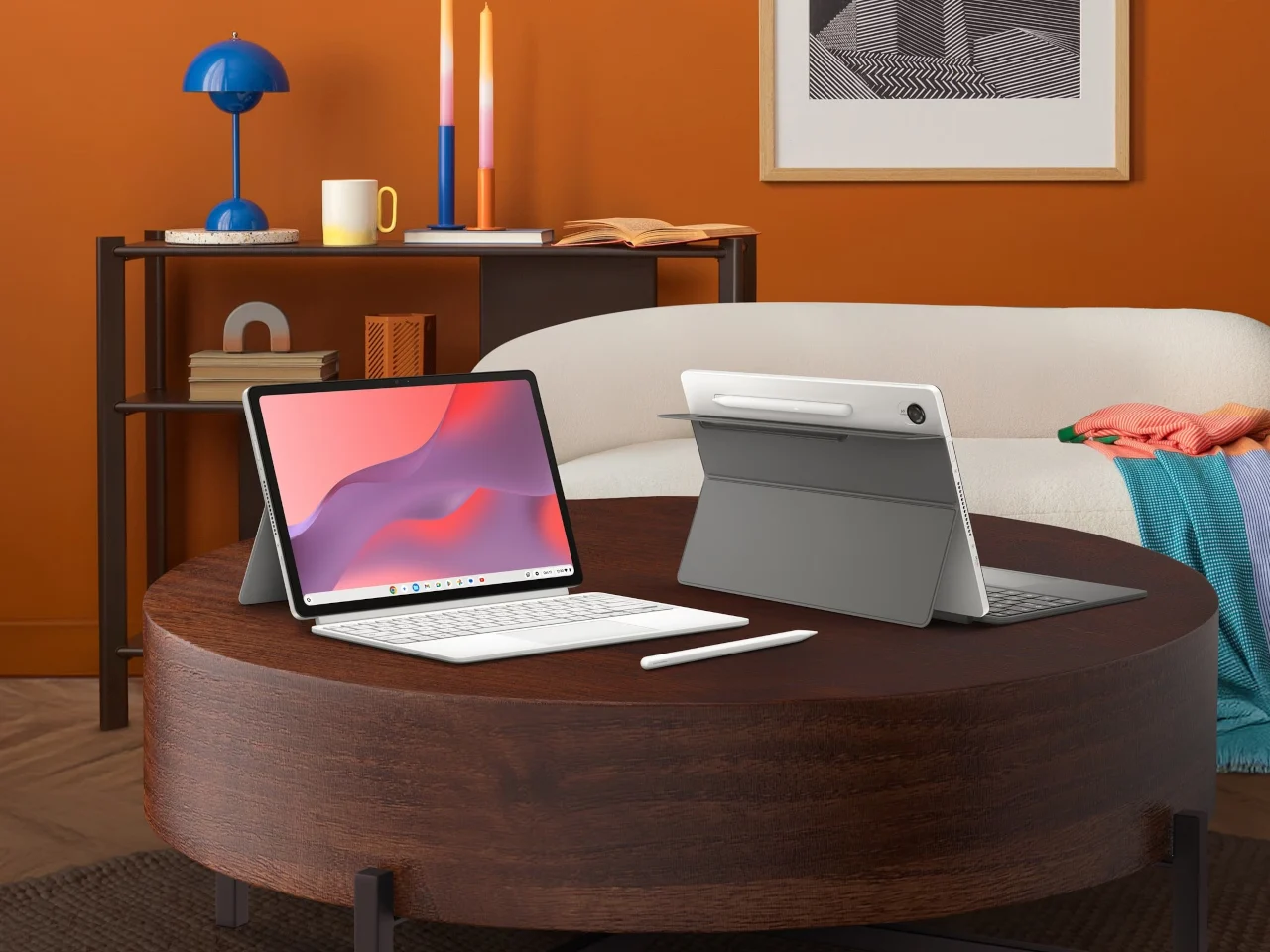
At the top of this ASUS Chromebook sale lineup sits the Chromebook CM32 Detachable, aimed at users who want tablet-first flexibility with laptop comfort. Priced at USD 579.00 (approx. ₱33,900), it is not cheap but pairs that cost with hardware you rarely see in mainstream Chromebooks: a 12.1-inch 2.5K 120 Hz touchscreen protected by Corning Gorilla Glass, a magnetically attached stand, and a detachable keyboard with 1.35 mm key travel. The stylus is wirelessly charged and shaped like a ballpoint pen, making annotating documents or sketching feel natural. Like the CM15, it uses the MediaTek Kompanio 540 processor with up to 8GB LPDDR5X memory and passes MIL-STD-810H durability tests, combining performance with rugged construction. It boots in under 10 seconds, runs Android apps from Google Play, and includes the same three-month Google AI Pro trial with Gemini and NotebookLM for boosted productivity.
| Spec | ASUS Chromebook CM32 Detachable | Rugged 2-in-1 Benefits |
|---|---|---|
| Display | 12.1-inch 2.5K 120 Hz touchscreen, Corning Gorilla Glass | Smooth visuals and extra protection for tablet-style use |
| Input & stand | Detachable keyboard, magnetic stand, wirelessly charged stylus | Quick change between tablet and laptop workflows |
| Processor & memory | MediaTek Kompanio 540, up to 8GB LPDDR5X | Handles everyday productivity and Android apps |
| Durability & boot | MIL-STD-810H tests, under-10-second boot | Rugged and responsive for mobile work |
| Price & role | USD 579.00 (approx. ₱33,900) | Best for buyers who need a premium-feeling 2-in-1 |
Buy if / Skip if
- Buy the ASUS Chromebook CM30 if you want an ultra-cheap, portable secondary machine with 2-in-1 flexibility and stylus support at USD 144.97 (approx. ₱8,500).
- Skip the ASUS Chromebook CM30 if you need heavy creative performance or serious gaming rather than everyday ChromeOS basics.
- Buy the ASUS Chromebook CM15 if you’re shopping for a sub-$300 Chromebook with a better Full HD display, HDMI, and military-grade durability at USD 269.99 (approx. ₱15,800).
- Skip the ASUS Chromebook CM15 if you prefer a compact tablet-first experience or do not need a 15.6-inch screen.
- Buy the ASUS Chromebook CM32 Detachable if you want a rugged 2-in-1 with a 2.5K 120 Hz touchscreen, stylus, and flexible stand at USD 579.00 (approx. ₱33,900).
- Skip the ASUS Chromebook CM32 Detachable if your budget caps near the sub-$300 range and you do not need its premium 2-in-1 hardware.