

Ask Maps Turns Google Maps Into a Conversation About Your Trip
Ask Maps is a Google Maps feature powered by Gemini that lets you type or speak natural-language questions about destinations, routes, and trip plans, then receive personalized recommendations and context-aware answers without leaving the navigation app, effectively turning Maps into an AI travel planning companion inside the same interface.
The key shift is that Google Maps AI travel planning stops being a patchwork of searches, tabs, and list views, and becomes a single, ongoing conversation. Ask Maps uses Gemini and Maps’ vast knowledge bank to answer travel questions, suggest places, and refine routes in real time, based on what you ask and what is on your screen. Instead of hunting through menus, you talk to the Ask Maps Gemini feature: where to go, when to leave, what is worth seeing nearby. This is not a side tool; it is Google’s attempt to make Maps feel like an AI trip planning tool at its core. That is a big change for how we research trips and move through cities.

How Ask Maps Works Inside the Google Maps Interface
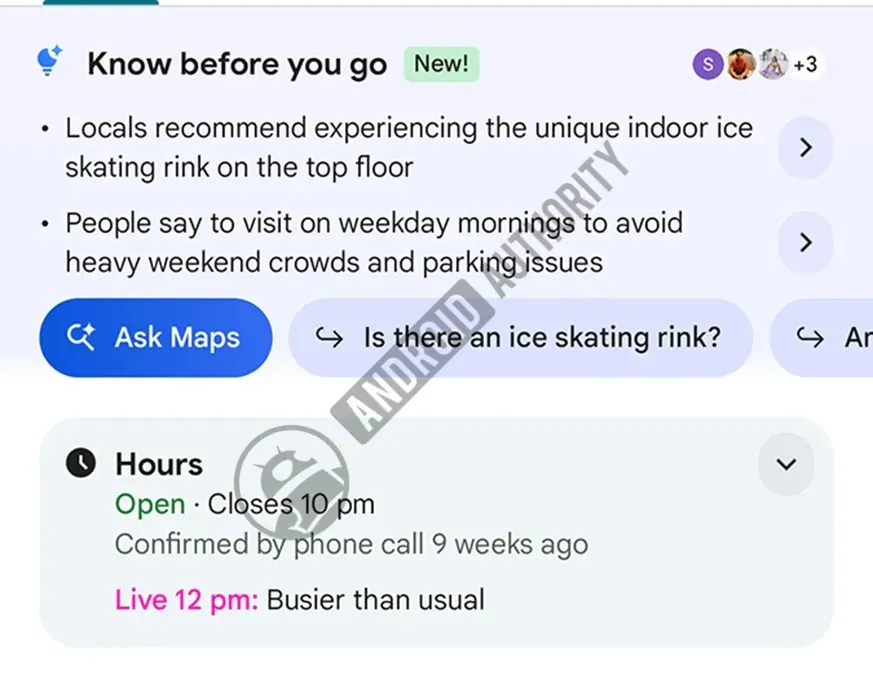
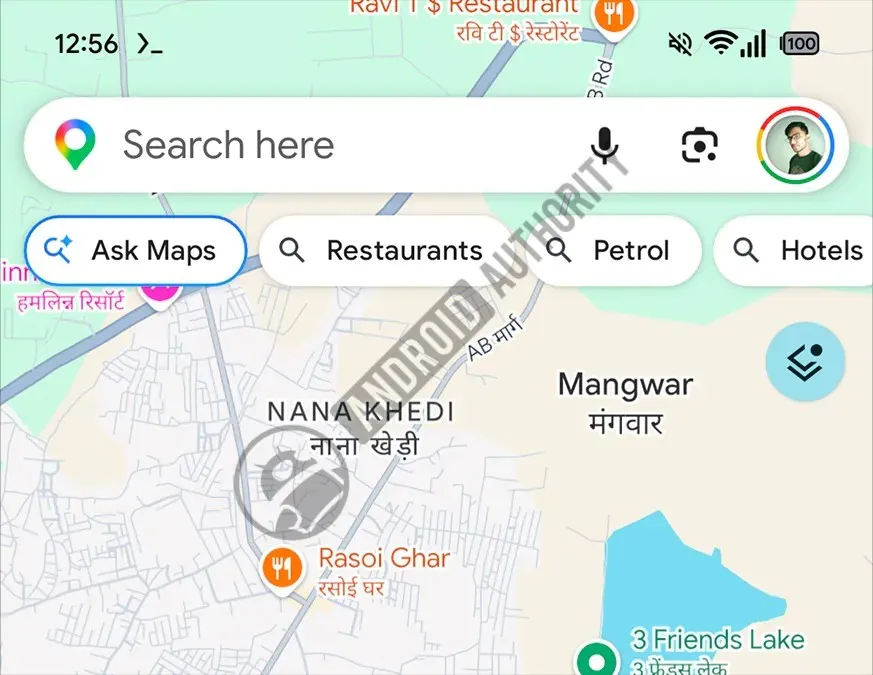
Ask Maps launched in March and has already moved beyond a small experiment into a visible part of Google Maps, appearing on the home screen and inside place listings. Driven by Google Gemini, the feature allows users to interact with the application using natural language to receive personalized recommendations, so you can ask about neighborhoods, restaurants, or attractions directly from the map view. This is Google Maps new features done right: keep the user in one interface, and let AI handle the nuance.
The feature helps users research destinations, find recommendations, and plan trips through natural language queries. You might ask, “Where are good coffee shops near my hotel?” or “What museums are open late tonight?” and get answers tied to real locations on the map. Ask Maps is quite handy when you are trying to find new places and get personalized recommendations, because it pulls from Maps’ vast knowledge bank rather than a generic web search. In practice, this makes Google Maps AI travel planning less about tapping filters and more about asking follow-up questions until your plan feels right.
Deeper Route Planning: Suggestion Chips and the Ask Maps Chat
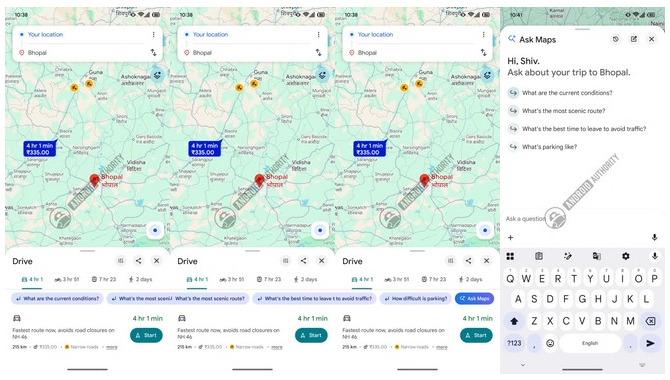
The most interesting evolution is happening in route planning. In a recent application update (version 26.29.01.946673643), the functionality of Ask Maps has been significantly broadened to appear directly inside directions. When users search for driving, walking, or cycling directions, conversational AI suggestion bubbles appear directly below the transport mode selection. These suggestion chips prompt context-aware queries such as “What is the most scenic route?” or “What is the best time to leave to avoid traffic?” which turn what used to be static route options into a dynamic planning conversation.
Selecting these options or tapping the dedicated Ask Maps button opens a chat interface, where users can converse with the AI to ask specific questions about their upcoming journey. Here, AI trip planning tools start to feel personal: you are not choosing from a fixed list, but asking, clarifying, and refining. According to one report, these suggestions appear only when the mode of travel is Drive, Bike, or Walk, with public transit currently excluded. That limitation shows Google is prioritizing trip discovery and flexible routing modes first, where scenic detours and departure timing matter more than rigid schedules.
From Experimental Feature to Everyday Travel Companion
Ask Maps was introduced in March and rolled out to several markets in June, but Google is clearly not done; the company is expanding its AI-powered tool with more prominent suggestion chips and deeper integration into the Maps interface. Some of the newer behavior has been activated experimentally through code investigation, suggesting that the public rollout of expanded Ask Maps features is near. In the current state, the feature surfaces on the home screen and place listings, and soon we might start seeing it in more places as those direction-screen integrations go live.
This is part of a broader push to add artificial intelligence to navigation. Other upcoming AI-driven features for Google Maps include automated assistance for correct place-name pronunciation, business management, and the capability to make restaurant reservations. Put together, Google is turning Maps into an AI trip planning hub rather than a passive map. The opinionated takeaway is simple: if you still treat Maps as a digital atlas, you are missing what it is becoming—a smart travel partner that expects you to talk to it in plain English about where you want to go and why.
Why Ask Maps Matters for How We Plan Trips
Ask Maps matters because it collapses the gap between dreaming about a trip and executing it. Instead of planning in one app and navigating in another, you use Google Maps AI travel planning tools directly where the routes and places live. Here, users can converse with the AI to ask specific questions about their upcoming journey, from timing to scenery to nearby stops. That makes discovery feel less like research and more like talking through options with a guide.
The feature helps users research destinations, find recommendations, and plan trips through natural language queries, which is a better match for how people think than rigid filters. Additionally, the Ask Maps button opening a dedicated chat window signals that Maps is no longer only about pins and routes; it is an ongoing dialog about your travel choices. As Google gives Ask Maps a bigger presence, with suggestion chips, chat, and upcoming AI-driven extras, the smart move for travelers is to lean into this conversational layer. Trip planning is turning into Q&A inside the map, and the sooner you adapt, the smoother your travels will be.





