

Our Top Pick and the Key Things to Look For
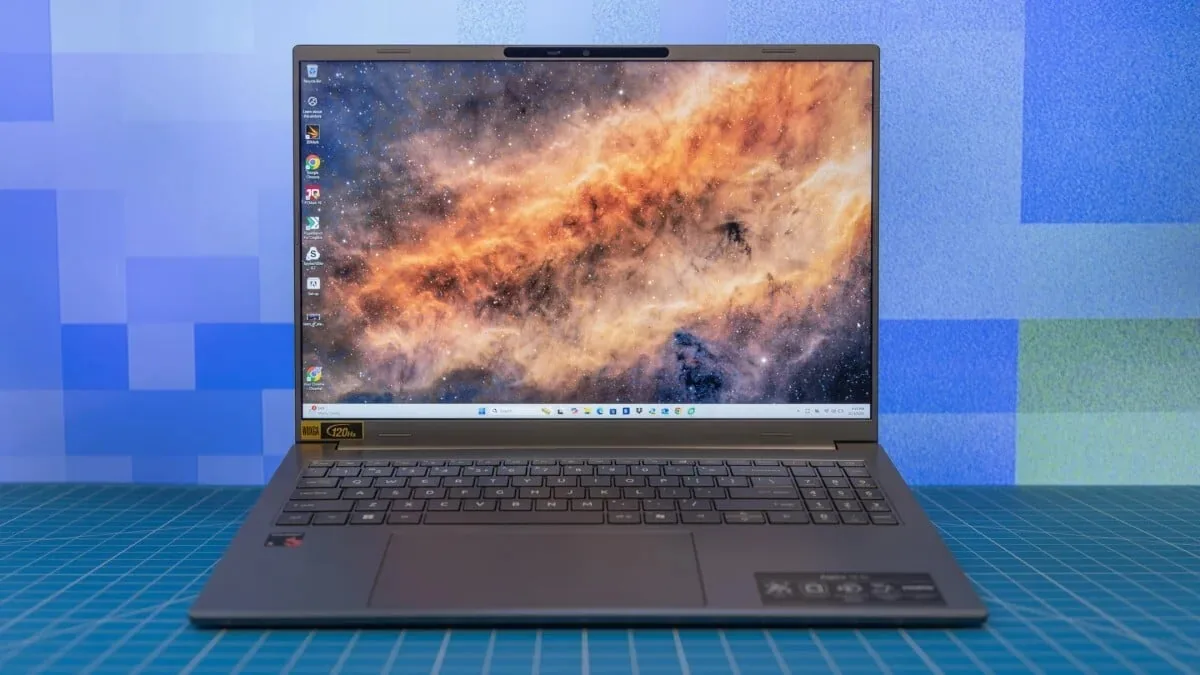
The best laptops under $1000 are portable computers that balance capable processors, sufficient memory and storage, solid connectivity, and a suitable operating system to deliver smooth everyday performance without exceeding a four-figure budget. Our clear top pick in this price range is the Lenovo Slim 3 IdeaPad 15-Inch at USD 729.99 (approx. ₱42,000). It wins for most people because it offers a modern AMD Ryzen 5 7535HS six-core processor, 16GB of fast DDR5 RAM, and a 512GB PCIe SSD in a light chassis, which comfortably covers study, office work, and light content creation without feeling slow. Before you choose any budget laptop deals, focus on three core criteria: the processor, memory, and connectivity. The CPU dictates how quickly the system responds to apps, RAM affects how many tasks you can run at once, and Wi-Fi plus USB-C ports keep you plugged into modern accessories and networks. With those basics covered, you can then narrow down by category: ultraportable, gaming laptops under $1000, productivity workhorses, or flexible 2-in-1 convertibles.
Lenovo Slim 3 IdeaPad: Best All-Round Budget Laptop
For most students and professionals who want one reliable machine under USD 1,000 (approx. ₱57,600), the Lenovo Slim 3 IdeaPad 15-Inch is the right choice at USD 729.99 (approx. ₱42,000). This compact 15-inch laptop pairs a Full HD+ display with an AMD Ryzen 5 7535HS six-core processor, 16GB of DDR5 RAM, and a 512GB PCIe SSD, plus Wi-Fi 6 and Bluetooth 5.3 in a light luna grey chassis. That combination is built for everyday office apps, dozens of browser tabs, and streaming, with enough headroom for light photo work. Its 16GB of memory lines up neatly with current guidance that more RAM improves multitasking and keeps integrated graphics from eating into system performance. The Slim 3 also ticks the connectivity box with modern wireless support and USB-C, so you can add docks or monitors easily if its port selection feels lean. If you mainly care about dependable performance and value rather than gaming, this is the balanced pick to buy.
HP Victus 15.6 and Acer Nitro V: Gaming Laptops Under $1,000
If you want affordable laptops 2026 that can play modern games, two budget laptop deals stand out. The HP Victus 15.6-Inch Gaming Laptop costs USD 823.99 (approx. ₱47,500) and brings a 15.6-inch Full HD screen with a 144Hz refresh rate, an Intel Core i5-12450H CPU, Nvidia RTX 3050 dedicated graphics, 16GB of RAM, a 512GB SSD, and Wi-Fi 6. That mix makes it ideal for competitive multiplayer and mid-settings AAA gaming, plus general productivity between sessions. The Acer Nitro V Gaming Laptop at USD 815 (approx. ₱47,000) uses an Intel Core i5-13420H processor with an Nvidia RTX 4050 laptop GPU, 8GB of DDR5 memory, and a 512GB Gen 4 SSD. According to one testing-focused source, “for gaming laptops, you're going to be looking at the lower end of GPUs from Nvidia's RTX 5050 and even graphics chips from older generations.” Both machines fit that profile: they won’t hit ultra settings, but they deliver smooth play and strong everyday performance without breaking the USD 1,000 line.
| Spec | HP Victus 15.6 | Acer Nitro V |
|---|---|---|
| Price | USD 823.99 (approx. ₱47,500) | USD 815 (approx. ₱47,000) |
| CPU | Intel Core i5-12450H | Intel Core i5-13420H |
| GPU | Nvidia RTX 3050 | Nvidia RTX 4050 laptop GPU |
| RAM | 16GB | 8GB DDR5 |
| Storage | 512GB SSD | 512GB Gen 4 SSD |
| Display | 15.6" Full HD, 144Hz | Listed gaming display (FHD class) |
MacBook Neo 2026: Best Sub-$1,000 Mac Option
If you live in the Apple ecosystem and want the best laptops under $1000 that run macOS, the MacBook Neo 2026 is the standout option. One configuration is priced at USD 699 (approx. ₱40,300), while another with identical hardware aside from one exception is listed at USD 789 (approx. ₱45,500). This 13-inch notebook carries Apple’s A18 Pro chip, designed to support Apple Intelligence, along with a Liquid Retina display, 8GB of unified memory, and a 256GB SSD. It breaks the usual pattern of high entry prices into the Apple ecosystem by delivering strong everyday performance at a midrange cost. A browser-centric Chrome OS machine can still be ideal for students and casual users who mostly want to get online, but if you need macOS for creative tools or tight integration with iPhone and Apple Watch, this is the affordable laptops 2026 pick to go for. Thanks to fast unified memory and modern connectivity, it handles office work, streaming, and light editing comfortably within the budget cap.
How to Choose Between Ultraportables, Gaming, Productivity and 2-in-1s
With today’s laptop designs ranging from flip-and-fold convertibles to sleek ultraportables and beefy gaming notebooks, your choice should follow how you work and play. Gaming and media-heavy users benefit most from dedicated graphics, like the RTX chips in the HP Victus and Acer Nitro V, because integrated GPUs can struggle with fast-paced titles. Office-focused buyers and students can prioritize CPUs such as Core i5 or Ryzen 5 plus 8GB to 16GB of RAM for smoother multitasking. Convertible hybrids are widely available under USD 1,000 (approx. ₱57,600), and they suit people who annotate documents or draw with a stylus. Slim ultraportables appeal if you carry your laptop daily and are willing to use a docking station or adapters to fill any port gaps. Whatever category you choose, make sure the operating system fits your needs: Chrome OS for simple web-first use, Windows for broad app support, or macOS via the MacBook Neo for those tied to Apple services.
- Buy the Lenovo Slim 3 IdeaPad if you want the strongest overall balance of price, performance, and memory for everyday work.
- Skip the Lenovo Slim 3 IdeaPad if gaming performance with a dedicated GPU matters more than multitasking strength.
- Buy the HP Victus 15.6 if you play competitive games and want a 144Hz display with solid RTX 3050 graphics under USD 1,000 (approx. ₱57,600).
- Skip the HP Victus 15.6 if you prefer a lighter ultraportable and rarely run graphics-heavy apps.
- Buy the Acer Nitro V if you want modern Intel and RTX 4050 hardware at a midrange gaming price point.
- Skip the Acer Nitro V if 8GB of RAM feels too tight for your multitasking or creative workloads.
- Buy the MacBook Neo 2026 if you need macOS and Apple Intelligence support in an affordable 13-inch package.
- Skip the MacBook Neo 2026 if you rely on Windows-only software or prefer Chrome OS for simple, browser-first tasks.





