
AI Photo Editing in a Nutshell
AI photo editing is the use of machine learning models in software to automate complex image adjustments such as sharpening, noise reduction, masking, and photo upscaling, so that both beginners and experts can get high‑quality results with fewer manual steps and less repetitive post‑processing work.
Between Topaz Photo AI and Nik Collection 9, the choice comes down to speed versus surgical control. Topaz’s Wonder 3 model is built for quick, single‑click photo enhancement that sharpens, reduces noise, and increases resolution in one pass, making it one of the quickest ways to improve image quality without juggling separate tools. Nik Collection 9, by contrast, is a deep suite aimed at serious editors who want layered color grading, refined black‑and‑white work, and detailed local adjustments. If you want to fix problem files fast, Topaz is the easy winner; if you want to craft a look with fine control, Nik is more your style.
Topaz Photo AI: One-Click Rescue for Problem Photos
Topaz Photo AI is all about compressing a full retouch into a single decision. Its Wonder 3 model combines upscaling, sharpening, and noise reduction into one workflow, so you can sharpen a soft image, reduce noise, and increase its resolution at the same time instead of applying multiple adjustments manually. You import your file, select Wonder 3, set the Scale slider to decide how much to enlarge, then fine‑tune Strength while previewing the result.
Because Topaz supports RAW files from many cameras, it can slot in early in your pipeline before other edits. Wonder 3 is tuned to recover textures such as hair, skin, feathers, and fur while keeping a natural, photorealistic look, which is ideal for portraits, wildlife, landscapes, or older, noisy images that need extra clarity. According to the developers, Wonder 3 “makes photo enhancement remarkably straightforward,” replacing three separate noise reduction tools, sharpening passes, and photo upscaling software with a single operation. If you value turnaround time and clean, realistic output over experimental color work, Topaz Photo AI is the more efficient choice.
Nik Collection 9: A Full Toolkit for Serious Editing
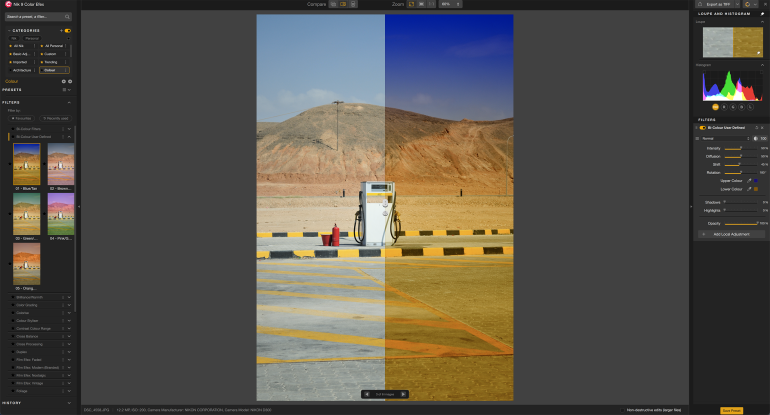
Nik Collection 9 is not one program, but a suite of specialized photo enhancement tools designed for photographers who dislike straight‑out‑of‑camera results and expect extensive post‑processing options. Color Efex is a powerhouse for color editing and creative filters, offering layered effects you can toggle on and off and refine locally. Silver Efex focuses on black‑and‑white conversions, with film simulation curves and grain controls that invite patient, fine‑grained tuning. Viveza provides quick, global corrections for contrast, shadows, skin, skies, and foregrounds, acting as a fast “make it presentable” module.
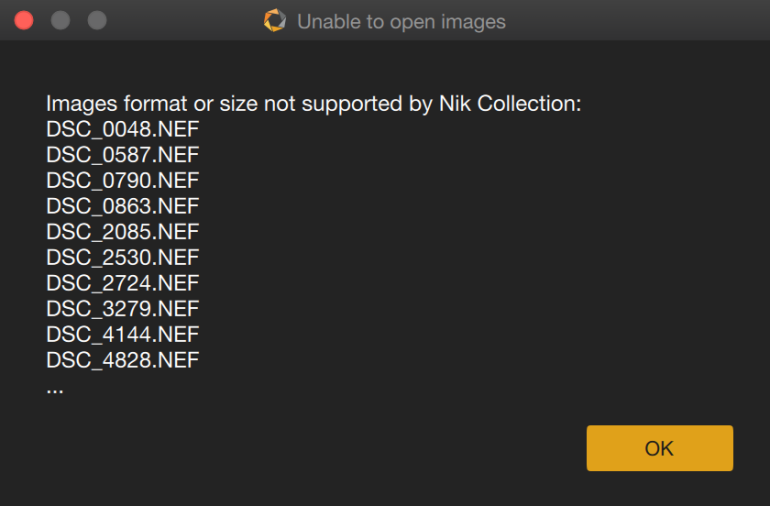
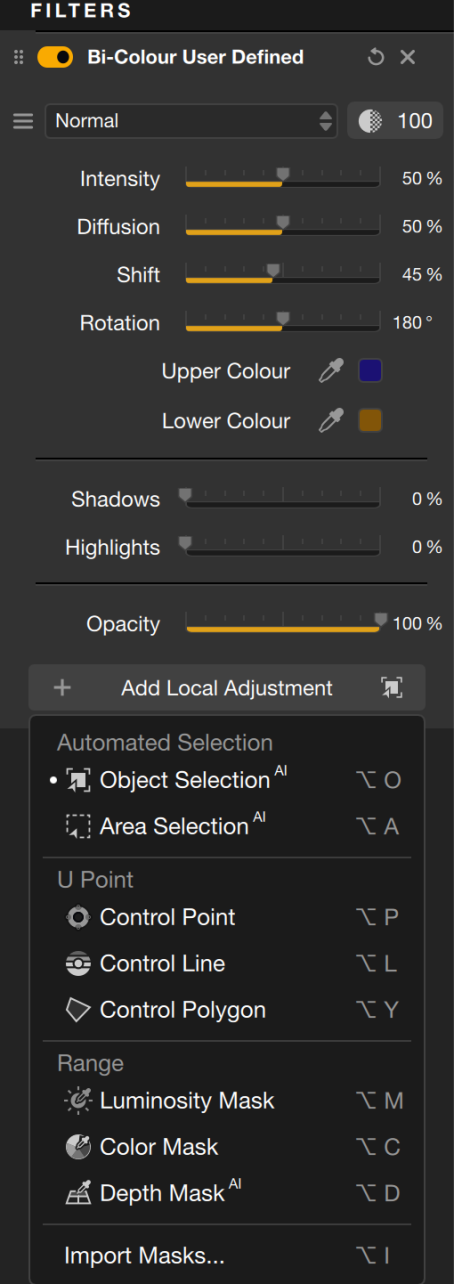
Nik 9 modernizes its classic U Point technology with AI masking and Depth Masks that select areas by perceived distance from the lens. Depth Masks can, for example, isolate sand and mountains while leaving out the sky, even when no depth data exists in the JPEG. However, the suite has a key limitation: it does not accept RAW files directly, so you must process exposure elsewhere and send JPEGs into Nik, which is a significant caveat for many professionals. Unlike AI‑driven noise reduction tools such as Topaz DeNoise, Nik Dfine favors speed over deep AI analysis, trading some automation for quicker, cleaner output. Overall, Nik Collection 9 rewards time‑rich editors who want granular control more than photographers chasing one‑click fixes.
| Spec / Feature | Topaz Photo AI (Wonder 3) | Nik Collection 9 |
|---|---|---|
| Core role | All‑in‑one AI photo enhancement and photo upscaling software | Comprehensive suite of specialized photo enhancement tools |
| Key AI functions | Upscaling, sharpening, and noise reduction combined in one model | AI masking and Depth Masks for targeted adjustments |
| Noise reduction approach | AI‑driven denoising integrated with sharpening and upscaling | Dfine uses faster, non‑AI measurements and processing |
| File support | Accepts a wide range of image formats, including many RAW files | Does not support RAW as a starting point; requires pre‑processed JPEGs |
| Best suited to | Quick repair of soft, noisy, low‑resolution photos with minimal effort | Serious editors building layered color and black‑and‑white looks with local control |
AI Automation vs Creative Depth: Which Should You Choose?
Both tools use AI automation to cut down on repetitive post‑processing tasks, but in different ways. Wonder 3 turns three common chores—sharpening, denoising, and photo upscaling—into one action, making it one of the quickest routes to a cleaner, sharper, higher‑resolution file. Instead of exporting to separate noise reduction tools or running multiple passes, you get a single, coherent enhancement that preserves detail in challenging textures.
Nik Collection 9 leans on AI to speed up selections rather than to decide the whole look. AI Masks and Depth Masks help you target objects or depth ranges more intuitively than manual selections, even though they can be slow to calculate and sometimes miss expected subjects. From there, your creativity takes over with layers, presets, film simulations, and local adjustments in modules like Color Efex and Silver Efex. The shared weakness for both ecosystems is that they are complements, not full catalog managers or RAW developers; Nik, in particular, “requires support for RAW files” to be a complete solution for many professionals and currently falls short on that front.

Buy if / Skip if
- Buy the Topaz Photo AI if you need fast AI photo editing that can sharpen, denoise, and upscale problem images in one straightforward pass.
- Skip the Topaz Photo AI if you want deep creative color grading, film‑style black‑and‑white tools, and complex layered looks inside a single suite.
- Buy the Nik Collection 9 if you are a serious photo editor who prefers extensive post‑processing with Color Efex, Silver Efex, and Viveza providing specialized control.
- Skip the Nik Collection 9 if RAW‑first editing is essential and you do not want to convert files to JPEG before running photo enhancement tools.
- Buy the Topaz Photo AI if your priority is turning noisy, low‑resolution portraits, wildlife shots, or old photos into cleaner, sharper, higher‑resolution results with minimal work.
- Skip the Topaz Photo AI if AI‑driven noise reduction tools are less important to you than fast, manual noise cleanup and you already rely on another denoising workflow.
- Buy the Nik Collection 9 if you enjoy experimenting with AI masking, Depth Masks, film simulations, and granular local adjustments across multiple dedicated plug‑ins.
- Skip the Nik Collection 9 if you dislike spending extra time exploring many presets, layers, and adjustment options and prefer a quick, single‑click photo enhancement approach.