
Search, Reborn: From Monetized Widget to Actual Tool
The new Windows Search redesign is a system-wide overhaul that removes ads and promotional clutter, prioritizes local file search, and introduces faster, more accurate results tailored to everyday desktop use. Microsoft is finally treating Search as infrastructure again, not a billboard. The company is rolling out a redesigned experience that surfaces local apps, files, folders, and settings ahead of web content, while cutting down promotional noise and giving users more control over what appears in results. For everyday users, that means reaching apps, files, and settings with fewer distractions, and a search box that behaves more like a trustworthy tool than a funnel into Bing-powered content. This is overdue—and it signals a rare moment where user frustration has clearly won over short-term ad revenue.
Goodbye Ads: Why Stripping Promotion Matters More Than Any New Feature
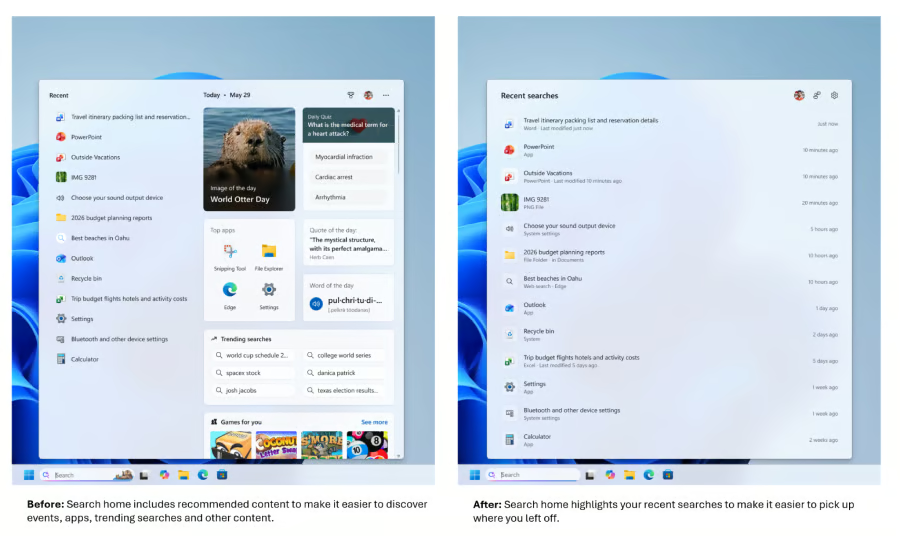
The most important Windows Search improvements are not new tricks—they are subtractions. Microsoft is completely removing sponsored product recommendations, external news feeds, and other promotional content from the search results window. Bing and MSN ads are officially gone, along with the carousel of recommendations that turned a core OS feature into a side-channel for web traffic. Promotional content and sponsored product carousels have also been stripped from web results, which was long overdue. In practical terms, this means typing a phrase like “running plan” no longer triggers a “Shop now” button masquerading as help. Instead, Search goes back to being what it should have always been: a fast way to open what you own, not a funnel to what someone wants you to click. This is not a cosmetic win; it is a trust win.
Local-First Search: The Way Windows Should Have Worked All Along
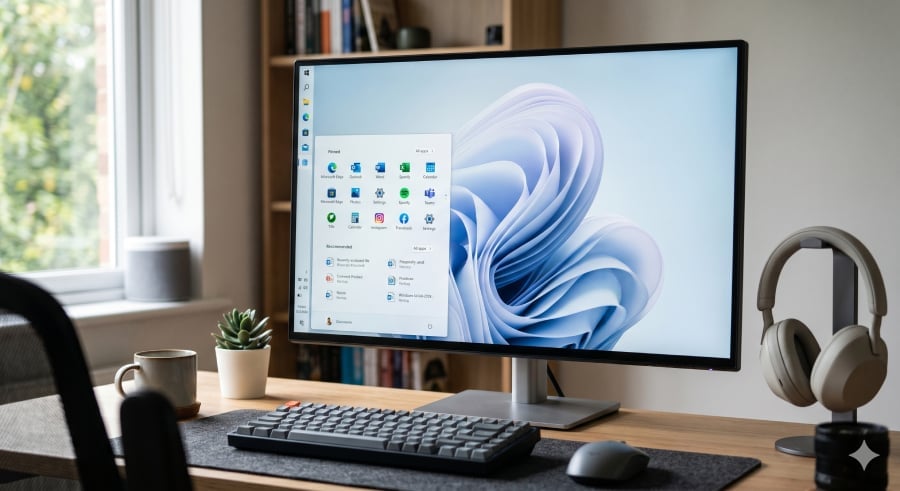
Microsoft is making local file search the star again, and that single decision changes everything. The redesigned Windows Search experience prioritizes local files, apps, folders, and settings over generic web suggestions, firmly adopting a local-first indexing approach. When you search for documents, apps, system settings, or specific files, Windows will first display results from your device instead of pushing Bing-powered web results. For years, Search was criticized for surfacing more online content than the files users were actually trying to find, undermining confidence in the tool. Now, local apps, system configurations, and desktop documents reliably appear ahead of anything pulled from the web. For everyday users, that means you press the Windows key, type a couple of letters, and your stuff appears—fast, predictable, and finally aligned with why Search exists in the first place.
Cleaner UI, Smarter Logic: Search That Stops Fighting You
The Windows Search redesign is not only about what is removed; it is about making what remains understandable. The search home screen has been decluttered, ditching trending topics and “games for you” in favor of a straightforward list of recent searches, so opening Search no longer feels like loading a mini homepage. The overhaul brings clearer result categories, richer previews for local files, and better handling of misspelled searches. Search now labels where each result comes from—app, setting, file, or web suggestion—so you are not guessing what a click will open. Typo tolerance has improved as well, so entries like “utlook” still surface Outlook instead of failing silently. Under the hood, Microsoft has optimized Search’s foundation to reduce excessive CPU usage, speed up result loading, and minimize crashes that have frustrated users for years. This is Search that respects your time instead of wasting it.
Control, Rollout, and What This Says About Microsoft’s Priorities
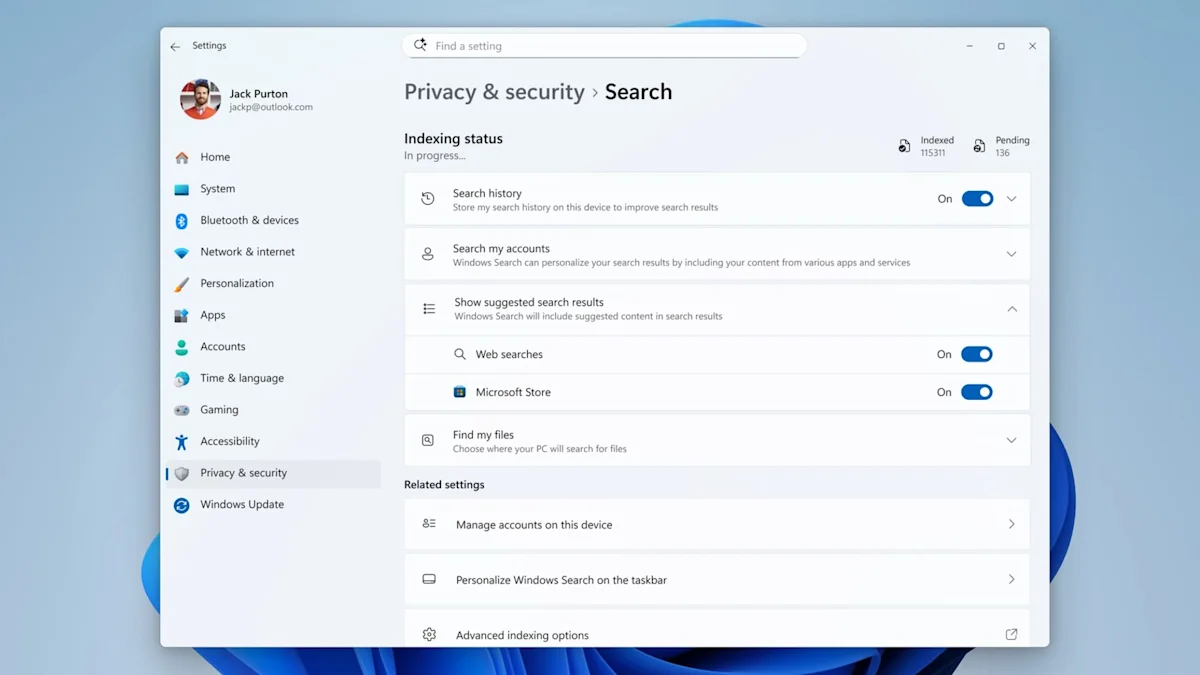
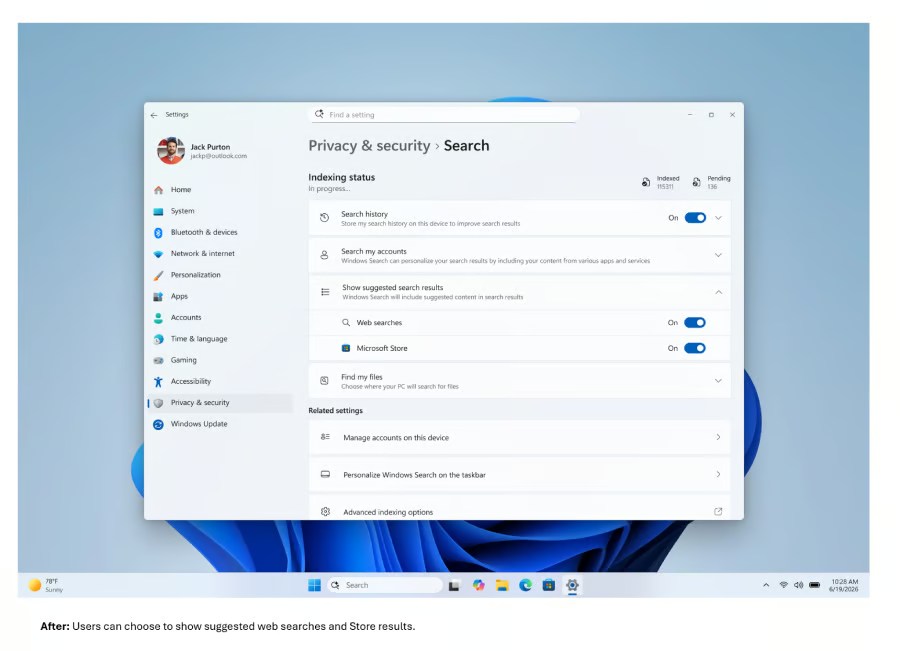
Crucially, Microsoft is handing some power back to users. A new setting under Privacy & Security > Search lets you turn off web and Microsoft Store suggestions entirely if you prefer results from your own PC. Combined with ad removal, this makes the search box far less of a corporate mouthpiece and far more of a personal index. These Windows Search improvements are part of an internal effort known as Windows K2, aimed at improving user experience and fixing long-criticized weaknesses in Windows 11. The changes are rolling out via a controlled feature rollout to Insiders in the Experimental channel, with phased deployment and broader availability expected later in the year. The bigger story is philosophical: Microsoft seems prepared, for once, to value a reliable desktop experience over monetized clutter. If that commitment holds, Search might become the blueprint for how to de-bloat the rest of Windows.