
What One-Click AI Photo Enhancement Actually Does
AI photo enhancement is the process of using trained machine-learning models to upscale, denoise, and sharpen images in one automated pass, restoring fine detail and increasing resolution while maintaining a natural, photorealistic look that would otherwise require multiple manual adjustments and expert photo-editing skills.
If you’ve ever opened a blurry, noisy photo and wished you could fix sharpness, grain, and resolution at once, tools like Topaz Photo AI exist for exactly that. Its Wonder 3 model combines sharpening, noise reduction, and upscaling in a single run, so you no longer need to stack filters, masks, and layers to clean up a file. This is ideal if you handle portraits, wildlife, landscapes, or older photos that need a higher-resolution finish but don’t want to live inside a complex professional photo editing suite.
The only real prerequisites are a computer that can run Topaz Photo AI, access to the latest version so Wonder 3 is available, and photos you care enough about to give them a second life. For video, you’ll also want a web browser and access to the Beeble web application, since that’s where SwitchHDR runs.
Setting Up: What You Need Before You Click Enhance
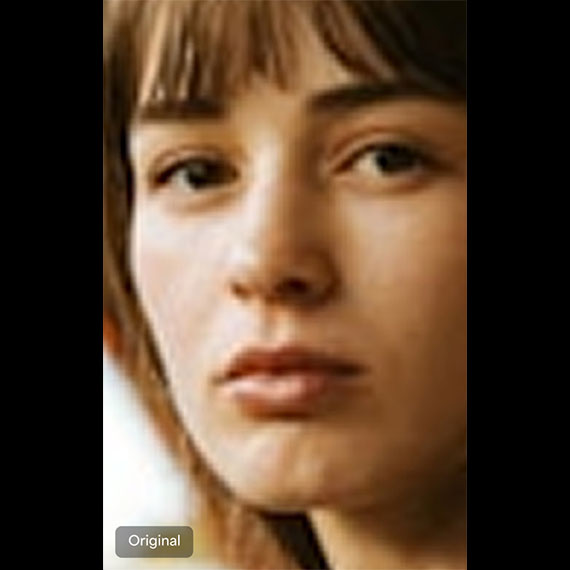
Before you start a one-click upscale denoise sharpen workflow, it helps to understand what is happening under the hood. Wonder 3 is an AI model designed to restore fine textures like hair, skin, feathers, and fur while cleaning noise and boosting resolution in a single operation. Instead of running separate noise reduction, sharpening, and upscaling passes—which can exaggerate artifacts or make a photo look over-processed—you let one intelligent model decide how far to push each adjustment.
You’ll need Topaz Photo AI installed and updated so the Wonder 3 model and its latest improvements are present. According to the developers, "Topaz Photo AI’s new Wonder 3 model makes it incredibly simple" to sharpen a soft image, reduce noise, and increase resolution all at once. The app supports a wide range of formats, including RAW files, so you can feed it straight-from-camera shots as well as JPEGs. For video HDR reconstruction, SwitchHDR is available through the Beeble web application, where it outputs scene-linear 16-bit EXR sequences ready for grading and VFX work.
One-Click Workflow: From Soft Photo to Polished Image
Here’s the part where you stop fighting layers and sliders. Wonder 3 is built to collapse three steps—upscaling, sharpening, and noise reduction—into one workflow, so the key is to move through the process in a clean sequence and let the model do the heavy lifting. The biggest “gotcha” is overdoing the scale or strength sliders and ending up with a plastic look, so we’ll keep the adjustments small and keep checking the preview.
- Launch Topaz Photo AI on your computer and confirm you’re on the latest version so the Wonder 3 model is available.
- Import your image by dragging and dropping it into the app or clicking Browse to select a file; RAW and common image formats are supported.
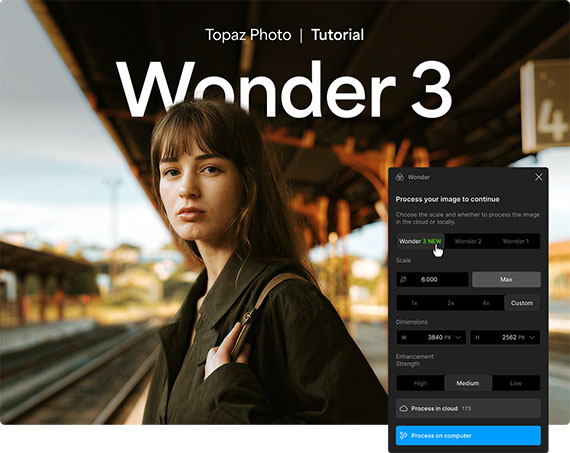
- In the enhancement models panel, choose Wonder, then select Wonder 3 to enable simultaneous upscaling, sharpening, and noise reduction in one workflow.
- Set the Scale slider to the enlargement you need and adjust Strength to fine-tune how aggressively the model enhances details, comparing before-and-after previews for a natural look.
- When satisfied with the preview, click Process to render the final image, either locally on your hardware or using the Topaz Cloud, depending on your preference and available resources.
Followed in order, this workflow turns a soft, noisy, low-resolution file into a cleaner, sharper, higher-resolution image without separate passes. Wonder 3 makes photo enhancement straightforward by letting you accomplish all three corrections in a single step while preserving realistic detail. That’s the big win: near professional photo editing results without manual layer-by-layer editing.
Beyond Photos: AI Video Enhancement and HDR Reconstruction
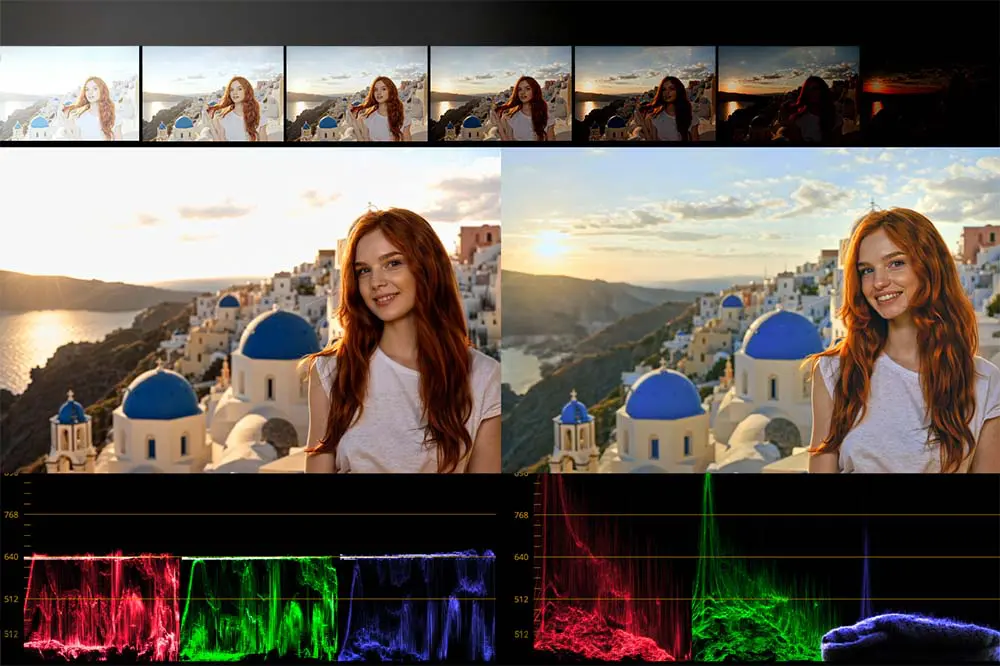
Once you get comfortable with AI photo enhancement, the same ideas carry over to video. An SDR clip is limited in dynamic range, which means clipped highlights and crushed shadows often stay lost. The SwitchHDR model takes conventional SDR footage and reconstructs HDR imagery, producing scene-linear 16-bit EXR sequences for professional post production. Instead of stretching the existing SDR signal—which can introduce banding and noise—SwitchHDR is trained on real HDR footage to rebuild plausible highlight and shadow detail while suppressing shadow noise and preserving temporal consistency across sequences.
SwitchHDR runs through the Beeble web application, and its output arrives as ACES2065-1 (AP0) EXR sequences that slot neatly into grading, compositing, and VFX pipelines. That makes it suitable for feature films, commercials, sports, archival restoration, and other professional production and post production workflows. Think of it as the video cousin of Wonder 3: instead of micromanaging LUTs, masks, and manual HDR conversions, you guide the model and receive scene-linear files ready for high-end finishing.
Is One-Click Enhancement Worth It?
If your goal is to rescue soft, noisy, or low-resolution photos without turning into a full-time retoucher, one-click AI photo enhancement is worth using. Wonder 3 gives images a cleaner, sharper, and higher-resolution finish in a single operation, which means less time wrestling with separate tools and more time choosing your best frames. The main thing to watch for is restraint: let the previews guide you, and back off the sliders when the image starts to look over-processed.
On the video side, SwitchHDR shows how AI video enhancement can extend the same idea to HDR reconstruction, delivering scene-linear 16-bit EXR output suitable for modern post-production pipelines. Together, these tools show that professional-grade results no longer demand complex, manual, layer-by-layer editing. You bring the footage and taste; the models handle the heavy lifting.