

Android 17’s new passcode protection, explained in plain terms
Android 17’s device passcode protection is a lock screen security upgrade that slashes the number of allowed password or PIN guesses, strengthens rate‑limiting against brute‑force attacks, and quietly ties into deeper encryption changes so that unauthorized access to your phone becomes far less practical for thieves and other attackers. This is not a cosmetic tweak; it is a fundamental change to how hard it is to break into a modern Android phone. Google cut the maximum number of device passcode or password attempts on the lock screen from 1,800 guesses to just 20 tries, and that single decision has a bigger impact on Android 17 security than most flashy new features. If you care about real‑world phone security features, this is the upgrade that matters.
From 1,800 guesses to 20: why the new rate limits matter
The uncomfortable truth is that older Android versions were far too forgiving for wrong passcodes. Before Android 17, Android phones had generous rate limits: Android 16 allows 10 guesses in the first 60 seconds, 20 guesses in six minutes, and 50 guesses in 25 minutes. Over time, that added up to as many as 1,800 attempts, giving a determined attacker plenty of room to grind away at your PIN. Android uses rate‑limiting to "slow down, and given enough attempts, block attackers performing brute‑force attacks on LSKFs [Lockscreen Knowledge Factors]." With Android 17, the policy is blunt and effective: Android 17 only permits a maximum of 20 login attempts, whereas Android 16 used to allow up to 1,800. Android 17 absolutely nixes this vulnerability by making each guess count and making casual brute forcing impractical.
Advanced encryption and smarter validation, without extra hassle
Cutting off excess guesses is only half the story; Android 17 backs that change with deeper cryptographic and validation updates. Post‑quantum cryptography upgrades under‑the‑hood encryption to future‑proof user data from advanced threats, meaning that even if attackers capture encrypted data today, it is designed to stay protected against more powerful attacks tomorrow. On the lock screen, Android uses rate‑limiting not only to slow down attempts but, given enough failures, to block attackers from continuing brute‑force attacks on your passcode. Crucially, you do not have to configure anything: the most important Android 17 upgrade is one you’d probably never notice, because it is enforced by the system for every device passcode. There are a few quality‑of‑life changes coming to your Android 17 lock screen to make living with the new rate limits easier, such as clearer timeout information and smarter handling of repeated identical inputs.
How this fits with biometrics and other phone security features
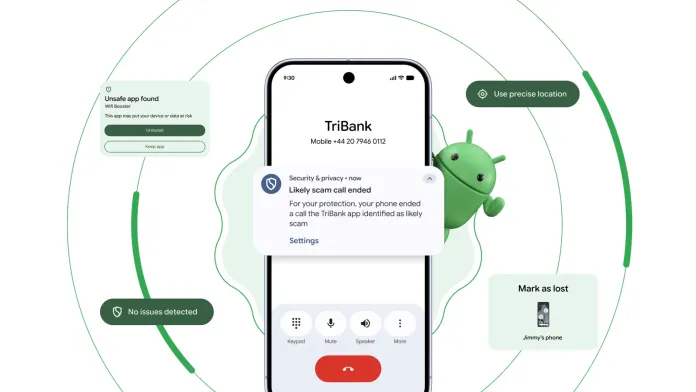
Device passcode protection in Android 17 does not live in isolation; it complements security layers that already shield your phone. Advanced Theft Protection activates Theft Lock by default, mandating biometrics and hiding Quick Settings toggles so a thief cannot disable key protections from the lock screen. Protected OTPs isolates and hides One‑Time Passwords from malicious apps with SMS permissions, and Verified Banking Calls cross‑checks caller ID legitimacy with participating banking apps to block spoofing. On top of that, cross‑platform encrypted RCS messaging and Quick Share to AirDrop‑style transfers bring end‑to‑end protections to the way your data moves between devices. The result is layered Android 17 security: even if someone has your phone in hand, stronger lockscreen rate‑limiting, modern Android encryption updates, biometrics, and device protection systems work together to keep your data out of reach.
What you should do now—and why the trade‑off is worth it
If you are on a compatible phone, install the stable Android 17 release as soon as it is available; it is ready for download on Google Pixel phones and will soon make its way to more Android brands. Google’s new rate‑limiting policy also applies to Android 16 QPR2, but Android 17 is the first major SDK release to ship with these restrictions, so upgrading aligns your device with the strongest stance on lock screen security yet. Be careful not to lock yourself out of your phone—tap away at your lock screen password and make too many incorrect guesses, and you will be locked out for hours, days, or years quickly. The timeout periods prevent someone from using up all 20 tries in their sleep or when a child snags their phone, although you still want to make sure you are not wasting the limited guesses you get. The trade‑off is clear: a slight need for attention on your own passcode habits in exchange for a phone that is dramatically harder to crack.





