
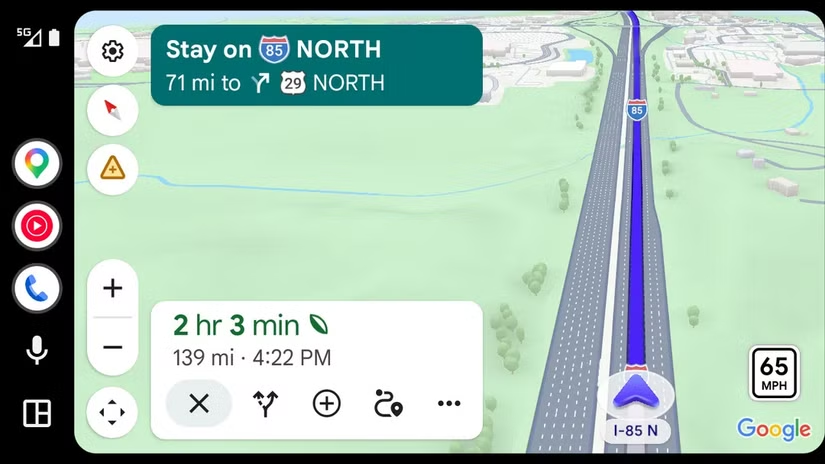

Immersive Navigation on Android Auto: What It Is and Why It Matters
Android Auto immersive navigation is a redesigned Google Maps experience that uses detailed 3D city models, clearer landmarks, and improved guidance to make in-car directions easier to see and follow while you drive in complex urban environments. Back in March, Google revealed a substantial overhaul of Google Maps’ navigation system with a new user interface it described as immersive. After months of limited phone-only rollout, that immersive Google Maps UI is now appearing inside Android Auto for some drivers, bringing the most eye-catching version of Maps directly to the dashboard. This is not a minor coat of paint. It is Google’s first serious answer to the richer, more “you are there” views that Apple has been pushing in its own car navigation features, and it has clear implications for how quickly you can understand the road ahead when information overload already clutters modern dashboards.
A Deeper Google Maps UI Update: 3D Cities That Match What You See
At its core, Immersive Navigation is a Google Maps UI update that renders urban terrain in more elaborate 3D. Instead of vague blocks and flat roads, the new UI shows pronounced 3D landmarks and individual trees, plus a far superior view of crosswalks, overpasses, and building entrances. Google uses its Gemini models to merge conventional map data with Street View and aerial photos, so the map better reflects what is physically in front of your windshield. This matters more than it sounds. When the screen view lines up with reality, you spend less time guessing whether that ramp is yours or the one just beyond it. As one source explains, Immersive Navigation aims to make the landscape “reflect what you’re actually seeing in front of you,” aided by transparency effects and a smart camera that keeps the route line clear even in dense junctions.
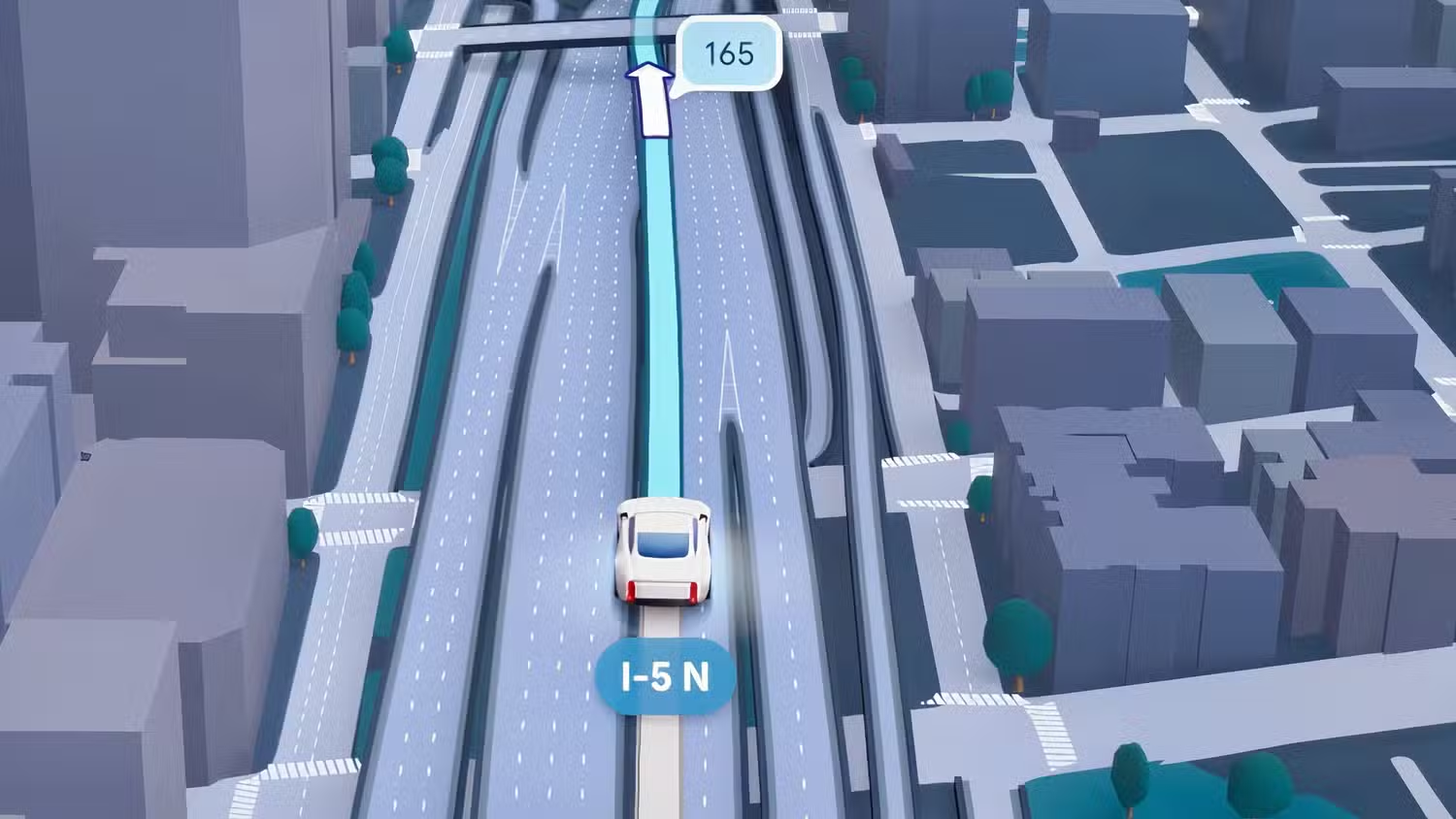
From Distances to Landmarks: How Driving Instructions Are Changing
The visual overhaul comes with a quieter but arguably more important shift: how Google talks to you. Alongside the Android Auto immersive navigation rollout, Google is pairing the new maps with better voice instructions meant to compete directly with Apple Maps. Instead of dry metrics like “In 1 mile, exit right,” you are more likely to hear context-rich lines such as “Go past this exit and take the next one for Duval Road.” That is a philosophical change. Google is finally admitting that most drivers do not think in miles or kilometers; they think in landmarks and decision points. Clearer 3D views plus landmark-based instructions reduce the mental math you must do in a fast-moving car. The result should be fewer missed ramps, fewer late lane changes, and less temptation to glance at your phone because the dashboard view is unclear.

Rollout Confusion: Why You Might Not See It Yet
Here is the catch: you cannot force this update, even if you update every app in sight. Google Maps’ immersive 3D navigation UI is rolling out to Android Auto as what appears to be a server-side switch, not a simple app download. It looks like the new UI arrived alongside Android Auto 17.3, and one source notes that “if you want to use it inside Android Auto, you’ll need to make sure your phone is updated to both Android Auto 17.3 and the latest version of Google Maps.” Even then, that only makes you eligible. Google still has to open access on its servers, and coverage currently favors major urban terrain over rural areas. For now, some drivers report seeing the new UI after updating, while others on the same version still see the old flat maps, underscoring how staggered and opaque Google’s rollouts have become.
The Bigger Picture: Google, Apple, and the Battle for the Dashboard
Google has been rolling out Immersive Navigation since March 2026, but limiting it mostly to phone screens made it feel experimental. Bringing it into Android Auto moves the feature where it matters most: the car dashboard, where navigation decisions are made at highway speed. This is the kind of visible upgrade Android Auto has lacked, and it sends a signal that Google will not let Apple own “beautiful” car navigation features without a fight. There are still gaps. CarPlay support is uneven and, by some accounts, still not broadly available, with one source expecting Google to push harder ahead of upcoming iOS 27 and new iPhone launches to avoid losing more users to Apple Maps. For Android drivers, though, the takeaway is simple: the future of Maps is more visual, more grounded in the real world, and it is finally coming to the screen you look at most when you drive.




