
Premium Gaming Keyboards: What You’re Paying For
Premium gaming keyboards are high-end mechanical boards that cost significantly more than mid-range alternatives but promise better build quality, deeper customization, and faster performance aimed at demanding players and enthusiasts. The key question is whether these upgrades deliver mechanical keyboard value in day-to-day gaming and typing, or whether most users would be just as happy with cheaper options. In this high-end keyboard comparison, the Corsair Makr Pro 75 and MelGeek Made68 Ultra V2 show how much design, analog adjustability, and software integration can change the experience—but also where diminishing returns set in for casual play. Bottom line: the Makr Pro 75 suits players who want polished performance, hot-swap modularity, and mainstream software support; the Made68 Ultra V2 suits those who prioritize a heavy, planted feel, analog tuning, and retro aesthetics even at a premium price.
Build Quality and Design Feel
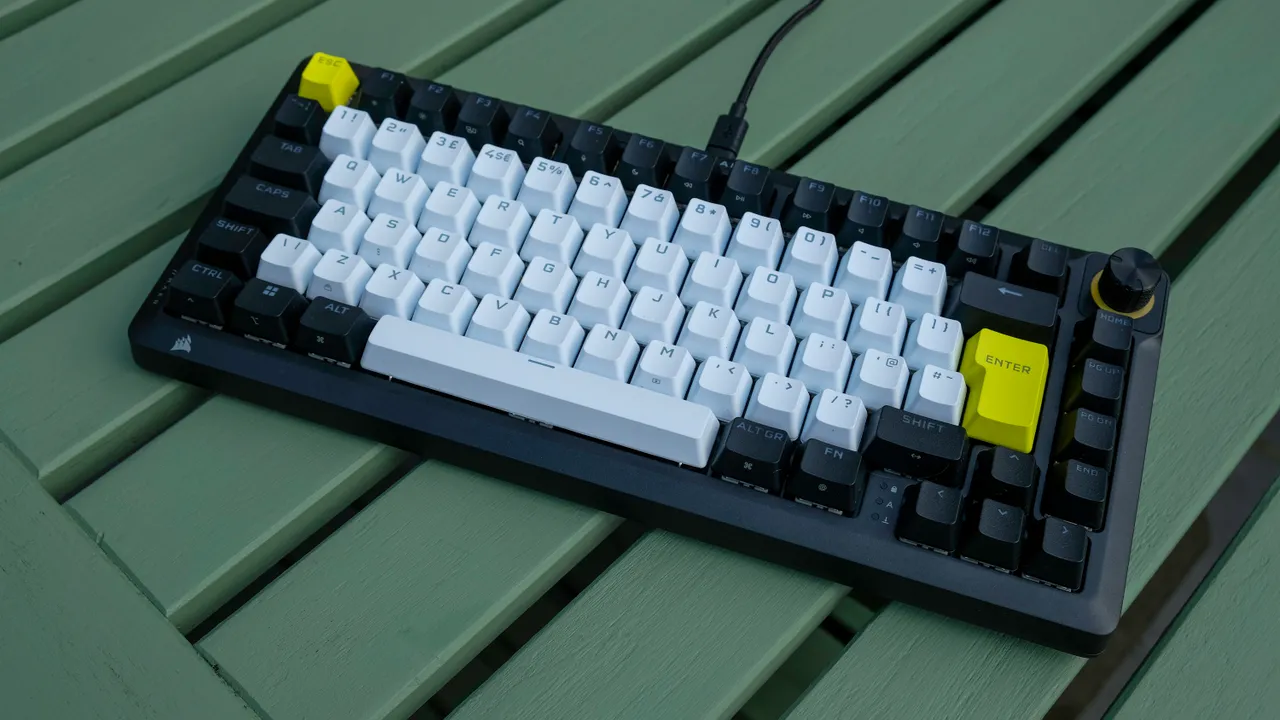
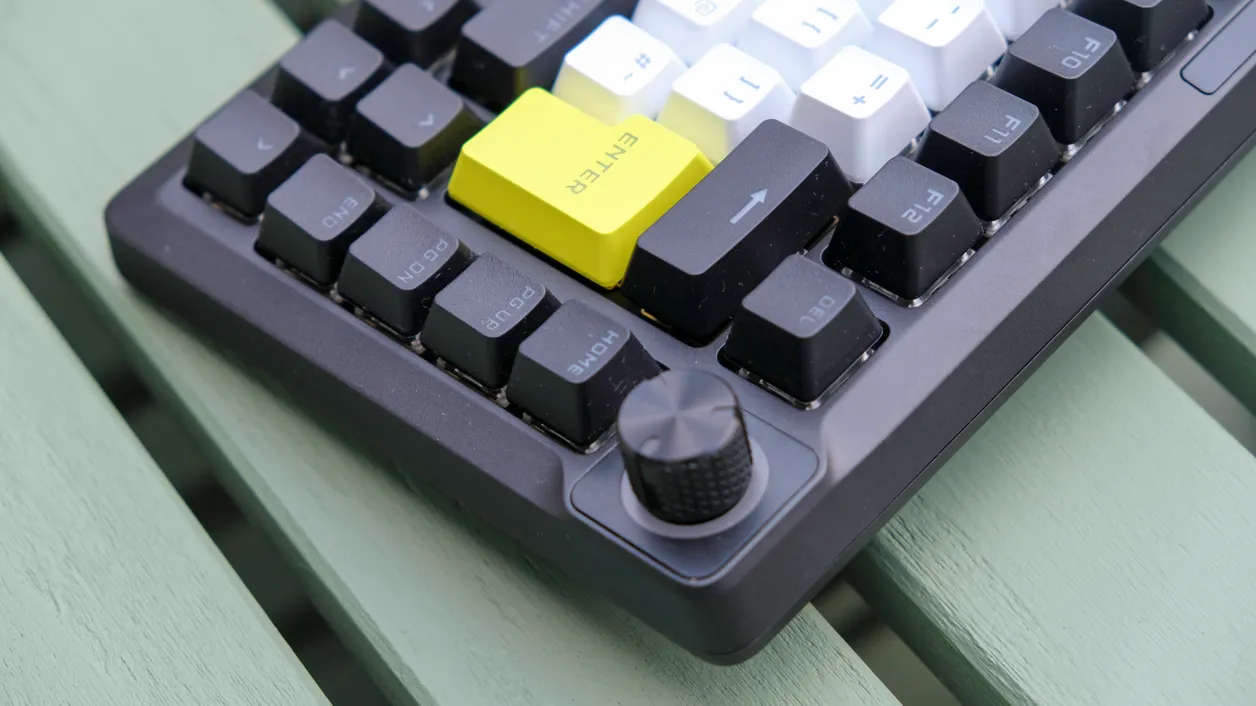
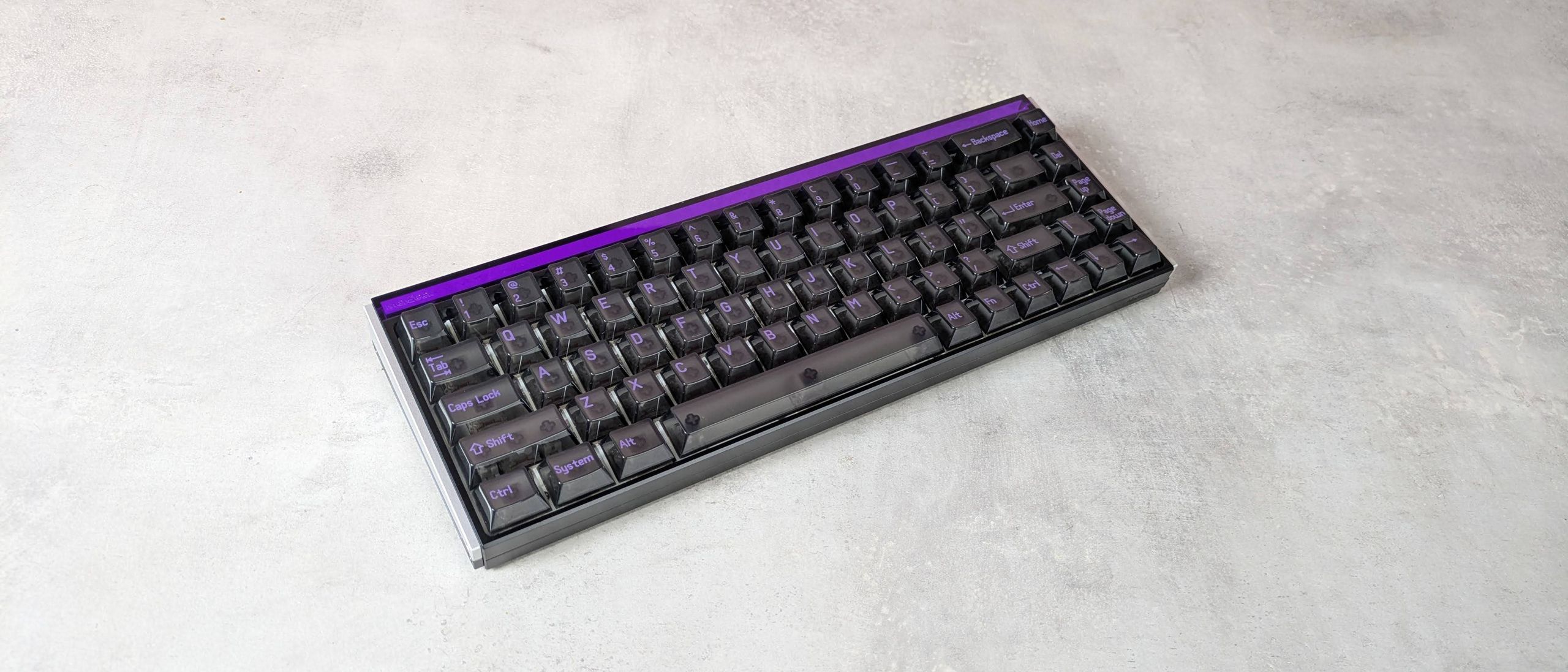
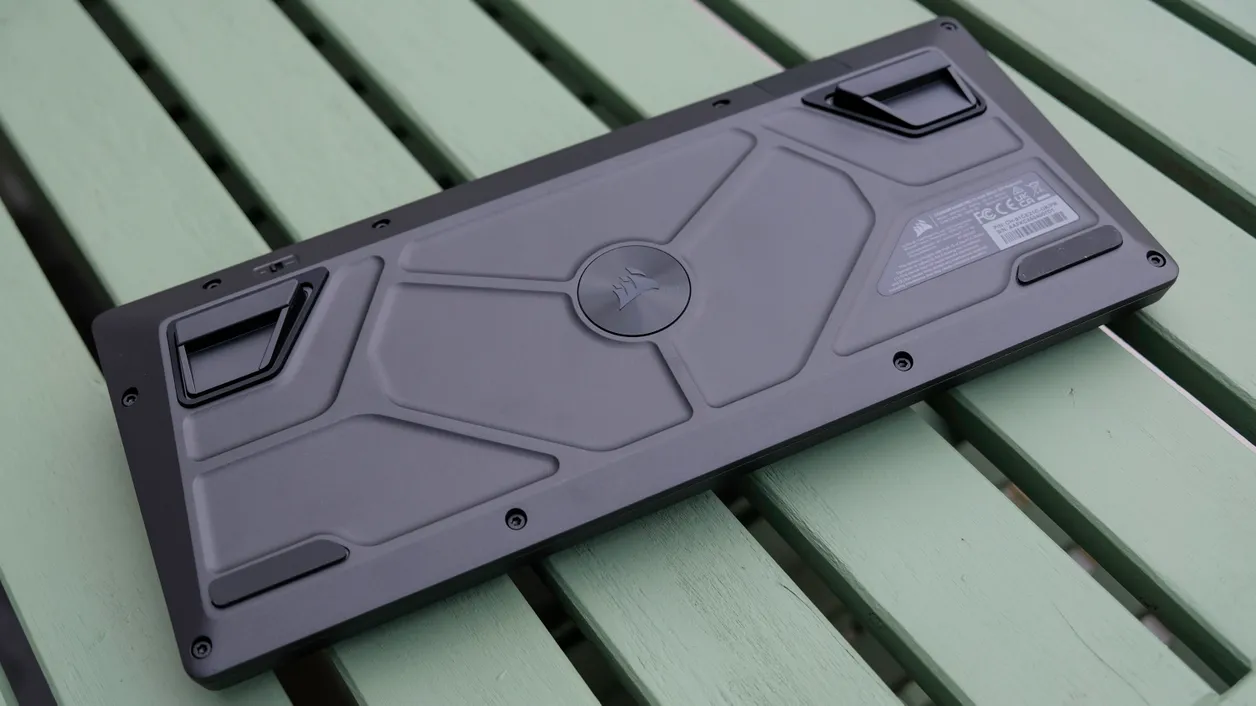
Both boards are premium gaming keyboards, but they express that status in different ways. The Makr Pro 75 uses a matte black aluminium chassis with contrasting keycap colors, giving it an understated enthusiast look and solid build quality out of the box. The MelGeek Made68 Ultra V2 leans into a chunky, translucent retro aesthetic with metallic side plates and sharp corners that some will find charming and others dated. The Made68 Ultra V2 is described as very thick, heavy, and “a veritable slab” that stays planted on the desk but can be inconvenient to move around. That heft, combined with firm, non-wobbly keys and a satisfying thunk at bottom-out, makes it feel extremely sturdy. The Makr Pro 75, meanwhile, aims to blend enthusiast-level design tricks with mainstream polish and a compact 75% layout that drops the numpad but keeps most important keys within reach. Design and feel clearly justify the premium for enthusiasts who care about materials and aesthetics, but casual players who do not move their keyboard much may see limited practical benefit from the extra metal and weight.
| Spec | MelGeek Made68 Ultra V2 | Corsair Makr Pro 75 |
|---|---|---|
| Layout size | TKL (tenkeyless) | Compact 75% layout with no numpad |
| Dimensions | 12.6 x 4.6 x 1.6 in / 319 x 117 x 40 mm | Not specified in sources |
| Switch type | KOM Lite Magnetic / Flip King Magnetic analog switches | Hot-swap magnetic mechanical switches |
| Programmable keys | Yes, via MelGeek web app | Yes, via Corsair web-based software |
| Backlighting | RGB backlighting, customizable (does not shine through legends) | Backlit double-shot PBT keycaps with RGB effects |
| Connection | Wired analog keyboard | Wired magnetic mechanical gaming keyboard |
| Price | USD 219 (approx. ₱12,300) | USD 250 (approx. ₱14,000) |
Customization, Switches, and Performance Value
The heart of mechanical keyboard value at the high end is customization: how much you can tune feel, function, and performance over time. The Made68 Ultra V2 is a wired analog keyboard that emphasizes advanced analog adjustability through MelGeek’s fast, stable web app, which allows extensive key rebindings and detailed analog settings. Its keys offer firm feedback, snappy rebound, and solid dampening, delivering a planted, satisfying experience that many cheaper boards cannot match. The Makr Pro 75 approaches value through modularity and speed. Its magnetic hot-swap switches unlock features like rapid trigger, which reacts to changes in direction rather than a fixed actuation point for faster key presses and releases. Paired with an 8000Hz polling rate, this results in a very immediate gaming experience, especially when combined with similarly low-latency peripherals. According to the review, “in terms of gaming performance, this board is top-notch,” though a huge proportion of new mechanical keyboards now offer similar magnetic switches and features. For casual gaming and everyday typing, most users will not fully exploit analog depth or 8K+ polling. Those technologies matter most for competitive players chasing every millisecond and for enthusiasts who enjoy fine-tuning actuation points, rather than for people playing story games or writing emails.
Software Ecosystems, Layout Trade-offs, and Price
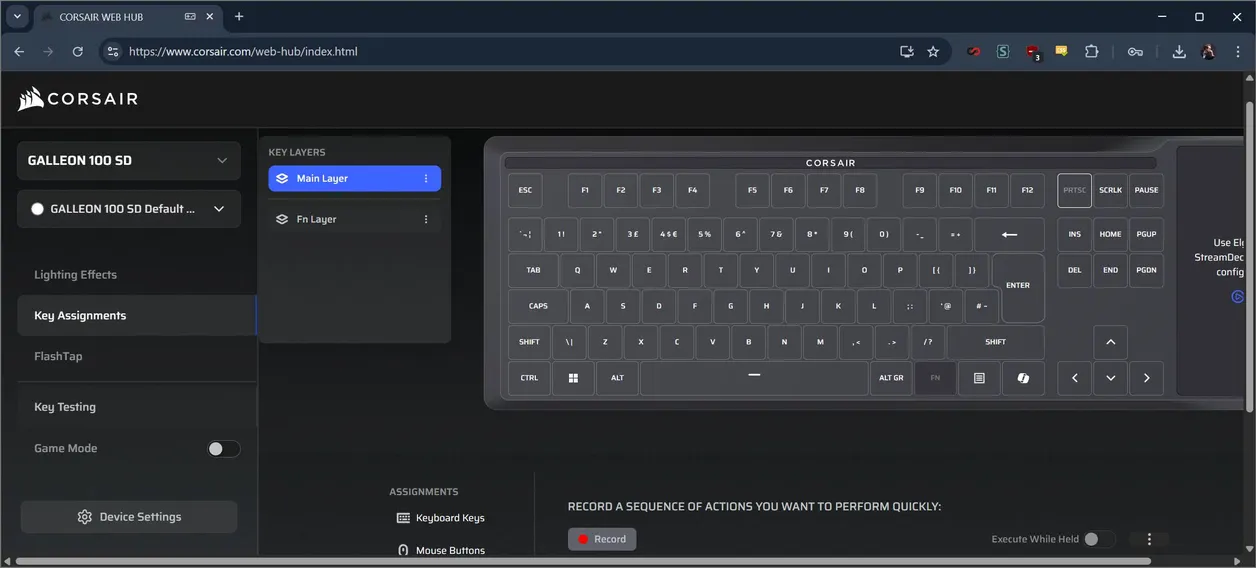
Software and layout nuance often decide whether premium gaming keyboards feel worth their asking price. Both models rely on browser-based configuration tools that make it easy to change key bindings, lighting, and performance settings without heavy background software. MelGeek’s web app is praised as fast, stable, and well explained, while the Makr Pro 75’s web software organizes settings and effects in a sensible layout. This kind of ecosystem support is important for long-term usability, especially if community firmware such as VIA becomes part of your setup. Layout and legends, however, introduce trade-offs. The Makr Pro 75’s compact 75% format removes the number pad and redeploys navigation keys into a single column, shortening the right Shift to make room for arrows. That will suit many gamers but may frustrate spreadsheet-heavy users. The Made68 Ultra V2 uses translucent keycaps with RGB that does not shine through the characters, and its many FN shortcuts are not printed on the keycaps, forcing users to rely on touch typing and the manual. Price is a shared caveat. The Made68 Ultra V2 at USD 219 (approx. ₱12,300) is more expensive than many rivals, including some big-brand analog boards. The Makr Pro 75 at USD 250 (approx. ₱14,000) raises the question of whether any mainstream-brand board is worth that asking price. For many players, a solid mid-range mechanical keyboard will cover their needs; these high-end options make sense when you value specific features enough to pay for them.
Buy if / Skip if
- Buy the Corsair Makr Pro 75 if you want premium gaming keyboards with hot-swap magnetic switches, rapid trigger, and an 8000Hz polling rate for competitive play.
- Skip the Corsair Makr Pro 75 if you are price-sensitive and do not need low-latency features beyond what typical mid-range mechanical boards offer.
- Buy the MelGeek Made68 Ultra V2 if you care most about gaming keyboard build quality, a heavy planted feel, and extensive analog adjustment through a streamlined web app.
- Skip the MelGeek Made68 Ultra V2 if you rely on visible legends, printed FN shortcuts, or move your keyboard around often and would find its heft and retro design inconvenient.
- Buy the Corsair Makr Pro 75 if you want a compact 75% layout, mainstream polish, and an easy way to customize lighting and bindings without diving deep into DIY keyboards.
- Skip the MelGeek Made68 Ultra V2 if mechanical keyboard value for you means the lowest cost for solid performance rather than paying extra for niche aesthetics and analog depth.