


The Short List: Why ASUS CM15 Is the One Most People Should Buy
Budget Chromebooks under 300 are affordable ChromeOS laptops that focus on web-first tasks, offering lighter hardware, long battery life, and simple management while cutting fewer corners than older low-cost machines on displays, durability, and build quality.
If you want the best balance of price, performance, and everyday comfort, buy the ASUS Chromebook CM15 at USD 269.99 (approx. ₱15,100). Among budget Chromebooks under 300, it is the most complete package: a 15.6‑inch Full HD anti‑glare display, full‑size keyboard, MediaTek Kompanio 540 processor, and up to 8 GB of LPDDR5X memory. It also meets MIL‑STD‑810H durability standards, so it feels far less disposable than most cheap laptops. In other words, this is the default pick for students, families, and anyone who spends hours in Google Docs, Gmail, and streaming apps but does not want to baby their device.
The runner‑up for most people is the refurbished ASUS Chromebook CM30 at USD 144.97 (approx. ₱8,100). It is a compact 2‑in‑1 detachable with a 10.5‑inch WUXGA touchscreen, MediaTek Kompanio 520 processor, 8 GB of RAM, and 128 GB eMMC storage. For around half the price of many "best budget laptops" that still cut corners, it delivers tablet‑style versatility plus up to 12 hours of battery life and a garaged stylus. That makes it ideal as a secondary couch, travel, or classroom machine where portability matters more than raw speed.

ASUS Chromebook CM15: The Budget Workhorse That Does Not Feel Cheap
The ASUS Chromebook CM15 is the affordable clamshell that proves budget Chromebooks do not have to mean weak screens and flimsy hinges. The 15.6‑inch Full HD anti‑glare panel fixes one of the biggest pain points of cheap laptops: dull, washed‑out displays that strain your eyes. A 180‑degree lay‑flat hinge and a chassis that weighs 3.26 lbs add comfort and flexibility, without feeling like a toy. According to ASUS, the CM15 body is made with 30% recycled plastics and ships in sustainable packaging, giving it eco‑cred beyond its price.
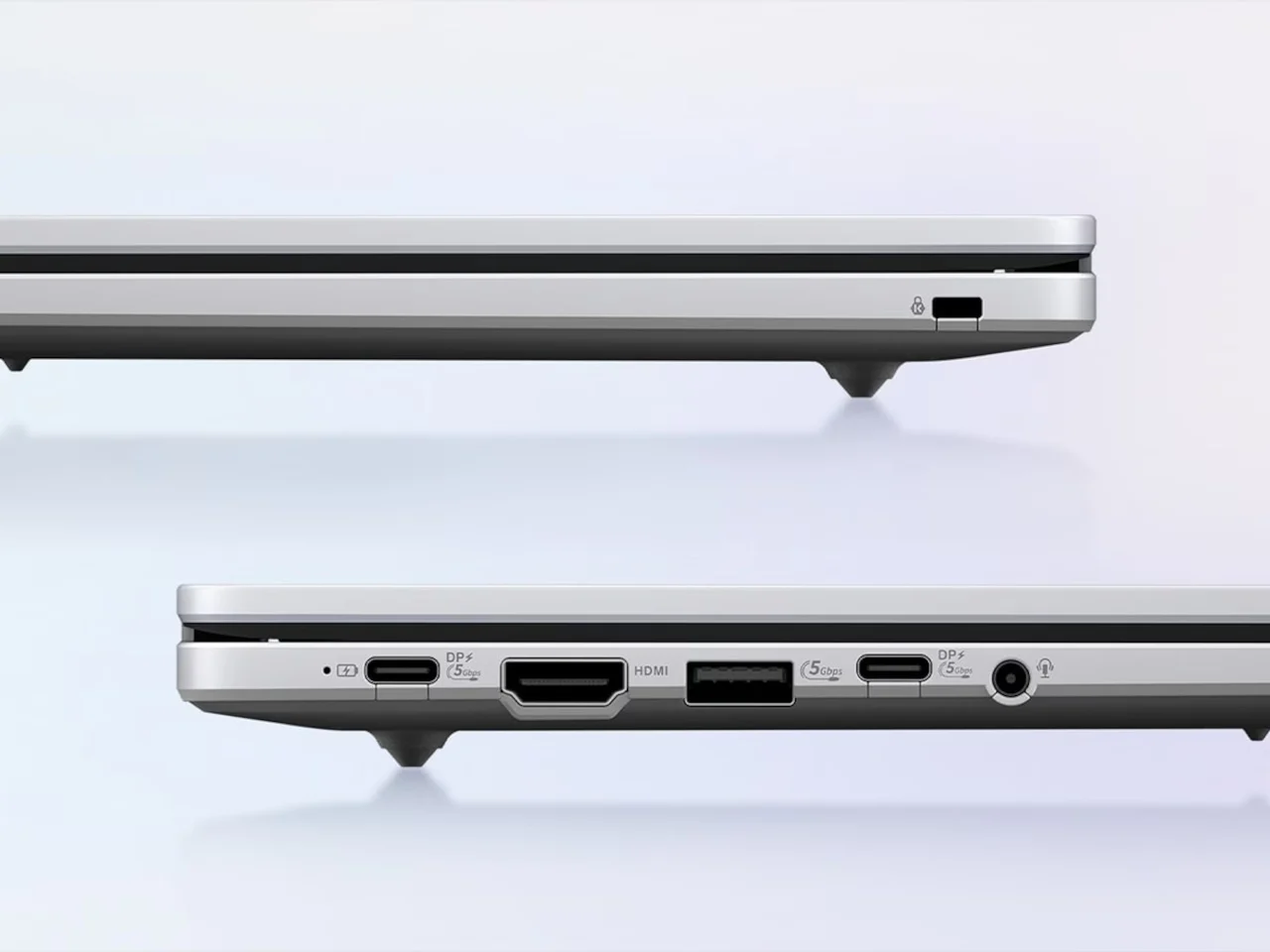
Inside, the Kompanio 540 with up to 8 GB of LPDDR5X memory keeps ChromeOS snappy for multitasking across Docs, Gmail, streaming, and Android apps. Both budget Chromebooks in this series boot in under ten seconds and pass 24 MIL‑STD‑810H tests, so they handle knocks that would sideline many low‑end Windows machines. You also get rare extras at this price: HDMI plus two USB‑C ports and a USB‑A port, making external displays and accessories painless.
On the downside, at this price you are still limited to ChromeOS and mobile‑leaning apps, so heavy creative work or serious gaming is off the table. The 15.6‑inch footprint also makes it less convenient as a travel laptop compared with smaller 2‑in‑1 options. Still, for students and home users looking for the best budget laptops under 300 that do daily work without drama, the CM15 is the obvious choice.
ASUS Chromebook CM30: Ultra‑Portable 2‑in‑1 for Couch, Travel, and Kids
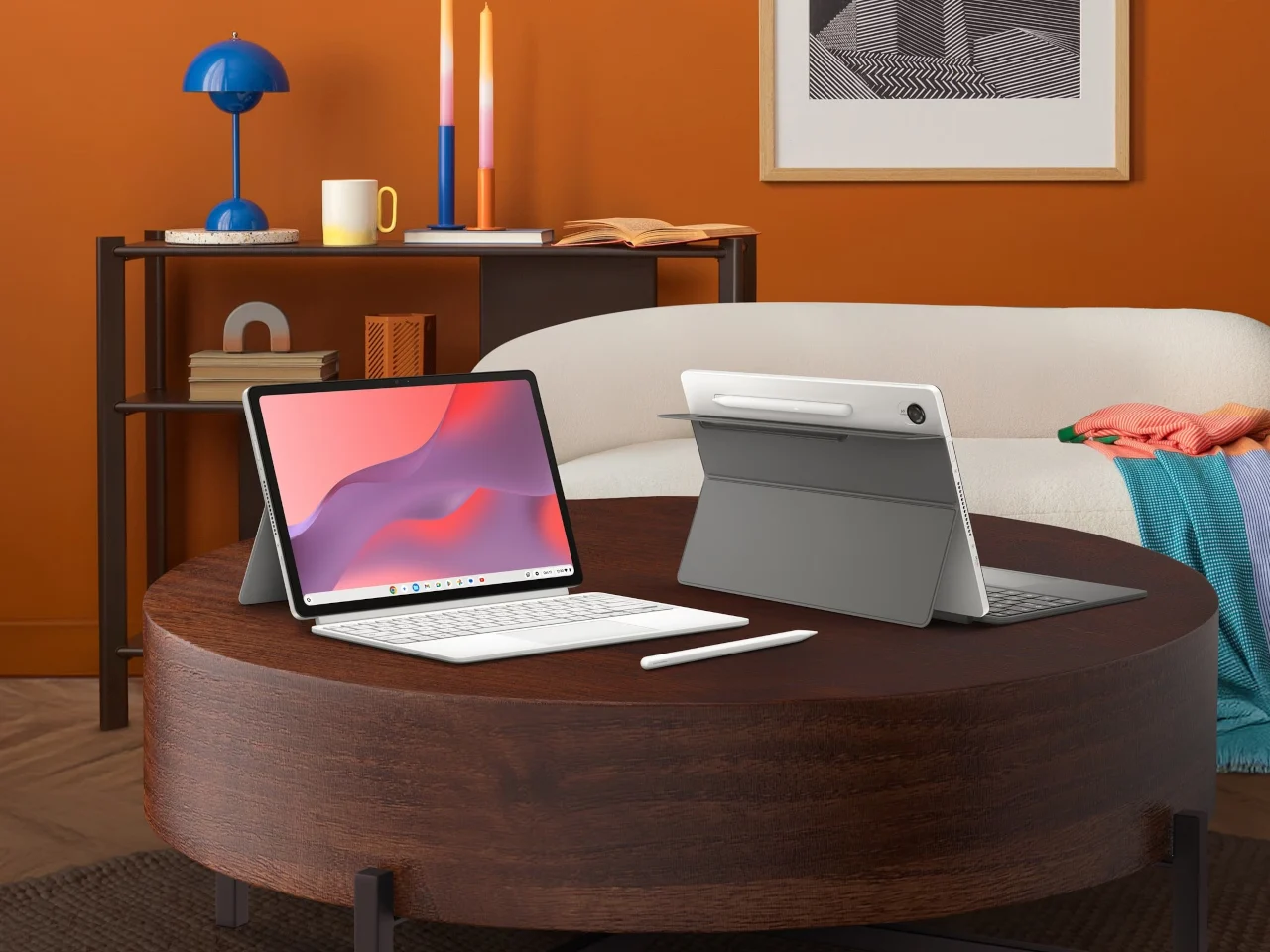
If you care more about portability and tablet flexibility than raw screen size, the refurbished ASUS Chromebook CM30 is the budget 2‑in‑1 laptop to beat. At USD 144.97 (approx. ₱8,100), down from USD 369.99 (approx. ₱20,500), it is one of the most compelling ASUS Chromebook deals available for a secondary device. This 2024 Chromebook works as both a laptop and a tablet, thanks to a detachable keyboard and a 10.5‑inch WUXGA touchscreen, so you can type when you need to and detach when you want to read or stream.
Under the hood, the CM30 uses a MediaTek Kompanio 520 processor paired with 8 GB of RAM and 128 GB of eMMC storage, which is plenty for ChromeOS basics like Google Docs, Gmail, cloud apps, YouTube, and light multitasking. You also get dual 5 MP cameras, Wi‑Fi 6, and a garaged stylus for notes and sketches, plus up to 12 hours of battery life for a full school or travel day. Its military‑grade aluminum chassis and Grade A refurbished rating mean it should arrive with minimal cosmetic wear and survive real‑world bumps.
There are clear limits: this is not the machine for heavy creative work or serious gaming, and ChromeOS remains focused on web‑first tasks. But as an affordable 2‑in‑1 laptop for kids, commuters, or anyone who wants a cheap yet solid secondary screen, it over‑delivers. The CM30 shows how 2‑in‑1 detachable designs expand functionality without proportional price increases, giving you tablet versatility in a laptop form factor.
ASUS Chromebook CM32 Detachable: Premium Flexibility Above the $300 Line
If your budget can stretch beyond the strict under‑300 ceiling, the ASUS Chromebook CM32 Detachable at USD 579.00 (approx. ₱32,500) brings a more premium take on 2‑in‑1 design. At 1.41 lbs without the keyboard, it is lighter and more flexible than most laptops, making it a serious travel or pen‑input machine. Its 12.1‑inch, 2.5K 120 Hz touchscreen, protected by Corning Gorilla Glass, is in a different league to typical budget panels.
The CM32 pairs a magnetically attached stand, a detachable keyboard with 1.35 mm key travel, and a wirelessly charged stylus shaped like a ballpoint pen, which together create a polished tablet‑first experience. Inside, it shares the Kompanio 540 and up to 8 GB of LPDDR5X memory with the CM15, plus the same under‑ten‑second boot times and MIL‑STD‑810H durability. For productivity, both CM15 and CM32 include a three‑month Google AI Pro trial with Gemini integration and NotebookLM support, adding AI help in Gmail and Docs without another subscription.
The key trade‑off is price: while the CM32 is one of the best affordable 2‑in‑1 laptops in the broader Chromebook CM series, it sits well above pure budget Chromebooks under 300. For shoppers with tight caps, the CM15 and CM30 deliver better chromebook value comparison in this guide. But if you sketch, annotate, or prefer tablet‑first workflows, the CM32’s 120 Hz display and pen support justify the extra spend.
Buy if / Skip if
- Buy the ASUS Chromebook CM15 if you want one of the best budget laptops under 300 with a large Full HD screen and durable, recycled build that can handle daily school or home use.
- Skip the ASUS Chromebook CM15 if you need heavy creative apps or gaming performance that go beyond what ChromeOS and a Kompanio 540 chip can offer, or if you dislike 15.6-inch laptops.
- Buy the ASUS Chromebook CM30 if you want a low-cost, ultra-portable 2-in-1 Chromebook for email, streaming, and notes that works as both a laptop and tablet and lasts up to 12 hours.
- Skip the ASUS Chromebook CM30 if you expect desktop-class power for video editing or serious gaming, because this compact 2-in-1 is built for lighter everyday tasks.
- Buy the ASUS Chromebook CM32 Detachable if you can spend above USD 300 and want premium tablet-first flexibility with a 2.5K 120 Hz display, stylus, and detachable keyboard.
- Skip the ASUS Chromebook CM32 Detachable if your budget hard-caps at the budget Chromebooks under 300 range, since its USD 579.00 price targets a more premium buyer.





