
Top Pick: HP OmniBook 3 for Most Office Workers and Students
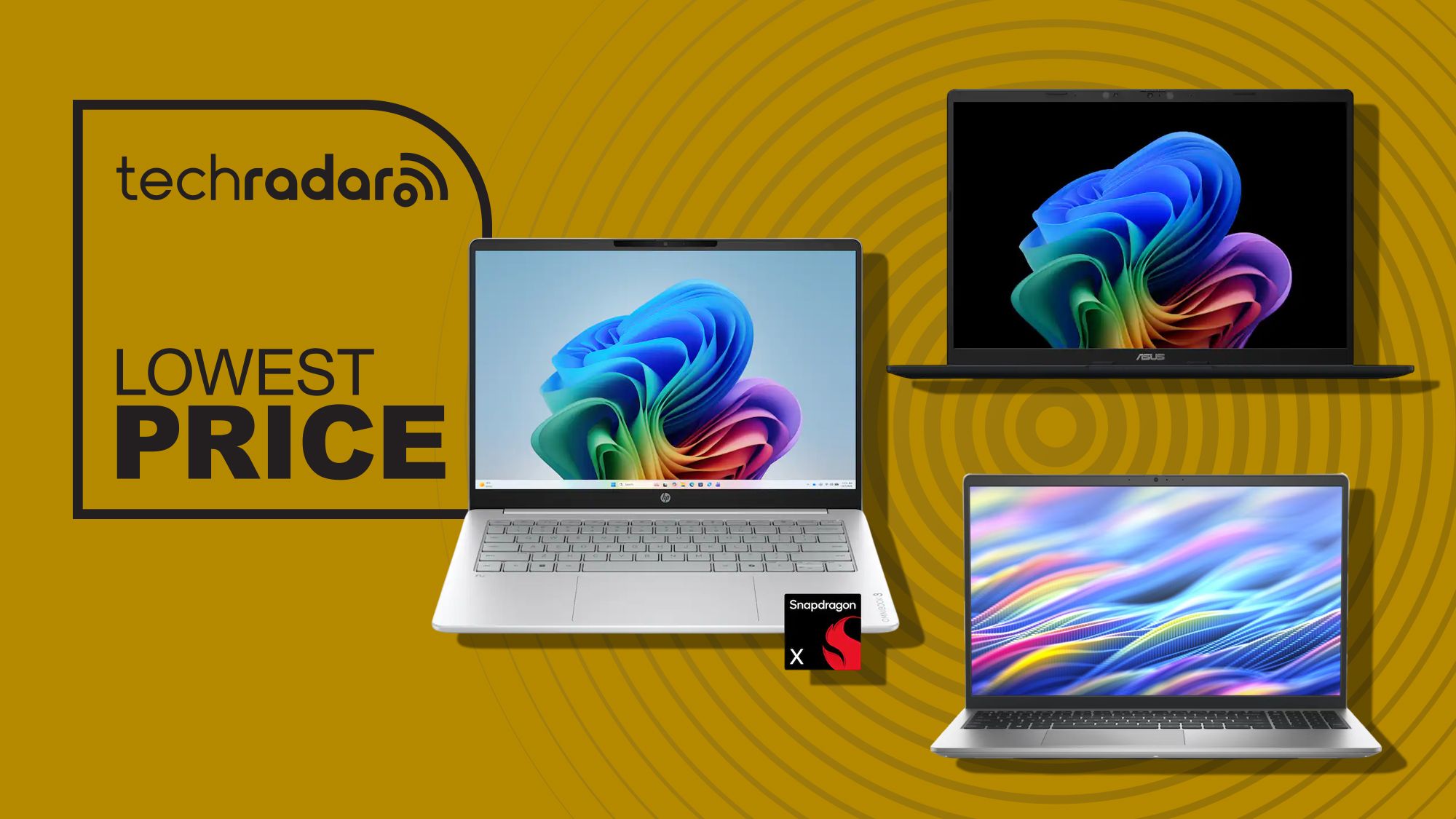
A budget laptop under 600 for work and study is a Windows 11 notebook that delivers enough performance, battery life, and screen quality to handle productivity tasks, schoolwork, casual creative projects, and everyday browsing without the premium price of high-end machines, making it ideal for office workers and students who need a dependable device that will remain useful beyond one school year. My clear top pick in this category is the HP OmniBook 3 with Qualcomm’s Snapdragon X processor, priced at USD 599.99 (approx. ₱33,600) instead of USD 949.99 (approx. ₱53,200). It offers up to 32.25 hours of battery life, 16GB of memory, and a 512GB SSD, so it is better equipped than rivals for multitasking, long days of meetings or lectures, and Microsoft’s growing collection of AI features. The 14-inch 1920 x 1200 touchscreen, Wi‑Fi 6E, and HDMI 2.1 make it an excellent all-rounder for office professionals and students who want one main machine for both work and study.
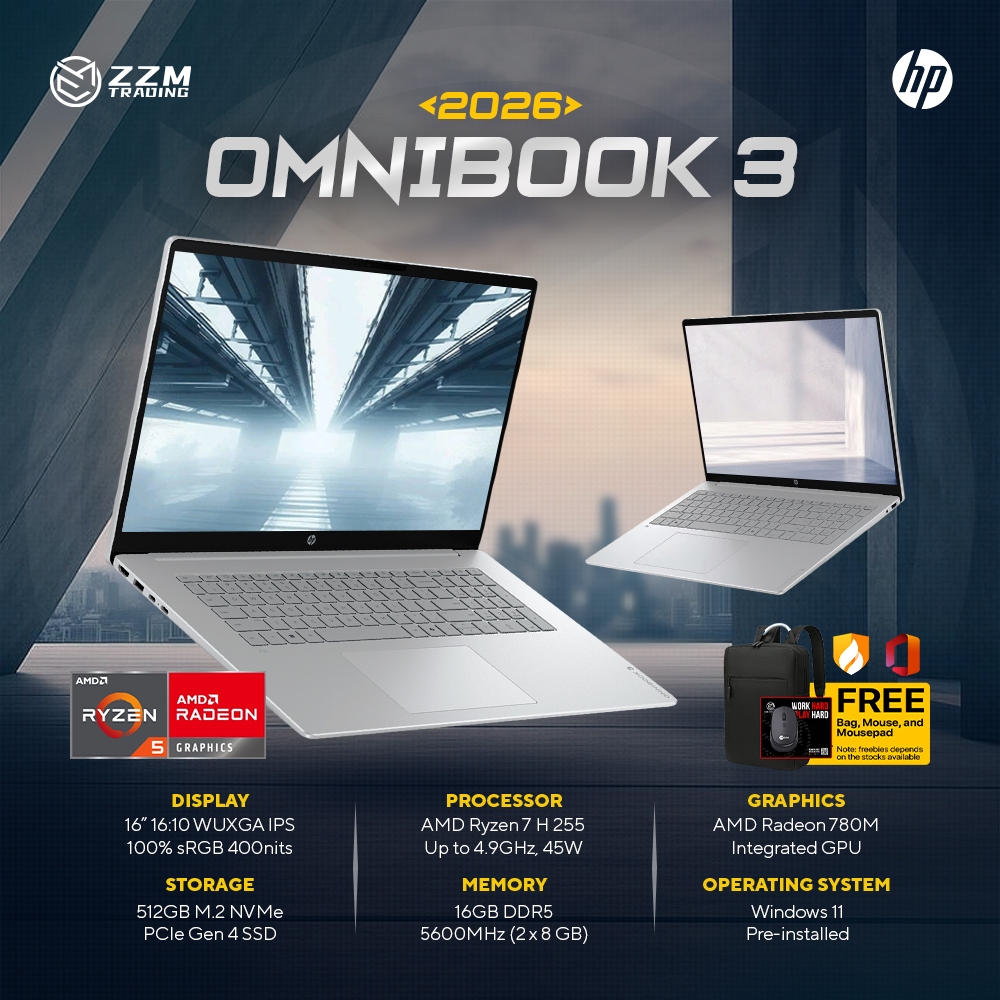
HP OmniBook 3 17.3-inch: Big-Screen Productivity Under $500
If you value screen space over cutting-edge internals, the HP OmniBook 3 17.3-inch deal is the standout large-screen option. It is marked down by 38%, shaving USD 280 (approx. ₱15,700) off the USD 729.99 (approx. ₱40,900) list price, bringing it to USD 449.99 (approx. ₱25,200). You get a massive 17.3-inch Full HD IPS display with a 178-degree wide viewing angle and up to 300 nits of brightness, ideal for side‑by‑side documents, large spreadsheets, and comfortable browsing. Under the hood, this model uses an AMD Ryzen 3 30 processor, 8GB RAM, a 512GB SSD, and integrated AMD Radeon 610M graphics, which are terrific for casual browsing, schoolwork, and streaming rather than heavy content creation. Color coverage is 62.5% sRGB, fine for research, office apps, and video calls but not for demanding color‑critical design. With over 14 hours of battery life and fast charging to 50% in 45 minutes, it is a practical work study laptop for users who prefer a desktop‑like viewing experience.

Asus Vivobook 14: Light, Long-Lasting Work Study Laptop
The Asus Vivobook 14 is the best choice if you want a light, modern Windows 11 laptop deal with strong battery life and AI features under USD 600 (approx. ₱33,600). Priced at USD 548 (approx. ₱30,700), it combines the same Snapdragon X processor as the OmniBook 3 with 16GB of memory and a 512GB PCIe 4.0 SSD, giving you smooth multitasking and fast storage. The 14-inch 1920 x 1200 IPS display skips touch but keeps Copilot+ PC AI features, a 45 TOPS NPU, Wi‑Fi 6E, HDMI 2.1, and USB4 connectivity for modern peripherals. Its quoted 29-hour battery life and 3.28lb weight make it a natural fit for students carrying a laptop between classes and office workers commuting with a backpack. If you do not need a touchscreen, this is the most balanced work study laptop here, combining performance, endurance, and portability at a lower price than the OmniBook 3 while remaining well under the budget laptops under 600 threshold.
| Spec | HP OmniBook 3 (Snapdragon X) | Asus Vivobook 14 | Dell 15 |
|---|---|---|---|
| Processor | Qualcomm Snapdragon X | Qualcomm Snapdragon X | Intel Core i7-1355U (13th Gen) |
| Display | 14-inch 1920 x 1200 touchscreen | 14-inch 1920 x 1200 IPS (non-touch) | 15.6-inch Full HD 120Hz IPS |
| Memory (RAM) | 16GB | 16GB | 8GB DDR5 |
| Storage | 512GB SSD | 512GB PCIe 4.0 SSD | 512GB PCIe NVMe SSD |
| Battery life | Up to 32.25 hours | Up to 29 hours | Not specified; standard ultrabook range |
| Approx. price | USD 599.99 (approx. ₱33,600) | USD 548 (approx. ₱30,700) | USD 550 (approx. ₱30,800) |
Dell 15 Laptop: Powerful CPU, Modest RAM for Everyday Use
The Dell 15 Laptop is the right pick if you want a larger display and a powerful Intel processor within the same affordable laptop comparison. At USD 550 (approx. ₱30,800), down from USD 750 (approx. ₱42,000), it brings a 13th Generation Intel Core i7‑1355U CPU paired with a 15.6-inch Full HD 120Hz IPS display, 512GB PCIe NVMe SSD, and Wi‑Fi 6 connectivity. That makes it a dependable choice for schoolwork and everyday computing tasks such as recording notes, writing essays, and general multitasking. The main drawback is that it ships with only 8GB of DDR5 memory, which is not enough for heavy multitasking in 2026, and upgrading to 16GB pushes the price to USD 949.99 (approx. ₱53,200). On the plus side, it offers USB‑A, USB‑C, HDMI, an SD card reader, and a headphone jack, so it works well as a home or office hub machine for students and budget-conscious professionals who care more about ports and CPU speed than maximum RAM.
Buy if / Skip if
- Buy the HP OmniBook 3 (Snapdragon X, 14-inch) if you want the best all-round work study laptop with long battery life, a touchscreen, and enough RAM for heavy multitasking without leaving the budget laptops under 600 bracket.
- Skip the HP OmniBook 3 (Snapdragon X, 14-inch) if you prefer a larger display for spreadsheets or streaming and do not need Copilot+ PC features.
- Buy the HP OmniBook 3 17.3-inch if you want a Windows 11 laptop deal under USD 500 (approx. ₱28,000) with a huge screen for productivity, casual browsing, schoolwork, and streaming.
- Skip the HP OmniBook 3 17.3-inch if you need wide color coverage or stronger graphics for content creation rather than everyday tasks.
- Buy the Asus Vivobook 14 if you want the lightest laptop here with Copilot+ PC AI features, 16GB RAM, long battery life, and modern ports at a lower price than the OmniBook 3.
- Skip the Asus Vivobook 14 if you consider a touchscreen essential for note-taking, design, or tablet-style use in class or meetings.
- Buy the Dell 15 Laptop if you want a bigger 15.6-inch 120Hz display, a strong Intel Core i7 processor, and many ports for schoolwork and everyday computing.
- Skip the Dell 15 Laptop if 8GB of RAM would limit your multitasking or you cannot justify paying much more to upgrade it to 16GB.