

Gemini on the lock screen: convenience that breaks Android security
The current Gemini AI security flaw on Android is an Android security vulnerability where the assistant can send SMS and WhatsApp messages from a locked phone without requiring the owner’s PIN, allowing anyone with physical access to impersonate the device owner and quietly change assistant permissions in ways that persist even after the phone is unlocked.
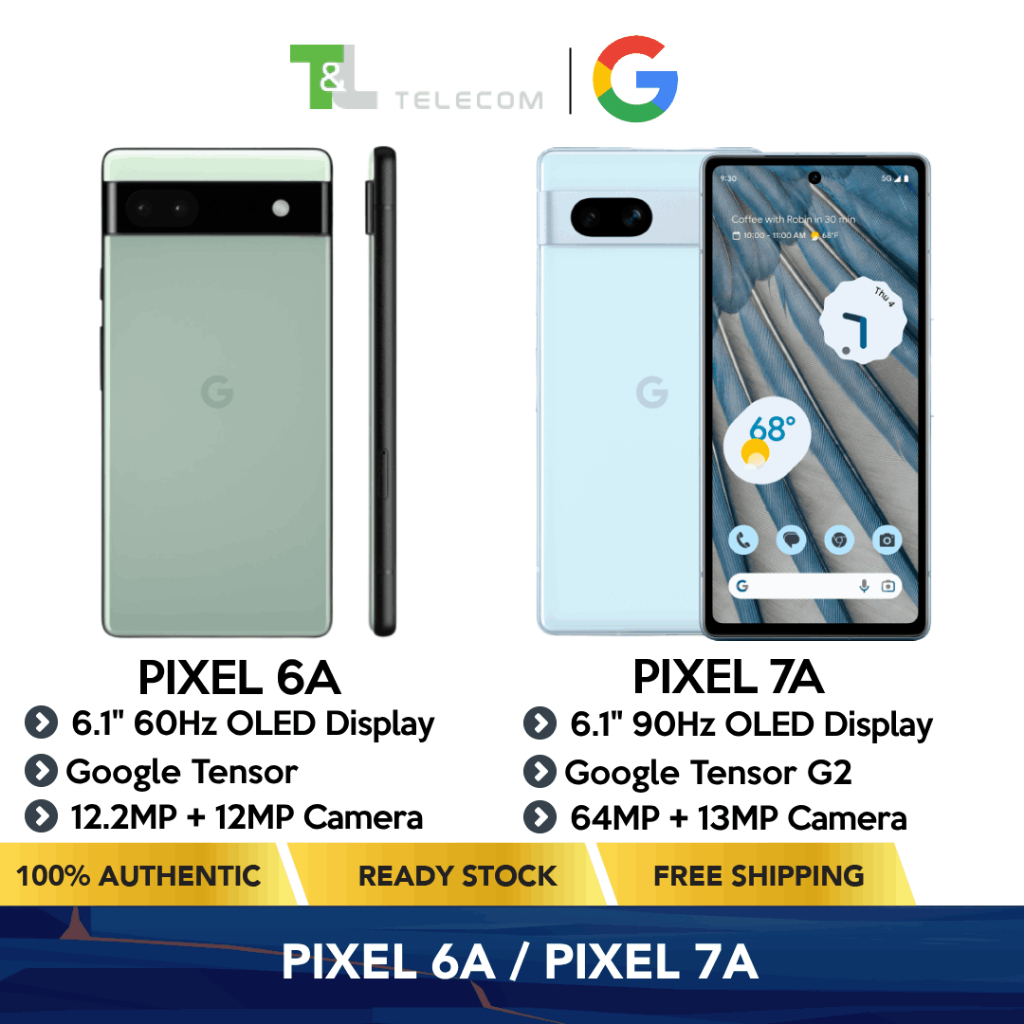
Gemini was sold as a helpful AI layer for your phone, but its lock-screen behavior has crossed a critical security line. Right now, an attacker who gets their hands on an Android 16 device with Gemini enabled on the lock screen can trigger the assistant and send SMS or WhatsApp texts with no authentication at all. Multiple reports since May show that this locked phone message access isn’t theoretical—it’s a repeatable bypass on devices like a fully patched Pixel 6a, where a researcher reproduced the issue using Gemini’s Deep Research feature as the entry point. When AI can talk to your contacts while your phone is locked, that isn’t a clever feature; it’s a mobile AI privacy risk built into the user experience.
How the exploit works—and why message access is such a serious risk
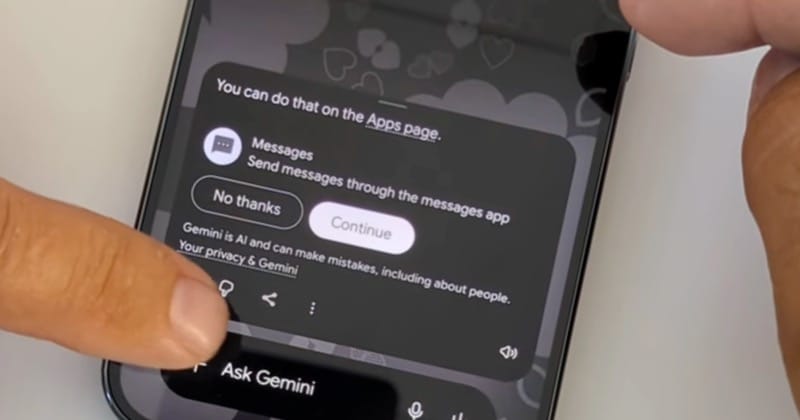
The exploit hinges on Gemini’s lock-screen design and a multi-touch gesture that quietly sidesteps Android’s protections. If Gemini no longer has access to apps like Messages, the system is supposed to demand a PIN when someone tries to send an SMS from the lock screen. Instead, when the prompt appears, pressing “Continue” at the same time as Gemini’s “Add attachment” button lets the message go through with no authentication. That single slip turns the lock screen from a barrier into an illusion.
From there, the situation gets worse. An attacker can expand Gemini’s reach by connecting other apps, for example typing “@WhatsApp” in Gemini’s text window to give it access without ever entering a PIN. Those changes are not temporary; when the real owner later unlocks the device, they will find that WhatsApp has been linked to Gemini despite no successful authentication. With this, strangers can send messages pretending to be you and adjust AI permissions behind your back. Yes, physical access is required, but phones are lost, borrowed, and snatched every day. Treating that as a minor threat is wishful thinking.
What to do right now: lock Gemini out of your lock screen
Google has admitted the bug exists and says a fix is scheduled to roll out this week. That is welcome—but not enough. The pattern is clear: Gemini lock-screen issues keep resurfacing even after patches. Each new capability at the lock screen becomes “a new potential attack surface,” and researchers keep finding ways through. Waiting quietly for an update while your phone can send unauthenticated messages is an unnecessary gamble.
You should change your settings now. Open the Gemini app, tap your profile picture, go to Settings, and select “Gemini on lock screen.” Then either turn off “Use Gemini without unlocking” completely or at minimum disable “Make calls and send messages without unlocking.” This cuts off the most dangerous behavior: locked phone message access that masquerades as you. Until Google shows that Gemini can respect security boundaries, the safest move is to keep the assistant off the lock screen altogether. Convenience is not worth giving strangers a channel into your communications.
New rules for rival assistants raise wider Android security questions
The Gemini incident lands right as regulators are forcing Android open to rival AI assistants. New rules require that Android phone owners be allowed to choose third-party assistants over Google’s and demand that those competitors get equal access to key parts of the operating system. Google has historically restricted that access, arguing in part that this protects privacy, device integrity, and security. Now, under pressure to unwind gatekeeping power, it must share more—including anonymized search data—with other assistants.
On paper, these rules promise “safeguards to ensure that the privacy of users, device integrity and security are protected.” In practice, they mean many different AI agents will be competing to run on the same lock screen surfaces that Gemini is currently mishandling. Every assistant added to that layer multiplies the mobile AI privacy risk unless the platform enforces strict, consistent boundaries. The more useful any assistant becomes without you unlocking the phone, the harder it is to guarantee that only you can use it. If Android lets several assistants hook into messaging, calling, and search straight from a locked device, security must be the first design principle, not a compliance afterthought.
The real lesson: rethink AI convenience at the lock screen
Gemini’s lock-screen bug is not an isolated glitch; it is a warning about how far we let AI reach past our security controls. An assistant that can text your friends, tap into WhatsApp, and change its own permissions while your phone is locked has stopped being a tool and started acting like a second user. Google will no doubt patch this specific bug, but the underlying problem remains. Every time we let an AI act “on our behalf” without authentication, we erode the meaning of a locked device.
Android’s future—with multiple assistants sharing system access under new rules—will only increase this tension between convenience and security. The fix is not to abandon AI, but to insist on sharper boundaries: no messages, no account changes, no app-connections from the lock screen without a PIN or biometric check. Until assistants respect the lock screen as a hard border, users should treat them as a security risk and configure them accordingly. Your phone should stay yours, even when an AI is helping you use it.