
From static GPS to routes that feel like they know you
Waze personalized routes are navigation suggestions that use your previous trips, driving habits, and spoken feedback to adapt turn‑by‑turn directions, alerts, and destination search so that over time the app behaves less like a generic GPS and more like a co‑driver tuned to your preferences and routines.
The key shift in this update is philosophical: Waze is no longer only a crowd-powered traffic radar; it is becoming an AI navigation preferences engine tuned to you. Instead of treating every driver as identical, the app now layers your trip history and habits onto its existing traffic and map crunching. If you keep ducking off a congested highway in favor of back streets, Waze learns and begins to prioritize that pattern next time, even when its raw algorithm might prefer the highway. That is good news for drivers tired of fighting their own GPS, but it also raises a practical question: when the app learns you, how should you learn to use it differently?

How Waze turns your habits into personalized routes
The centerpiece of this update is Personalized Navigation, which learns from your past drives to shape future routes. Waze now tracks patterns like whether you favor highways with fewer stops or side streets that sneak past gridlock, then optimizes the next route to match those choices. According to one overview of the feature, Waze’s new personalized navigation option "layers a driver's own trip history and habits onto Waze's existing map and traffic data-crunching." That blending is the important part: the app does not discard live traffic or community reports; it reorders options so the one that fits your style appears first.
This kind of AI navigation preferences system only works if you let it observe your real decisions, not blind acceptance of the first route. If you often pick an alternate suggestion, Waze reads that as a preference and learns. The upside is obvious: fewer taps, fewer arguments with the voice in your dash. The catch is that you are training the system every time you disagree with it—so be intentional. And if the whole idea feels intrusive, Waze lets you turn off these personalized recommendations in settings.
- Use alternate routes when they reflect your genuine preference, not random experimentation.
- Review settings to disable Waze personalized routes if you want a more neutral experience.
- Periodically clear or review recent destinations if your habits change, like after a move.
Gemini voice reporting and natural-language search: talk, don’t tap
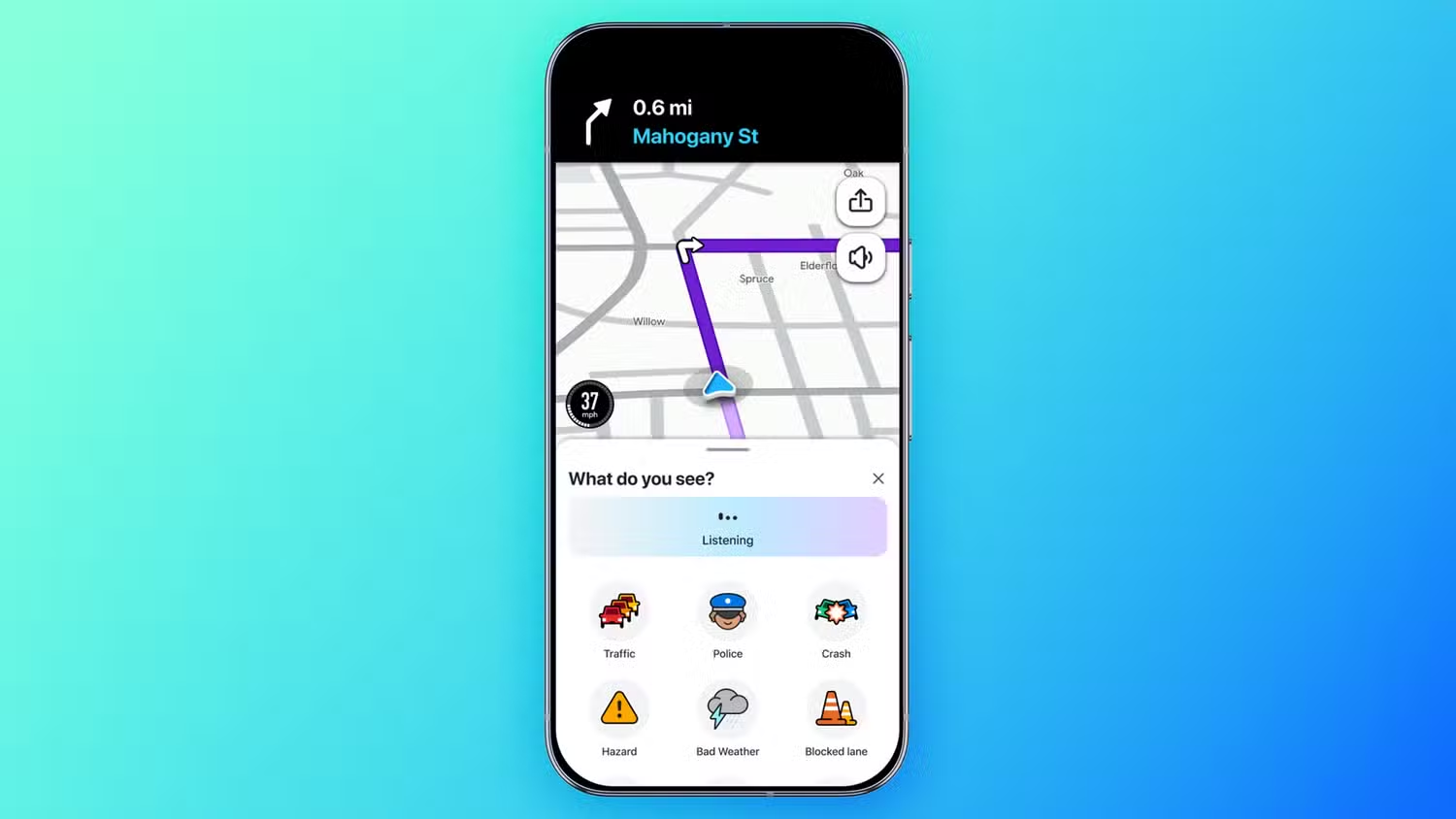
The smartest change in this update is not on the map, but in the microphone. Gemini voice reporting turns tedious hazard menus into a short conversation, letting you describe what you see without taking your hands off the wheel. Waze introduced Conversational Reporting in 2024 so drivers could flag slowdowns, potholes, and construction by speaking instead of tapping. Now that same Gemini-powered system understands a wider variety of issues, including road closures and incorrect addresses, and passes them to human map editors to verify.
On top of that, destination search is getting smarter. Instead of hunting for the perfect keyword, you can speak in plain language, such as “find me a coffee shop that's open right now” or “find me a gas station nearby with the lowest prices,” and start guidance from that request. Waze can even respond to vague, preference-heavy prompts like “find a gas station which also sells coffee with vegan milk options” along your route, leaning on Gemini’s broader understanding of your needs. The practical upshot: use your voice to fine-tune both map quality and your own experience, because every accurate report and natural-language search teaches the system how to serve drivers better next time.
Motorcycle mode and Less Chatty: AI that respects how you ride and listen
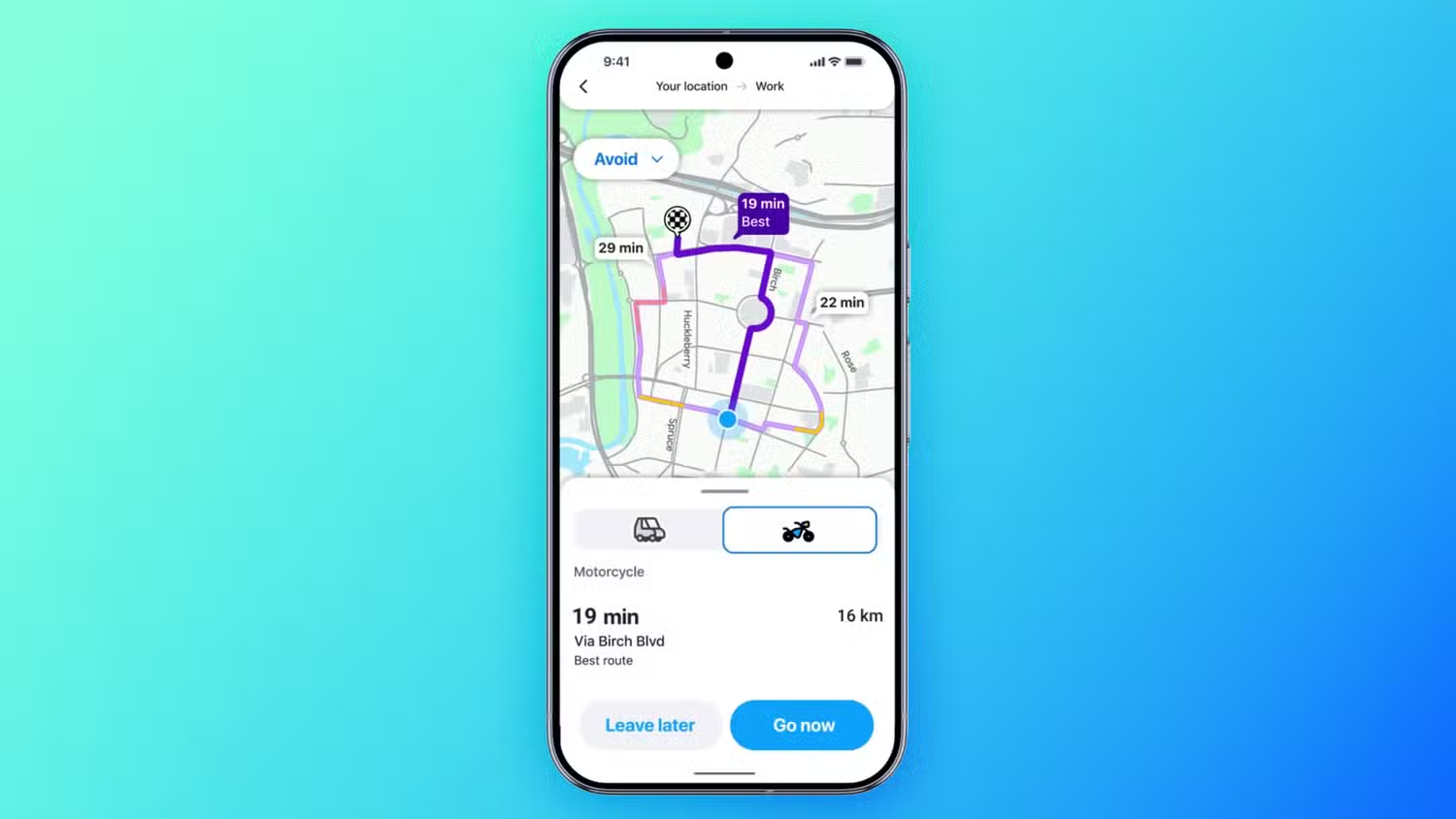
Cars are no longer the default assumption. A dedicated Waze motorcycle mode now uses AI to build routes tailored for two-wheelers. Instead of avoiding narrow lanes and shortcuts as potential trouble, the app treats them as valid paths for bikes, showing specialized routes that may be unsuitable for larger vehicles. It also flags motorcycle-specific hazards such as potholes, speed bumps, raised crosswalks, shoulder endings, narrow bridges, and similar obstacles that might barely bother a car but can ruin a ride. This is what AI should mean on the road: awareness of different vehicles, not one-size-fits-all routing.
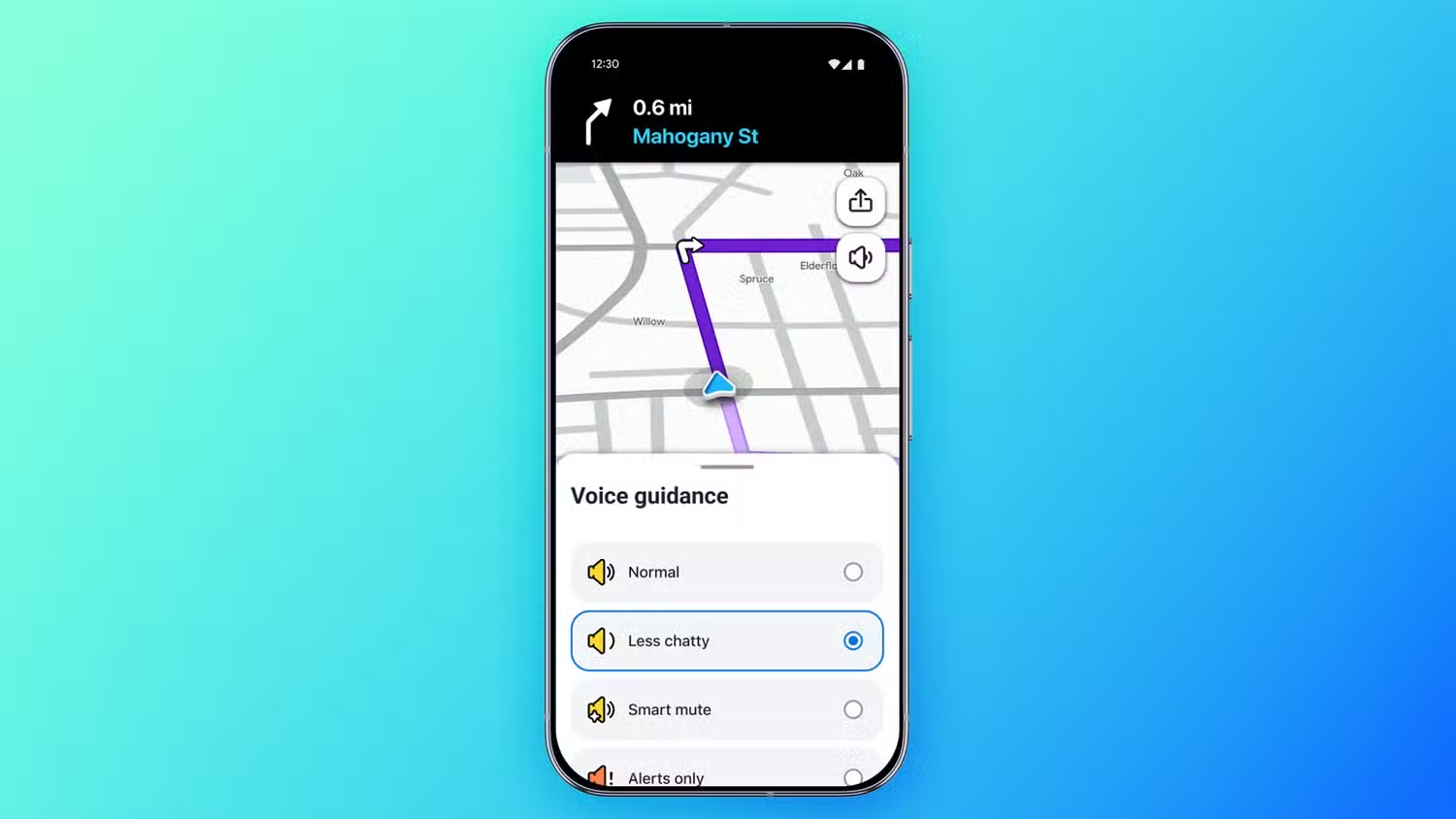
Then there is the human side of attention. Waze’s new Less Chatty mode cuts the noise while preserving the point. Instead of bombarding you with every possible tidbit, the app shortens and reduces voice prompts but still announces critical hazards, turns, and lane changes. If you care more about a podcast than every minor speed camera, toggle Less Chatty so the app speaks when it must and shuts up when it should. In effect, Waze now respects two preferences at once: how your vehicle moves through space, and how your brain handles information.
- Enable Waze motorcycle mode if you ride, so routing and alerts reflect bike realities, not car assumptions.
- Turn on Less Chatty before long highway stints where you know the route and prefer fewer interruptions.
How to make Waze’s AI work for you, not the other way around
All of these upgrades point in one direction: Waze is betting that AI navigation preferences will keep it relevant as rivals chase flashy 3D views. The risk is that drivers treat these tools as magic instead of a partnership. Your routes personalize only if you keep pushing back when the default path does not match your instincts. Your map improves only if you use Gemini voice reporting to flag hazards and broken data instead of assuming someone else will.
The sensible way forward is to treat Waze less like a dictator and more like a trainee co-pilot. Use alternate routes to express your preferences. Turn on motorcycle mode if you ride, and Less Chatty if you want fewer voice interruptions. Speak full, clear sentences when reporting or searching so Gemini understands the nuance of what you need. If you do that, Waze personalized routes stop being a gimmick and start feeling like something closer to local knowledge baked into your phone—a system that learns you because you decided to teach it.