

Siri AI in iOS 27: From Frustrating Feature to Real Assistant
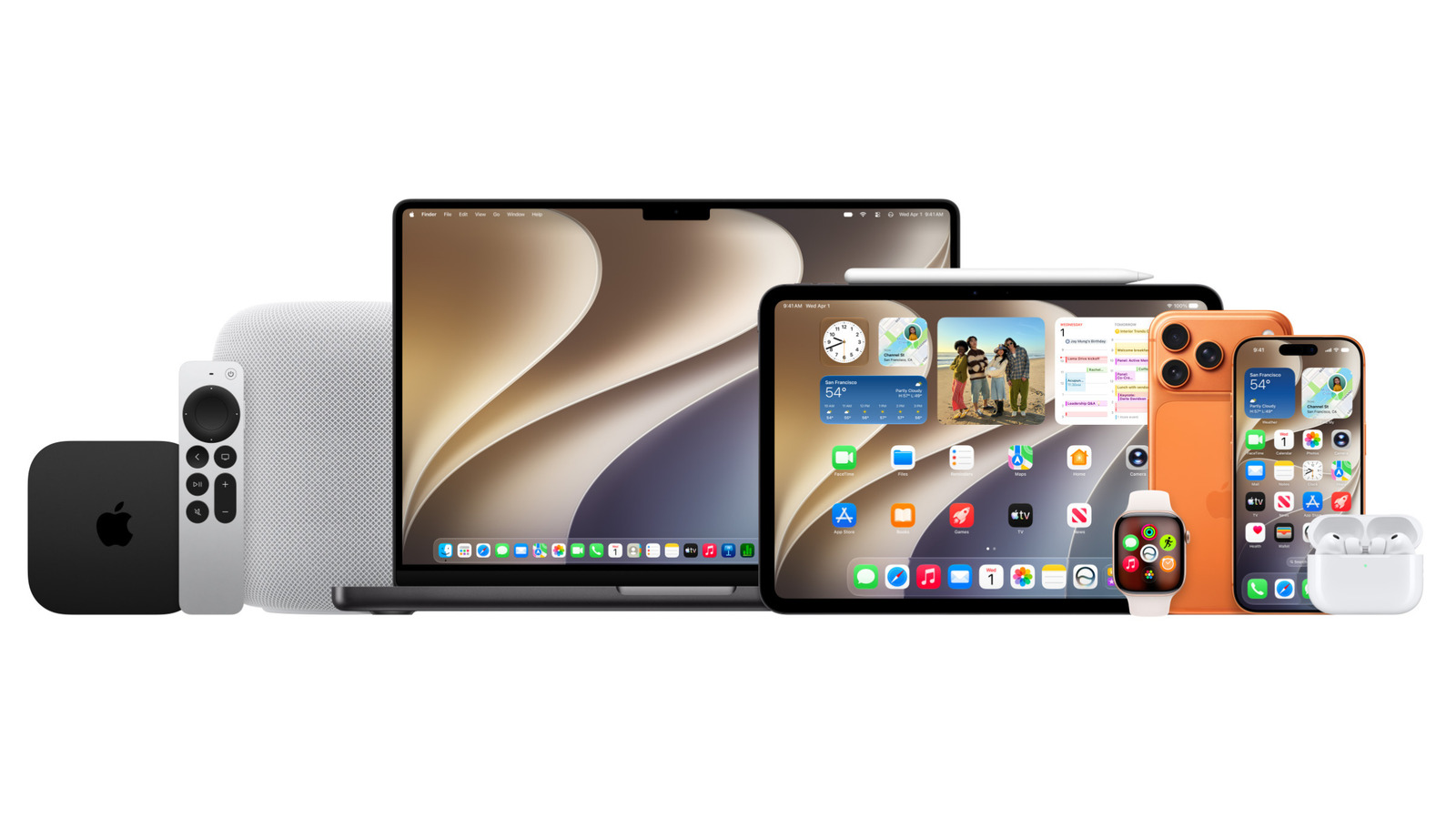
Siri AI in the iOS 27 public beta is Apple’s redesigned voice assistant experience that adds a dedicated app, deeper on-screen awareness, and broader device support so it can handle more tasks accurately, persist conversations across devices, and act as a practical productivity tool instead of a limited voice shortcut. Apple has rolled out the first public beta of iOS 27, alongside iPadOS, macOS, and watchOS, opening the doors for anyone with a supported iPhone to try this reworked Siri. That matters because, for years, Siri has been the punchline of every smart assistant comparison—especially for drivers who watched it fumble directions and simple contact lookups. Apple is not just tweaking responses; it is reframing Siri AI as a core productivity layer across iPhone, Mac, iPad, and Apple Watch, something you are meant to use all day, not ignore.
Visuals, Reliability, and a Dedicated Siri App: The Everyday Wins
The most important Siri AI improvements are the ones you notice every hour, not every keynote. The first is feedback: instead of the old glowing screen border, Siri now appears as a bubble at the top of the display, which makes it clearer when you are in Siri mode and feels more intentional during use. More critical is reliability. A tester who has run the iOS 27 developer beta for almost a month reports that the new Siri is a dramatic improvement in accuracy and reliability, especially in the car. Where the old assistant often spit out web results instead of reading your contacts, the new one can correctly parse a request like “take me to John Smith” and pull the right address from your contact list, then hand off navigation to Apple Maps. That is the kind of quiet fix that turns an AI assistant from annoyance into habit.
The second major shift is how you talk to Siri—often without talking at all. iOS 27 includes a dedicated Siri AI app that lets you submit requests by voice or typing, stores your conversation history, and syncs that activity across all your devices that support Siri AI. This moves Siri away from being a throwaway overlay and toward being a persistent workspace, more like a messaging app than a voice gimmick. Add to that a welcome personality change: Siri in this beta is less chatty and more to the point, focusing on the answer instead of filler commentary. For anyone who has bounced between assistants, this is a design choice that matters; brevity keeps Siri usable while you are working, commuting, or juggling notifications.
Context Awareness: Siri Finally Understands What You’re Looking At
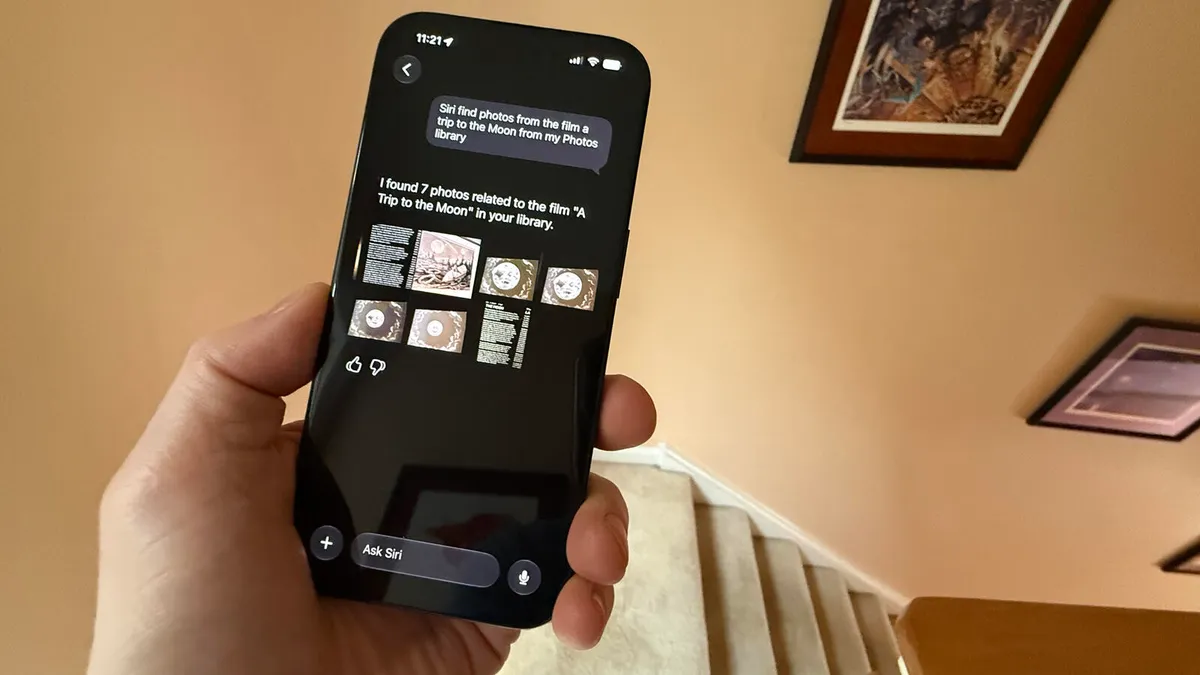
The upgrade that most clearly separates this iPhone Siri upgrade from earlier versions is context. Siri AI now has on-screen awareness, which means it can act on what you are currently viewing instead of pretending your request appears out of thin air. In practice, that means you can open a web page for a location such as Faneuil Hall, then ask Siri for driving directions and get a route in Apple Maps based on the page content. That is a fundamental shift: Siri is no longer blind to the app in front of you. It also extends to your personal data. Siri AI can search for specific files on your iPhone—documents, photos, videos, and music—so you can say “show me my photos of ‘A Trip to the Moon’” and have it surface the correct items from your library.
This growing contextual awareness ties into Apple’s wider AI assistant enhancements. On macOS 27 Golden Gate, Apple is positioning Siri AI as a productivity tool that you can call directly from Spotlight, use to analyze whatever is on your screen, or even rely on for writing help. That same philosophy flows across platforms: iPadOS 27 pulls in the same iOS 27 features, while Siri AI on the Apple Watch is designed to answer questions mid-workout or while you are on the move, where glancing at a screen is inconvenient. The message is clear: Apple wants Siri to be an ambient helper that understands context across your apps and hardware, not a siloed voice box.
New Camera Mode and Visual Intelligence: Siri Looks Through Your Lens
Another noticeable iOS 27 beta feature is how deeply Siri plugs into the Camera app. A new Siri mode lets you ask questions about whatever you see through the camera viewfinder, drawing on Apple’s Visual Intelligence system. You can point at an object and ask Siri to describe or explain it, turning your camera into a lightweight research tool instead of only a photo capture tool. This builds on earlier Visual Intelligence capabilities that could already analyze anything on your display via screenshots and, on iPad, even respond when you circle items with Apple Pencil. Integrating that directly into Siri makes the experience feel less like a separate AI feature and more like part of the assistant’s core skill set.
Tied to this visual expansion are subtle but important quality-of-life updates. The new Siri allows voice customization and more accurate dictation, though the full set of these features requires newer hardware, including an iPhone 17 Pro, Pro Max, or an iPhone Air. That hardware gating will frustrate some early adopters on older devices, but it also signals that Apple sees Siri AI as something that should improve as the silicon does. Beyond phones, Visual Intelligence on iPadOS benefits from faster external SSD transfers that Apple claims are up to five times quicker and comparable to Finder on the Mac, which helps when Siri is surfacing files across devices. This is not cosmetic AI; it is tied to the underlying performance of the platform.
Public Beta, Hardware Limits, and What This Means for the Future of Siri
The most important part of this upgrade cycle is that it is happening in public. Apple has released the first public beta of iOS 27, meaning anyone with a supported iPhone can install it and try the new Siri AI. You no longer need a waitlist; a simple toggle in Settings > General > Software Update > Beta Updates lets you opt into the iOS 27 Public Beta and restart to begin testing. There is a catch: this is still an early beta and may be buggy, so loading it onto your main phone is a risk many people will want to avoid. But the trade-off is that mainstream users—not only developers—can now pressure-test Siri’s new behaviors on real calendars, real contacts, and real commutes, and that feedback window matters more than any demo.
Hardware support is the other major boundary line. To use Siri AI and Apple Intelligence at all, you need an iPhone 15 Pro or Pro Max, any iPhone 16 model, or any iPhone 17 model. Custom voices and the most accurate dictation are reserved for even newer devices, including the iPhone 17 Pro, Pro Max, or an iPhone Air. According to one long-time Siri user who has been testing the developer beta for almost a month, “the new Siri AI finally earns its place not just as a true assistant but one with the right level of AI smarts.” That kind of sentiment, coupled with plans to upgrade to an iPhone 18 Pro and run the final release in September, suggests something simple but significant: for the first time in years, power users are planning their next phone around an iPhone Siri upgrade. If Apple keeps iterating at this pace across macOS, iPadOS, and watchOS, Siri’s AI transformation may mark the moment it stops playing catch-up and starts shaping how assistant features should work across devices.





