
Verdict: A Specialized Tool for Heavy AI Coders
The OpenAI Codex Micro is a compact mechanical developer macro pad with 13 programmable keys, a joystick, rotary dial, touch sensor, and dedicated AI controls designed to give power users faster, more tactile oversight of Codex coding agents and ChatGPT-style workflows. This is a good product in a narrow sense: if you spend hours every day supervising AI coding agents, the Codex Micro can turn approval, refactor, and review actions into single-tap muscle memory and reduce friction in your workflow. For casual ChatGPT users or developers who only occasionally rely on AI, the asking price of USD 230 (approx. ₱13,000) makes it hard to justify against cheaper programmable keypads. In short, it is a well-built, thoughtfully integrated AI coding keyboard for a small but committed audience, not a mainstream must-have.
Design, Build, and Core Features
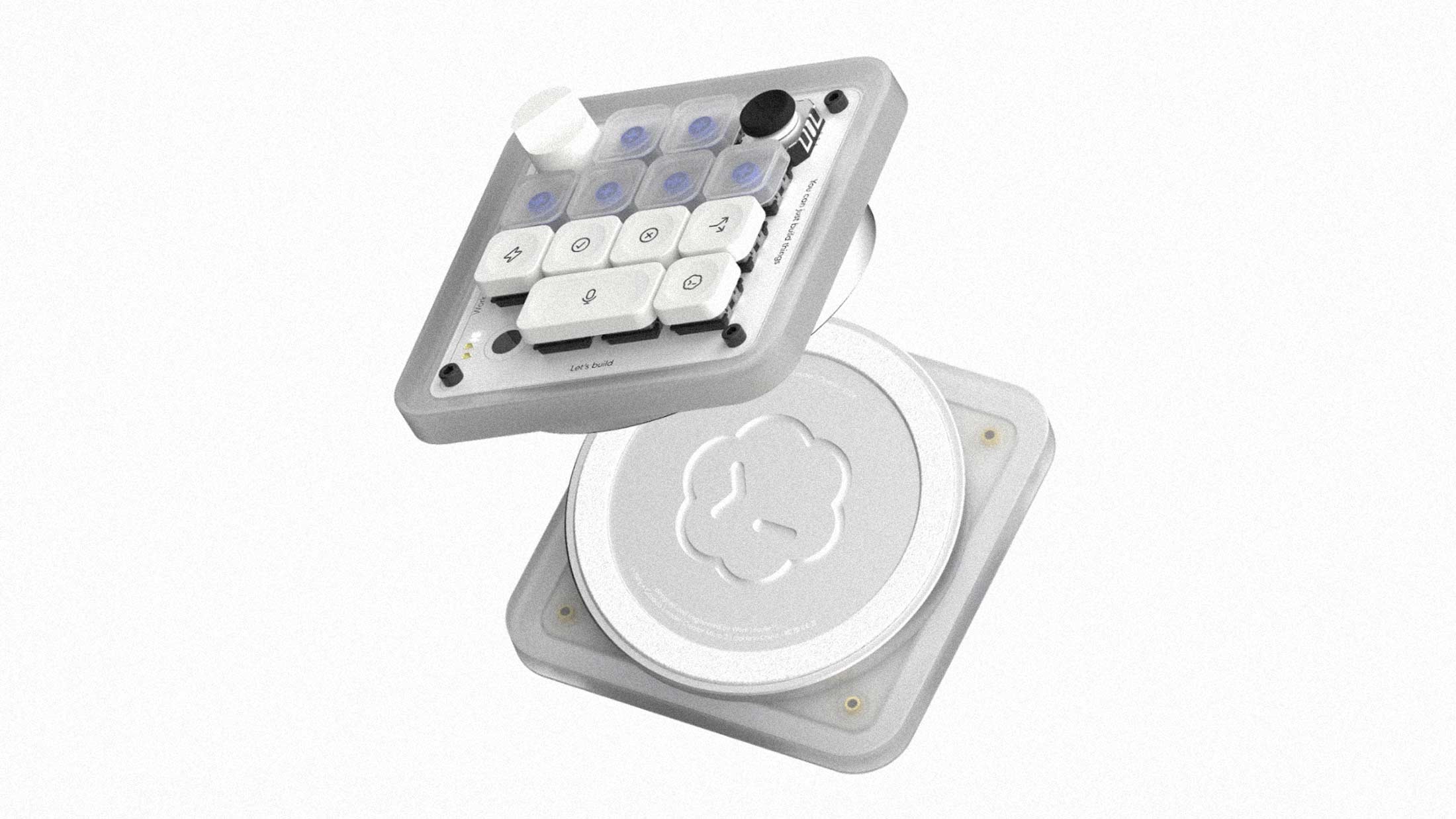
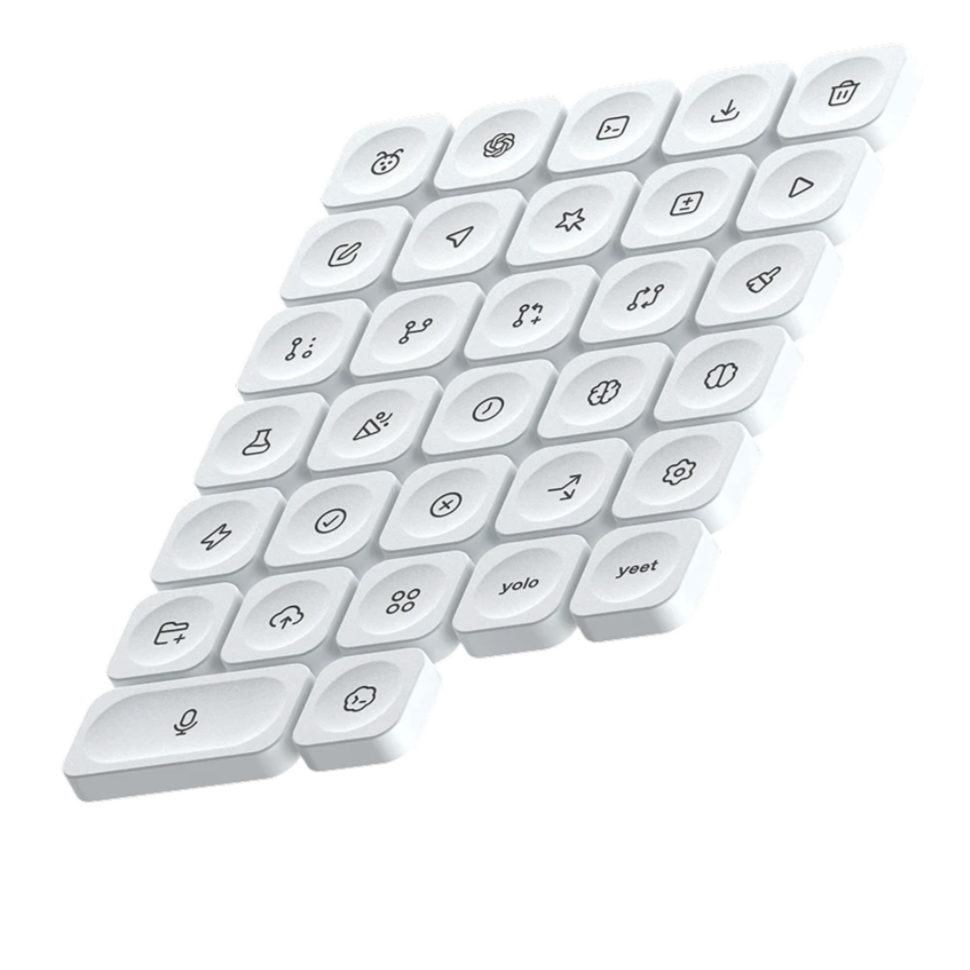
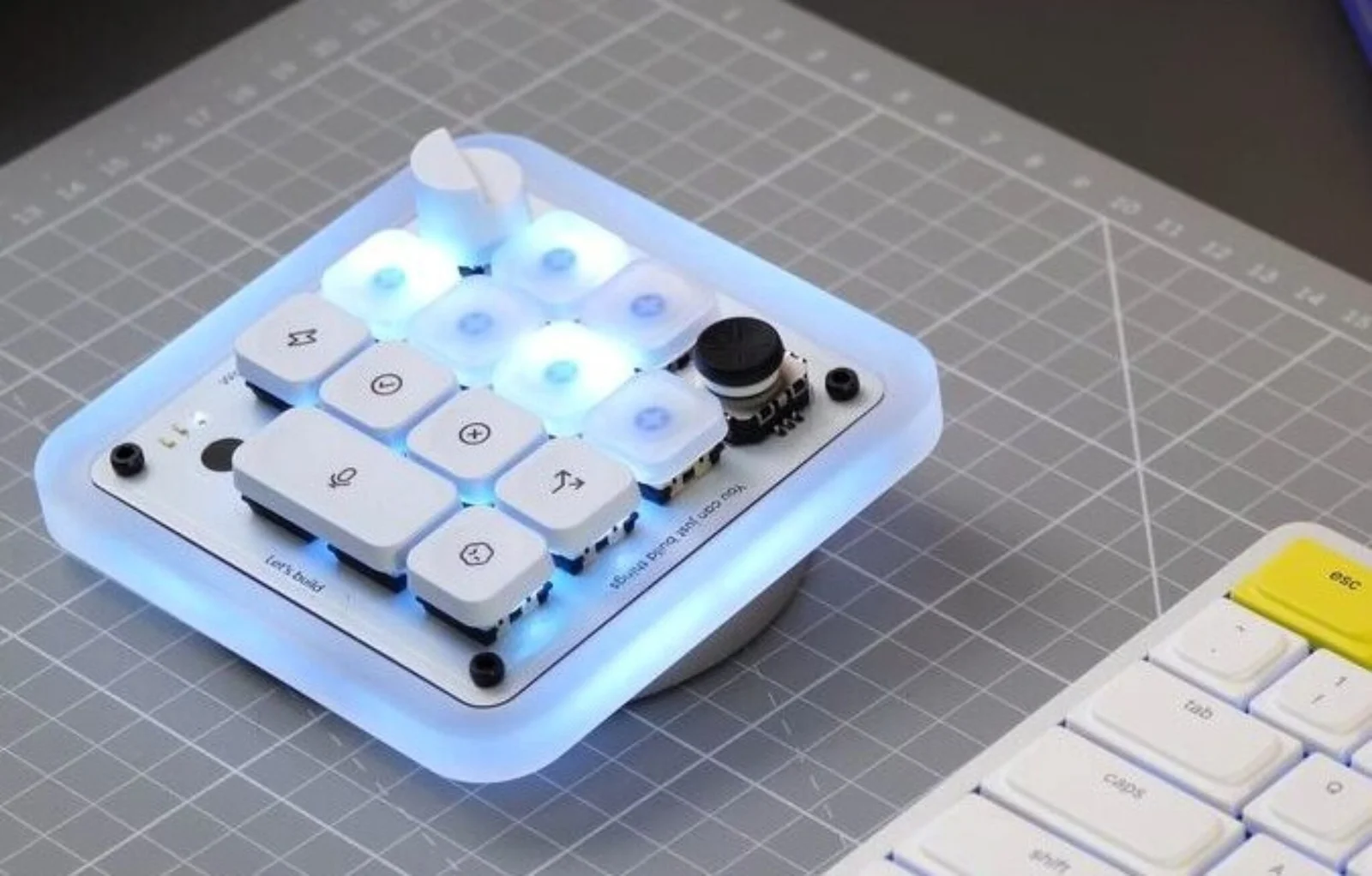
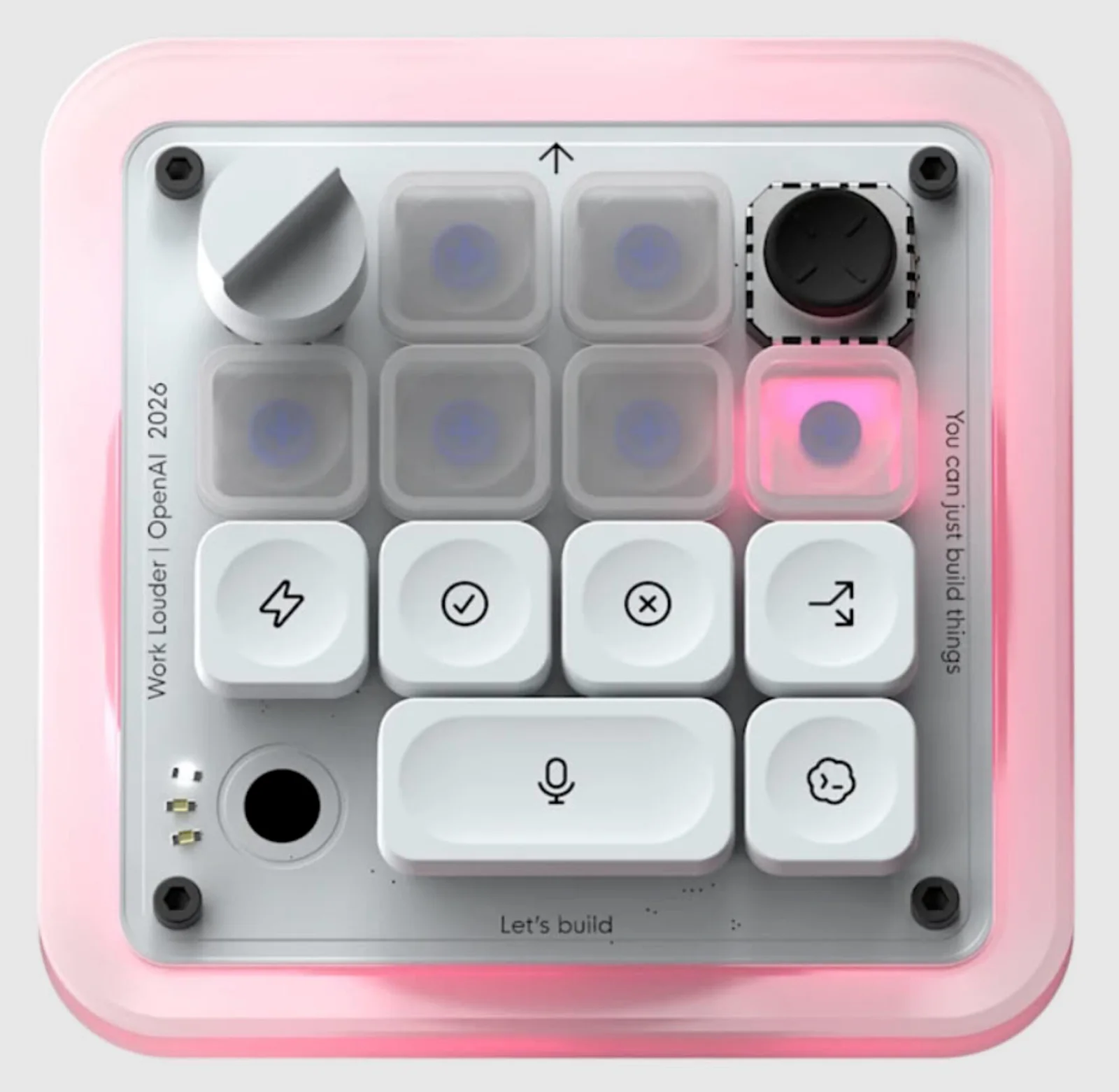
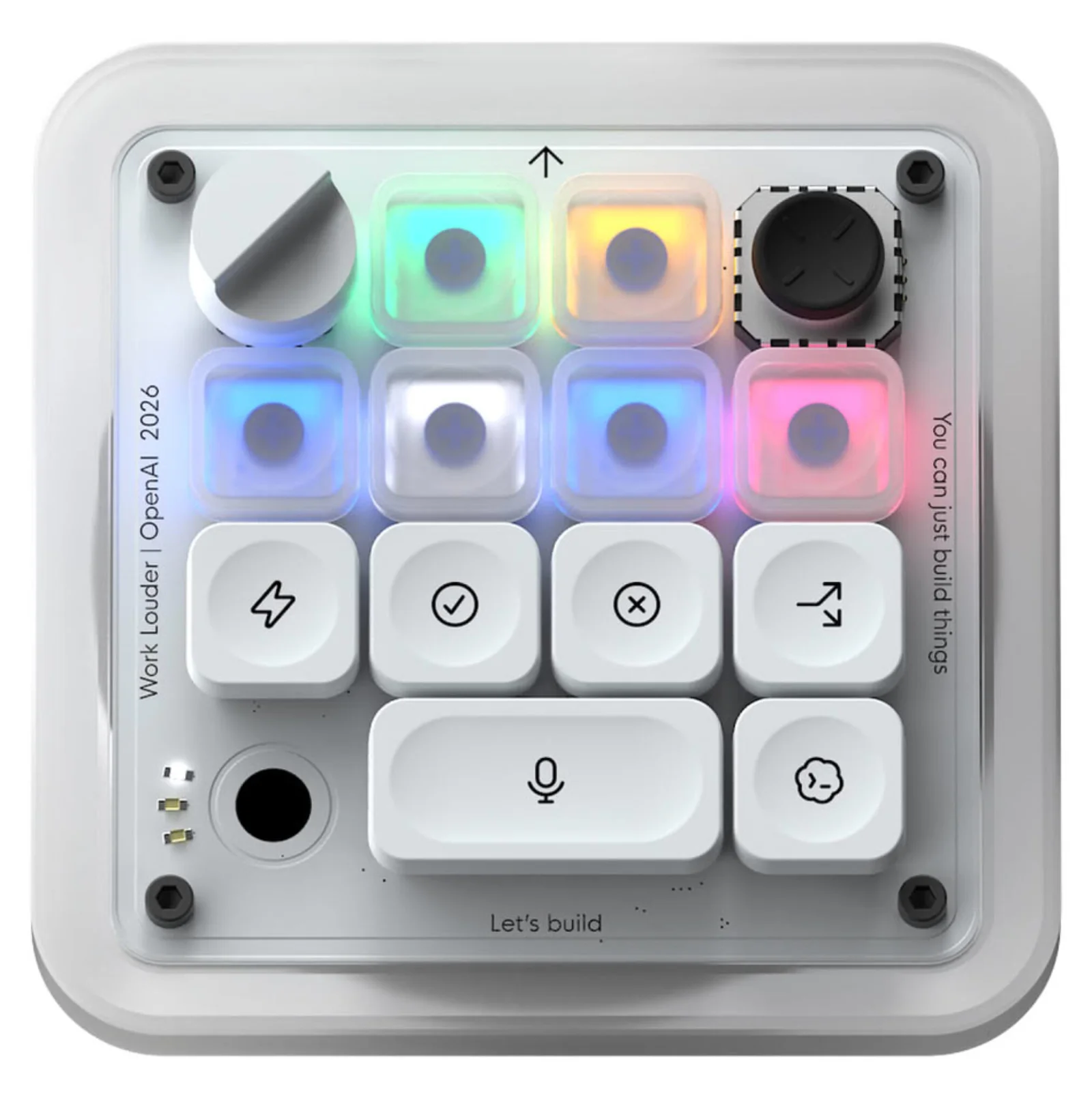
OpenAI’s first hardware rides on Work Louder’s Creator Micro 2 chassis, a compact square macro pad with a CNC-machined aluminium frame and low-profile mechanical switches. The main body combines machined polycarbonate and aluminium, while the included icon keycaps use PBT and polycarbonate for a premium feel compared with typical macro pads. You get 13 mechanical keys with a choice of clicky or silent switches, a rotary encoder, a capacitive touch sensor for cycling layers or extra inputs, and a 2D analog joystick for planar control. RGB lighting covers both the keys and the acrylic edge, which glows when the push-to-talk microphone is live. Connectivity covers both Bluetooth and USB Type‑C, so it works wired or wireless on most developer setups. It ships with a 31–32 piece interchangeable icon keyset, letting you visually map functions across AI coding workflows.
| Feature | Details | Impact for Developers |
|---|---|---|
| Programmable keys | 13 mechanical switches with clicky or silent options | Map agents, approvals, and tooling shortcuts to dedicated buttons |
| AI Agent Keys | Six top keys with live RGB status from Codex | See whether each agent is idle, thinking, running, or done at a glance |
| Rotary encoder & touch sensor | One dial plus capacitive touch layer control | Fine-grained scrolling or context switching between layers of shortcuts |
| Joystick | Planar 2D analog joystick for workflows | Trigger debugging, PR review, or refactor flows with directional gestures |
| Connectivity | Bluetooth and USB‑C wired/wireless options | Drop into laptop or desktop setups without extra adapters |
AI Controls and Real-World Workflow Gains
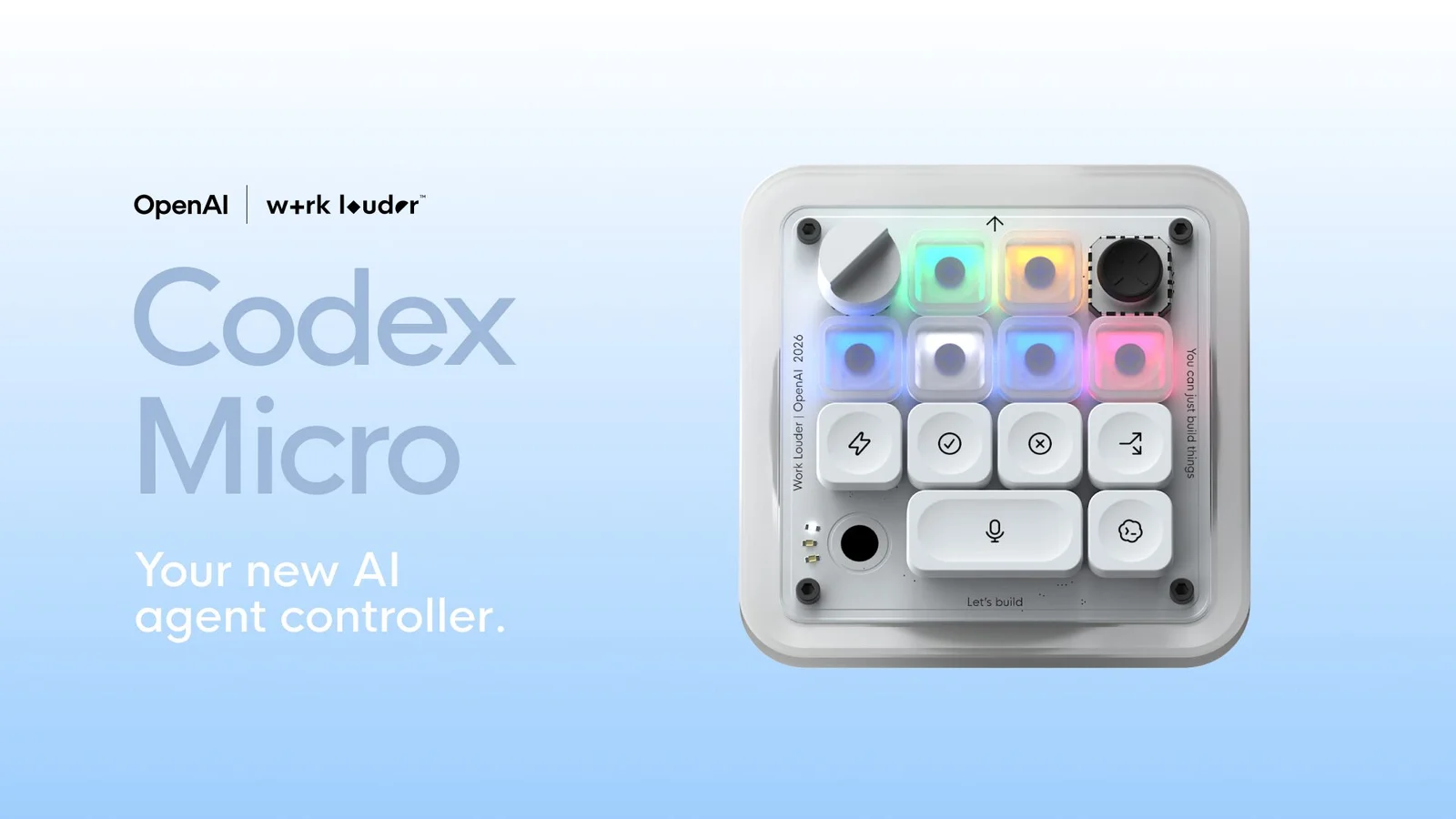
What sets the OpenAI Codex Micro apart from a generic macro pad is its dedicated AI control layer. Six "Agent Keys" at the top show live RGB feedback from Codex, signalling whether each agent is idle, thinking, running, or done; a single tap selects an agent, while a double‑tap brings it to the foreground. Command keys handle common oversight actions like accept, reject, push‑to‑talk, and new chat, so you can approve code, veto changes, or speak instructions without hunting for shortcuts in a desktop app. The planar joystick is mapped to typical workflows—reviewing pull requests, debugging errors, or triggering refactors—turning what used to be menu-driven clicks into physical gestures. In high-throughput environments where multiple agents run long tasks, reducing the time between model output and human response directly increases agent throughput, and this device is built squarely for that scenario.
Customization, Flexibility, and the Price Problem
As an AI coding keyboard, the Codex Micro is impressively flexible. Everything on the pad is configurable through Work Louder’s Input software or the open‑source VIA tool, from key mappings to layers triggered by the touch sensor. Although it is designed around Codex and ChatGPT, it works with any application that accepts keyboard input, so you can repurpose layers for IDE shortcuts, window management, streaming controls, or creative apps when you are not driving AI agents. The 31 interchangeable keycaps make it easier to maintain multiple layouts without losing track of what each key does. The catch is price: at USD 230 (approx. ₱13,000), it sits firmly in the premium accessory bracket and targets a small group of users who rely on programmable keys and AI tools every day. Many developers will compare it with cheaper macro pads or stream decks and decide the Codex‑specific features are not worth the difference.
Pros
- Thoughtful AI integration with Agent Keys and dedicated accept/reject/push‑to‑talk controls for Codex workflows
- High build quality with CNC-machined materials and premium keycaps compared with standard macro pads
- Extensive customization via Work Louder Input and VIA, plus compatibility with any software that supports keyboard input
- Bluetooth and USB‑C options fit most developer setups without extra hardware
Cons
- USD 230 (approx. ₱13,000) price limits appeal to a niche of heavy AI tool users
- Only adds value if you regularly supervise AI coding agents; occasional ChatGPT or IDE users will see marginal gains
- Smaller learning curve and setup time compared with plain keyboard shortcuts, especially for multi-layer configurations
Where Codex Micro Fits in OpenAI’s Hardware Strategy
The Codex Micro is OpenAI’s first branded hardware product, built with boutique keyboard maker Work Louder and aimed squarely at developers who supervise AI coding agents. Orders are open while supplies last, and the device ships with warranty and support. OpenAI spokesperson Dominik Kundel describes it as a keyboard "designed to supercharge people's Codex usage," underlining that it is not meant as a general-purpose consumer gadget but as a specialised productivity tool. According to reporting, Codex has grown to more than 5 million weekly active users from under 1 million at desktop launch, showing strong demand for agentic coding workflows. Against that backdrop, a dedicated developer macro pad that lowers the friction of human-agent oversight makes strategic sense: it plants OpenAI’s logo on developer desks, reinforces Codex as a daily companion, and quietly claims physical space in the ongoing AI coding tool wars.
Buy if / Skip if
- Buy the OpenAI Codex Micro if you supervise multiple Codex agents daily and want faster, physical controls for approvals, refactors, and reviews.
- Skip the OpenAI Codex Micro if you mostly use ChatGPT in a browser and do not run long-lived or multi-agent coding workflows.
- Buy the OpenAI Codex Micro if you value premium build quality, Bluetooth and USB‑C connectivity, and deep customization through VIA or Work Louder’s tools.
- Skip the OpenAI Codex Micro if you are price-sensitive and can get enough mileage from cheaper generic programmable keys or stream decks.
- Buy the OpenAI Codex Micro if you want a dedicated AI coding keyboard that can also double as a flexible macro pad for IDEs, creative tools, or streaming.
- Skip the OpenAI Codex Micro if you prefer keeping everything on your main keyboard and do not want to learn or maintain layered macro pad layouts.