
Windows vs Linux Gaming: What This Comparison Is Really About
Windows vs Linux gaming compares how each operating system runs modern games, measuring frame rates, compatibility with anti-cheat and game libraries, and overall gaming OS performance so players can decide which platform better matches their hardware, favorite titles, and tolerance for tinkering versus plug‑and‑play convenience. In short: Windows is still the safer choice if you want every big multiplayer and AAA release to work with minimal fuss, while Linux (including SteamOS) is now strong enough that many players happily game there full‑time. Raw benchmarks lean toward Windows in most cases, but the day‑to‑day experience on devices like the Steam Machine and Steam Deck shows Linux is no longer a niche experiment. Your decision should start from one question: which games do you refuse to give up?
| Spec / Metric | Windows 11 (Desktop & Steam Machine) | Linux / SteamOS |
|---|---|---|
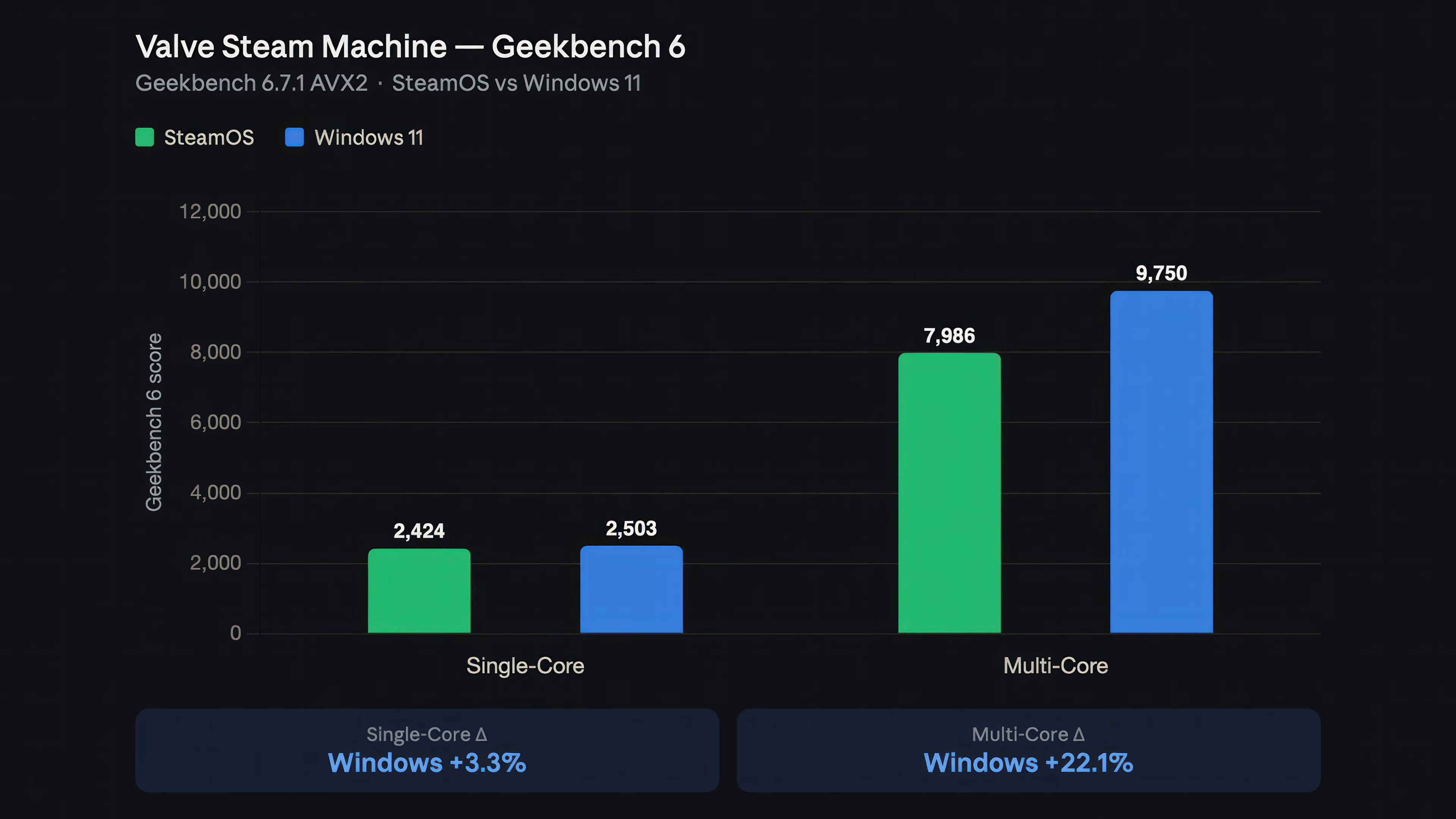
| CPU synthetic performance (Geekbench single-core) | Windows: 3,500 on Ryzen 7 desktop; 2,503 on Steam Machine | Fedora: 3,595 on Ryzen 7 desktop; SteamOS: 2,424 on Steam Machine |
| CPU synthetic performance (Geekbench multi-core) | Windows: 19,144 on Ryzen 7 desktop; 9,750 on Steam Machine | Fedora: 19,995 on Ryzen 7 desktop; SteamOS: 7,986 on Steam Machine |
| Cyberpunk 2077 1440p FPS (desktop test) | Windows 11: 149 FPS | Fedora KDE: 140 FPS |
| Arc Raiders 1440p FPS (desktop test) | Windows 11: 145 FPS; 1% lows 131 FPS | Fedora KDE: 133 FPS; 1% lows 94 FPS |
| Marvel Rivals performance (desktop test) | Windows 11: 116 FPS | Fedora KDE: 110 FPS |
| Cyberpunk 2077 1080p FPS (Steam Machine) | Windows 11: 68 FPS | SteamOS: 74 FPS |
| Cyberpunk 2077 4K FPS (Steam Machine) | Windows 11: 20 FPS | SteamOS: 18 FPS |
| Benchmarked game/resolution wins on Steam Machine | Windows ahead in 5 of 9 combinations | SteamOS ahead in 4 of 9 combinations |
| Anti-cheat compatibility (Fortnite, Valorant, CoD) | Full support for Easy Anti-Cheat, Vanguard, and kernel-level protections | Fortnite, Valorant, some Game Pass and anti-cheat–heavy titles unavailable or unsupported |
| Dual-boot support on Steam Machine | Installing Windows wipes SteamOS; no official dual-boot wizard yet | SteamOS is the default; dual-boot tools promised later, recovery image needed to revert |
Desktop Gaming: Benchmarks Say Windows, Experience Says "It Depends"
On a high-end desktop with a Ryzen 7 9850X3D and Radeon RX 9700 XT, Fedora KDE Linux beats Windows 11 in CPU‑heavy work, scoring about 3–4% higher in Geekbench and leading all tested Blender scenes thanks to lower OS overhead. That advantage vanishes in games. In Cyberpunk 2077 at 1440p, Windows hits 149 FPS while Fedora manages 140 FPS. Arc Raiders widens the gap further: 145 FPS on Windows versus 133 FPS on Linux, with much stronger 1% lows on Windows (131 vs 94 FPS), meaning smoother frame pacing. Marvel Rivals remains close but still favors Windows, 116 versus 110 FPS. The real blow for Linux isn’t frames, it’s compatibility: Fortnite will not launch because Easy Anti-Cheat lacks Linux support, and Valorant, Xbox Game Pass titles, and other anti‑cheat‑dependent games still do not run. For a broad Windows vs Linux gaming library, that is the decisive factor.
SteamOS vs Windows on Portable Hardware: Near-Tie Performance, Different Trade-Offs
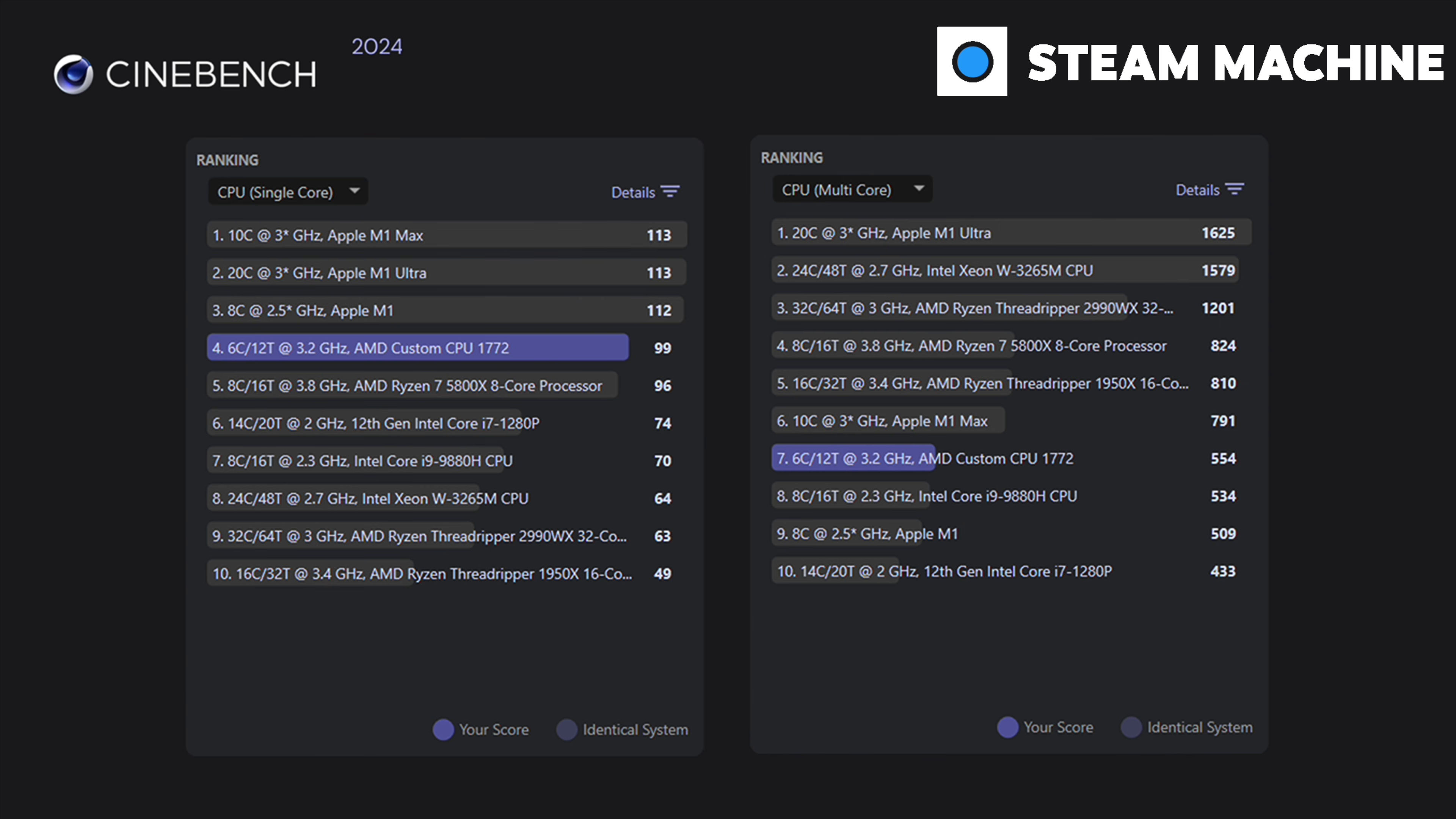
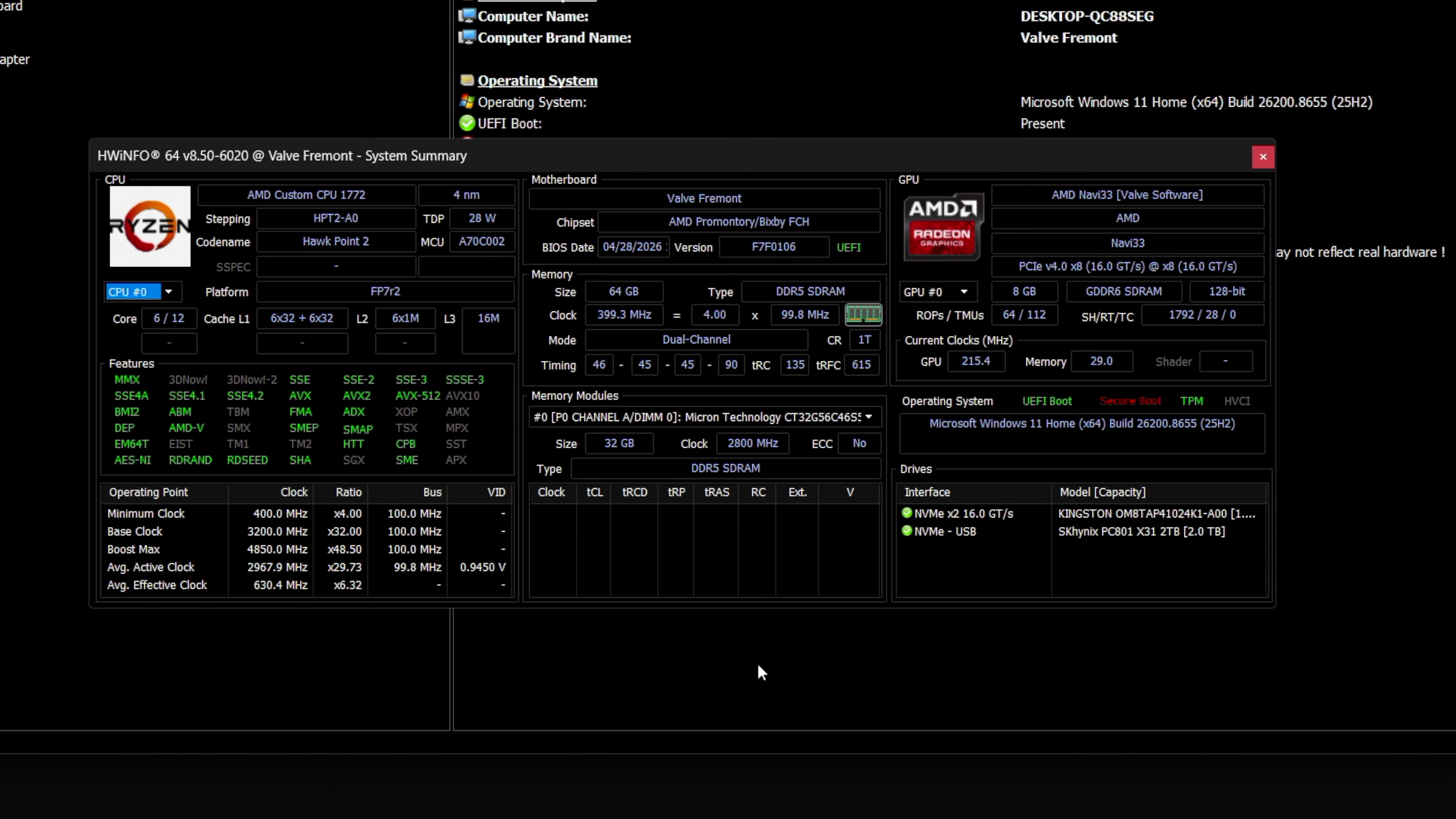
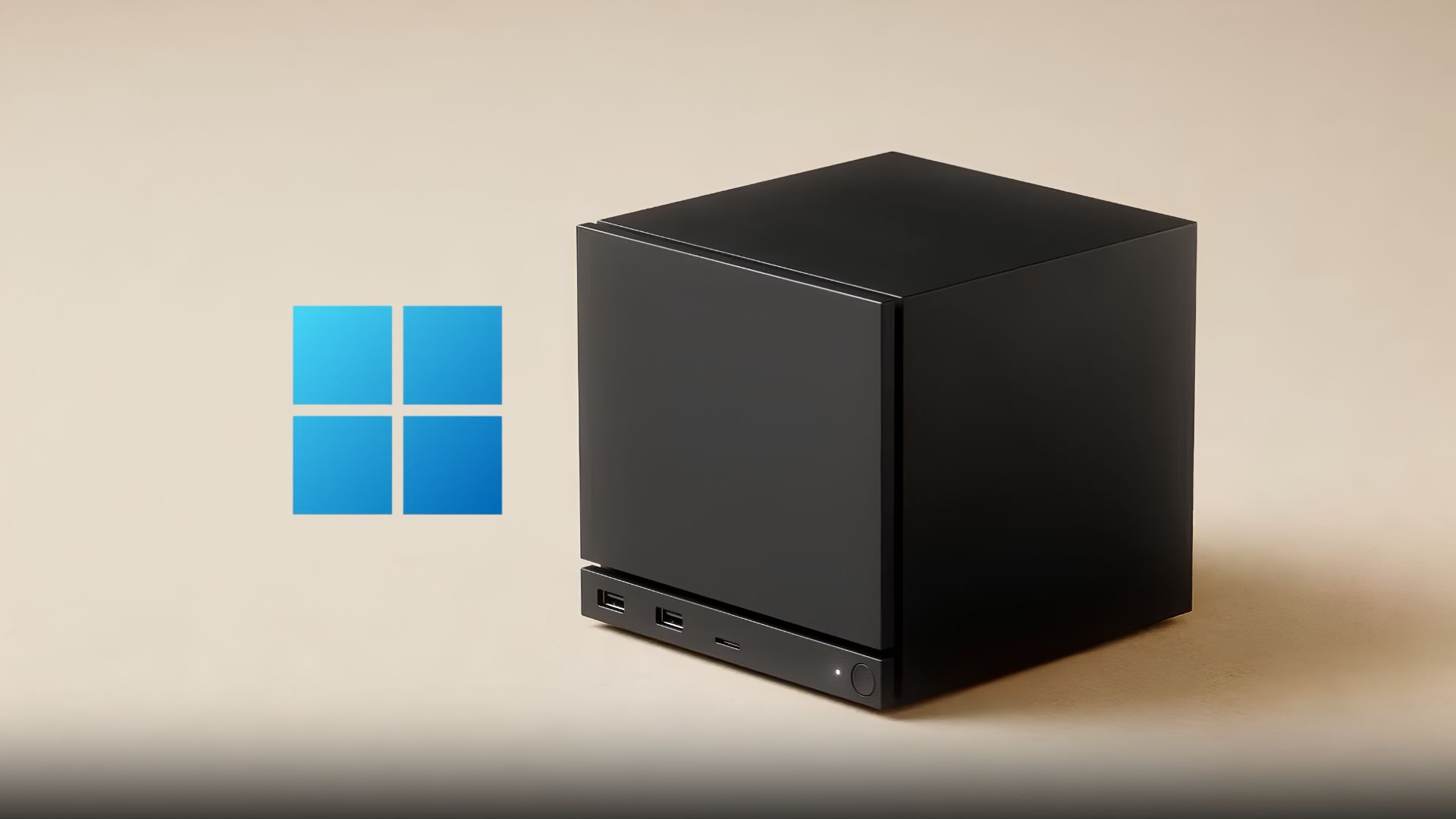
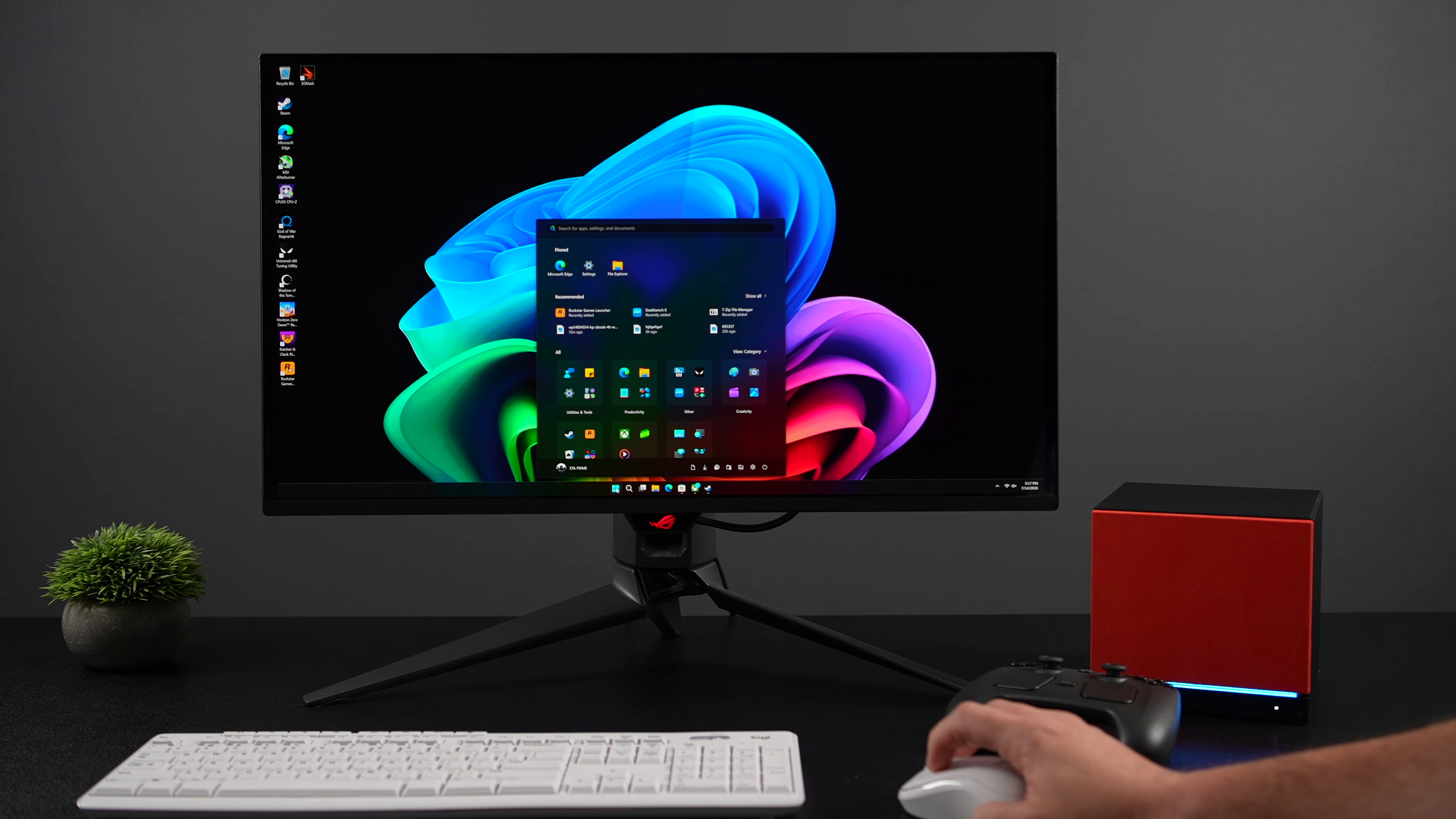
On Valve’s Steam Machine, SteamOS proves how far Linux gaming has come. Windows should have the edge because it runs games natively while SteamOS relies on Proton, translating Windows game code into Linux calls, yet benchmark gaps are thin. Synthetic tests favor Windows hard: Geekbench 6 shows a 3.3% single‑core lead and a sizable 22.1% multi‑core advantage over SteamOS. In real games, though, the story softens. Across nine game‑and‑resolution combinations, Windows “finished ahead in five, SteamOS in four,” with Windows only slightly better at 4K. Horizon Zero Dawn Remastered and Shadow of the Tomb Raider both sit within two frames per second between OSes at 1080p and 1440p, and Cyberpunk 2077 swings: SteamOS leads at 1080p (74 vs 68 FPS) and 1440p (45 vs 43), but Windows wins at 4K (20 vs 18 FPS). As one source summarizes, “the performance case isn’t there.”
Community Sentiment vs Numbers: Why Many Gamers Still Prefer Linux
Even where Windows wins frame‑rate charts, user sentiment often leans toward Linux. In one widely watched comparison, comments argue the test was too one‑sided, with many players saying they have used Linux for gaming for months or years without major problems. SteamOS’ graphics stack, built on the Mesa open‑source driver project that Valve funds and ships with every release, is a big part of that smooth experience. People value quick updates, good controller integration, and a clean, gaming‑first interface as much as a few extra frames. On Steam hardware, the lack of official Windows support, missing dual‑boot, and clumsy setup—needing Ethernet for activation and a recovery image to revert—turn Windows’ tiny benchmark wins into a poor trade. Some desktop users keep Windows around only for a handful of anti‑cheat‑heavy multiplayer titles and otherwise boot Linux for everything else. In practice, gaming OS performance is more than FPS charts.
Who Each OS Suits and How to Decide
Choosing between Windows vs Linux gaming starts with your library and tolerance for hassle. Windows still offers the widest compatibility, including Fortnite and other Easy Anti‑Cheat titles, plus Riot’s Vanguard‑protected games and Call of Duty releases that rely on kernel‑level protections unavailable on Linux. If a must‑play title depends on those systems, that alone can dictate your OS. But if you care more about a focused library of Steam games, indie releases, and single‑player AAA titles that work through Proton, Linux and SteamOS now deliver mature gaming OS performance with near‑Windows frame rates in many benchmarks. Some players strike a balance through dual‑boot, keeping Windows installed only for specific multiplayer games while relying on Linux day‑to‑day, though on Steam hardware Windows currently wipes SteamOS and there is no finished dual‑boot wizard yet.
- Buy the Windows 11 setup if your must‑play games include Fortnite, Valorant, Call of Duty, or other anti‑cheat‑heavy multiplayer titles that still do not run on Linux.
- Skip the Windows 11 setup if your only reason is "maybe it’ll run a little faster," because SteamOS often matches Windows within the margin of error and minor 4K gains rarely justify the installation hassle on Steam hardware.
- Buy the Linux gaming setup if most of your time is spent in Steam single‑player and indie games and you value a lean OS that scores slightly higher in CPU productivity benchmarks and works well with Proton.
- Skip the Linux gaming setup if you want guaranteed access to every new Game Pass and competitive shooter release, since some Xbox Game Pass titles and several games with incompatible anti‑cheat remain unavailable.
- Buy the dual‑boot configuration on a standard PC if you are happy gaming on Linux most of the time but need Windows around for a small set of multiplayer titles with strict anti‑cheat, as many users already do.
- Skip the dual‑boot approach on Steam hardware for now if you dislike reinstalling operating systems, because installing Windows currently wipes SteamOS and reverting requires a full recovery image without an official dual‑boot wizard.