
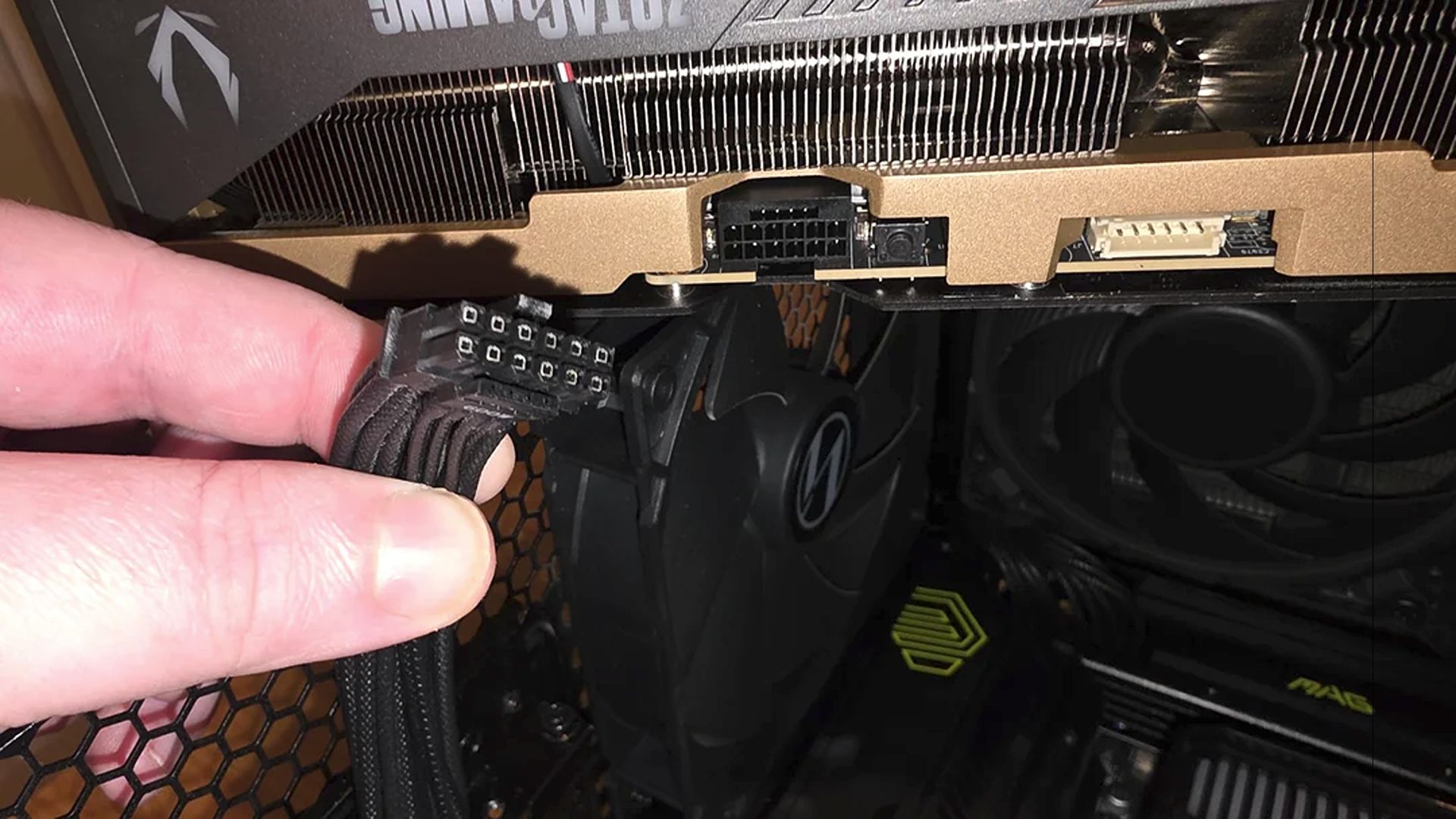

From Melting 12VHPWR Cables to Actively Protected Connectors
Modern power supplies with active monitoring systems such as T-Guard are PSUs that continuously track GPU power connector temperature in real time, detect abnormal heat before a 12VHPWR cable overheats, and automatically limit power to the graphics card while keeping the rest of the PC running so users can protect data and hardware. This is the long-overdue response to a problem enthusiasts have been living with for years: recurring failures and melting 12V-2×6 connectors on high-end GPUs that can kill a graphics card outright. Instead of treating fires and meltdowns as bad luck, these PSUs treat GPU power connector safety as an engineering problem. If you are running an RTX 4090 or eyeing a future RTX 5090 build, ignoring this shift from passive to active protection is asking for trouble.
How T-Guard Turns PSU Temperature Monitoring Into Real Protection
The smart part of T-Guard is not that it measures temperature—it is what the PSU does with that data. The unit continuously monitors the 12V-2×6 connector using built-in sensors, watching for abnormal heat caused by loose cables or excessive electrical load. When it sees a problem, it alerts the system and begins protecting the hardware instead of waiting for a visible failure. Crucially, it does not slam the entire PC off. It intelligently reduces power only to the graphics card, so the rest of the system stays alive long enough for you to save work and shut down cleanly. If your CPU has integrated graphics, you still get video output after the GPU power is limited, which makes troubleshooting far less painful than facing a dead screen. In short: this is PSU temperature monitoring that acts, not merely reports.
According to the manufacturer, T-Guard combines real-time temperature monitoring, automatic GPU power limiting, and the ability to recover your work before shutdown to provide three layers of protection against connector failures. That layered approach is the direction PSUs need to take if connector fires are going to become rare instead of routine headlines.

Why GPU Power Connector Safety Matters More Than Ever
The uncomfortable truth is that 12VHPWR cable overheating is not an edge case; it is a repeating pattern. Ever since graphics cards moved to the 12VHPWR (12V-2×6) connector, enthusiasts have been understandably paranoid, with regular stories of connectors melting and killing GPUs. When a single cable can take out a flagship card worth more than many entire builds, power delivery stops being a boring detail and becomes a critical design choice. New PSUs that monitor connector temperature in real time and alert users before catastrophic failure represent a fundamental shift: we are finally treating the connector as the weak link it is. Color-coded plugs, dual-color 12V-2×6 cables to confirm proper seating, and integrated monitoring are all small but meaningful steps away from the "hope it doesn’t melt" era. If your budget and attention go only to the GPU while you buy a random PSU, you are gambling with the whole system.
Connectors, Cables, and the Hidden Limits of Flagship GPUs
The fire risk is not confined to the cable alone, and pretending otherwise is dangerous. A recent RTX 5090 failure showed a pristine 16-pin connector, while the damage was concentrated on the PCIe interface, with a burn mark on the gold finger tail and likely short near an MLCC capacitor array. That should be a wake-up call: keeping your power cables secure is only half the battle; ensuring the graphics card is properly supported, maintained, and cooled is equally vital to protect your investment. Modern flagship GPUs are extremely heavy, and GPU sag can put major mechanical stress on the PCIe slot and the card itself, leading over time to microscopic PCB cracks and eventual shorts when high current flows. Forcing a heavy card into a slot at an angle can fracture copper layers before the system ever boots. Safer power delivery means understanding these physical limits, not only trusting a connector spec sheet.
Building Safer RTX 4090/5090 Systems: PSU Choice and Cable Discipline
If you care about GPU power connector safety on an RTX 4090, 5090, or any flagship card, your build decisions must reflect it. Start with a PSU that treats connector monitoring as a core feature, not a marketing bullet—continuous temperature sensing, active protection that limits GPU power instead of nuking the whole PC, and clear alerts when something is wrong. Then treat cable management as part of stability, not aesthetics: avoid harsh bends at the 12VHPWR plug, ensure connectors are fully seated, and route cables so they cannot be accidentally tugged loose. On the GPU side, use anti-sag supports and confirm the card sits straight in the PCIe slot to avoid long-term PCB stress and potential short circuits. The lesson from recent meltdowns and smokey failures is straightforward: proper cable handling and PSU selection are no longer optional details, they are core to any serious high-end build.




