
Start Here: The One Upgrade Every Creative Should Make
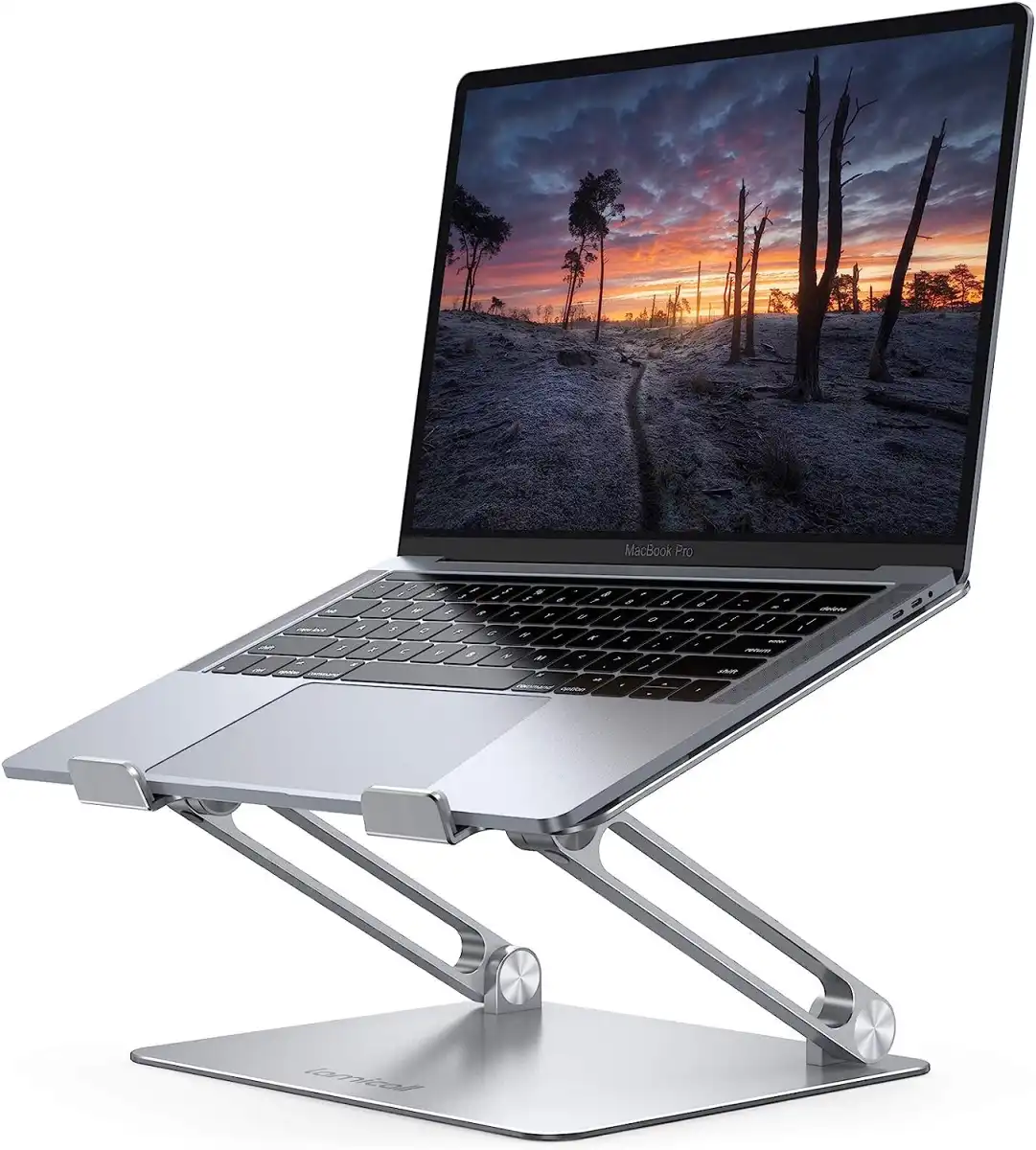
Work-from-home tech upgrades for creative professionals are targeted tools and devices that improve ergonomics, focus, and idea flow so you produce higher-quality work faster without filling your space with gimmicky gear. For most people, the single best starting point is a good laptop stand, and the Lamicall Adjustable Laptop Stand wins that spot. A reliable stand turns your laptop into a comfortable, desktop-style workstation: it improves posture, puts the screen at the right height, and keeps your machine secure while you use a separate mouse and keyboard. A solid lightweight aluminum build means it looks clean on any creative workspace and won’t fight your studio aesthetic. You don’t need to spend much: its MSRP is USD 36 (approx. ₱2,000) but it is often available for less than USD 30 (approx. ₱1,700). If you only upgrade one thing, make it this.
Ergonomic, Space-Savvy Desk Gadgets for Daily Creative Work
If you live in a small apartment or share a home office, you need creative workspace equipment that earns its footprint. The Lamicall Adjustable Laptop Stand supports almost any laptop from 10 to 17.3 inches, lets you adjust both tilt and height, and has ventilation holes that help dissipate heat during long editing or design sessions. Its main downside is that some users may find it a bit tall; if you prefer a lower profile and extra connectivity, the Ugreen X-Fit Laptop Stand is lower, offers four different angles, and adds a USB hub with one USB-C, two USB-A, HDMI, and an SD card slot. That hub-focused stand costs USD 50 (approx. ₱2,800). According to one review, “You don’t need to drop a ton of money on something expensive, either,” as this class of stand already does most of the ergonomic heavy lifting.
| Spec / Feature | Lamicall Adjustable Laptop Stand | Ugreen X-Fit Laptop Stand |
|---|---|---|
| Supported laptop size | 10–17.3 inches | Not specified, but designed for typical laptops |
| Adjustability | Tilt and height adjustment | Four angle options |
| Cooling | Ventilation holes for heat dissipation | Not highlighted |
| Connectivity | None (stand only) | USB hub: 1 USB-C, 2 USB-A, HDMI, SD card slot |
| Approx. price | USD 36 MSRP, often < USD 30 (approx. ₱1,700–2,000) | USD 50 (approx. ₱2,800) |
Lighting and Sound That Shape Your Creative Focus
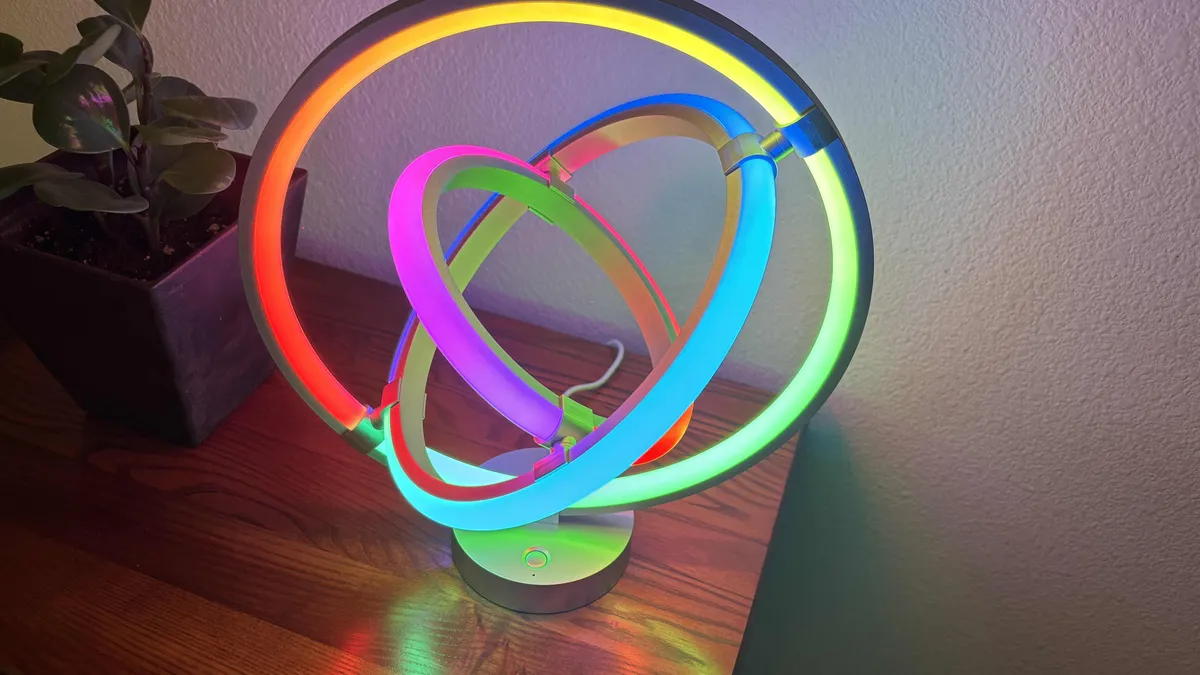
Once your screen and posture are sorted, upgrade your sensory environment. Smart lighting and sound are among the best desk gadgets for deep creative focus because they let you tune the mood to the work at hand. An AI-driven table lamp like the Lepro A1 can take voice or text prompts and suggest light schemes with specific colors, patterns, and movement, even syncing to music. You can say anything from “Star Wars” to “workout mode” and get several mood options, from soothing glows to energetic swirls. The upside is flexible ambience for brainstorming, writing, or editing; the downside is that not every professional will want animated effects in a client-facing space. If you prefer simple bulbs, tunable color smart bulbs such as those from Wiz let you adjust brightness and color for late-night work or gentle morning starts, support voice assistants, and offer scheduling. They are very affordable at around USD 10 (approx. ₱560) per bulb.
Smart Power, Audio, and Security for a Lean Home Studio
For a compact creative studio, smart power and audio upgrades count as essential home office productivity tools. A smart surge protector from Tapo protects from electrical surges and lets you name each plug and USB port in its app, turning them on or off remotely or with voice commands. This is ideal if your desk hosts laptops, drawing tablets, and lighting in a tight space, though it adds dependence on an app for control. Pair it with a compact smart speaker like the latest Google Home speaker, which offers some of the best sound quality in the USD 100 (approx. ₱5,600) range with surprisingly strong bass, connects to major music services, and sets timers, reminders, and calendar events by voice. It can also control compatible smart devices so you can manage lights or power while staying in flow. If you want an alarm-clock-style device, the Echo Spot’s screen, gradual wake-up lights, and versatile alarms make it well suited to small rooms, though on-desk screen clutter might not appeal to minimalists.
Small-Space Safety and Workflow Peace of Mind
Creative work often relies on expensive gear and sensitive files, especially when your home office shares space with others. Space-efficient security devices let you protect that gear without bulky hardware. The Aqara P100 multipurpose sensor is designed for many surfaces and can be stuck onto doors, closets, drawers, and lids with adhesive; it sends alerts whenever something opens or closes. Most security sensors are not designed for dorm-style spaces, but this new Aqara model is made for nearly everything. On its own, it is affordable and simple, though advanced features like vibration and tamper detection require an extra hub and possibly a camera, which you may not want to pay for. For higher-value items, the Lockly Wi-Fi smart safe offers strong physical security and a biometric thumbprint reader. It resisted hammer and screwdriver attacks in testing and is small enough to fit in a drawer, shelf, under a bed, or in a closet. The trade-off is battery maintenance; you need to replace batteries roughly once a year.
Buy if / Skip if
- Buy the Lamicall Adjustable Laptop Stand if you want a low-cost, aluminum ergonomic upgrade that immediately boosts comfort and posture while working long creative hours.
- Skip the Lamicall Adjustable Laptop Stand if your desk height is already fixed and you find taller stands awkward or hard to fit under shallow shelves.
- Buy the Ugreen X-Fit Laptop Stand if you need both a lower stand and an all-in-one USB hub with USB-C, USB-A, HDMI, and SD card connectivity on a small desk.
- Skip the Ugreen X-Fit Laptop Stand if you already own a dedicated USB hub and want to keep your stand as light and simple as possible.
- Buy the Lepro A1 table lamp if mood-based, AI-driven lighting scenes help you get into different creative mindsets and you want music-sync effects in a compact footprint.
- Skip the Lepro A1 table lamp if animated color patterns feel distracting or too playful for a restrained, client-facing home office aesthetic.
- Buy the Tapo smart surge protector if your small studio is packed with devices and you want centralized surge protection plus remote, per-outlet control.
- Skip the Tapo smart surge protector if you prefer simple, non-connected power strips and do not want to rely on an app or voice for switching.
- Buy the Google Home speaker if you want strong USD 100-range sound, voice-managed calendars, and the ability to control other smart creative workspace equipment in one compact device.
- Skip the Google Home speaker if you do not use voice assistants or prefer listening through headphones to avoid adding more sound sources to a shared home office.
- Buy the Aqara P100 sensor if you need low-profile alerts whenever drawers, gear cabinets, or doors open in a shared or small workspace.
- Skip the Aqara P100 sensor if you are unwilling to pay for additional hubs or cameras to unlock advanced motion and tamper features beyond basic open/close sensing.
- Buy the Lockly Wi-Fi smart safe if you keep critical drives, cameras, or contracts at home and want biometric, hammer-resistant protection in a drawer-sized form factor.
- Skip the Lockly Wi-Fi smart safe if you store only low-value items or you do not want to think about periodic battery replacement for a security device.