

A Windows Patch Tuesday blocked—and why that matters more than the bug
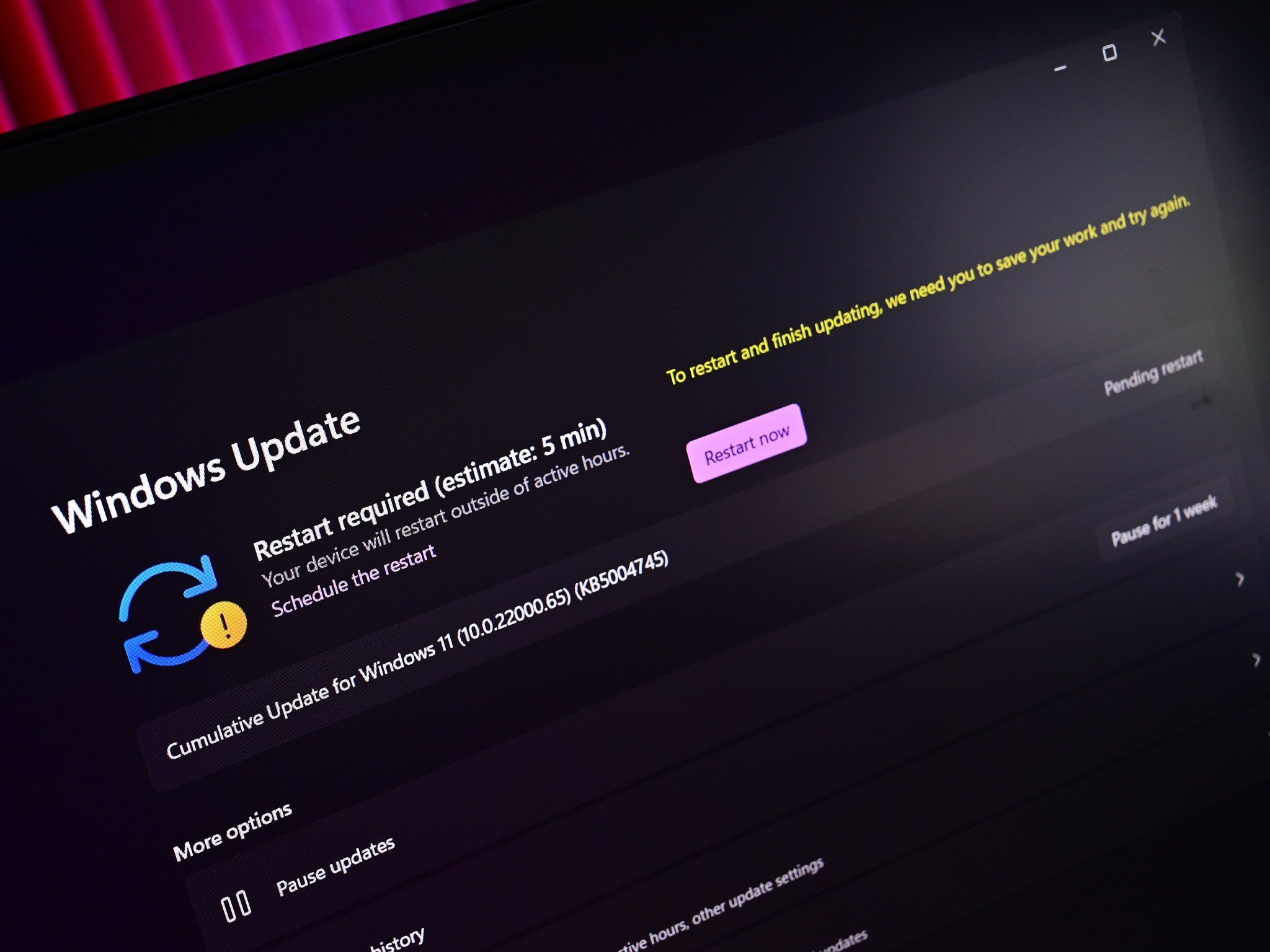
The current Windows Patch Tuesday blocked on some Dell PCs refers to Microsoft halting the KB5101650 Windows 11 security and quality update rollout because of a serious Intel driver conflict that causes unexpected shutdowns, overheating, poor performance, and battery drain on affected systems, forcing a temporary pause in automatic Windows Update delivery and raising wider concerns about Windows Update compatibility and driver testing across modern PCs. This is not a minor hiccup; it is a reminder that the update system many users trust to stay safe can itself become a source of instability when hardware drivers and new system interfaces collide. Microsoft had just pushed out its latest Patch Tuesday wave, proudly noting that 570 vulnerabilities were fixed across Windows 11 and Windows 10 ESU. Yet almost immediately, a subset of Dell PCs began misbehaving. After Dell spotted issues during testing, Microsoft blocked the KB5101650 Windows 11 update for those machines—a dramatic but necessary step that reveals how fragile the relationship is between OS patches and vendor-specific Intel drivers.
The Intel driver conflict at the heart of the Dell PC update issue
The root cause is not Windows 11 alone, but the way it now talks to hardware. The July KB5101650 Patch Tuesday update and its earlier optional preview, KB5095093, introduced a new Windows USB-C Connection Manager interface. On certain Dell PCs, that change clashes with the Intel Innovation Platform Framework Processor Participant driver, which is supposed to help manage power and performance. After the preview KB5095093 went live on June 23, some devices began showing a yellow exclamation mark next to this Intel driver in Device Manager—a clear sign something was broken. Once that driver stops behaving, the symptoms are brutal: degraded performance, higher temperatures, battery drain, and unexpected shutdowns. According to one report, “a limited number of Dell devices might display a yellow exclamation point in Device Manager next to the Intel Innovation Platform Framework Processor Participant driver” and can then “experience unexpected shutdowns, poor performance, increased heat, and battery drain.” In other words, an Intel driver conflict turned a routine Windows Update into a reliability nightmare.

Who is affected and what Dell users will see in Windows Update
This is a targeted Windows Update compatibility problem, not a universal Windows 11 meltdown. The issue currently applies to Windows 11 versions 24H2 and 25H2, and specifically to select Dell PCs that use the Intel Innovation Platform Framework driver in combination with the new USB-C Connection Manager interface. Server editions and Windows 10 are not affected. If you own one of these Dell systems, the KB5101650 Windows 11 Patch Tuesday update will simply not appear in Windows Update for now; Microsoft has temporarily blocked it for those configurations. That means Dell users on affected systems will not receive the update automatically until a fix is ready, and some manual intervention may be needed later to install the resolved patch. Worse, there was no immediate block on the optional KB5095093 preview, so some devices may already be running the problematic code. On those machines, the guidance is blunt: roll back to the previous update if you see the yellow exclamation mark or experience shutdowns and overheating.
Actionable steps for PC builders, power users, and everyday Dell owners
This Dell PC update issue is a warning shot for anyone who treats Patch Tuesday as autopilot. PC enthusiasts and builders using Dell hardware with Intel drivers should treat this as a live-fire test of their maintenance habits. First, check your Windows 11 version (24H2 or 25H2) and look in Device Manager for the Intel Innovation Platform Framework Processor Participant driver; a yellow exclamation mark is your cue something is wrong. If your Dell system already installed KB5095093 or KB5101650 and shows overheating, poor performance, battery drain, or forced shutdowns, roll back the last update from Settings > Windows Update > Update history as soon as possible. Then monitor official support channels from Microsoft and Dell, because both say they are working closely on a fix and plan to release a resolution “soon,” with Microsoft indicating a timeline of “the next few days.” Until that fix lands, avoid forcing manual installs of blocked updates and keep backups current. Security patches matter, but not at the cost of system stability.
A bigger lesson: driver compatibility must come before broad rollouts
The most worrying part of this story is not that one Windows Patch Tuesday was blocked; it is that the failure happened after a preview update that was supposed to surface problems early. KB5095093 exists so IT administrators and vendors can test upcoming changes. Dell did report the bug during testing, and Microsoft responded by blocking KB5101650 on Dell PCs right from the start. Yet some systems still got the preview and suffered through shutdowns and overheating. That gap shows how sensitive modern Windows Update compatibility is to vendor drivers and new interfaces. When a power-management driver collides with a fresh USB-C Connection Manager, users pay the price in performance and reliability. This incident should push Microsoft, Intel, and PC makers to treat driver compatibility testing as a first-class part of Patch Tuesday, not an afterthought. For users, the takeaway is clear: trust the update pipeline, but verify—and always keep an eye on vendor advisories before installing optional previews or forcing blocked patches.





