
The Silent Threat of Counterfeit SSDs
Counterfeit SSDs are fake storage drives disguised as branded products, often copying packaging, labels, and physical design so closely that Windows detects them as normal high-capacity SSDs and early benchmarks show standard performance, yet they can corrupt data or fail completely when pushed to full capacity, putting all your files and backups at risk. This is not a theoretical problem; the storage market is facing a worrying wave of fake products, including almost perfect copies of popular models like the Samsung 870 EVO 2TB SATA SSD. Some clones are “works of art” in appearance, nearly identical to the original in packaging and physical form, but they reveal their true nature only when you try to get the most out of them.
That is why fake SSD detection is no longer a niche concern for hardware enthusiasts; it is a basic security practice for anyone buying storage. The risk is severe: these drives can look real, behave like real hardware during quick checks, and then destroy your data under heavy use. Counterfeit Samsung SSD models such as the 870 EVO are a prime example, but the underlying scam—low-grade components hidden behind famous branding—can affect any popular SSD line. If you treat SSDs as a commodity and focus only on capacity and price, you are the ideal target.
Why Visual Inspection Still Matters
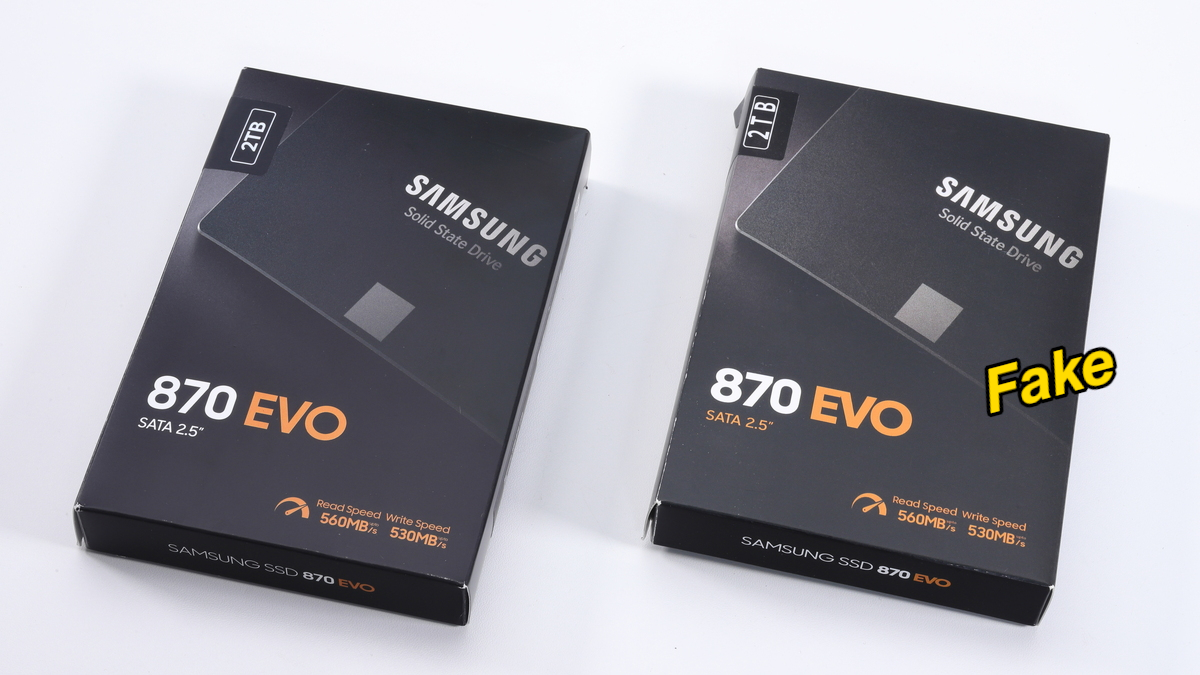
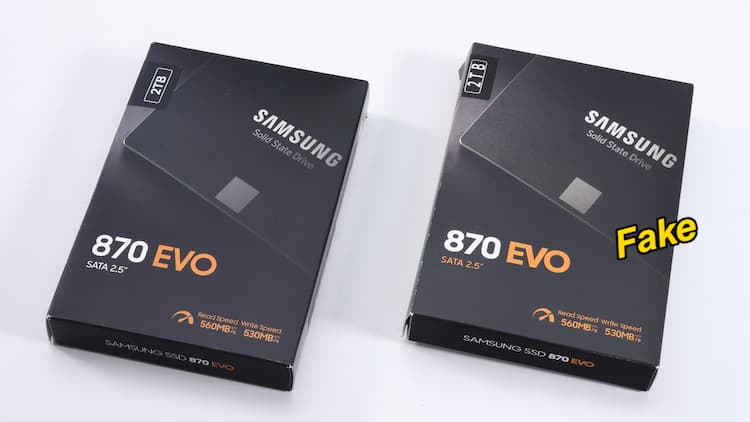
You cannot rely on packaging alone, but careful visual inspection is still one of the best first lines of defense against a counterfeit Samsung SSD. In documented cases, fake Samsung 870 EVO drives arrived in boxes that looked almost perfect, yet closer examination showed misaligned capacity labels and slightly desaturated colors on the packaging. On the drive itself, mounting screw locations did not match the original, and the label contained errors: misaligned serial numbers, odd-looking QR codes, and suspicious barcodes and compliance logos. These are small defects, but genuine mass-produced hardware rarely ships with such sloppy details.
According to one hardware investigation, “the fake drive closely copies the original packaging, labels, and even the physical design of Samsung’s SSD, making it very difficult to spot by simply looking at it.” That quote should change how you shop: treat every SSD as guilty until proven authentic. Compare photos from the official product page, check serial numbers for consistency, and look for printing quality that matches other known-good drives from the same brand. Visual checks will not catch every fake, but they often reveal when something is off long before you trust the drive with irreplaceable data.
Health Checks Can Lie: Test the Whole Drive
Many buyers assume a quick benchmark and an SSD health check are enough to prove a new drive is safe. That trust is misplaced. Fake 870 EVO samples delivered read speeds around 492 MB/s and write speeds around 467 MB/s in CrystalDiskMark, exactly what you would expect from a normal SATA SSD, and Windows detected them as fully working 2TB drives. This makes SSD health check reliability a trap: basic tools confirm capacity and speed, hiding the fraud at first.
The moment you write near the claimed capacity, the mask falls off. In full-capacity tests with tools such as H2testw, the write speed on fake drives dropped to 0 KB/s after about 117,227 MB—roughly 120 GB—freezing the process completely. Another test showed the same behavior: after writing about 120 GB of data, the speed collapsed to zero and the SSD stopped responding. After reboot, the drive was no longer detected correctly and all data became inaccessible. In other words, a drive that appears healthy in shallow tests can fail catastrophically under load. If you care about your data, you must test new SSDs with full-capacity write tools before trusting them with backups or production workloads.
Authenticity Checks and Serial Verification
Hardware teardown of a fake Samsung 870 EVO revealed a circuit board that did not resemble the original at all: instead of Samsung’s proprietary controller, the counterfeit used a low-cost RayMX RM1135T controller and only two unbranded generic NAND chips, with no dedicated DRAM cache. That kind of mismatch is definitive proof, but most buyers will never open the drive. You need practical methods for how to verify SSD authenticity without a lab bench.
One reliable option for Samsung drives is the official Samsung Magician software, which can verify through a digital signature whether a drive is “Samsung Authenticated” or a fake copy. For other brands, use their management tools or support portals to check the serial number against the vendor’s database. On the physical label, inspect serial numbers for alignment and print quality, and confirm QR codes and barcodes scan correctly and link to sensible data. Fake SSD detection should be routine: run the vendor tool, verify serials, and keep screenshots as proof. If any step fails or looks inconsistent with other genuine drives, treat the SSD as untrusted and avoid storing important data on it.
Adopt a Paranoid Buying and Testing Routine
The lesson from counterfeit Samsung SSD cases is blunt: if the only thing you verify about a new drive is its capacity label and a quick benchmark, you are inviting disaster. Fake drives can look authentic, match expected speeds, and pass casual SSD health checks, then fail unexpectedly once you push past roughly 120 GB of written data, leaving your files unrecoverable and the drive misdetected or dead. That is not acceptable risk for backups, photos, or work documents.
You should treat SSD purchases as a security decision. First, examine packaging and labels closely for misalignments, color differences, and serial number oddities. Second, authenticate the drive with official vendor tools like Samsung Magician, which can confirm whether it is a genuine Samsung SSD or a counterfeit copy. Third, run at least one full-capacity test such as H2testw before trusting the drive with real data. This routine takes time, but compared with the cost of losing everything to a fake, it is a minor investment. Counterfeit SSDs look real but can destroy your data; your best defense is an informed, skeptical approach to every new drive you plug in.