
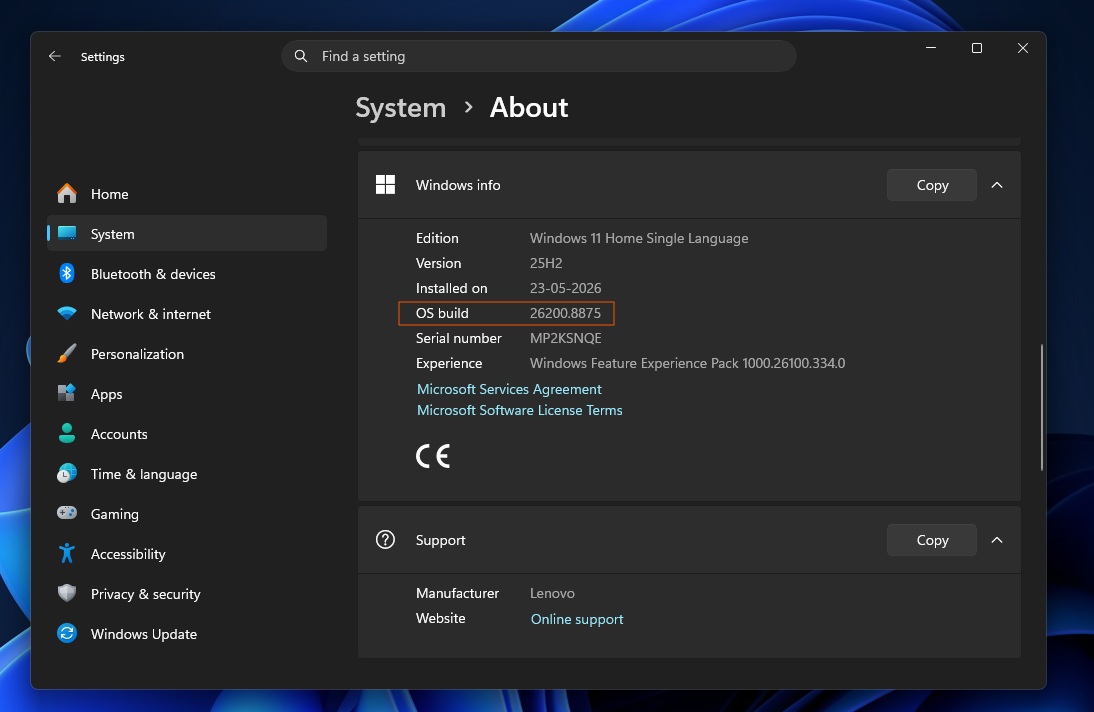

KB5101650: A Massive Windows 11 Update That Can Break High-End Dell PCs
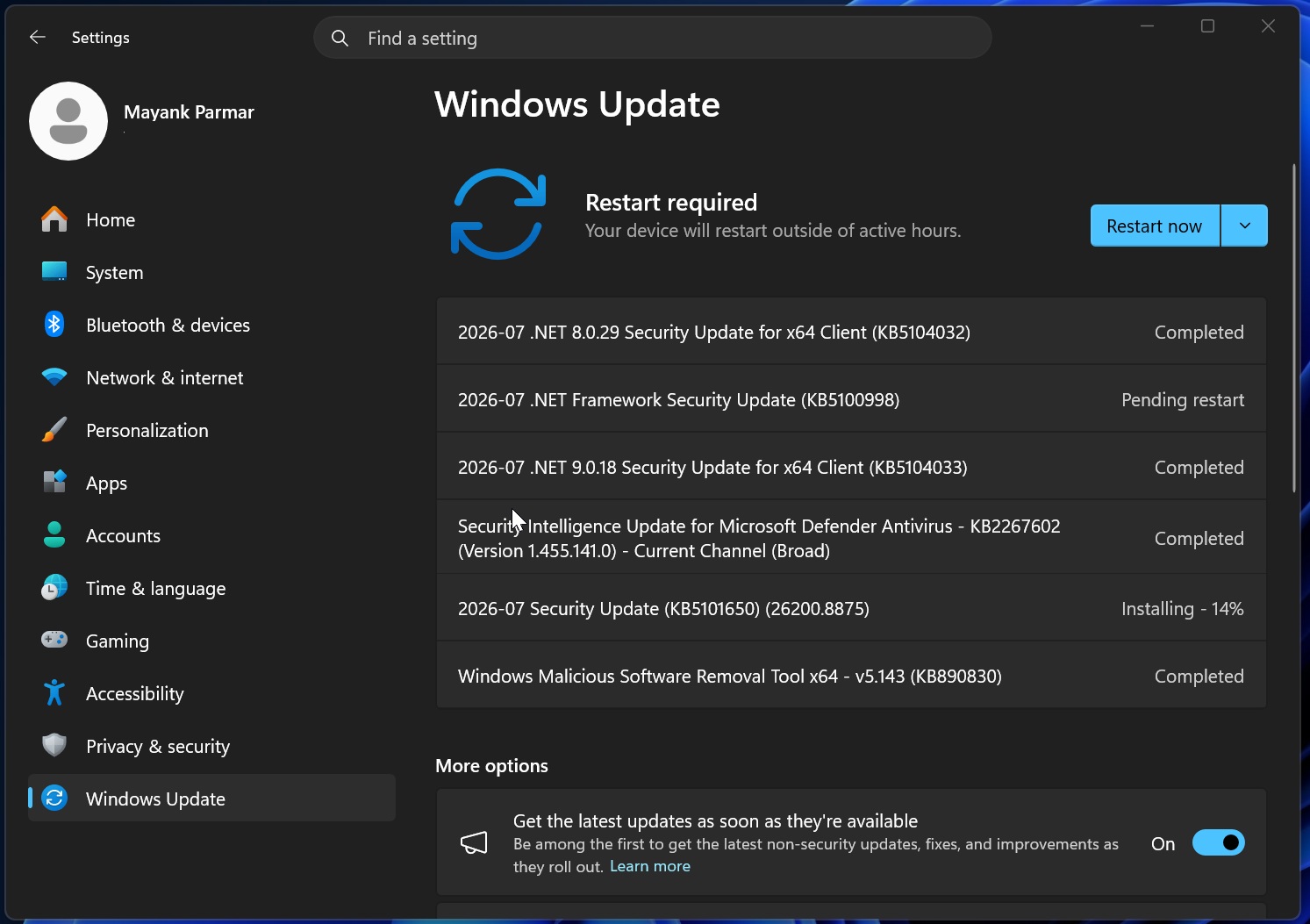
The Windows 11 KB5101650 update is a large security and feature release that introduces hundreds of fixes and new capabilities, but on high-performance Dell PCs with specific Intel Innovation Platform Framework drivers it has been temporarily blocked and rolled back because it can trigger severe instability, overheating, unexpected shutdowns, and battery drain when installed on incompatible systems. This is not a cosmetic glitch; it is a serious reliability and thermal risk that demands attention from PC builders and power users who tend to push hardware harder than the average office machine. When a mandatory update designed to improve security and performance ends up degrading both, you cannot treat it like another patch—you need a plan to avoid installing it on the wrong hardware and to roll it back fast if it slips through. The burden is now on enthusiasts to treat KB5101650 as a controlled change, not a routine click on “Check for updates.”
What’s Going Wrong: Intel Driver Conflict and the Dell Shutdown Problem
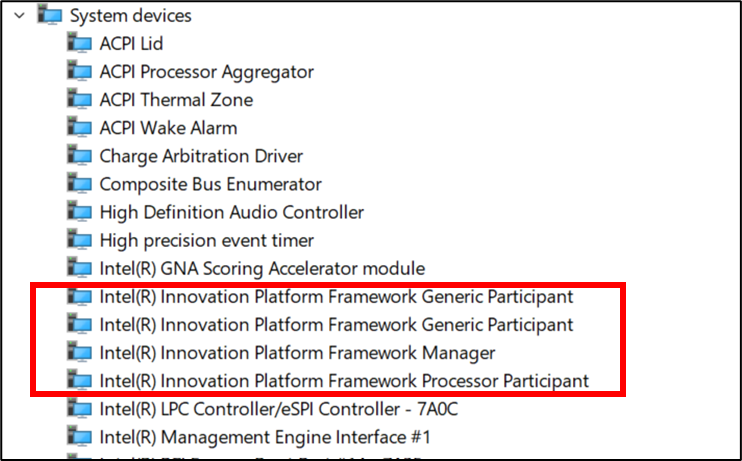
The root of the crisis is a conflict between the Intel Innovation Platform Framework Processor Participant driver and a new Windows USB‑C Connection Manager interface introduced in KB5101650. That driver sits at the heart of modern power management: it helps control fan noise, performance states, power usage, and human‑presence features on newer systems. Break it, and you break thermal and stability logic. On affected Dell PCs, the result is brutal. A yellow exclamation mark appears in Device Manager next to the Intel Innovation Platform Framework Processor Participant entry, and users report severe performance degradation, overheating, battery drain, and unexpected shutdowns—sometimes so abrupt they look like hardware failure. "These devices can potentially experience unexpected shutdowns, poor performance, increased heat, and battery drain," according to Microsoft’s release health notes. For high‑performance builds, that combination is unacceptable: it undermines both sustained workloads and the trust you place in your cooling and power design.
Which Dell Systems Are Affected and Why Builders Should Care
Microsoft has paused or blocked the Windows 11 KB5101650 update on systems with Intel IPF drivers, and so far only Dell PCs are officially listed as affected. The known models include Dell Pro Max 14 Premium MA14250, Pro Max 16 Premium MA16250, Pro Precision 7 14 PW714260, Pro Precision 7 16 PW716260, Precision 5470, 5480, 5490, 5770, and XPS 17 9720 and 9730. These are not budget boxes; they are the kind of machines enthusiasts buy for heavy workloads, creative work, and demanding gaming. OEM guidance is blunt: internal documentation warns against deploying the June optional update or the July Patch Tuesday update on these PCs because they can cause severe problems. If you build or spec systems for clients around these platforms, you cannot assume Windows Update will “do the right thing.” You must track Microsoft’s compatibility blocks, treat KB5101650 as a known risky update for this hardware, and adjust your deployment practices before your performance laptops turn into unstable space heaters.
Practical Steps: How PC Enthusiasts Should Handle KB5101650 Right Now
The immediate rule for power users and builders is simple: if KB5101650 does not appear in Windows Update on an affected Dell system, do not force‑install it from the Microsoft Update Catalog or any other manual method. Microsoft itself warns that doing so can lead to "unexpected shutdowns, poor performance, increased heat, and battery drain" on devices that show a yellow exclamation point next to the Intel Innovation Platform Framework Processor Participant driver in Device Manager. Instead, check the official Windows release health dashboard and Dell guidance before green‑lighting any patch rollout to these models. If the update has already landed and your system shows the warning icon or thermal instability, the recommended response is to roll back to the previous Windows 11 update level and restore the prior, stable state. Enthusiasts should also treat this as a reminder to maintain tested update images, keep Device Manager on their regular diagnostic checklist, and never assume that a “security update” is safe just because it is mandatory.
Looking Ahead: Let Microsoft, Dell, and Intel Fix It—Don’t Patch Ahead of Them
The good news is that Microsoft, Dell, and Intel have already acknowledged the mistake and are working together on a fix, with a corrected rollout of the Windows 11 KB5101650 update expected in the coming days. But enthusiasts should not treat that as permission to rush in. Until the compatibility issue with the Intel Innovation Platform Framework driver and USB‑C Connection Manager is fully addressed, pushing this patch on blocked machines is gambling with thermal headroom and system reliability. For high‑performance PC builders, the lesson is clear: treat OS updates with the same discipline you apply to BIOS flashes and GPU driver changes. Monitor official compatibility lists, respect update blocks, and be ready to roll back fast when a patch undermines stability. Security matters, but so does keeping your Dell rig from cooking itself to death. Wait for the fixed build, verify it on a test system, and only then let it near your main machines.





