
What an AI PC builder comparison tells you in 2026
An AI PC builder comparison is a test where different chatbots are asked to design full gaming builds under the same budget, then their part choices, prices, and real‑world feasibility are checked against current market data and basic build sanity rules to see which one you should trust with your money. In this showdown, ChatGPT, Claude, Gemini, and Perplexity were asked to build a $1,500 gaming rig around an Nvidia GeForce RTX 50‑series GPU and an AMD X3D processor, with the AI free to choose all other components to maximize performance per dollar. The bottom line: Claude gave the best value‑anchored foundation once human tweaks were applied, ChatGPT and Gemini looked clever but were sunk by outdated prices, and Perplexity made a serious omission that could burn new builders.
ChatGPT and Gemini: strong on theory, weak on real prices
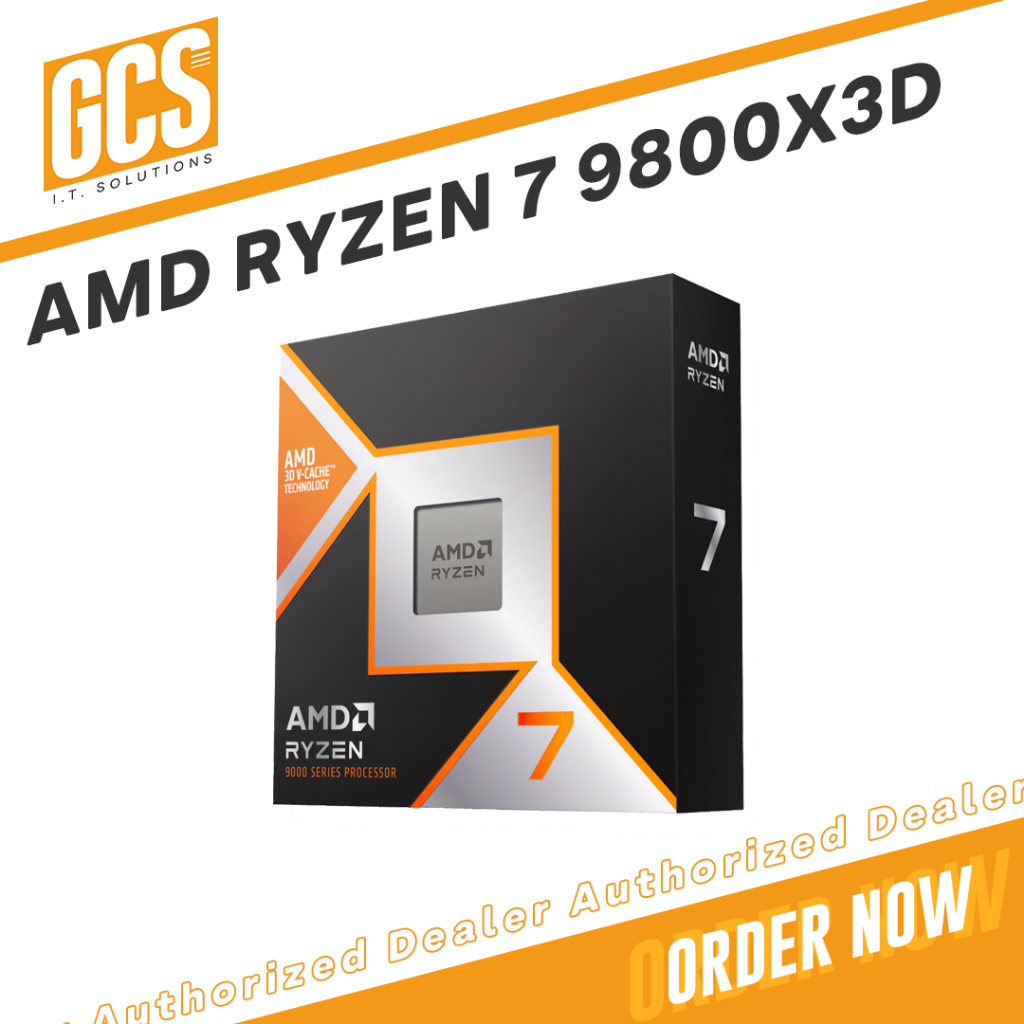
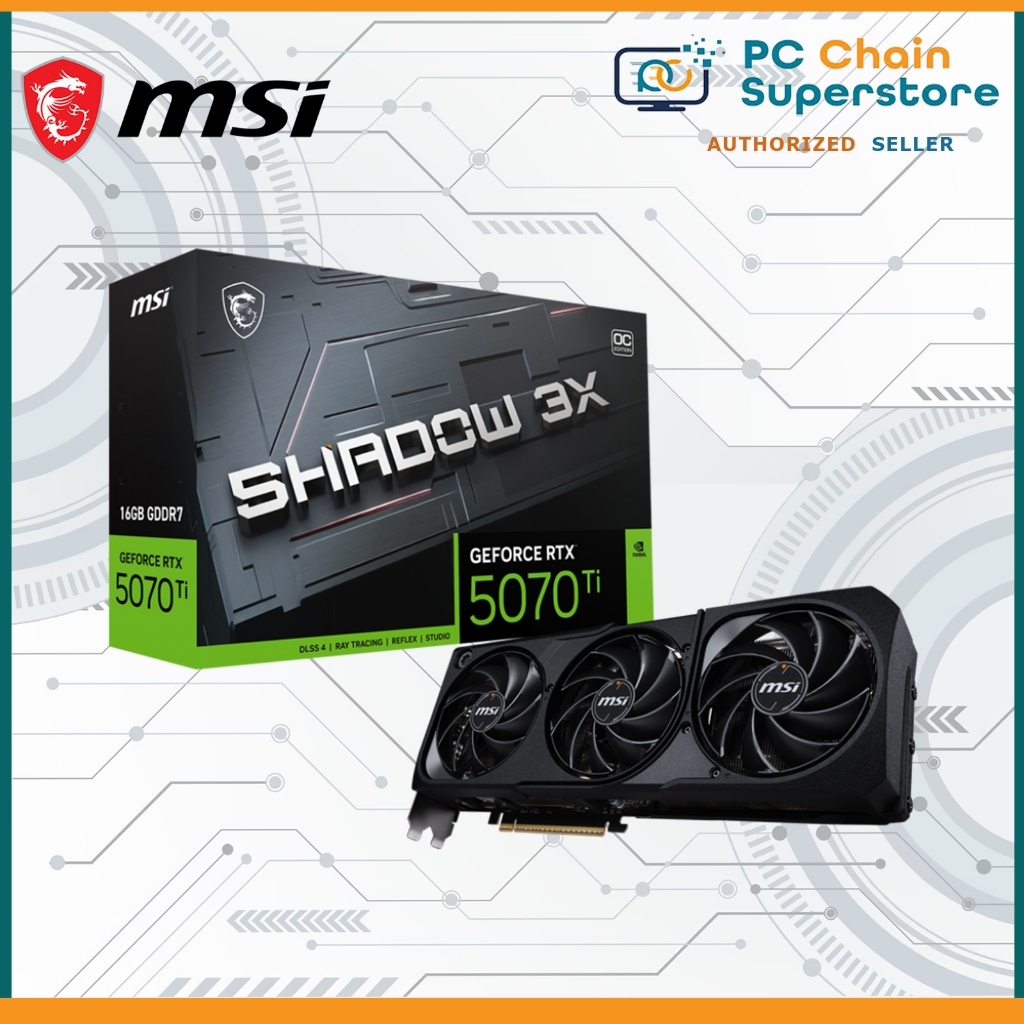
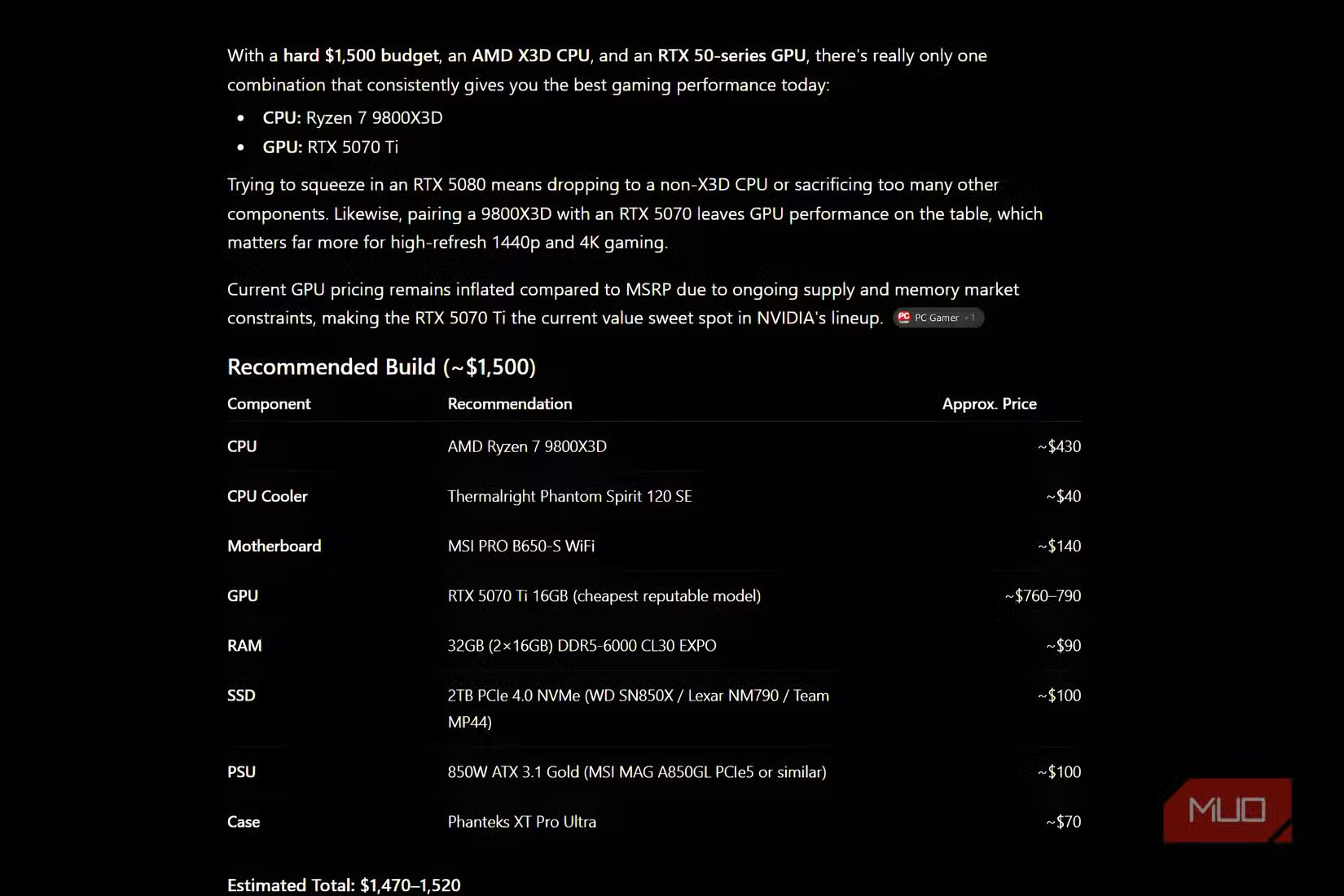
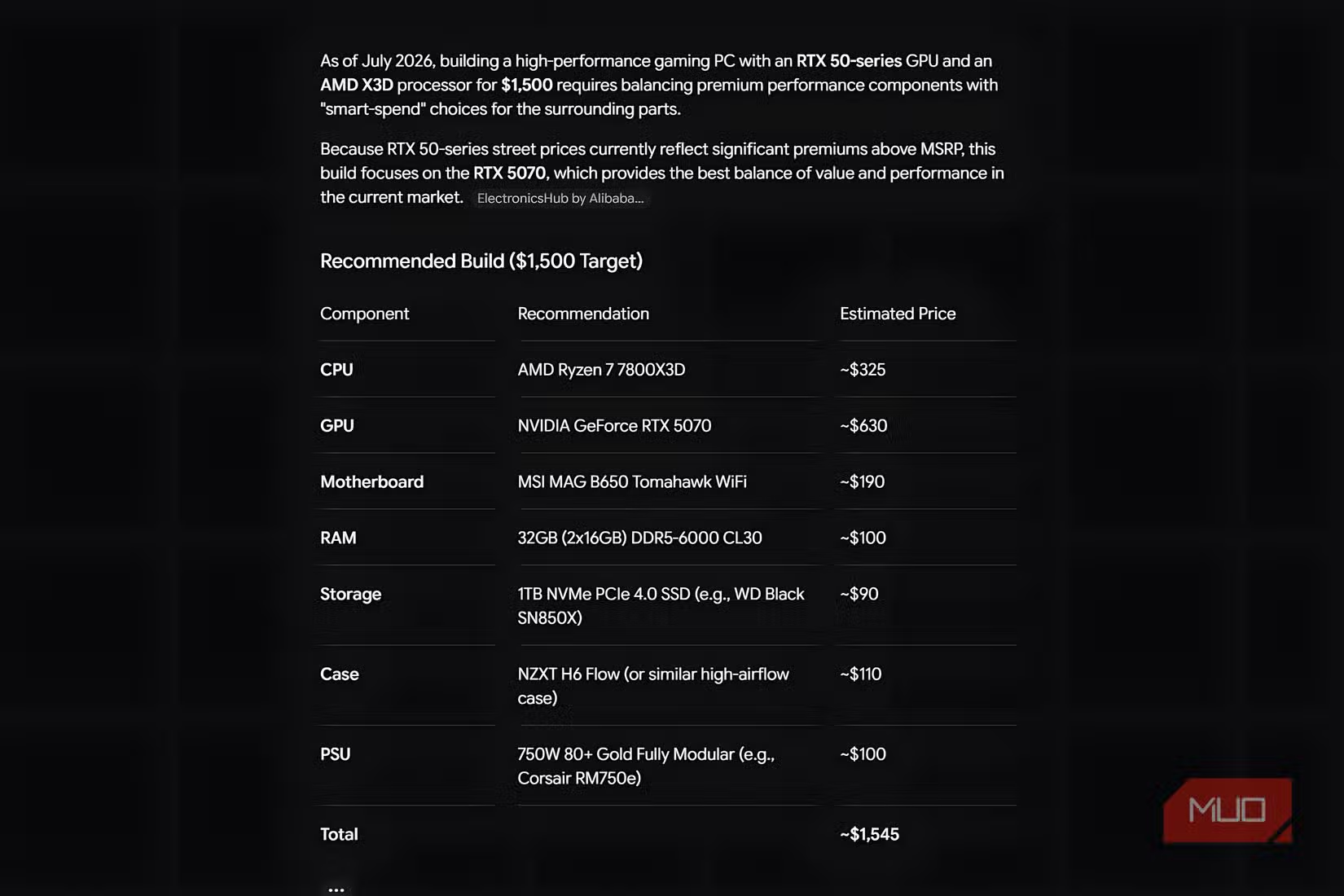
ChatGPT’s gaming PC build looks great on paper: a Ryzen 7 9800X3D, a reputable air cooler, 32GB of DDR5‑6000, a fast 2TB NVMe SSD, RTX 5070 Ti, quality 850W PSU, and a sensible mid‑tower case. As a parts list, this ChatGPT gaming PC build nails balance between CPU, GPU, and supporting components, and even mirrors bundle‑style thinking with CPU‑motherboard‑RAM combos for higher budgets. The problem is AI component recommendation accuracy: its pricing “memory was stuck in 2024,” so the same configuration would cost almost USD 1,000 (approx. ₱56,000) more than it claimed in 2026. When those estimates were checked against PCPartPicker, there was an USD 852 (approx. ₱47,712) gap between ChatGPT’s July prices and real listings. Gemini showed the same weakness, repeatedly quoting outdated RAM and SSD prices despite explicit instructions to use current July 2026 pricing. In other words, both are good at layout, poor at budget PC parts selection under real market conditions.
| Aspect | ChatGPT | Gemini |
|---|---|---|
| Pricing data freshness | Stuck around 2024 levels, underestimated by USD 852 on a checked build | Also “far behind on pricing” for RAM and SSD despite 2026 prompt |
| Parts balance | Well‑balanced list with strong CPU, GPU, RAM, SSD, and PSU choices | Acceptable balance but needed human refinement and better value parts |
| Use of bundles | Explicitly suggests CPU+board+RAM bundles to maximize savings | Does not lean on bundles as clearly in responses |
| Reliability for a $1,500 build | Good blueprint, unsafe if you trust its prices as‑is | Baseline only; needs manual pricing and part upgrades |
Claude: the only AI that built a workable $1,500 rig
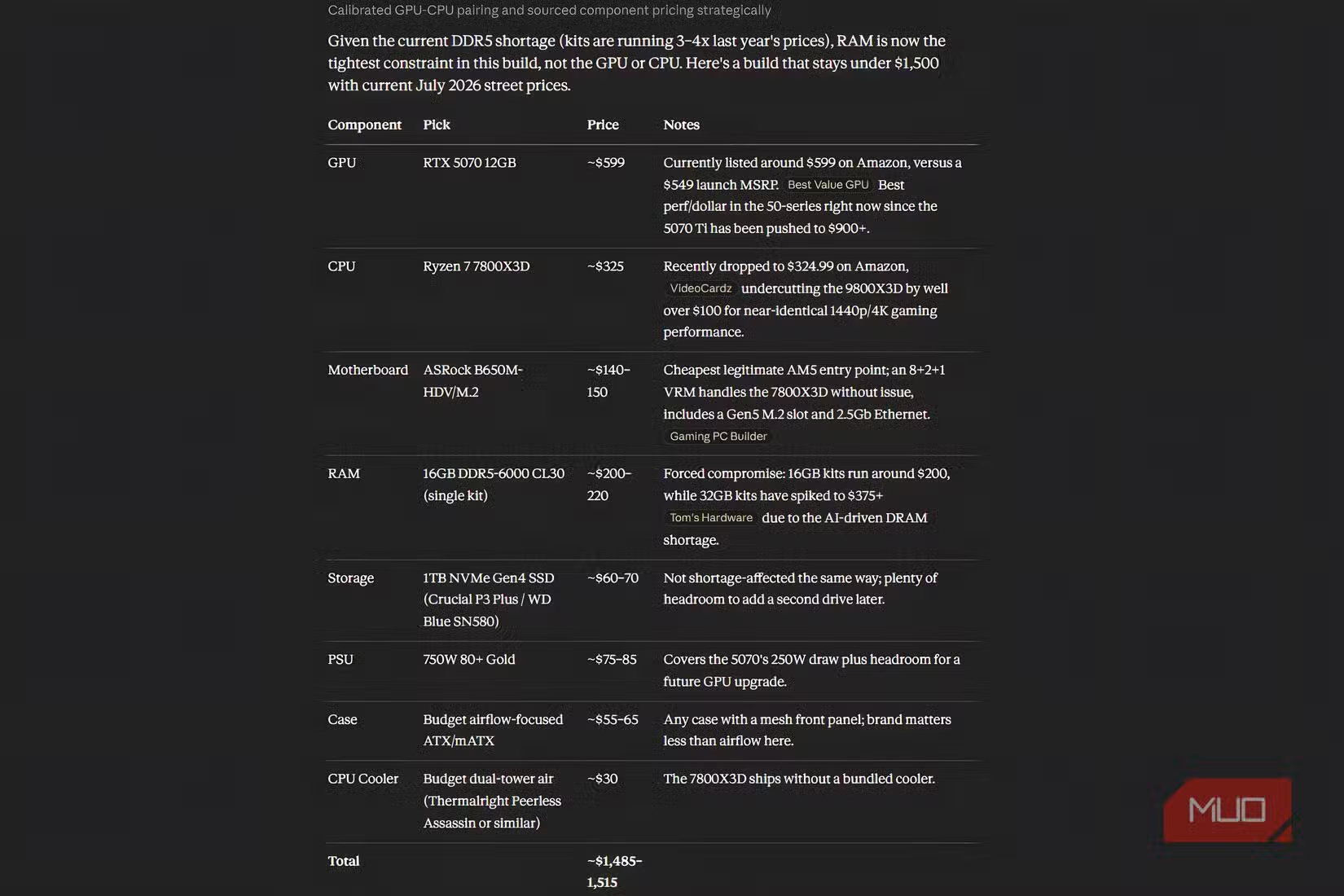
Claude’s build stood out because it respected the constraints of a mid‑range budget at a time when RAM and SSD prices are eating a huge chunk of any gaming PC spend. RAM prices are still “crazy,” and even NAND storage is unlikely to get much cheaper before 2030 according to an SK Hynix forecast. Claude did make one notable compromise by initially suggesting only 16GB of memory, which is borderline for a modern gaming tower, but its overall component mix gave the reviewer the best starting point of any AI. After manual tweaks—bumping memory to 32GB and sacrificing the SSD capacity to stay within the USD 1,500 (approx. ₱84,000) ceiling—the final system delivered the best performance‑per‑dollar result, and the person actually building the PC “barely had to make changes” beyond that. If you want an AI PC builder that behaves like a frugal enthusiast, Claude came closest to that goal.
Perplexity’s big mistake and what all four AIs get wrong
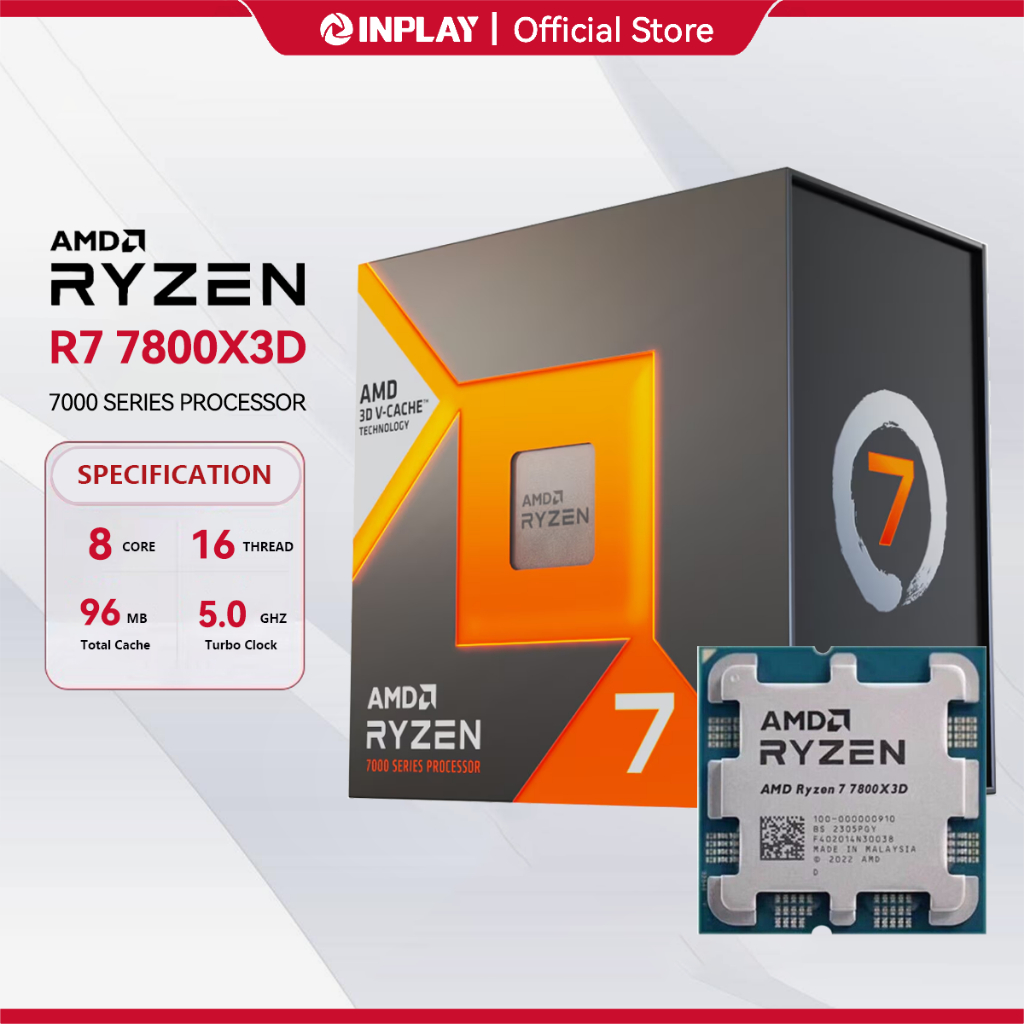
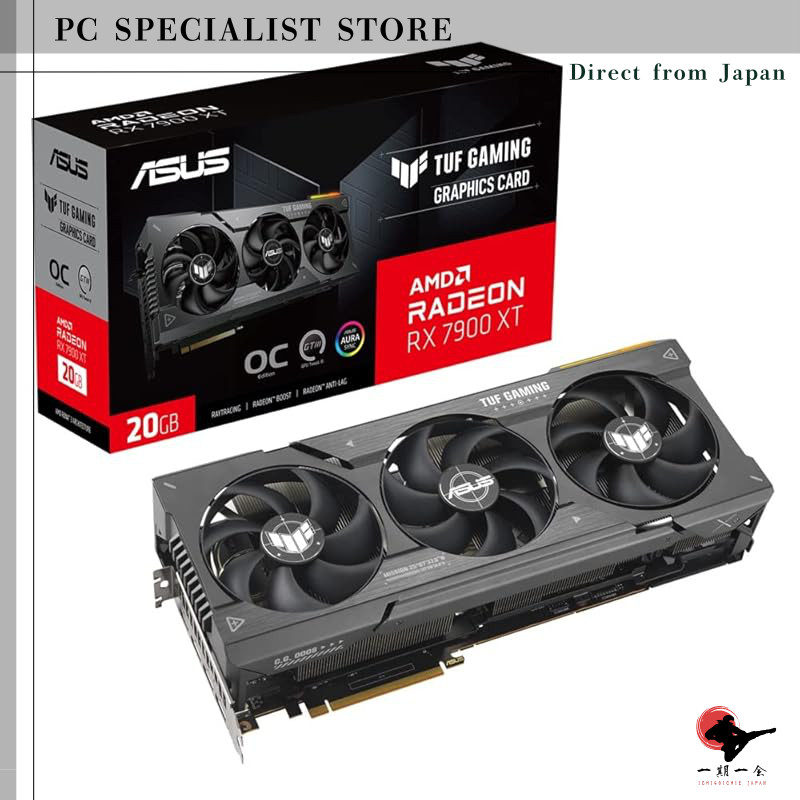
Perplexity looked good at first glance, recommending a Ryzen 7 7800X3D bundle with motherboard and 32GB DDR5 for USD 599.99 (approx. ₱33,600), a Radeon RX 7900 XT‑class GPU, a competent 850W PSU, a 2TB NVMe SSD, and an airflow‑focused case for an estimated USD 1,660.96 (approx. ₱93,813) before tax. That seems like decent budget PC parts selection. But in one detailed test, Perplexity failed to include a CPU cooler anywhere in its parts list—a major oversight that would stop a new builder dead or force an unplanned extra purchase. According to that review, “I’d call that a major mistake” because missing a required part can be worse than a slightly sub‑optimal pick. Across all four tools, another shared weakness emerged: none had reliable real‑time pricing or availability, especially for volatile RAM and SSD markets where their data “still lags reality” by a wide margin.
Which AI PC builder should you trust—and how far?
Across both the $1,500 and $2,000 test prompts, all four AIs produced different PC builds, and their component and pricing accuracy varied a lot. ChatGPT and Gemini tended to prioritize familiar premium brands for RAM and SSDs, but those choices were often paired with outdated low prices and missed the best performance‑per‑dollar deals in today’s inflated memory market. Perplexity found attractive bundles and even recommended a cost‑effective in‑house SSD line, yet its omission of a cooler showed that AI can forget essential parts. Claude gave the only build that translated into a real, approved $1,500 gaming PC after modest tweaks, making it the safest starting point if you want an AI PC builder comparison to result in a machine you can actually assemble. However, every source stressed one rule: always verify AI recommendations against real retailer listings, because prices in 2026 are higher than many models assume.
- Buy the Claude‑based build if you want the most practical $1,500 gaming PC foundation with the least manual rework.
- Skip the Claude‑based build if you are not willing to upgrade RAM and adjust storage to fit your exact budget and needs.
- Buy the ChatGPT‑inspired build if you treat it as a high‑end blueprint, then redo every price and swap in cheaper RAM and SSD options.
- Skip the ChatGPT‑inspired build if you plan to follow AI‑quoted prices or expect accurate totals for today’s component market.
- Buy the Gemini‑style build if you only need a rough part outline and are happy to hunt for better performance‑per‑dollar parts yourself.
- Skip the Gemini‑style build if you rely on it for current RAM and SSD pricing or want the best component value without extra research.
- Buy the Perplexity‑driven build if you want to mine it for bundle ideas and then cross‑check that every essential part is covered.
- Skip the Perplexity‑driven build if you are a first‑time builder who might miss omissions like a CPU cooler or other mandatory parts.