
Is a mini PC 4K editing build worth it at these prices?
A mini PC 4K editing setup is a compact desktop computer built around energy-efficient laptop processors, fast NVMe storage, and high-bandwidth ports, tuned to handle 4K video timelines in apps like Premiere Pro and DaVinci Resolve while taking up far less desk space than a traditional tower and often costing significantly less than a full-size creative workstation with similar performance.
Yes, today’s compact video editing deals can be worth it—if you pick the right configuration. Current mini PCs from GMKtec, GEEKOM, and Kamrui are discounted enough to rival full desktops for content creators without “maxing out their credit card”. They bring strong CPUs, decent integrated graphics, and support for multi‑display 4K setups, making them credible creative workstation mini PC options instead of backup machines.
Here is the core price landscape in plain terms: the GMKtec K16 drops from USD 949.99 (approx. ₱53,200) to USD 639.97 (approx. ₱35,800) at Amazon, while GMKtec’s M6 Ultra line starts at USD 450 (approx. ₱25,200) with 18% off on Amazon. Kamrui’s budget models fall in the USD 329–359 (approx. ₱18,400–₱20,100) band on Amazon and direct sales, and the GEEKOM A8 Max slips from USD 949 (approx. ₱53,200) to USD 810 (approx. ₱45,400). Taken together, these discounts make a 4K editing budget setup far more accessible than a similarly powerful tower.
GMKtec deals: from compact workhorse to eGPU‑ready 4K editor
GMKtec currently provides some of the strongest value if you want a creative workstation mini PC that can double as a gaming box. The GMKtec M6 Ultra with a Ryzen 5 7640HS, 16GB of DDR5 RAM, and a 512GB SSD sells for USD 450 (approx. ₱25,200), 18% off on Amazon, and is described as “a really solid mini PC deal”. A higher‑end M6 Ultra configuration bumps that to 32GB RAM and a 1TB SSD for USD 600 (approx. ₱33,600), also with USD 100 (approx. ₱5,600) off. With triple 4K display support and Wi‑Fi 6, these compact PCs handle multi‑monitor editing and everyday creative workloads without a full tower chassis.
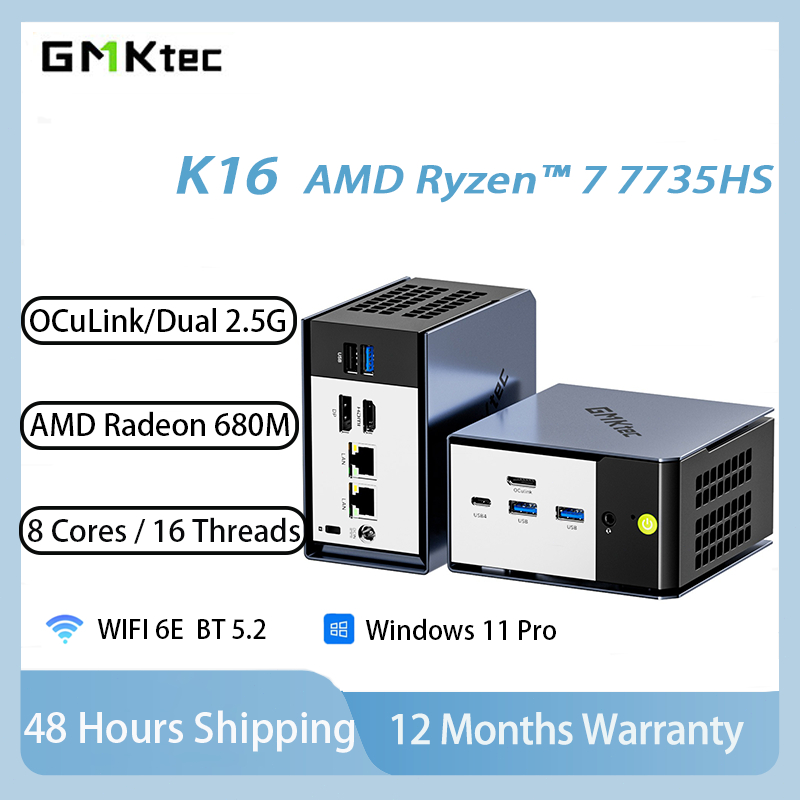
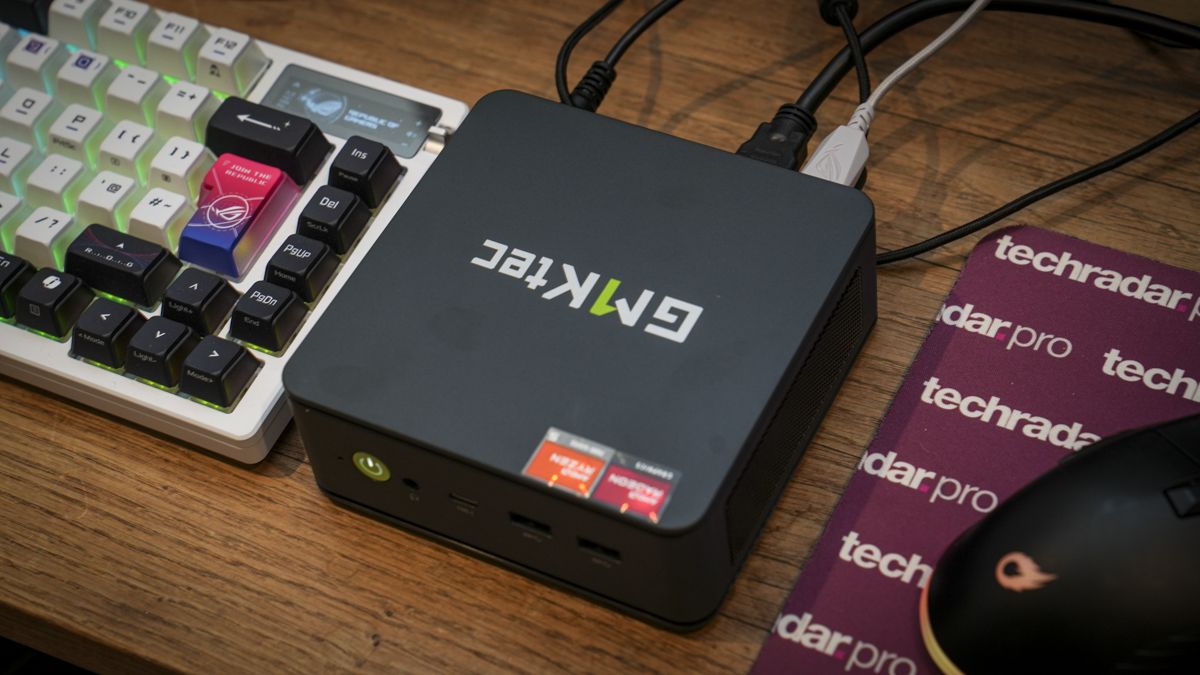
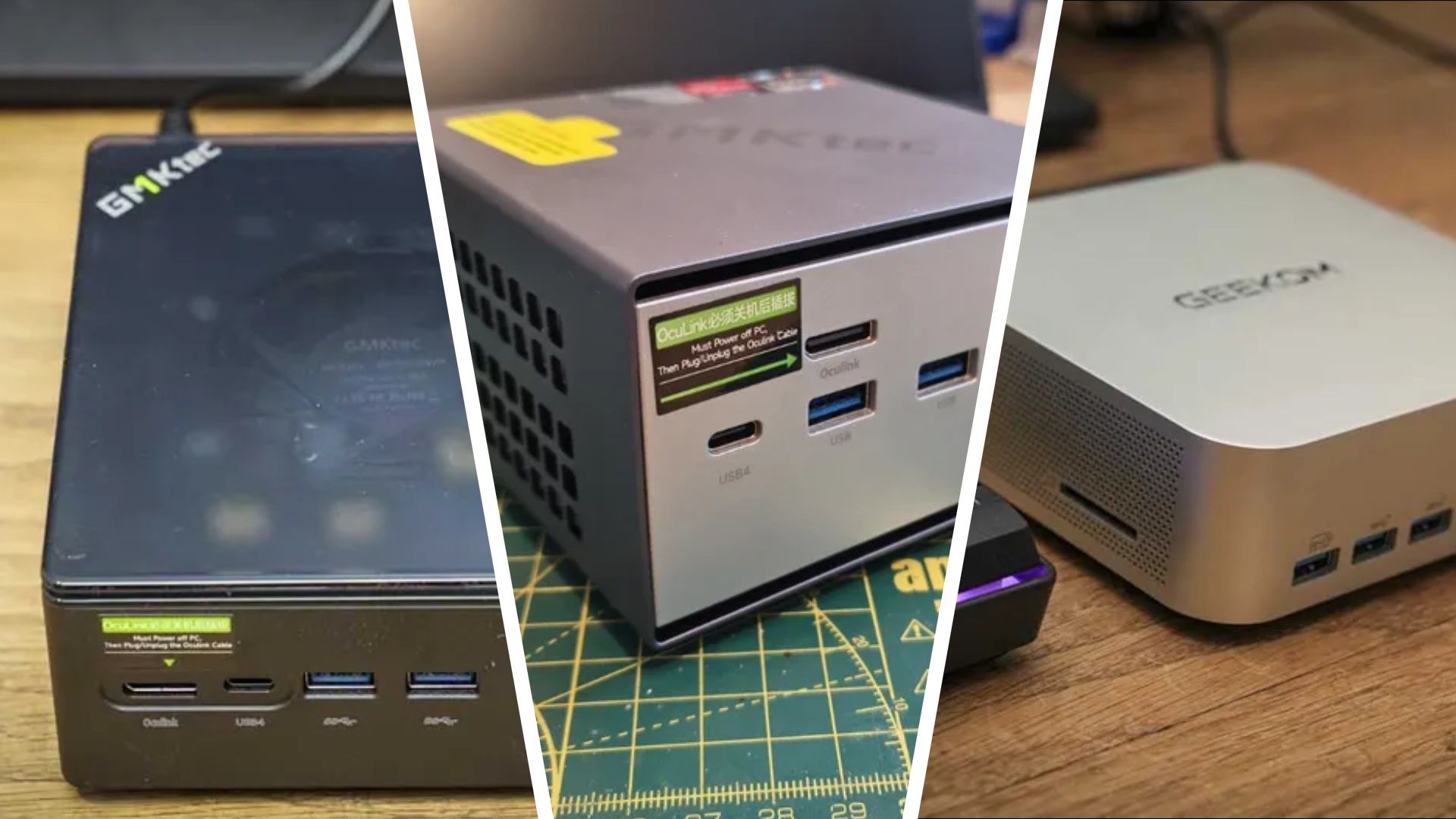
For heavier 4K timelines and future GPU upgrades, the GMKtec K16 is the standout mini PC 4K editing deal. It drops from USD 949.99 (approx. ₱53,200) to USD 639.97 (approx. ₱35,800) at Amazon, yet still brings a Ryzen 7 7735HS, 32GB of LPDDR5 RAM, and a 1TB SSD. This system supports OCuLink eGPU connections, USB4, dual 2.5GbE LAN, Wi‑Fi 6E, and triple‑display output, making it “a versatile compact system for gaming and creative workloads”. If you want to start with integrated graphics now and bolt on a desktop GPU later, this is the sweet spot for both price and flexibility.
GEEKOM A8 Max and GMKtec K8 Plus: premium compact workstations on sale
If your budget stretches further and you want a more future‑proof creative workstation mini PC, two premium options stand out. The GMKtec K8 Plus uses an AMD Ryzen 7 8845HS with 32GB of DDR5 memory and a 2TB SSD to deliver strong performance for gaming, video editing, and multitasking. Like the K16, it includes OCuLink support for external GPUs and dual 2.5GbE networking for fast media transfers, plus HDMI 2.1 for high‑bandwidth display output. That combination makes it better suited to heavy 4K editing sessions and simultaneous background renders than cheaper compact boxes.
The GEEKOM A8 Max, meanwhile, pushes mini PC 4K editing performance closer to a traditional workstation. It pairs an AMD Ryzen 9 8945HS processor with 32GB of DDR5 RAM and a 1TB PCIe 4.0 SSD. With high‑speed USB4, dual 2.5GbE LAN, 8K display support, quiet cooling, and expandable storage, it is framed as being “built for AI workloads, creative tasks, and gaming” in a compact desktop alternative. Its price falls from USD 949 (approx. ₱53,200) to USD 810 (approx. ₱45,400), which is not cheap but competitive against many full towers with similar specs, especially for creators who value a small footprint.
Kamrui value picks: budget‑friendly 4K‑capable minis
On the more affordable side, Kamrui’s mini PCs undercut many desktops while still supporting multi‑display 4K workflows. The Kamrui E3B combines a Ryzen 7 7735HS with 16GB of LPDDR5 RAM and a 512GB SSD, framed as “a great mid-level productivity machine for the money”. It is aimed at office work, streaming, browsing, and light creative tasks, which makes it suitable if your 4K editing budget setup focuses on shorter projects, proxy workflows, or lighter codecs rather than constant multi‑cam timelines.
Even cheaper, the Kamrui Pinova P1 with a Ryzen 4300U, 16GB of RAM, and a 512GB SSD sells for USD 329 (approx. ₱18,400), a USD 101 (approx. ₱5,600) discount on Amazon. It offers triple 4K monitor support, positioning it as a capable entertainment hub and basic productivity machine without “cutting too many corners”. For editors who mainly cut 1080p footage but want a system that can output to multiple 4K displays and handle occasional 4K projects, this compact video editing deal is compelling, though not as powerful as the GMKtec or GEEKOM options above.
Deal verdict: which mini PC 4K editing setup fits you?
Taken together, these compact video editing deals show how budget‑friendly options now compete with traditional desktop setups for content creators. Because reviewers test every mini PC on 4K editing workloads and games like DiRT Rally and Hogwarts Legacy, the discounts listed here are tied to real performance data rather than paper specs. For pure value, the GMKtec K16’s drop from around USD 950 (approx. ₱53,200) to about USD 640 (approx. ₱35,800) makes it the standout single recommendation: you get a 32GB RAM, 1TB SSD creative workstation mini PC that you can later upgrade with an eGPU via OCuLink. Cheaper Kamrui models and premium GEEKOM and GMKtec K8 Plus configurations fill in the ladder for users with tighter or larger budgets, letting you match spend to your 4K editing ambitions.
- Buy the GMKtec K16 if you want the best balance of 4K editing power, eGPU-ready expansion, and a steep discount from USD 949.99 to USD 639.97 (approx. ₱53,200 to ₱35,800).
- Skip the GMKtec K16 if you never plan to use an external GPU and prefer to save more money with a simpler integrated-graphics mini PC.
- Buy the GEEKOM A8 Max if you need a compact workstation with Ryzen 9 power, 32GB RAM, and USB4 for intensive creative and AI workloads.
- Skip the GEEKOM A8 Max if your projects are light enough that a midrange Ryzen 7 system, like the GMKtec M6 Ultra or Kamrui E3B, can handle them for less.
- Buy the Kamrui Pinova P1 if you are building a 4K editing budget setup focused on basic timelines, office tasks, and triple-4K monitor support at the lowest price.
- Skip the Kamrui Pinova P1 if you expect to work on complex 4K projects with heavy effects, where stronger CPUs and 32GB RAM will save you time.
- Buy the GMKtec M6 Ultra 32GB/1TB model if you want a ready-to-go mini PC 4K editing rig with ample RAM and storage but do not need eGPU connectivity.
- Skip the GMKtec M6 Ultra 16GB model if you know you will push large 4K projects and would rather avoid juggling media on a smaller 512GB SSD.