


Copilot PC Insights: An AI Translator for a Slow Windows PC
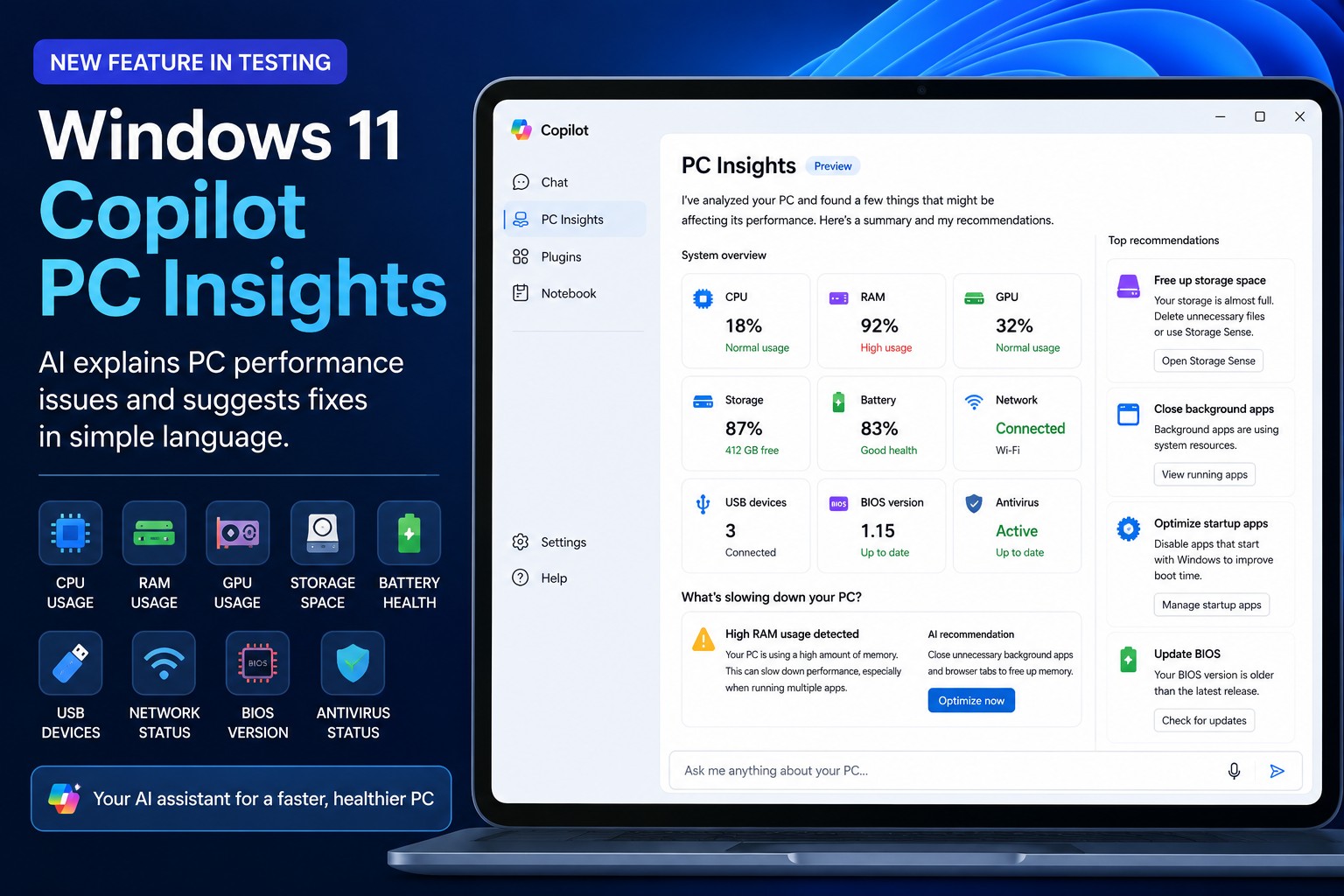
Windows Copilot PC Insights is an experimental AI system diagnostics feature in Windows 11 that analyzes CPU, RAM, storage, battery health, hardware specs, and connected devices, then explains possible performance issues and PC slowdown causes in plain English so non-technical users can understand and act on them without digging through traditional tools like Task Manager or Settings. That is the promise—and it’s the right ambition. Most people do not want to decode graphs and process lists when their laptop takes ages to open a browser tab. They want a clear answer to “Why is my PC slow?” and a short list of fixes. Copilot PC Insights aims to be that conversational front door, but whether it deserves space on already-strained systems is a harder question.
What PC Insights Actually Does – And Why Microsoft Is Pushing It Now
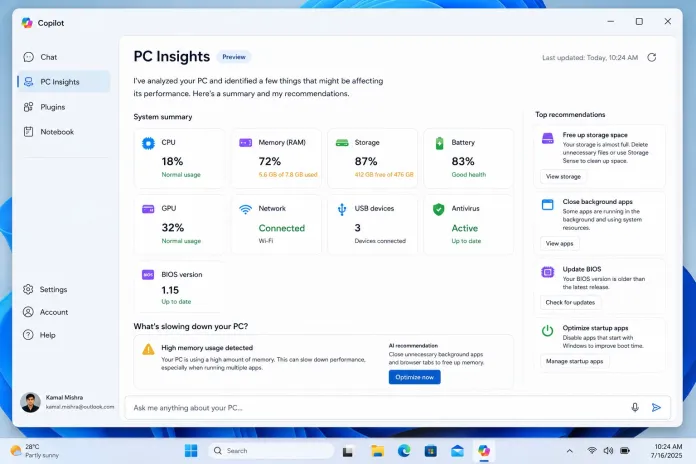
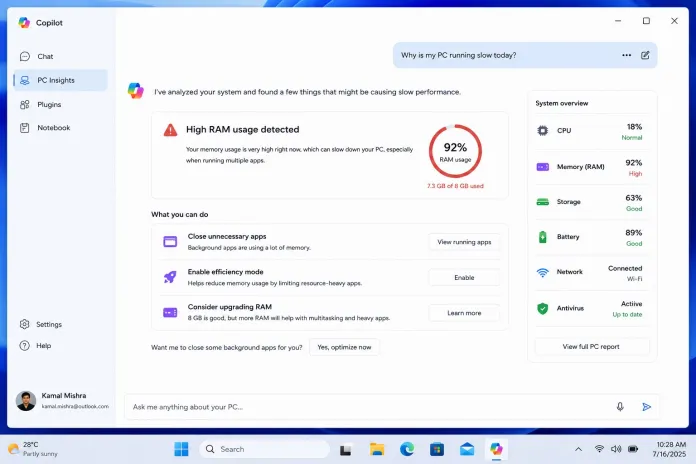
Microsoft is testing PC Insights inside Copilot as part of a broader push to turn Copilot into a true Windows assistant, not just a chat box. Once you grant permission, Copilot ties into Windows APIs to inspect system metrics such as CPU usage, RAM and GPU utilization, available storage, battery health, USB devices, network status, BIOS version, and antivirus protection. Instead of raw data, it tells you that your RAM is nearly full due to too many apps, or your SSD is almost out of space and may slow Windows. You can ask conversational questions like “What’s using all my memory?” or “How can I improve performance?” and receive tailored suggestions for PC performance troubleshooting and Windows 11 slowdown fixes. This is Microsoft’s answer to the fact that most users rarely open Task Manager and often need guided help.
Does AI Diagnostics Fix Problems—or Add New Ones?
On paper, Windows Copilot diagnostics look ideal: AI identifies bottlenecks and recommends practical fixes instead of leaving you to interpret graphs. In practice, there are two big concerns. First, Copilot “may not always provide complete or accurate information,” according to Microsoft, which means AI system diagnostics can hallucinate even when they are reading real hardware data. A misdiagnosis—blaming the GPU when the SSD is choking—wastes time and fuels distrust. Second, there is the bloat problem. The Copilot app has been criticized for using around 1GB of RAM while sitting in the background, because it runs as a standalone spin-off of the Edge browser. That creates a painful irony: you might fire up Copilot to troubleshoot high memory usage, and the troubleshooting tool itself is a major contributor. For power users, this will feel like trading a reliable Task Manager for a heavier, less authoritative layer.
Accessibility vs. Overhead: Who Is PC Insights Really For?
PC Insights is unapologetically aimed at people who find Task Manager intimidating and would rather ask questions in natural language. For those users, having one place that explains CPU spikes, RAM pressure, storage limits, battery degradation, and missing antivirus in plain English is powerful. It lowers the barrier to PC performance troubleshooting and turns obscure system metrics into understandable advice, potentially eliminating much of the guesswork. The feature is strictly opt-in; Copilot must request access and you can grant it for a single session or always allow, which helps address privacy fears about an AI agent snooping through your system. The trade-off is resource overhead: on older or already-strained machines, dedicating significant RAM to an assistant that might “be lying to me,” as one user put it, is hard to justify. In other words, PC Insights serves the least technical users, but burdens the weakest hardware the most.
Verdict: Promising Front End, Unproven Troubleshooter
Right now, PC Insights is still an experimental feature in testing and only an optional add-on you must turn on yourself. It analyzes system state and can point to RAM, CPU, storage, or battery issues, but it does not yet act as a full agent that automatically resolves problems. That makes it more of an explanatory layer than a fix-it tool. For many users, that will be enough: a friendly interface over Windows Copilot diagnostics that turns confusing numbers into clear, actionable guidance. For experienced users, traditional tools like Task Manager remain faster, leaner, and more trustworthy. Real-world testing will decide whether AI system diagnostics can outperform those tools in accuracy and usefulness, or whether this becomes another Windows feature that adds overhead while chasing slowdowns. Until Copilot proves it can diagnose reliably without being a resource hog, PC Insights should be treated as a helpful second opinion—not your primary doctor.




