
Forget Manual Pride: Sports Photography Is About Responsiveness
A Canon EOS sports photography setup is a deliberately customized configuration of autofocus, exposure, and control buttons designed to keep the camera responsive to fast, unpredictable action while reducing battery drain and editing time by optimizing in‑camera capture quality for moving subjects. Most photographers never touch the dozens of Canon EOS custom settings, then complain that their camera is slow, hunts focus, or burns through batteries. The myth that “real photographers must shoot in manual mode” traps many shooters in the wrong battle: they fight the exposure dial instead of the game in front of them. For sports and action, you need a camera that thinks as fast as you do. That means using semi‑automatic exposure modes and tailored button assignments, not worshipping manual out of habit.
According to one education-focused source, constant light leans toward manual, while changing light leans toward aperture priority, and neither choice is more professional than the other. Sports sit squarely in the “changing light and chaotic movement” category: stadium shadows, cloud cover, and sideline floodlights all shift while plays unfold. In that environment, insisting on full manual exposure is less a badge of honor than a self‑inflicted handicap. You want every custom setting on your Canon EOS working toward one goal: keep your eye in the viewfinder and your mind on timing, position, and the story in the frame.
Tip 1: Use Aperture Priority with Action‑Friendly Support Settings
The first upgrade to your action photography camera settings is philosophical: stop treating aperture priority as “A for amateur” and use it as your default for field sports. In aperture priority (Av), you choose the aperture for the depth of field you want, while the camera takes care of the remaining exposure settings to match the light. This lets you stay locked on the play while the meter adapts to clouds, bright kits, or dark stands. For most outdoor sports, set a mid‑wide aperture like f/2.8–f/4 to separate players from the background while keeping enough depth for tackles and overlapping runs. Pair this with exposure compensation so you can nudge exposures brighter or darker when the meter is fooled by backlighting or bright jerseys.
Where does this approach shine, and where does it not? Constant light—indoor practice under stable LEDs or controlled studio sports portraits—leans toward manual because nothing changes and you can dial in a fixed exposure. But wildlife, sports, concerts, and chaotic events are where Av plus exposure compensation and Auto ISO excels, because both depth of field and shutter speed matter and there is no time to babysit either. In that setup, you lock in aperture and a minimum shutter speed, and let the camera float ISO as light changes to hold exposure. Manual is a tool, not a religion; for sports you choose the mode that keeps you ahead of the play, not ahead of your peers.
Tip 2: Back Button Focusing and Smart AF Mode Assignment
If you shoot sports without back button focusing, you are wasting some of the best autofocus tracking configuration options your Canon EOS offers. On mirrorless bodies like the R6 Mark III, you can set the AF‑ON button to control focusing instead of the shutter’s half‑press. With this custom setup, your thumb handles tracking focus on moving subjects such as soccer players or locks focus on a zone, while the shutter button is reserved for firing frames and metering. This separation matters when a striker darts across the frame or a defender blocks your view: you can let go of AF‑ON to hold focus, then resume tracking as the play opens again.
Canon EOS cameras go further: you have over 50 options to assign to the rear * button, including switching between One‑Shot AF and Servo AF so you are ready for static portraits and action within the same match. For sports, assign Servo AF to your primary configuration so the camera continuously tracks movement; set a custom control to toggle AF modes when you move from team huddles to live play. This is exactly where custom settings matter: instead of diving into menus while the whistle blows, a single button press retools your autofocus behavior for whatever the game throws at you.
Tip 3: Use the * Button for Instant Crop Reach and Less Cropping Later
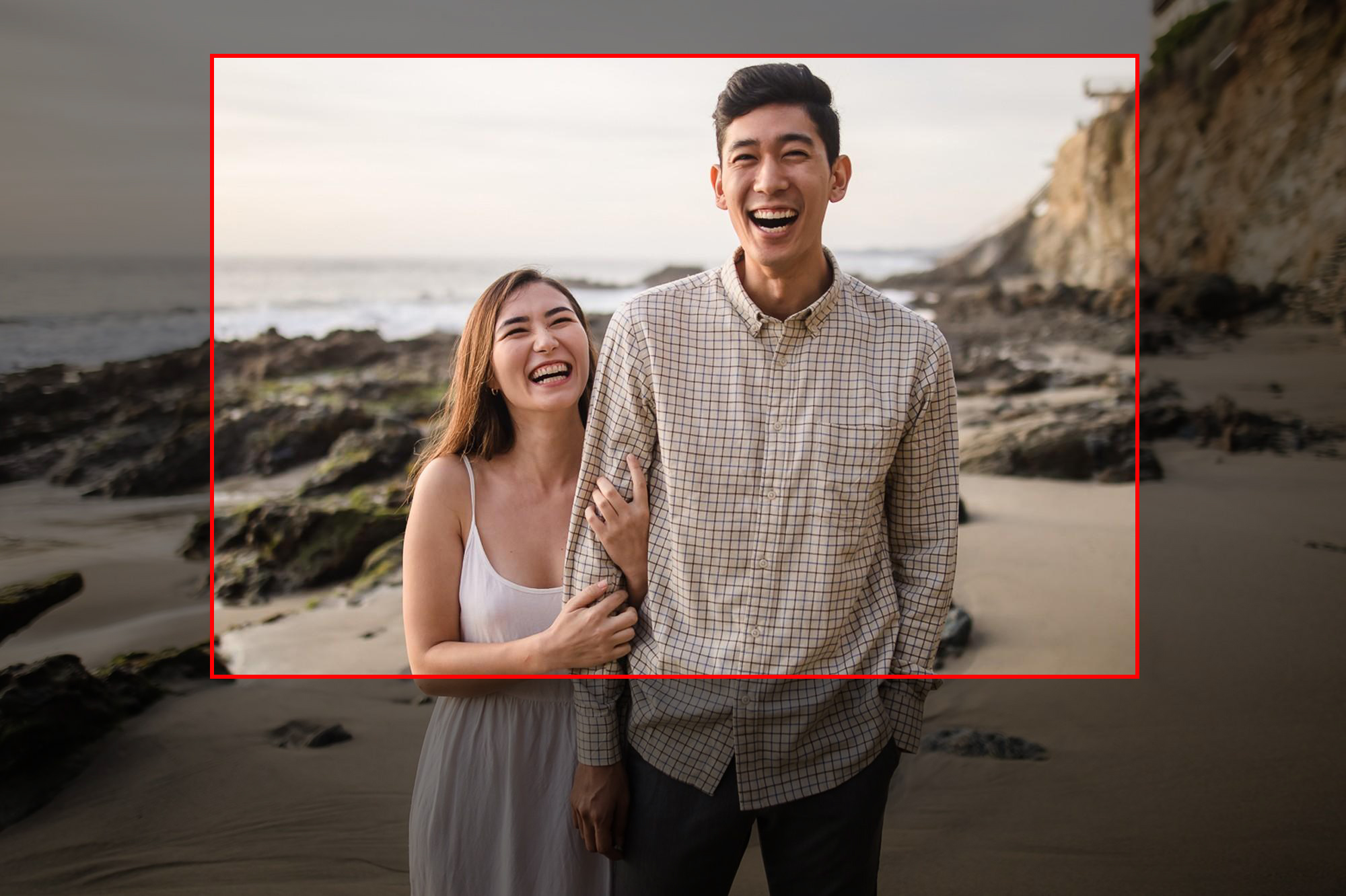
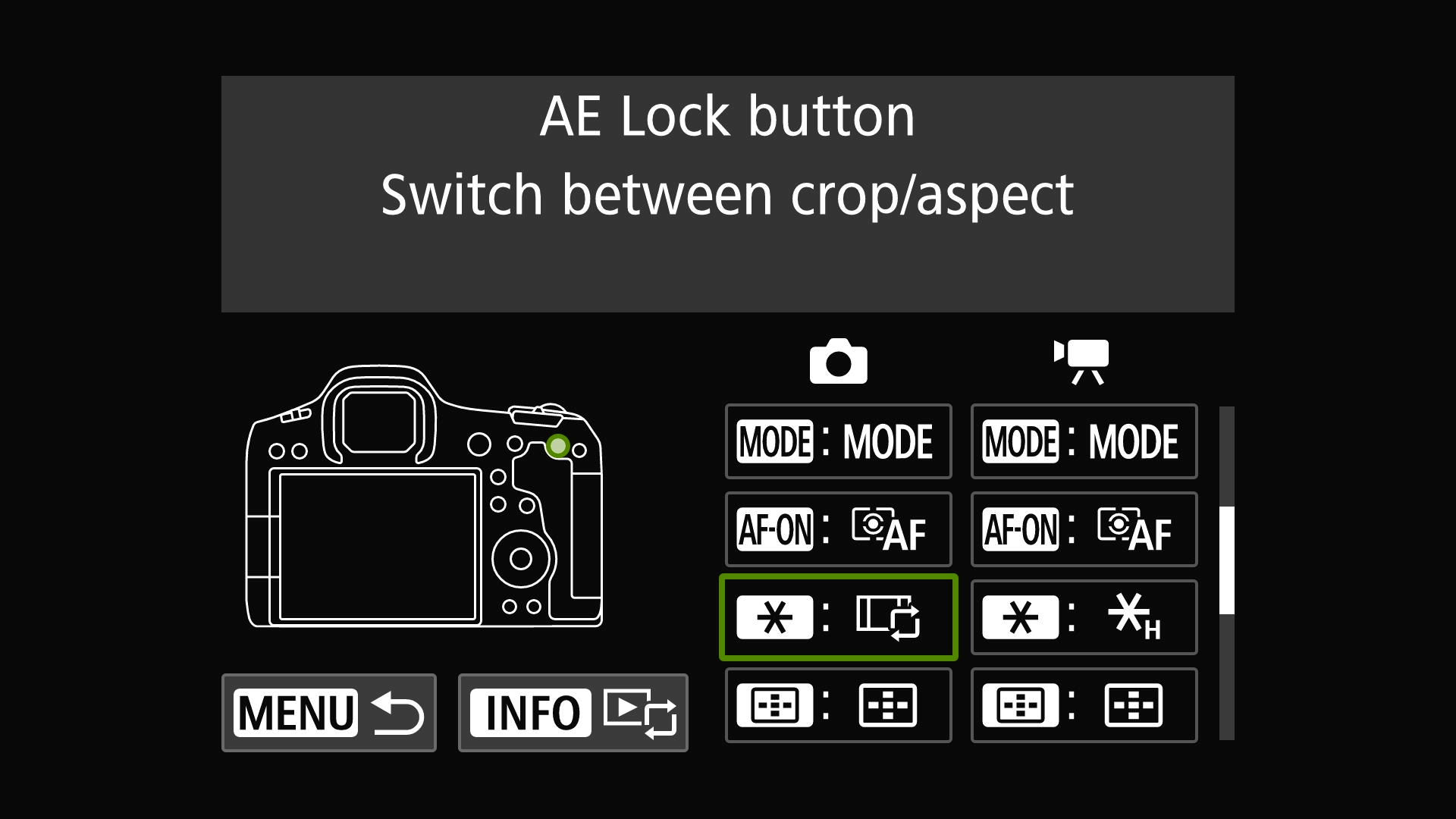
Canon EOS cameras offer 50+ custom options, and almost no one uses them for smart in‑camera cropping. On a full‑frame body like the EOS R5 Mark II combined with a 70‑200mm f/2.8 lens, one shooter assigned the rear * button—normally an Auto Exposure Lock they never touched—to switch instantly from full‑frame to 1.6x crop mode. The result: 200mm becomes the field of view of 320mm with a press of the thumb, giving more reach for players at the far end of the pitch without changing lenses. Because the * button sits next to AF‑ON, they could stay glued to the viewfinder, flick into crop mode mid‑attack, and fill the frame with the action.
This is not a gimmick; it is an editing time saver. The same source reported that this setup saved hours when editing over 4,000 action images, because there was far less cropping required on JPEGs than if they had shot everything in full‑frame. That is what proper configuration does: it moves decisions you used to make in post—“should I crop tighter?”—into real time at capture. In bad weather, where swapping lenses is risky or impossible, that extra reach from a custom crop switch can be the difference between a usable frame and a missed goal. If your camera gives you a dedicated button to jump between aspect ratios and crop modes, sports is where you should exploit it.
Tip 4 & 5: Prioritize Action AF, Battery Savings, and Fast Color Control
Two more custom settings turn your Canon EOS into a sharper, more efficient sports tool: action‑tuned AF and battery‑aware screen control. Among the 50+ assignable options for the * button are modes like Action Priority AF and Eye Control AF, tailored for subjects that suddenly get active or move erratically across the frame. Sports photographers prioritize these because they keep autofocus responsive during unpredictable moments; when a quiet midfield suddenly explodes into a breakaway, you want AF tracking to switch gears as fast as the players. Separately, customize a button to switch the rear screen off when you are using the electronic viewfinder, cutting power drain and extending shooting time. That small tweak matters in all‑day tournaments where battery swaps mean missed plays.
Color control is another performance setting, not a cosmetic afterthought. On newer EOS mirrorless bodies, dedicated top‑plate white balance buttons have disappeared, but you can assign WB access to the * button. That lets you respond quickly to mixed lighting—daylight, stadium lamps, and overcast skies—without menu surfing. When you lock in consistent white balance in camera, your files need less correction later, which again trims editing time and keeps your workflow focused on selecting peak moments, not fixing avoidable technical flaws. Wildly changing light and chaotic action are where these smart action photography camera settings shine, because there is no time to babysit exposure, AF, and color one by one. Configure them once, then let the camera help you stay ahead of the sport, not behind your own settings.