
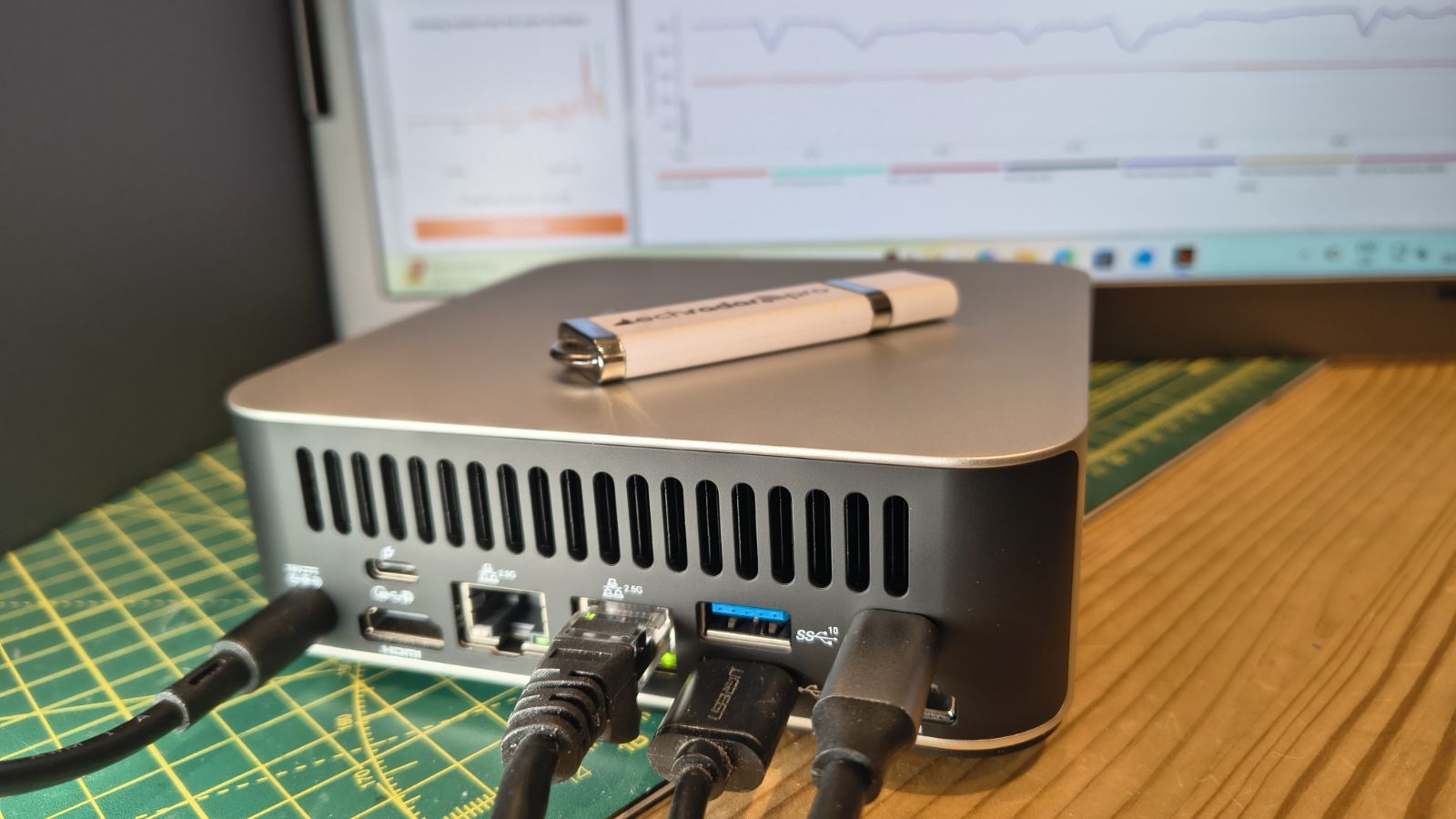

Why the Geekom A7 MAX Is the Right 1080p Mini PC for Most Gamers
Mini PC gaming refers to using small form factor desktops with laptop-class processors and integrated or entry-level GPUs to play modern games at optimized 1080p settings while saving desk space compared with traditional towers. For most people who want a compact 1080p gaming PC, the Geekom A7 MAX AI Mini-PC is the one to buy. It pairs an AMD Ryzen 9 7940HS CPU with an integrated Radeon 780M GPU, 16GB of RAM, and a 1TB SSD, so it can run light indie games at 60fps and even some AAA titles at 1080p around 30fps with FSR enabled and medium settings. With a current 29% discount to USD 594 (approx. ₱33,300) at Best Buy, it delivers the strongest mix of small form factor gaming performance, storage, and longevity among today’s compact gaming deals.
Geekom A7 MAX: Small Form Factor Gaming Without Sacrificing Storage
The Geekom A7 MAX is built for people who work all day and want 1080p gaming on the same tiny box. Its Ryzen 9 7940HS CPU and Radeon 780M GPU are backed by 16GB of RAM and a 1TB SSD, both upgradeable to 64GB RAM and 2TB storage for later. That makes it far more future-ready than many mini PC gaming rigs stuck with soldered memory. It shines in lighter games like Minecraft and indie titles, and with some tuning can handle mid-level AAA gaming. According to one deal listing, it is “a compact-sized, desk-space-saving mini-PC to play light games … while tackling never-ending paperwork” and is now 29% off at USD 594 (approx. ₱33,300). The main drawback is cost: it is the priciest option in this guide, so you should want its higher 1080p ceiling and upgrade path to justify it.
GMKtec M6 Ultra: Budget 1080p-Capable Mini PC Gaming
If you want mini PC gaming on a tighter budget, the GMKtec M6 Ultra is the best-value alternative. The more affordable configuration at USD 450 (approx. ₱25,200) pairs an AMD Ryzen 5 7640HS processor with 16GB of DDR5 RAM and a 512GB SSD, and its built-in Radeon 760M integrated graphics can handle side gaming at moderate frame rates. This is ideal for esports titles, older AAA games at tuned-down settings, and indie 1080p gaming. You also get triple 4K display support, plus RAM expansion up to a huge 128GB if you later pivot toward heavier productivity loads. The higher-end variant with 32GB RAM and a 1TB SSD at USD 600 (approx. ₱33,600) turns the M6 Ultra into a sneaky powerhouse mini PC deal for creator work while still doing light 1080p gaming, but at that price I prefer the Geekom for stronger graphics.
| Spec | Geekom A7 MAX | GMKtec M6 Ultra (16GB) |
|---|---|---|
| Price | USD 594 (approx. ₱33,300) | USD 450 (approx. ₱25,200) |
| CPU | Ryzen 9 7940HS | Ryzen 5 7640HS |
| GPU | Radeon 780M iGPU | Radeon 760M iGPU |
| RAM | 16GB, up to 64GB | 16GB DDR5, up to 128GB |
| Storage | 1TB SSD, up to 2TB | 512GB SSD |
Kamrui Hyper H2 and E3B: Intel or AMD for Mixed Work and Light Gaming
Kamrui’s mini PCs are best for buyers who prioritize productivity but still want some 1080p gaming on breaks. The Kamrui Hyper H2 uses an Intel Core i5-14450HX with 32GB of RAM and a 1TB SSD for USD 540 (approx. ₱30,200), giving it plenty of cores for demanding multitasking and creator workloads while remaining suitable for light games thanks to its high-end laptop-class CPU and triple 4K support. The Kamrui E3B is a cheaper AMD option at USD 359 (approx. ₱20,100) with a Ryzen 7 7735HS, 16GB of LPDDR5 RAM, and a 512GB SSD. It is a great mid-level productivity machine for office work, streaming, and light creative tasks and feels snappy for daily use. Both are less focused on graphics than the Geekom or GMKtec picks, so they suit casual gamers who mostly care about work performance.
How to Choose the Right 1080p Gaming Mini PC
To pick the right small form factor gaming system, start by deciding what configuration you need to get your job done, then layer gaming needs on top. If you mostly browse, stream, and do office work, a budget model with a decent CPU and 16GB of RAM will do the trick. For mini PC gaming, you should look for a device that includes a capable integrated GPU like Radeon 780M or 760M, or at least offers Occulink connectivity for an external GPU. Storage also matters: 512GB is fine for a few games, but 1TB and up is more comfortable as install sizes grow. Finally, weigh today’s compact gaming deals against gaming laptops in the same price band. Mini PCs often give better price-per-performance if you already own a monitor, keyboard, and mouse, and they solve desk-space constraints while still handling casual to moderate gaming loads.
Buy if / Skip if
- Buy the Geekom A7 MAX if you want the strongest 1080p gaming PC in a tiny box with upgradeable RAM and storage and you can afford the higher price.
- Skip the Geekom A7 MAX if your budget is tight and you mostly play esports or indie titles that run well on cheaper integrated GPUs.
- Buy the GMKtec M6 Ultra if you want affordable mini PC gaming with a Ryzen 5 7640HS, Radeon 760M graphics, and room to expand RAM over time.
- Skip the GMKtec M6 Ultra if you need the absolute best integrated graphics performance today rather than balanced CPU and GPU power.
- Buy the Kamrui Hyper H2 if your priority is heavy multitasking and productivity with some light gaming on the side, helped by 32GB RAM and a 1TB SSD.
- Skip the Kamrui Hyper H2 if you care more about graphics than raw CPU cores and productivity features.
- Buy the Kamrui E3B if you want a very good-value mini PC that feels fast for daily work and can dabble in light gaming at 1080p.
- Skip the Kamrui E3B if you expect stronger gaming performance than its mid-level processor and integrated graphics can deliver.





