

Safety First: Why GPU Power Connector Monitoring Now Matters More Than RGB
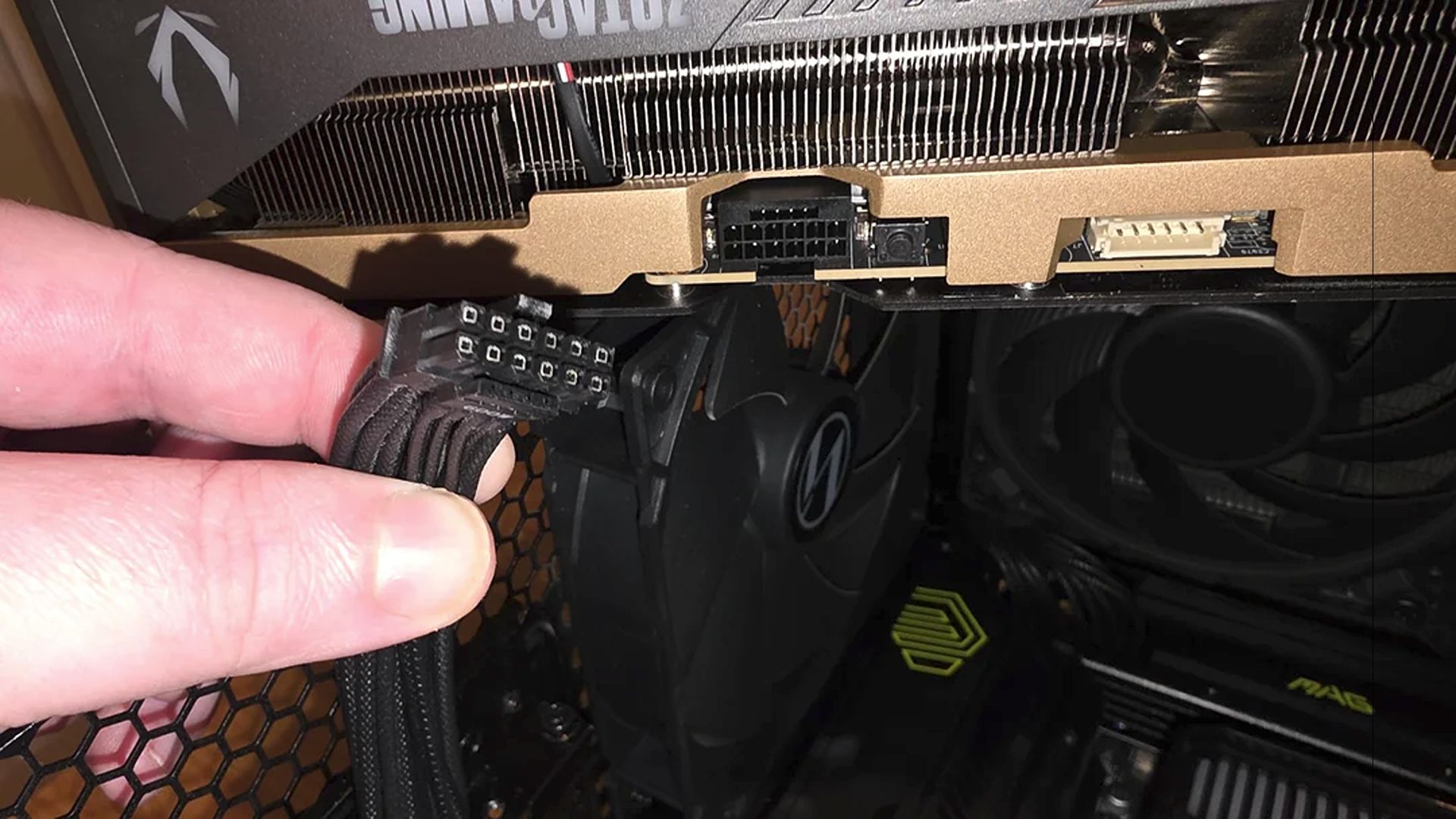
GPU power connector safety is the practice of preventing overheating, melting, and electrical faults at modern high-power PCIe plugs through active monitoring, intelligent power limiting, and careful mechanical support, so expensive graphics cards avoid catastrophic failure and users keep their systems stable under heavy gaming or creation workloads. That’s no longer a niche worry; it’s the new frontline of enthusiast building. Ever since flagships moved to the 12VHPWR (12V‑2×6) standard, reports of connectors melting and killing cards have turned what used to be a boring cable into the most anxiety-inducing part of a build. Against that backdrop, GIGABYTE’s T‑Guard technology is not a gimmick—it’s a necessary course correction. We’ve spent years blaming users for bad installs; the evidence now points to a deeper engineering problem that demands active protection, not lectures about plugging connectors in harder.

From Passive Plastics to Active Guardians: What T-Guard Changes
The core shift with PSU T‑Guard technology is philosophical: stop assuming a connector will behave and start treating it like a failure-prone component that must be watched. T‑Guard continuously monitors the 12V‑2×6 GPU connector using built‑in temperature sensors, looking for abnormal heat from loose seating or high electrical load. When it spots trouble, it alerts the system and dynamically reduces power only to the graphics card, instead of killing the entire PC in a panic. That targeted response matters. It gives you time to save work, and if your CPU has integrated graphics, you keep video output while the GPU is throttled, making diagnosis easier than staring at a dead screen. Combined, real‑time temperature monitoring, automatic GPU power limiting, and controlled shutdown create three layers of protection that finally treat 12VHPWR melting issues as something to be proactively managed rather than nervously hoped away.
The 12VHPWR Legacy: Melting Connectors and Persistent Fear
The uncomfortable truth is that 12VHPWR melting issues didn’t disappear with higher-quality cables or color-coded plugs. Even with guidance about proper installation, the 12V‑2×6 standard has a documented history of connectors deforming and taking entire GPUs with them, and enthusiasts have grown understandably paranoid. Quote-worthy reality: “Ever since graphics cards transitioned to the 12VHPWR AKA the 12V‑2×6 power connector, PC enthusiasts have been understandably paranoid, as there are regular stories of the connectors melting and subsequently killing graphics cards.” That’s why relying on passive plastic and good intentions is no longer acceptable for high-end builds. New detection systems that monitor connector temperature and react before thresholds are crossed are not overkill—they are the minimum level of engineering respect users deserve. If you’re still choosing PSUs purely on wattage, aesthetics, and efficiency badges, you’re missing the single feature that directly protects the most expensive part of your system.
The RTX 5090 Smoke Show: Power Delivery Is More Than One Plug
A recent RTX 5090 power delivery disaster shows why we must think beyond cables. A user reported their Zotac RTX 5090 Solid Edition going up in smoke shortly after installing NVIDIA driver 610.74 and launching Black Flag Resynced; five minutes into the tutorial, the PC shut down with a loud pop, crackling, and a cloud of smoke from the chassis. Everyone’s first suspicion was the 16‑pin connector, but inspection found the plug pristine. The burn was localized near the PCIe interface, suggesting a short close to the MLCC capacitor array, likely tied to PCB cracking and mechanical stress from GPU sag. This is the uncomfortable second lesson: even if a PSU protects the 12VHPWR connector, the card’s own weight, support, and slot alignment can still turn your investment into e‑waste. Keeping power cables secure is only half the battle; ensuring sag-free mounting and proper cooling is equally vital.
What Enthusiasts Should Demand from Their Next PSU
For enthusiasts, PSU selection should now start with safety, not raw wattage. GIGABYTE’s new ATX 3.1/PCIe 5.1 gaming PSUs, offered in 750W, 850W, and 1000W capacities, exist as proof that connector-focused protection can live alongside efficiency and quiet operation. These units pair Cybenetics ETA Platinum efficiency with LAMBDA A+ low-noise certification and keep average operating noise under 20 dB(A) under typical loads, while a 135mm FDB fan and HybridCool allow near-silent running. That’s nice—but it’s T‑Guard’s three-layer shield against connector failures that should drive your buying decision. In a world where a single 12VHPWR fault or a sag-damaged PCIe edge can turn a flagship GPU into smoke, treating PSU safety features as optional is naive. The new standard for high-end builds is clear: active monitoring at the connector, intelligent fault response, and mechanical support for the card. Anything less is gambling with hardware you care about.




