

Overview: Two Different Takes on Budget Flexibility
A comparison between the GIGABYTE B850M AORUS Stealth and MSI MAG Z890 Tomahawk WiFi II examines how two affordable motherboard options approach cable management, power delivery, and connectivity to serve builders who want a compact gaming build with clean aesthetics and sensible feature sets. For most users, the bottom line is straightforward: pick GIGABYTE’s B850M if your priority is an ultra-clean, cable-free look in a smaller chassis, and choose MSI’s Z890 Tomahawk WiFi II if you care more about established pricing, strong connectivity, and proven performance on a mainstream platform. Both are conceptually budget micro-ATX motherboard contenders, but they chase value in very different ways. One leans hard into design innovation, while the other trims features to hold the line as an affordable motherboard 2024 option.
Design and Layout: Rear Connectors vs Streamlined ATX
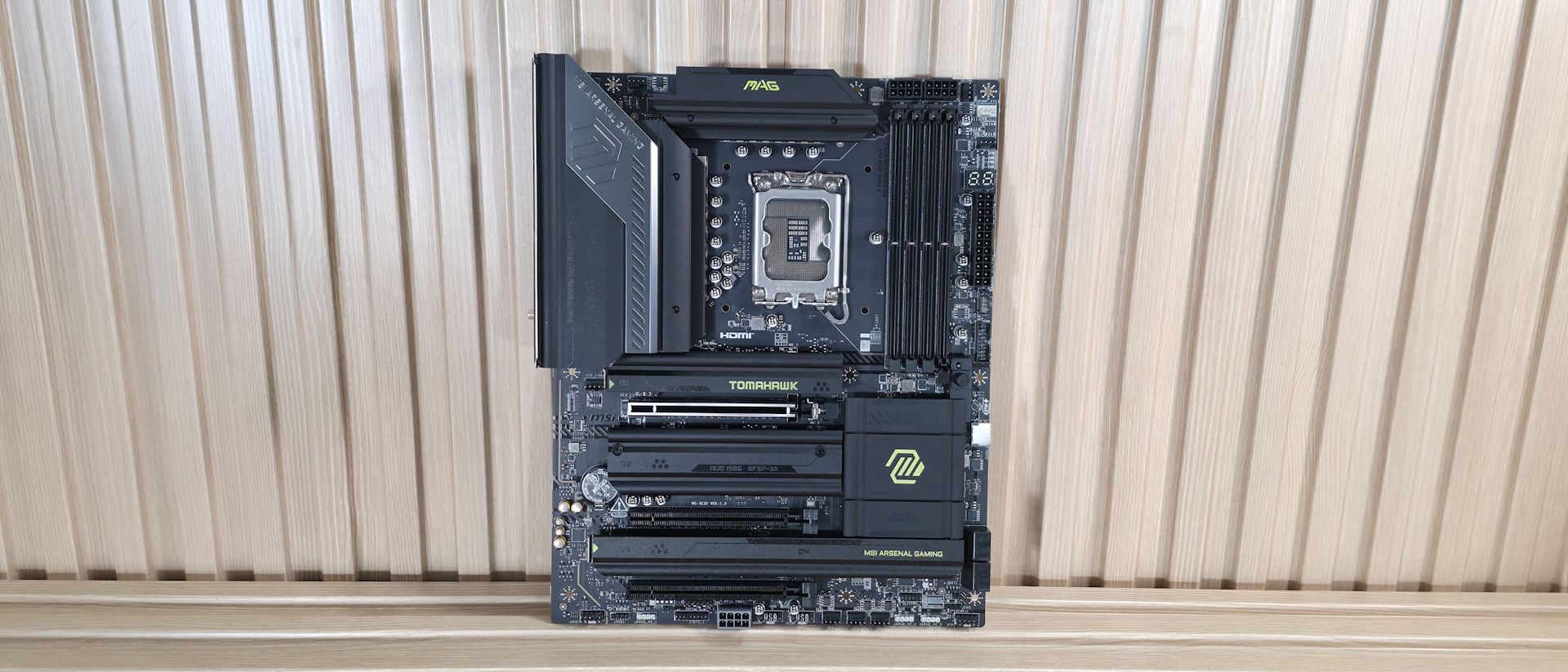
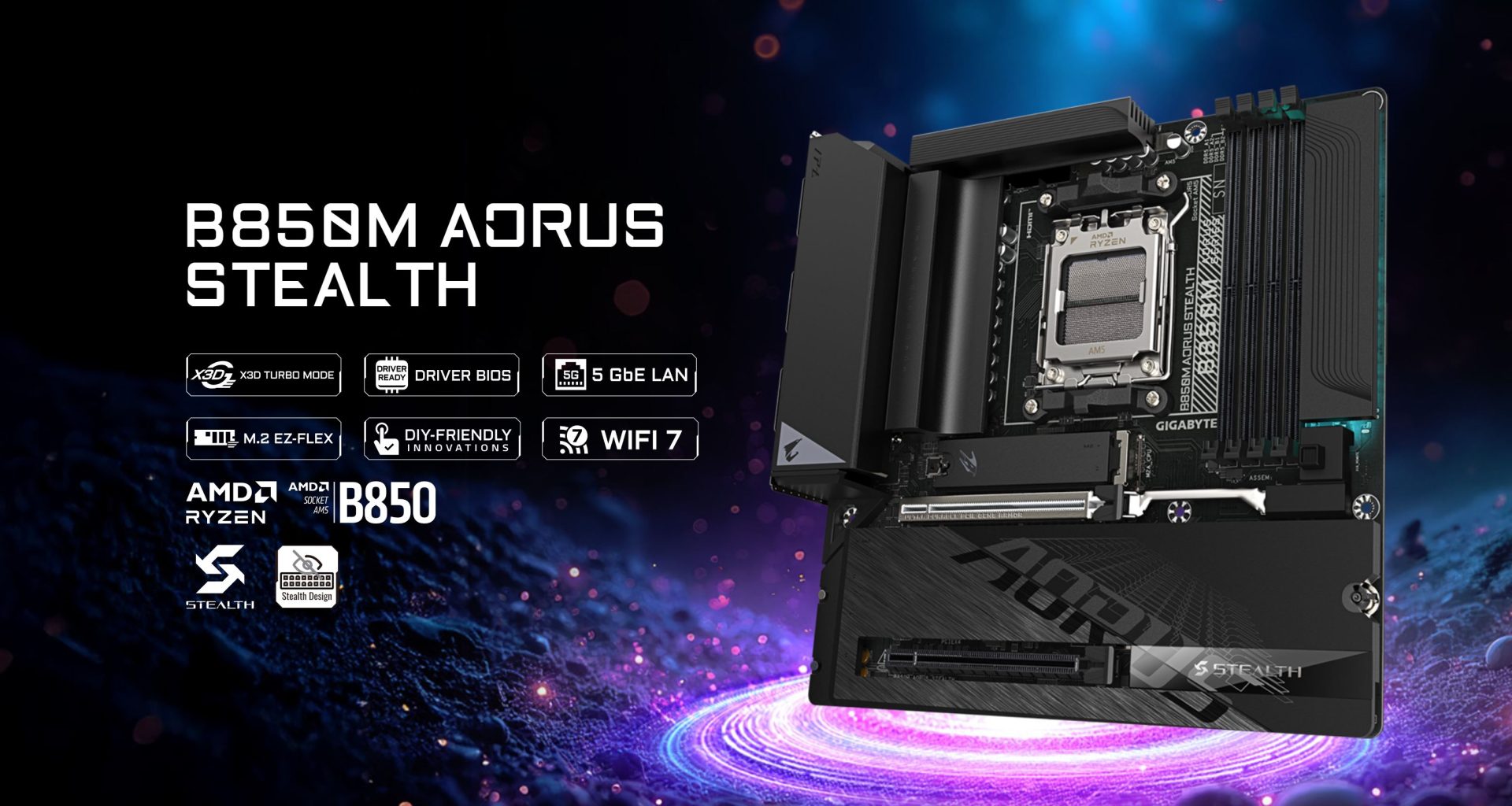
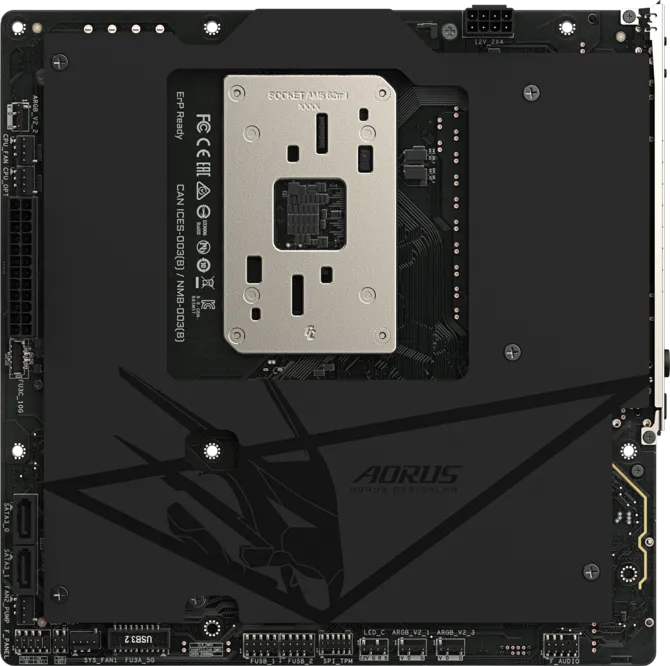
The B850M AORUS Stealth is all about hiding clutter. Most connectors and ports are moved to the back of the PCB, leaving the front side dominated by DIMM slots, PCIe x16 slots, and broad heatsinks for a neat, clean build. This rear connector design dramatically reduces visible cabling and is ideal if your compact gaming build uses a case designed to route cables behind the motherboard tray. The MSI MAG Z890 Tomahawk WiFi II, meanwhile, sticks to a conventional front-connector layout but rearranges headers and maintains an all-black aesthetic with subtle accents. It does not attempt the same level of visual minimalism, yet still suits builders who want a tidy result without investing in niche chassis or novel layouts. In short, GIGABYTE innovates on cable routing, while MSI refines a familiar, builder-friendly design.
| Spec | GIGABYTE B850M AORUS Stealth | MSI MAG Z890 Tomahawk WiFi II |
|---|---|---|
| Form factor | Micro-ATX with rear connectors concept | Standard ATX layout |
| VRM design | 8+2+2-phase with thermal armor heatsink | 19-phase power delivery with 90A MOSFETs |
| Memory slots | 4x DIMM slots on front side | 4x DDR5 DIMM slots supporting high speeds |
| M.2 installation | M.2 EZ-Flex tool-less design | EZ M.2 Clips II and clip remover included |
Features, Connectivity, and Pricing Reality
On the feature front, the B850M AORUS Stealth focuses on DIY convenience and stealthy aesthetics. It offers M.2 EZ-Flex for tool-less SSD installation and a Rear EZ button for troubleshooting, plus a WiFi EZ-Plug for the adapter, all wrapped in extensive heatsinking over the PCB for better heat dissipation. However, no official price or availability has been disclosed yet, which makes it harder to judge its value as a budget micro-ATX motherboard option. The MSI MAG Z890 Tomahawk WiFi II is explicitly positioned as part of the budget Z890 lineup, keeping capable power delivery, multiple USB Type-C ports (including Thunderbolt 4), Wi-Fi 7 support, and 5 GbE networking, while trimming back from two TB4 ports to one and slightly reducing Wi-Fi 7 speeds. It is listed at USD 229.99 (approx. ₱13,000), and according to its review, “it’s a decent budget motherboard” despite the feature-reduction refresh.
Who Each Board Suits in a Compact Gaming Build
Both boards target budget-conscious builders who care about clean aesthetics but do not want premium pricing or excessive extras. The B850M AORUS Stealth favors those who plan a compact gaming build with an emphasis on visual minimalism and efficient cable routing. Its rear connector layout is best used with modern cases that expose the motherboard face through tempered glass while hiding cables and most connectors behind the tray. This makes sense if your priority is a showcase PC with minimal visible wires and you are comfortable working with a less conventional layout. The Z890 Tomahawk WiFi II, in contrast, appeals to builders who want reliable performance, strong connectivity, and common-case compatibility. Its streamlined feature set, including reduced TB4 and Wi-Fi 7 speeds, is a fair trade if you care more about overall system balance than maximum specs per port.
Buy if / Skip if
- Buy the GIGABYTE B850M AORUS Stealth if you want a compact gaming build with rear connectors that greatly reduce visible cable clutter.
- Skip the GIGABYTE B850M AORUS Stealth if you rely on traditional case layouts and prefer front-access connectors for easier troubleshooting.
- Buy the MSI MAG Z890 Tomahawk WiFi II if you want an affordable motherboard 2024 option with strong power delivery, Wi-Fi 7, and Thunderbolt 4 in a familiar layout.
- Skip the MSI MAG Z890 Tomahawk WiFi II if dual TB4 ports or top-tier Wi-Fi 7 speeds are vital to your workflow or peripherals.
- Buy the GIGABYTE B850M AORUS Stealth if clean aesthetics matter more than knowing the exact price today and you are willing to wait for official availability details.
- Skip the MSI MAG Z890 Tomahawk WiFi II if you dislike feature-trimmed refreshes and would rather pay more for the original board’s fuller connectivity.





