

What “AI on limited hardware” really means
Running AI on limited hardware means using local LLMs and related models on modest CPUs with constrained RAM and storage, where careful model choice, quantization, and workload scheduling turn slow, resource-hungry systems into useful everyday assistants without needing a high-end GPU or datacenter-scale setup.
If you like to tinker with PCs and care about privacy, a budget AI setup is worth your time. Running a local LLM means you keep your data on your own machines instead of sending everything to a remote service. Enthusiasts are building home lab deployments because subscription costs keep rising and they want more control over how their information is handled. The big caveat: performance. Even fairly small LLMs can run slowly on a mini PC or fanless laptop. You’re trading speed and convenience for ownership and control, so the trick is to match the workload to what your hardware can sustain.

Know your hardware and pick realistic models
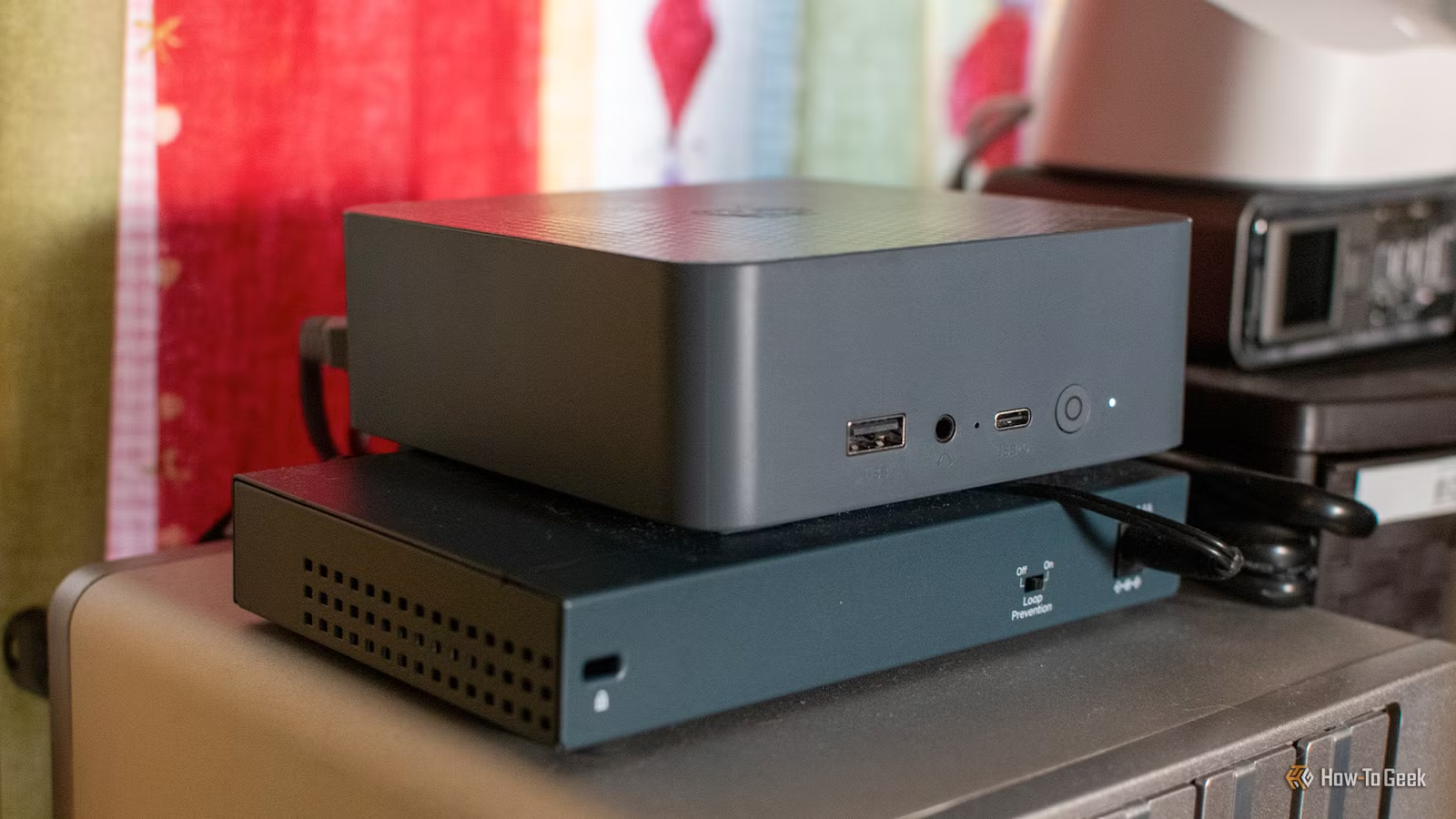
Before you run local LLMs, you need a clear picture of what your box can handle. One practical example is an ultra‑compact desktop powered by an Intel N150 processor, 16GB of DDR4 RAM, and a 500GB SSD, used as a mini PC server. On this kind of machine, a small Qwen3‑4B model running in a local tool can create natural language briefings from calendar and home automation data, even though generation is slow.
For heavier ambitions, a proof‑of‑concept system called Colibrì runs a 744‑billion‑parameter, 1.5‑TB GLM‑5.2 Mixture‑of‑Experts model on a modest CPU, 25GB of RAM, and a 1GB/s virtual NVMe drive. The quotable takeaway is that Colibrì brings frontier‑level GLM‑5.2 capability down to a machine with only 25GB of RAM by trading speed for access. It averages about 0.05–0.1 tokens per second, which is unusable for live chat but proves that low resource AI can reach high‑end quality if you accept long wait times. On the lighter side, using a small embedding model such as nomic‑embed‑text to convert book descriptions into vectors is another way to get useful recommendations without a giant chat model.
Step-by-step: setting up a practical low resource AI workflow
You get the most benefit from AI on limited hardware when you treat it as a batch worker instead of a live conversational partner. That means picking tasks where a response in minutes or hours is fine, and structuring your day around that. The real gotcha is trying to force a tiny machine to behave like a cloud chatbot—it will frustrate you. Instead, let the hardware do slow work while you sleep, and use faster cloud tools only where they add clear value.
- Identify low-urgency tasks you want AI to handle, such as daily briefings, RSS summaries, or document cleaning where you don’t need instant answers.
- Install a local LLM environment on a modest PC or mini server and choose small models like a 4B‑parameter Qwen variant for language tasks or an embedding model like nomic‑embed‑text for recommendation use‑cases.
- Configure your automations or scripts to pass structured data—calendar entries, RSS items, or plain text documents—into the chosen model and save its output to files or devices you already use, such as an e‑reader or smart speaker.
- Apply quantized models wherever possible to reduce memory footprint, and accept slower token rates when loading large Mixture‑of‑Experts setups such as GLM‑5.2 that have been quantized to fit limited RAM.
- Schedule heavy generations overnight or during idle hours so slow inference is hidden; for example, generate a morning briefing at 5AM so it’s ready when you enter the kitchen, or produce an RSS newsletter before you wake up.
- For sensitive workloads, first run a local model to strip names, locations, and account numbers from documents, checking the output, and only then upload the cleaned data to a cloud LLM for deeper analysis.
Used this way, a mini PC that would crawl in an interactive chat can still prepare a rich morning announcement with school lunches, activities, adult calendar items, trash reminders, and a weather report, all triggered by a motion sensor and played on a smart speaker when you walk into the kitchen. The same box can build a Kindle‑friendly newsletter by summarizing the top three stories from each RSS feed into a handful of chosen articles plus a TL;DR you read over coffee. Meanwhile, local stripping of sensitive details from financial documents protects you from sending raw personal data to remote models while still letting a powerful cloud system suggest ways to reduce spending once the files are anonymized.

How quantization and clever memory use keep models small enough
On budget hardware, you survive by cutting memory use. Quantized models store weights with fewer bits and accept some loss of precision, but they shrink enough to fit into RAM or fast storage. In one frontier‑level setup, the GLM‑5.2 Mixture‑of‑Experts model is quantized down so the entire 1.5‑TB model becomes workable on 25GB of RAM.
The second trick is treating RAM as a cache, not a permanent home. Instead of loading every expert sub‑model at once, Colibrì repeatedly loads and unloads the experts needed for each token. This takes advantage of the fact that Mixture‑of‑Experts architectures pick different experts per token, so only a subset has to be resident in memory at any time. Normally, datacenter GPUs keep large chunks of the model in memory, but swapping experts like this lets a cheaper machine participate at the cost of speed. For someone building a low resource AI workflow, the lesson is clear: pick quantized models first, and whenever you can, choose architectures that let you stream parameters instead of pinning them all in RAM. That way, you stretch what your limited hardware can hold without upgrading to a GPU farm.
Local vs. cloud: choosing what runs where
Running a local LLM gives you privacy and control, but you pay in speed and capability. Small models that fit on consumer hardware are never going to match the breadth of ChatGPT, Gemini, or Claude, and even simple prompts can take a long time to finish. By contrast, cloud systems can slice through complex analysis fast, but your data ends up on third‑party servers and you depend on ongoing subscriptions.
Local LLMs
- Keep personal data on your own hardware for tasks like family briefings, RSS summaries, and document preprocessing.
- Avoid recurring bot subscriptions by using models that run in limited memory.
- Can anonymize sensitive documents before sending them anywhere, reducing exposure.
Cloud LLMs
- Smaller models are slower and less capable than leading cloud systems, especially on mini PCs and thin laptops.
- Frontier‑scale local experiments may run at 0.05–0.1 tokens per second, far too slow for live chat.
- You manage hardware, updates, and workflows yourself.
The sweet spot is a hybrid: run local LLMs and low resource AI for day‑to‑day automations and sensitive preprocessing, then hand off anonymized, structured results to cloud systems when you need their higher capability. It is worth it if you value privacy and enjoy tinkering, as long as you remember that slow generation is not a bug but part of the deal—and you plan your workflows so that the machine takes its time while you do something else.