

Why DIY Game Library Storage Matters Now
A DIY game library storage system is a personal archive of installers and game files kept on your own drives or discs, organized like physical media so you can install and play titles without depending on online storefronts or long‑term access to subscription services. It treats digital purchases more like a collection you own than a license that can vanish when platforms change or disc production ends.
If you care about DRM-free gaming and long-term preservation, the current shift away from discs is a wake‑up call. One platform has highlighted that its games are DRM-free so you can do whatever you want with them, including saving offline installers for keeps. As disc production winds down, it reminded players: “Download the offline installer of any of your games on GOG, save it to a disc and it’s yours forever. You don’t need a storefront’s permission to play what you bought.” That same idea extends beyond optical discs to USB sticks, external SSDs, and more modern physical game alternatives. The only real prerequisite is having suitable storage hardware and a bit of patience for organizing it.
Choosing Your Physical Game Alternatives
Before you start copying files, you need to decide what kind of physical game alternatives you want to build. Optical discs feel classic and give that “insert disc” ritual, but many PCs no longer ship with drives, which is a bump in the road if you go that route. External USB DVD or Blu‑ray drives solve that, and discs are fine for installers, but they’re slower and less flexible than solid-state options.
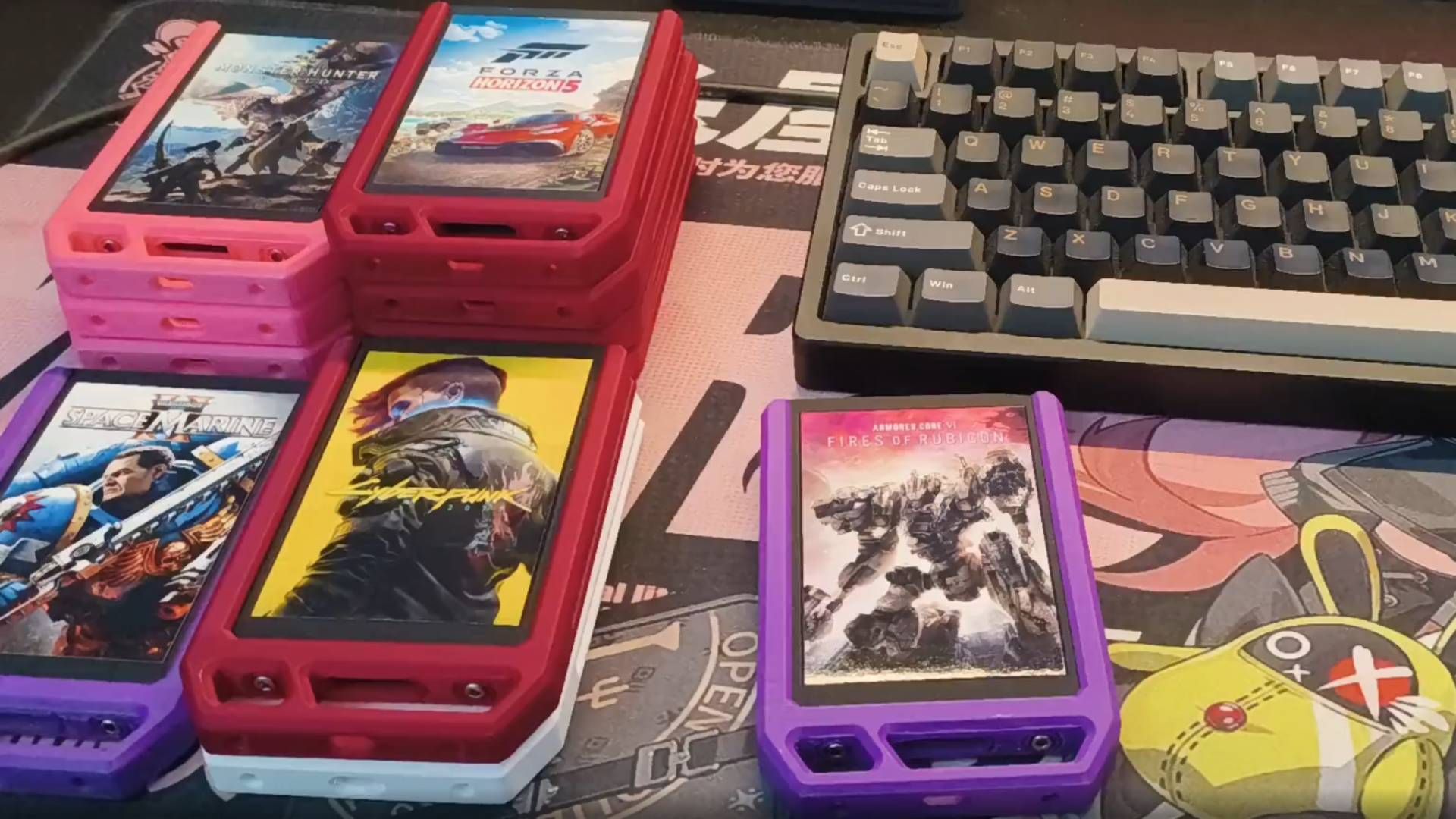
USB flash drives and external SSDs work well for portable DRM-free gaming installers. For collectors who like cartridges, budget-friendly 2.5‑inch SATA SSDs offer a fun twist: one Redditor bought second‑hand 128 GB units “for cheap,” around EUR 7 (USD 8, approx. ₱450) each, from bulk refurb stock and turned them into a game cartridge system for a large Steam library. Each SSD stores one or more games and slides into a dock like a cartridge, with custom housings and cover art for that shelf appeal. This approach costs more than one big drive, but it scratches that collector itch and keeps specific titles physically separated for better game library storage.
Step-by-Step: Building a DIY SSD Cartridge Library
Think of this section as the practical walk‑through you’d give a friend: we’ll take DRM-free installers and game files, put them on SSD “cartridges,” and make them easy to launch. The ordered steps below focus on the essentials; you can add visual flair and automation once the backbone is working.
- Gather hardware: a stash of 2.5-inch SATA SSDs, a SATA-to-USB dock or enclosure, and any external optical drive if you plan to include discs.
- Plan capacity and grouping: decide whether each SSD holds a single flagship game or a themed set (RPGs, indies) to keep your game library storage tidy.
- Download offline installers for DRM-free games: from platforms that support it, grab backup installers and save them locally; one such platform encourages downloading offline installers so the games are yours forever.
- Copy installers and game files onto the SSDs: connect a drive, create a clear folder structure (e.g., /Installers/GameName/), and move the files over, treating SSDs like cartridges for specific titles.
- Label and dress the cartridges: add stickers or printed covers so each SSD’s housing shows the game’s art and name, mirroring the colourful housing project seen in the Reddit build.
- Set up a dock and scripts (optional): use a SATA dock; when a cartridge is inserted, configure a script that uses a game launcher’s browser protocol to jump straight to the game’s library page or even auto‑launch it.
- Test installs from your physical library: disconnect from the storefront where possible, mount a cartridge, run the installer, and confirm you can install and play without needing online permission.
The big “gotcha” is that not all games are equal. DRM-free titles give you full offline installers and don’t require launcher checks to run. In contrast, many games tied to clients still need that software active, even if you keep their data on SSD cartridges. That doesn’t ruin the project, but it changes the expectation: in those cases, your cartridges are more like neat, portable storage rather than self‑contained, unplugged cartridges. Start with DRM-free gaming where you can, so the independence benefit matches the effort you put in.
Adding Discs and Hybrid Storage for Preservation
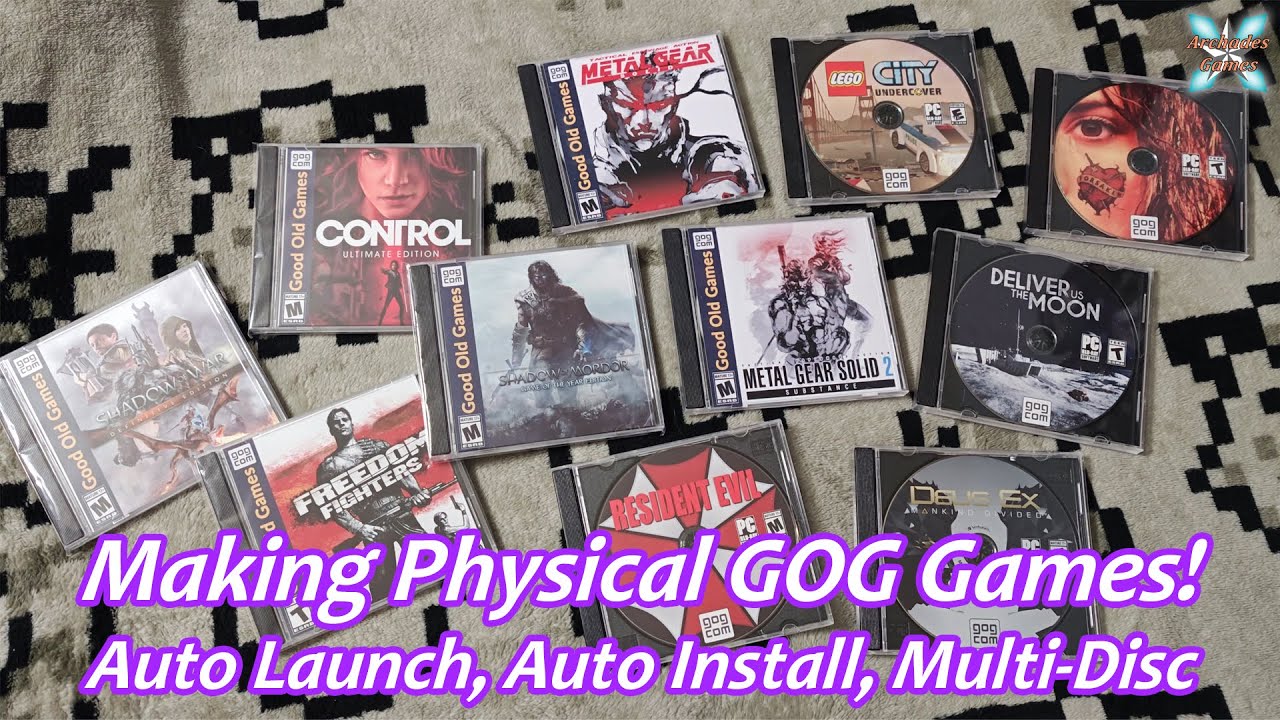
Once the SSD system works, you can blend it with optical media for a hybrid setup. Burning your own discs isn’t the same as buying stamped, boxed copies, but it’s still real protection against digital not‑quite‑ownership. One platform points out that you can download backup installers and burn them to discs like any other file, even packing multiple games onto a single disc. A shelf of discs plus a stack of SSD cartridges gives you both the nostalgic appeal of physical media and the speed of solid-state storage.
The trade‑off: discs are slower and require that optical drive, while SSDs are faster but cost more per game if you go one‑cartridge‑per‑title. The Reddit cartridge project shows how second-hand drives from refurb stock can keep this affordable and playful. You can even explore more advanced tricks like automatic installers and multi‑disc support; one YouTuber guide dives into those processes for people who want deeper customization. For most collectors, though, a straightforward mix of discs for bulk installers and SSDs for favourites is enough for reliable long‑term preservation.
Is Building Your Own Library Worth It?
If you’re the sort of person who feels a pang whenever physical media disappears, this DIY route is worth the effort. Collectors who have already lived through years of fewer discs say something is lost when physical media goes away, and it’s hard to argue with that feeling. At the same time, having your own copies is valuable protection against losing access when accounts change or storefronts shut down.
Creative DIY SSD cartridge setups show that game library storage can be fun as well as practical, turning cheap refurb drives into colourful cartridges with scripts that launch games from a dock. You won’t escape every launcher requirement, and you’ll spend time managing files. But the payoff is independence: you’re no longer wholly dependent on digital storefronts or subscription services to keep your collection playable. Build the library slowly, focus on DRM-free gaming where possible, and you’ll end up with a portable archive that feels more like a personal console collection than a fragile cloud of licenses.





