
GPU Power Connector Safety Is No Longer Optional
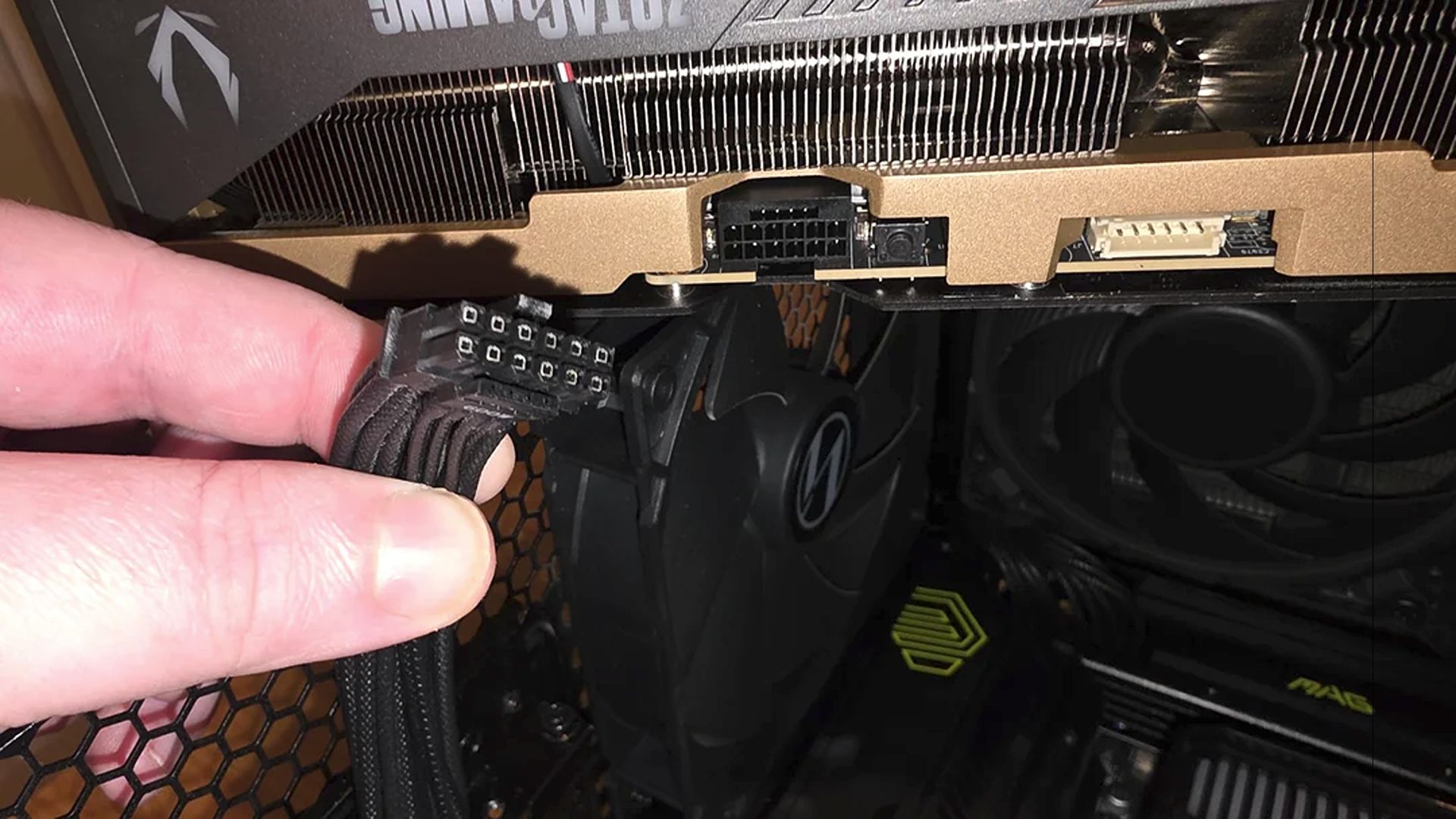
Modern power supplies now use active thermal monitoring, digital safeguards, and smarter shutdown behavior to prevent 12VHPWR GPU power connectors from overheating, melting, and destroying expensive graphics cards, turning the PSU from a passive box of watts into a front-line safety system for your entire gaming PC. Ever since graphics cards transitioned to the 12VHPWR (12V-2×6) power connector, PC builders have seen regular reports of connectors melting and killing GPUs, so paranoia about GPU power connector safety is not irrational. That is why GIGABYTE’s new GAMING Series PSUs, with a feature called T-Guard that actively monitors the GPU power connector temperature and steps in before things go wrong, deserve more attention than yet another RGB accessory. If you care about your hardware, this is where your caution should go.

What T-Guard Actually Does—and Why It Matters More Than Wattage
T-Guard is an active safety system designed specifically for the newer 12V-2×6 graphics card connector, the same family as 12VHPWR that has been behind so many horror stories. Instead of waiting for failure, the PSU continuously monitors the connector with built-in temperature sensors, looking for abnormal heat caused by loose plugs or excessive load. When temperatures spike, it immediately alerts the system and starts protecting the hardware, which is the kind of behavior older, "dumb" PSUs simply do not offer. The smartest choice here is that the unit does not kill the whole PC on first sign of trouble: it intelligently reduces power only to the graphics card, keeping the rest of the system running so you can save work and power down safely. If your CPU has integrated graphics, you can still get video output and troubleshoot instead of staring at a black screen. This is PSU thermal monitoring used as a real usability feature, not a spec-sheet gimmick.
Layers of 12VHPWR Cable Protection Beat Blind Trust
The ugly truth is that 12VHPWR connectors earned their bad reputation: since their adoption, there have been regular stories of them melting and taking GPUs with them. In response, manufacturers have started stacking multiple layers of 12VHPWR cable protection rather than trusting a single point of failure. We see color-coded connectors to help ensure they are fully seated, dedicated tools from cooling specialists to monitor voltage and plug temperatures, and now power supplies that add digital monitoring at the cable itself. GIGABYTE’s approach is to combine real-time temperature monitoring, automatic GPU power limiting, and a window for you to recover work before shutdown, which it describes as three layers of protection against connector failures. This is what power supply overheating prevention should look like in 2026: proactive, multi-layered, and visible to the user instead of buried behind marketing buzzwords.
Cable Melts Are not the Only Way a GPU Can Die
Focusing only on the 16-pin cable is comforting, but misleading. A recent report of a Zotac RTX 5090 Solid Edition serves as a reminder that power connectors are not the only failure point: after about a year of stable use, the system shut down with a loud pop and a cloud of smoke during gaming, yet the infamous 16-pin power plug was completely pristine. Instead, the damage was concentrated on the PCIe interface, with a distinct burn on the small gold finger tail, pointing to a likely short near the MLCC capacitor array and possible PCB cracking from long-term GPU sag or rough installation. Proper anti-sag support, careful seating, and good cooling matter as much as cable safety for protecting your investment. According to one report, "keeping your power cables secure is only half the battle"; support and maintenance are equally critical. PSU features can save you from many mistakes, but they cannot fix a physically abused card.
What DIY Builders Should Prioritise When Choosing a PSU
If you build your own systems, treating the power supply as a cheap afterthought is a mistake. Modern PSUs that take GPU power connector safety seriously—through thermal detection, digital monitoring, and controlled fail-safes—do more to protect your stability than an extra 100 MHz on a factory overclock. T-Guard-style systems, which provide continuous connector temperature monitoring, targeted GPU power limiting, and time to save work before shutdown, show how a PSU can actively guard against connector failures instead of passively supplying watts. But you need to pair that with good habits: route and seat your 12VHPWR cable carefully, use the dual-colour or colour-coded cues to confirm full insertion, support heavy GPUs against sag, and ensure decent airflow around both card and PSU. Understanding power delivery safety is not academic; it is how you choose components that keep your machine stable instead of turning your next game session into a smoke test.