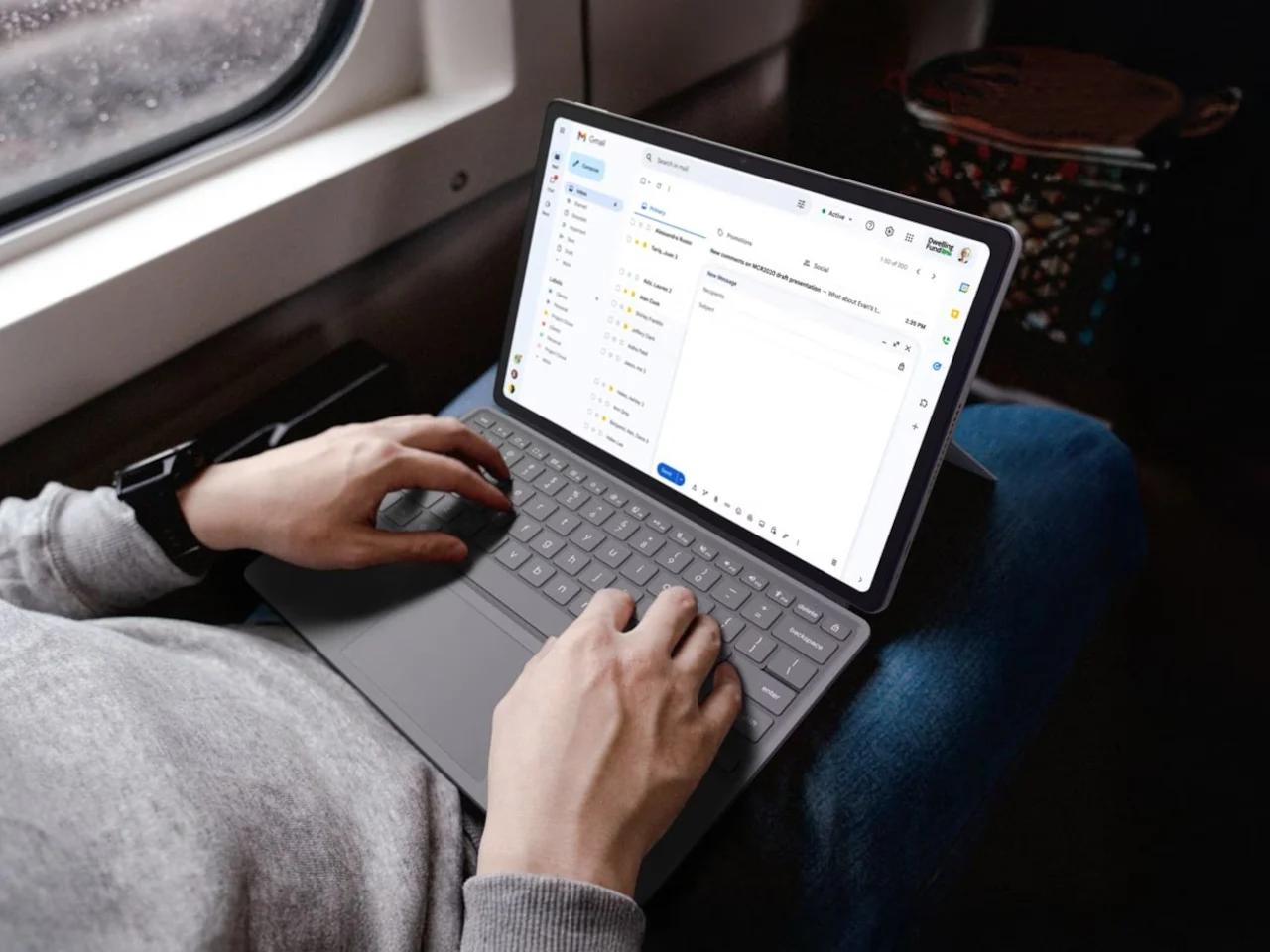


Verdict: A Budget Chromebook That Feels Less Like a Compromise
The ASUS Chromebook CM15 is an affordable Chromebook laptop that aims to erase the usual sub-$300 compromises by pairing a 15.6-inch full HD display, military-grade durability, and a modern ChromeOS experience with a price of USD 269.99 (approx. ₱15,400), targeting students, remote workers, and home users who need a dependable everyday machine. At this price, my verdict is clear: the CM15 is one of the few budget Chromebook laptops that feels like a complete computer rather than a stopgap. It will not replace a high-end workstation, but for web-heavy workloads, office apps, and streaming, it delivers far more confidence than most budget Chromebook under 300 competitors. The key question becomes less “Is it good?” and more “Is this enough laptop for what you do?” For many people, the answer will be yes.

Design, Durability and Eco Credentials
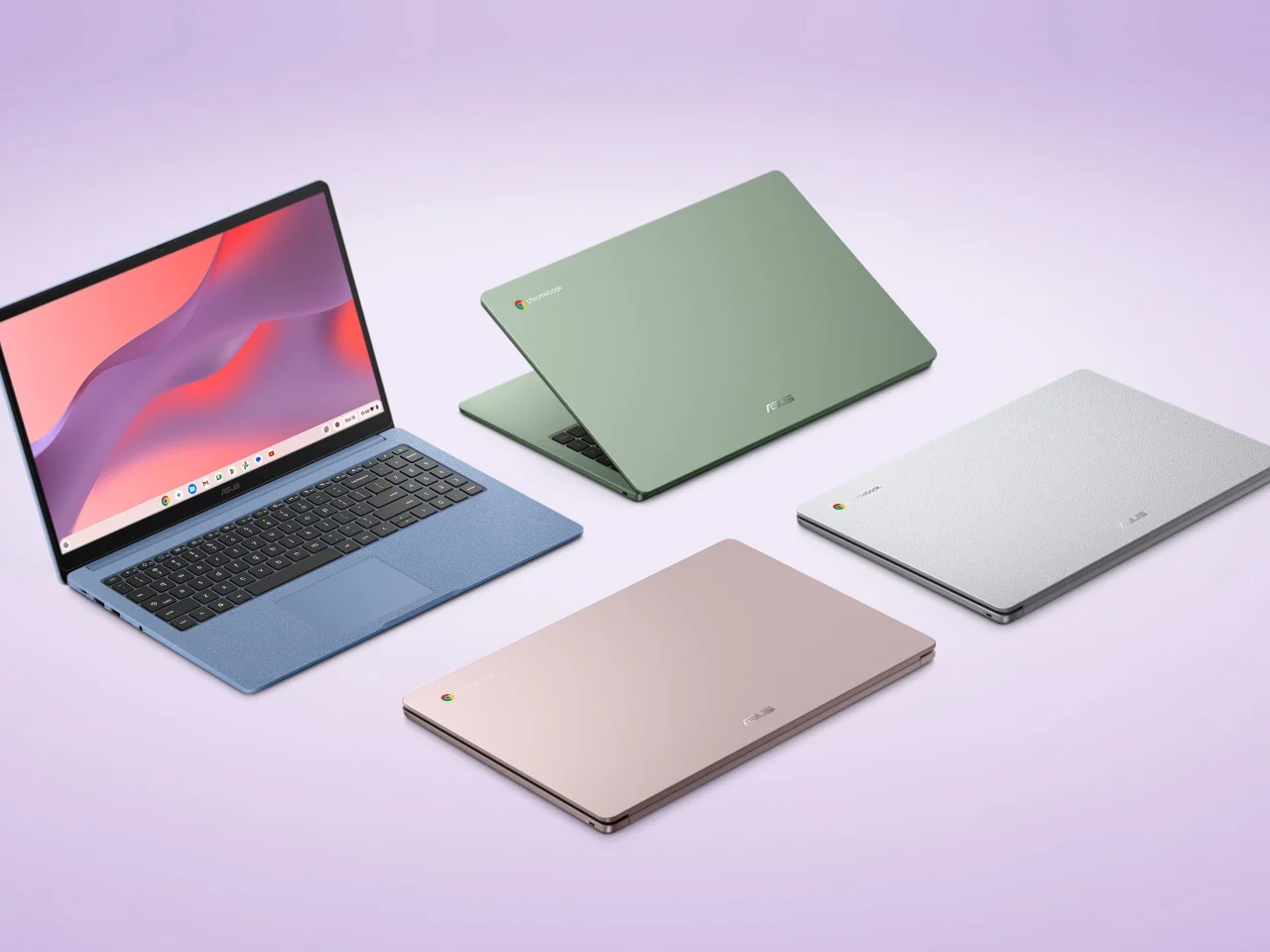
From a user’s point of view, the CM15 looks and feels far more considered than its price suggests. You get a 15.6-inch FHD anti-glare panel, a 180-degree lay-flat hinge, and a 3.26 lb chassis available in Pure Grey, Fabric Blue, Cream Pink, and Misty Green, each with a washi-paper-inspired texture that avoids the usual cheap plastic vibe. More importantly, this cheap Chromebook durability story is backed by 24 MIL-STD-810H military-grade tests, so it is built to handle knocks and daily abuse that would end many low-cost notebooks. According to the source, “The CM15 body is also made with 30% recycled plastics and sustainable packaging,” which is the sort of eco-friendly design usually reserved for premium devices. Together, these details make the CM15 feel like a laptop you are meant to keep, not replace at the first crack or creak.
| Aspect | ASUS Chromebook CM15 | ASUS Chromebook CM32 Detachable |
|---|---|---|
| Form factor | 15.6" clamshell laptop with lay-flat hinge | 12.1" detachable tablet-laptop hybrid |
| Weight | 3.26 lbs | 1.41 lbs without keyboard |
| Display | FHD anti-glare panel | 2.5K 120 Hz touchscreen with Corning Gorilla Glass |
| Price | USD 269.99 (approx. ₱15,400) | USD 579.00 (approx. ₱33,000) |
Performance, Ports and Everyday Use
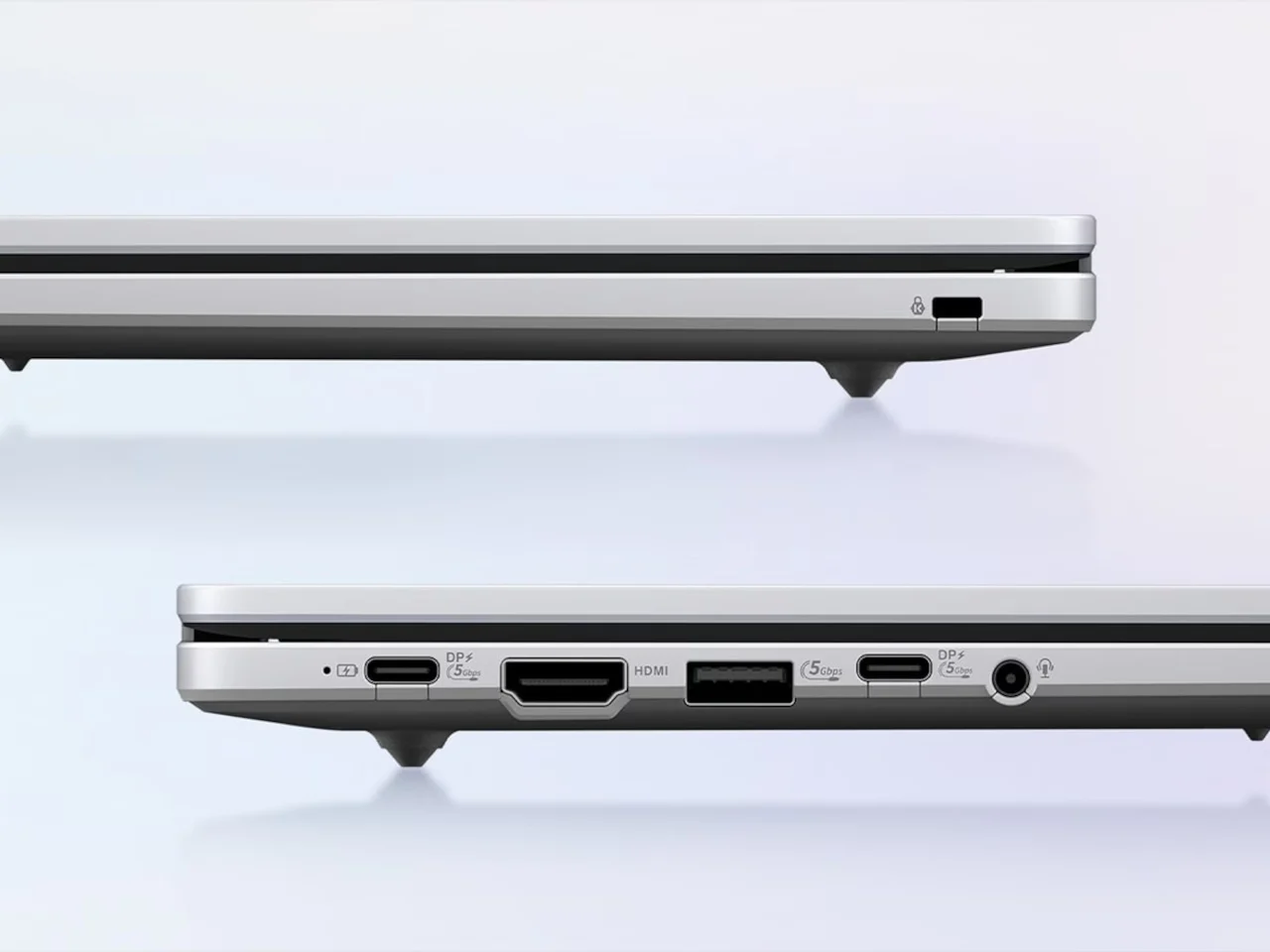
Both the CM15 and its CM32 sibling use the MediaTek Kompanio 540 processor with up to 8 GB of LPDDR5X memory, and they boot in under ten seconds while handling background updates automatically. In practice, that means the CM15 is tuned for what most people do on affordable Chromebook laptops: dozens of browser tabs, Google Workspace, video calls, and Android apps like Netflix, Adobe Lightroom, Zoom, and Microsoft 365 from Google Play. These machines are designed to cover the full range of everyday laptop tasks rather than feeling trimmed down. Port selection is another pleasant surprise; you get HDMI plus two USB 3.2 Gen 1 Type-C ports and a USB Type-A, and HDMI is flagged as unusually generous at this price. The result is a budget device that fits cleanly into a desk setup with an external monitor, meeting the needs of remote workers and students who live in browser-based tools.
Where the CM15 Fits in the ASUS CM Series
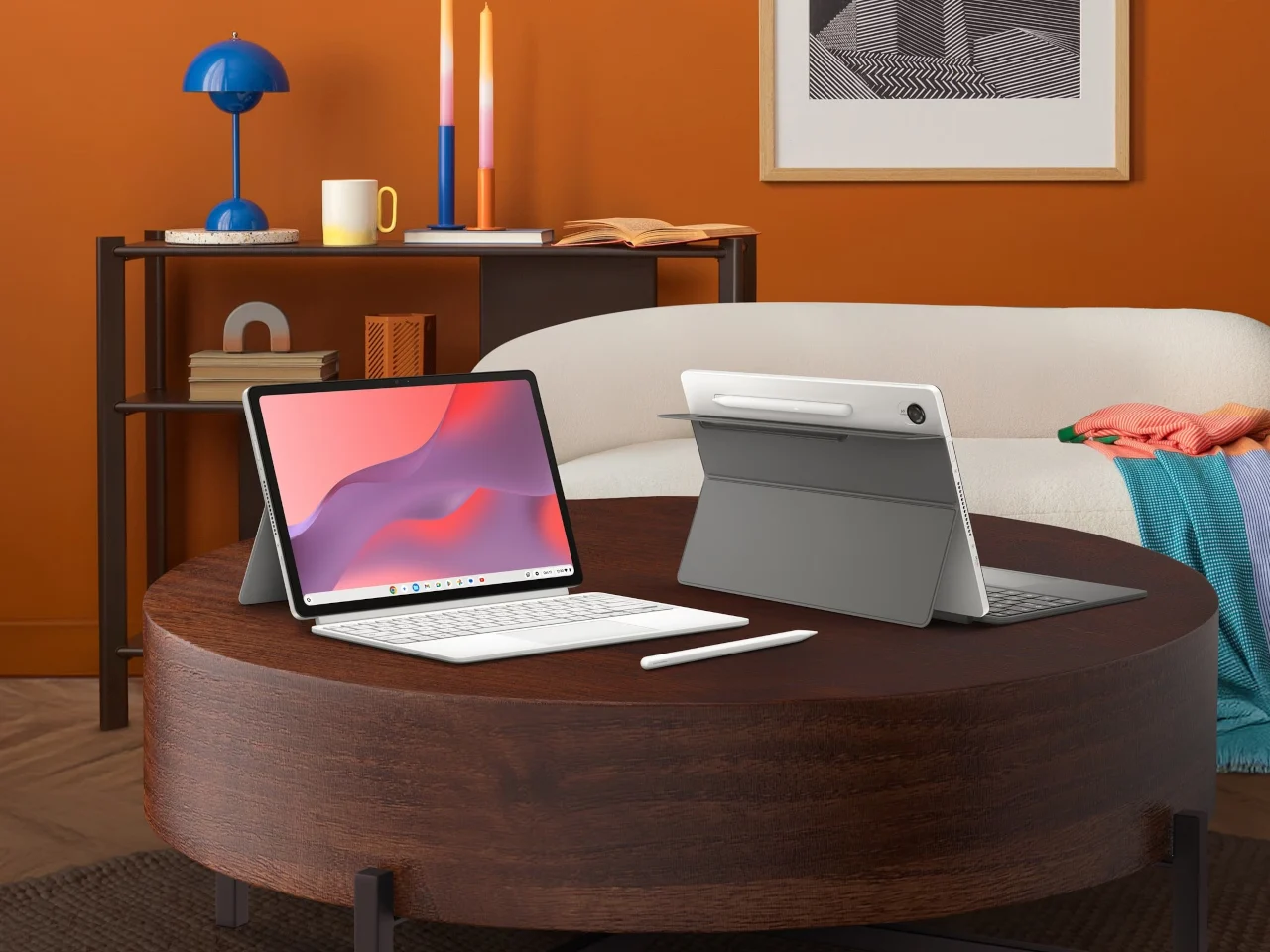
The CM15 sits at the entry point of the ASUS CM Series, which offers laptops under USD 580 (approx. ₱33,000) with more thought than the usual bargain-bin designs. The CM32 Detachable, at USD 579.00 (approx. ₱33,000), adds a 12.1-inch, 2.5K 120 Hz touchscreen, Corning Gorilla Glass, a detachable keyboard with 1.35 mm key travel, a magnetically attached stand, and a wirelessly charged stylus shaped like a ballpoint pen for people who need tablet-laptop flexibility. The CM15, starting at USD 269.99 (approx. ₱15,400), is positioned for anyone wanting a wide screen and full-size keyboard for daily home or school use. Both share the same processor, memory options, military-grade durability, and a bundled three-month Google AI Pro trial, which brings NotebookLM and Gemini features into Gmail and Docs without an extra subscription. As a family, they challenge the idea that budget laptops must feel disposable.
Pros
- Thoughtful design and military-grade durability at a sub-USD 300 (approx. ₱17,000) price point.
- MediaTek Kompanio 540 and ChromeOS are tuned for everyday productivity, streaming, and Android apps.
- Eco-friendly build with 30% recycled plastics and sustainable packaging.
Cons
- ChromeOS and mobile-focused hardware may not suit heavy creative or advanced gaming workloads.
- Users who need tablet-style flexibility and stylus input will have to step up to the more expensive CM32.
Buy if / Skip if
- Buy the ASUS Chromebook CM15 if you want a budget Chromebook under 300 with a wide screen and full-size keyboard for home or school tasks.
- Skip the ASUS Chromebook CM15 if you need intensive creative software, advanced gaming, or Windows-only tools that go beyond what ChromeOS and Android apps support.
- Buy the ASUS Chromebook CM15 if you care about cheap Chromebook durability and prefer a laptop that passes military-grade tests instead of feeling fragile.
- Skip the ASUS Chromebook CM15 if you need tablet-style versatility, stylus-heavy workflows, or a 120 Hz touchscreen—in that case, the CM32 Detachable is better suited.
- Buy the ASUS Chromebook CM15 if you want affordable Chromebook laptops with eco-friendly materials, HDMI and USB-C ports, and performance tuned for everyday productivity.