


From Second Brains to Simple Notes: Why Lightweight Apps Matter
Lightweight note apps are simple note-taking tools that focus on fast capture, minimal interfaces, and low maintenance, providing an alternative to complex knowledge-management systems like Obsidian and Notion for users who do not need advanced plugins, databases, or AI features. If your vault or workspace now feels like overhead for every tiny idea, it may be time to split your workflow: heavy apps for long-term knowledge, minimal productivity apps for everyday scraps. HelixNotes, Flyout, and Anytype each attack the same problem from different angles: reducing cognitive load, avoiding bloat, and keeping notes accessible without turning every grocery list into part of a massive "second brain". Taken together, they show that you can keep powerful tools while offloading quick capture, offline note sync, or privacy-first writing to smaller, more focused companions.
HelixNotes: A Markdown Sidecar for Bloated Obsidian Vaults
HelixNotes is a small, lightweight note app that looks like a classic notes client but stores everything as plain .md files. It opens in seconds, stays responsive even alongside many other apps, and behaves enough like Obsidian that you can use the same markdown and internal linking with [[ ]] syntax. The key idea: HelixNotes complements Obsidian instead of replacing it. You still keep your main knowledge base in Obsidian, while HelixNotes handles quick, disposable notes that would otherwise clog your vault. That separation reduces cognitive load and review time; a grocery list or throwaway idea no longer competes with essays and research. The trade-off is installation friction: on macOS it is not fully notarized, so you may need to install from the web and grant permissions via Terminal before it will launch, which can be a hassle. For markdown-first users, though, it is a strong Obsidian alternative for everyday capture.
| Spec | HelixNotes | Anytype |
|---|---|---|
| Primary focus | Lightweight markdown note-taking sidecar for quick notes | Object-based workspace and Notion alternative |
| Storage model | Local .md files on your device, no external database | End-to-end encrypted data stored on your devices and optional backup node |
| Sync behavior | No built-in sync; relies on your filesystem or other tools (implied by local files) | Peer-to-peer offline note sync over local network via Any-Sync protocol |
| Best suited for | Obsidian users wanting simple note-taking tools and minimal productivity apps for quick capture | Privacy-focused users needing Obsidian alternatives or Notion rivals with non-server syncing |
Flyout: Frictionless Capture Over Features
Flyout is aimed at people who value speed of capture over elaborate structure. Instead of asking you to enter a vault or workspace, it presents a floating editor that can live above whatever you are working on, with notes organized into folders and surfaced using pins and search. Pinned notes sit at the top of each folder so current items stay visible, while search runs across all content and temporarily flattens the folder view, avoiding deep navigation when you only remember a phrase. The philosophy here is clear: quick access, minimal clicks, and basic organization rather than complex tags or databases. Community discussion around Flyout shows the team thinking about tags as future smart filters, acknowledging that once a folder holds hundreds of notes, users need better ways to slice across topics than opening each note one by one. If your main pain is context-switching to your note app, Flyout’s lightweight design is likely to feel more helpful than heavy suites.

Anytype: Offline Note Sync and a Privacy-First Notion Alternative
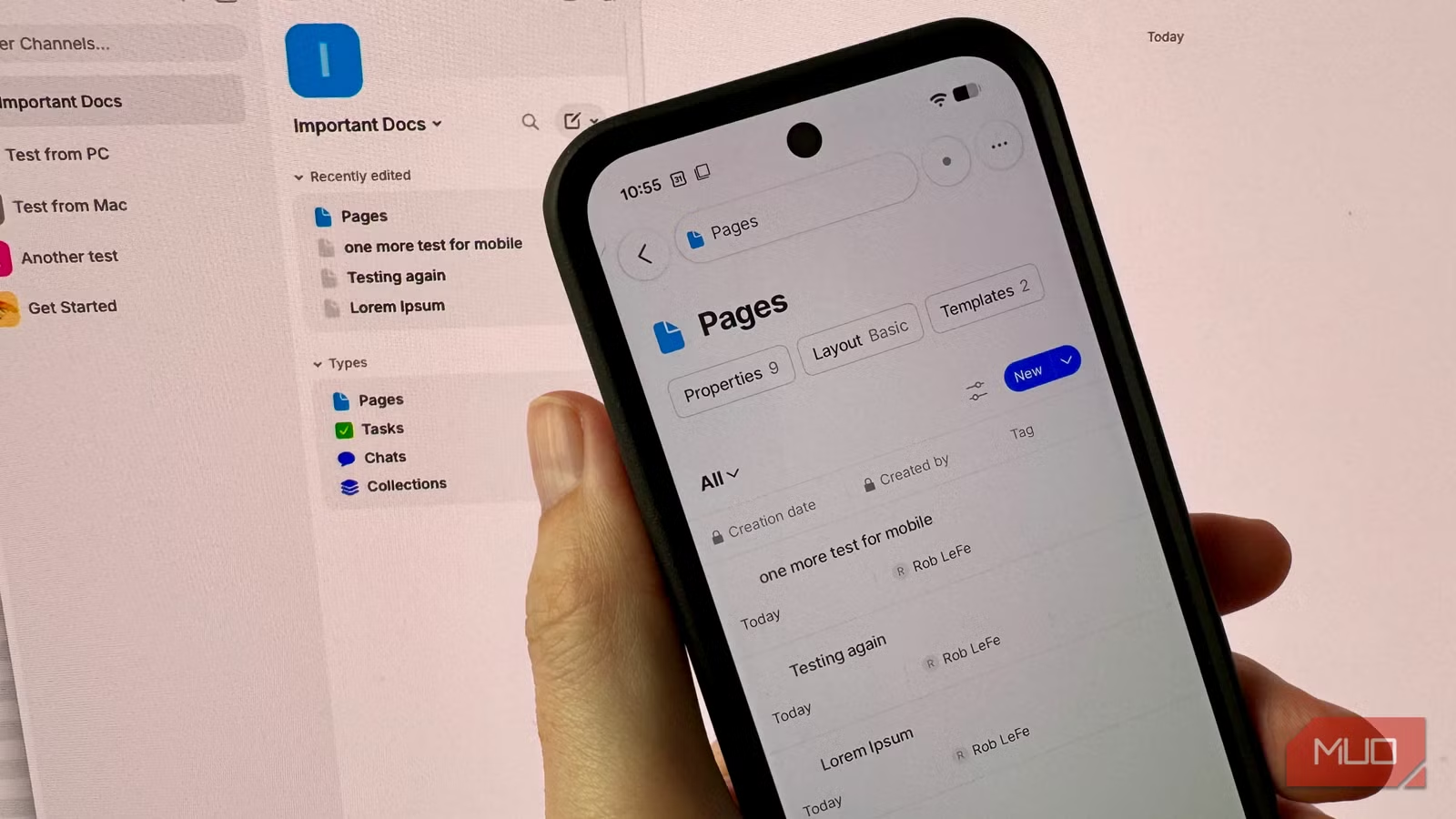
Anytype has built a following as a privacy-first answer to Notion, offering an ambitious object-based design where your data lives on your devices, end-to-end encrypted. By default, new vaults sync through the Anytype Network, which uses a backup node with 1GB of free storage, but its standout feature is a local-only mode that disables this node and syncs directly over your local network using the open-source Any-Sync protocol. In testing, two laptops on the same Wi‑Fi connection synced a vault in two to three seconds, even with the internet disconnected. According to one review, "with no server in between, my Windows laptop pulled the entire vault over from the Mac via Wi‑Fi in a quick two or three seconds." However, desktop-to-mobile syncing can be slow, with notes sometimes taking over five minutes to arrive, and you may see errors such as "space is not ready: please try again later" while content catches up. Community reports mention Android and desktop clients refusing to sync locally and mobile devices syncing only while the desktop app is open, meaning a sleeping laptop becomes a dead sync partner. Anytype suits users who prioritise offline note sync and Obsidian alternatives or Notion rivals that avoid cloud dependence.
Buy if / Skip if
- Buy the HelixNotes if you use Obsidian for long-term knowledge but want lightweight note apps for fast, markdown-based capture that do not flood your main vault.
- Skip the HelixNotes if you need built-in sync, mobile clients, or are not comfortable granting extra system permissions for a non-notarized app install.
- Buy the Flyout if you want simple note-taking tools with a floating editor, folders, pins, and straightforward search instead of complex tags or databases.
- Skip the Flyout if you rely on advanced filtering, cross-topic tags today, or large-scale knowledge management rather than quick, in-context jotting.
- Buy the Anytype if you are searching for Obsidian alternatives or Notion rivals that emphasize offline note sync, device-owned data, and end-to-end encryption.
- Skip the Anytype if you expect seamless, instant cross-device syncing, especially between desktop and mobile, or cannot keep at least one desktop client awake as a sync partner.




