

The 12VHPWR Melting Problem and Why PSU Safety Now Matters
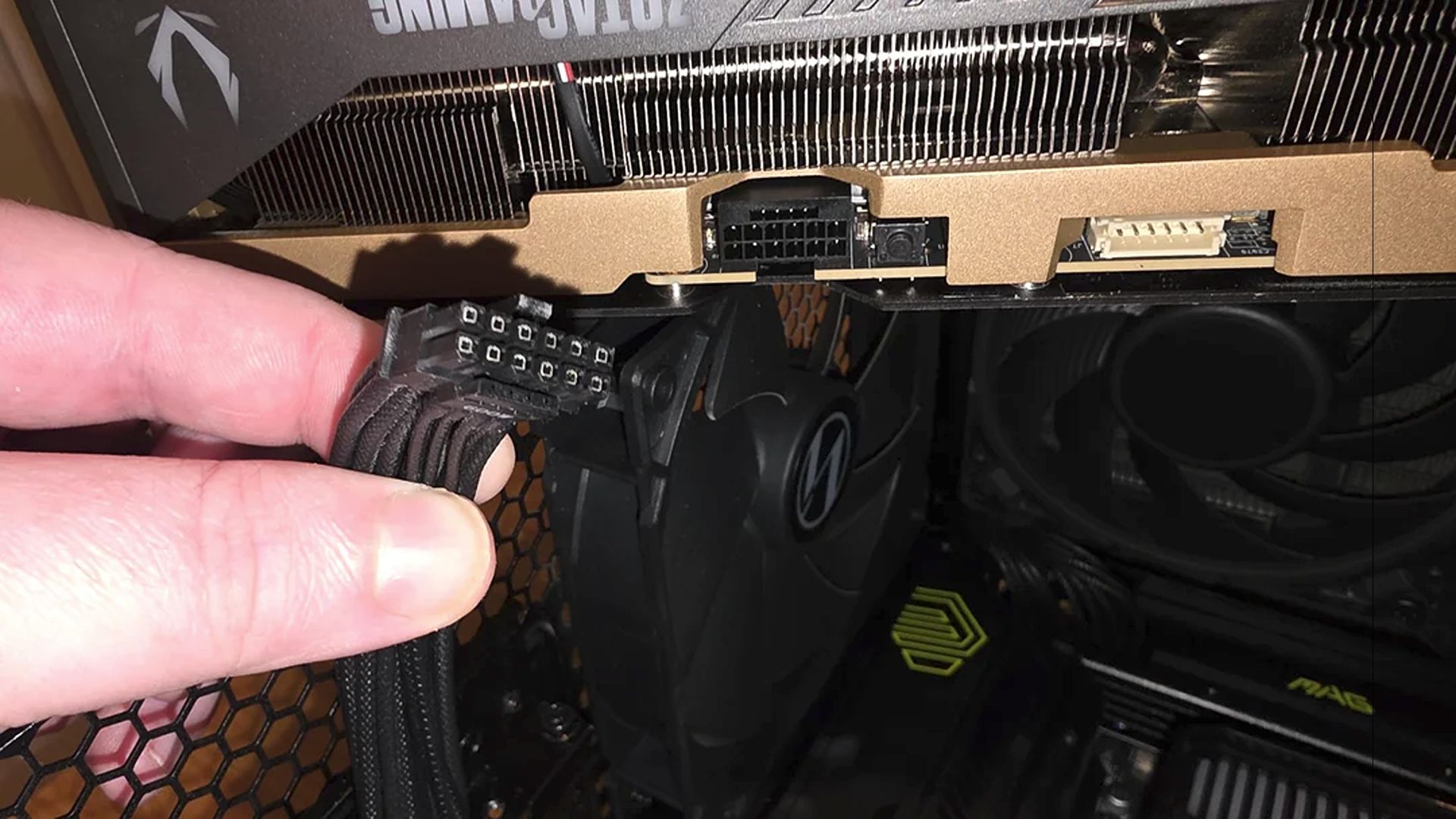
GPU power connector safety refers to the mix of mechanical design, cable quality, and active PSU thermal protection features that stop high-current 12VHPWR and 12V-2×6 plugs from overheating, deforming, or melting under load, especially in modern flagship graphics card power delivery where failure can instantly destroy expensive hardware and take an entire gaming system down. The uncomfortable truth is that the connector, not the GPU core, has become the most feared failure point in high-end builds. Ever since graphics cards transitioned to the 12VHPWR (12V-2×6) power connector, enthusiasts have watched a steady stream of horror stories about plugs melting and killing cards. If you are wiring up an RTX 4090-class system, treating the PSU as an afterthought is no longer defensible; the power supply is now frontline protection, not a background part.
What T-Guard Does That Old-School PSUs Never Could
The headline change in modern units is hardware-level 12VHPWR melting prevention instead of blind faith in plastic and pins. GIGABYTE’s T-Guard is an active safety system designed specifically for the newer 12V-2×6 graphics card connector. Instead of waiting for something to go wrong, the PSU continuously monitors the connector using built-in temperature sensors and immediately alerts the system and begins protecting the hardware when it detects abnormal heat from a loose cable or excessive load. This is PSU thermal protection targeted right at the riskiest point of graphics card power delivery. Rather than shutting down the entire PC instantly, the PSU intelligently reduces power only to the graphics card, so the rest of the system keeps running. That is a decisive shift: the PSU is no longer a passive box but an active guardian watching the plug in real time.
Real-World Benefits: When Your Connector Starts Cooking Mid-Game
Safety tech is only useful if it helps when things go wrong at the worst time—mid-game, under full load. With systems like T-Guard, the PSU’s real-time temperature monitoring and automatic GPU power limiting translate into practical, user-facing protections. When the connector overheats, the PSU dials back power only to the graphics card instead of killing the entire machine, which gives you time to save unsaved work before safely shutting down. If your CPU has integrated graphics, you still get video output with the discrete GPU throttled, making troubleshooting far less painful than staring at a black screen. In effect, the PSU introduces an intelligent circuit breaker for graphics card power delivery: it cuts power at the source of the problem, not at the wall, and gives you a chance to respond instead of turning a minor fault into a catastrophic failure.
Modern PSU Design: From Color-Coded Plugs to Multi-Layer Protection
Connector failures are not happening in a vacuum, and PSU vendors have slowly been forced to treat 12VHPWR melting prevention as a design priority. Manufacturers now color-code their 12V-2×6 cables to help builders confirm that the connector is fully seated before power-on, while specialized tools monitor voltage and temperature directly at the plug. Power supply brands are adding digital monitoring and hardware thermal detection, providing layers of protection around the cable before it becomes a fuse. GIGABYTE’s new gaming PSUs go further, combining real-time temperature monitoring, automatic GPU power limiting, and the ability to recover your work before shutdown into what they describe as three layers of protection against connector failures. These units are built for modern enthusiast systems and comply with ATX 3.1 and PCIe 5.1, meaning they are ready for current and upcoming graphics cards that push power delivery to the edge.
Protecting Expensive GPUs: Why Smart PSUs Are Non-Negotiable
If you are planning an RTX 4090 or next-gen equivalent build, intelligent PSU safeguards are no longer a nice-to-have—they are table stakes. High-end GPUs draw huge current through small connectors, and the history of melting 12V-2×6 plugs should make any DIY builder reconsider saving money on the power supply. According to one report, a flagship card can still die in a cloud of smoke from PCB damage at the PCIe interface even when the notorious 16-pin power connector is "completely pristine", which underlines that cables are only half the battle. Proper support, cooling, and seating matter as much as GPU power connector safety. But that is exactly why PSU thermal protection and graphics card power delivery intelligence are worth paying attention to: they reduce one major failure risk in systems where everything else—from sag to driver bugs—already feels precarious. Understanding this safety tech helps you pick PSUs that defend, rather than endanger, your most expensive component.