
Why Camera Menu Optimization Matters for Action Shooters
An action photography setup on Canon EOS cameras is a deliberate combination of custom button assignments, autofocus behavior, and exposure automation designed to keep moving subjects sharp while reducing battery use and post‑processing time. Instead of relying on factory defaults, it uses Canon custom settings to give instant access to focus modes, crop options, Auto ISO control, and screen power management, so you can stay locked on the game rather than lost in menus. Most Canon EOS bodies offer more than 50 custom options, yet most photographers let the defaults dictate how the camera behaves. That is a mistake. Action work—soccer, basketball, or fast events—punishes hesitation. The goal is not to explore every menu but to strip your camera down to a few high‑impact tools that live under a single custom button and mode. When set up well, the camera handles exposure and focus while you handle timing, and your battery and editing timeline both survive a long tournament day.
1. Back Button Focusing: Make the Shutter Do One Job Well
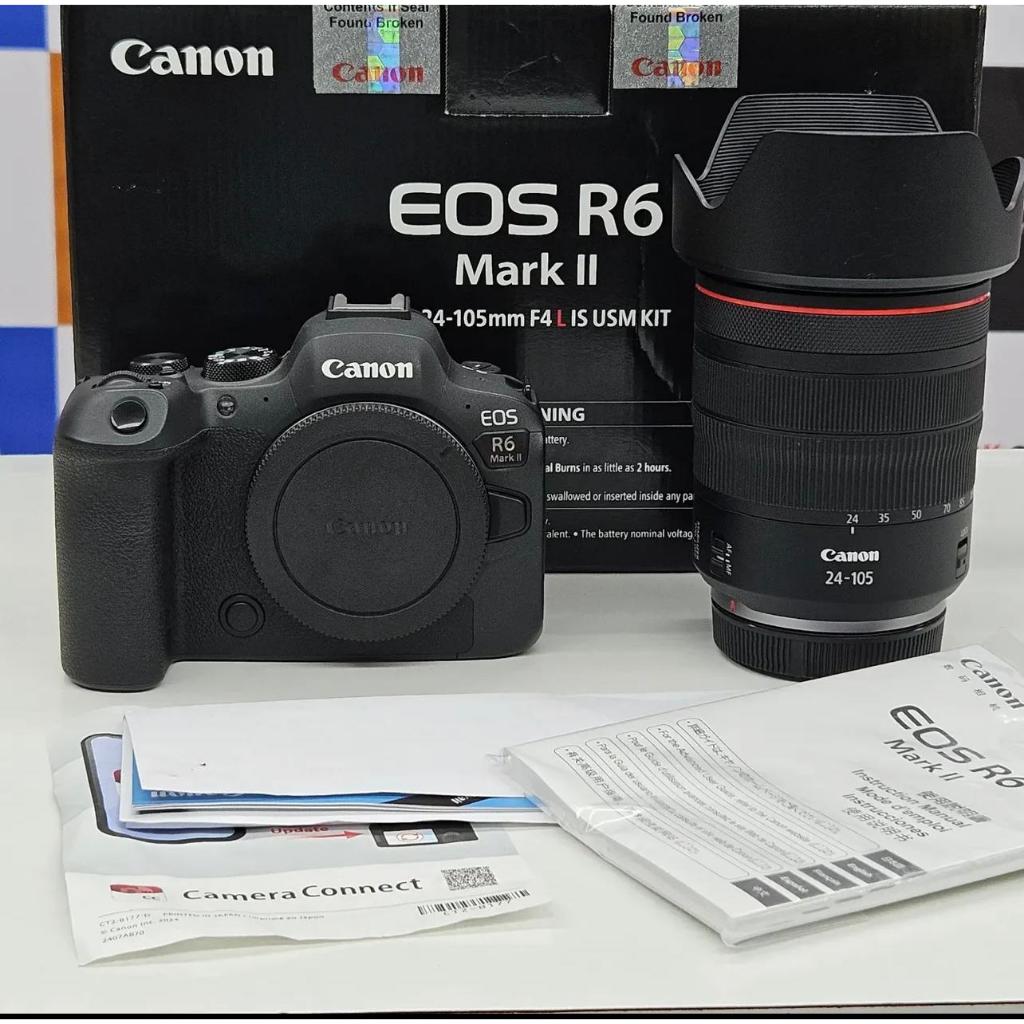
The first non‑negotiable Canon custom setting for action shooters is back button focusing. On EOS mirrorless bodies such as the R6 Mark III, assigning autofocus to the AF‑ON button instead of the shutter transforms how the camera responds. With this custom setup, your thumb controls focus—either tracking moving players or locking focus on a zone—while the shutter is free to do only one thing: fire at the right moment. This split is more than a comfort feature. It cuts down on hunting and refocusing every time you half‑press the shutter, which means fewer missed frames and more consistent sequences. It also pairs perfectly with Servo AF, letting you ride the play as athletes burst into motion. In practical terms, back button focusing reduces the number of near‑miss images you need to fix or discard later, trimming your editing workload and making your camera feel like a responsive sports tool rather than a general‑purpose snapshot device.
2. One Button to Rule AF Modes, Crop, Eye Control and Screen Power
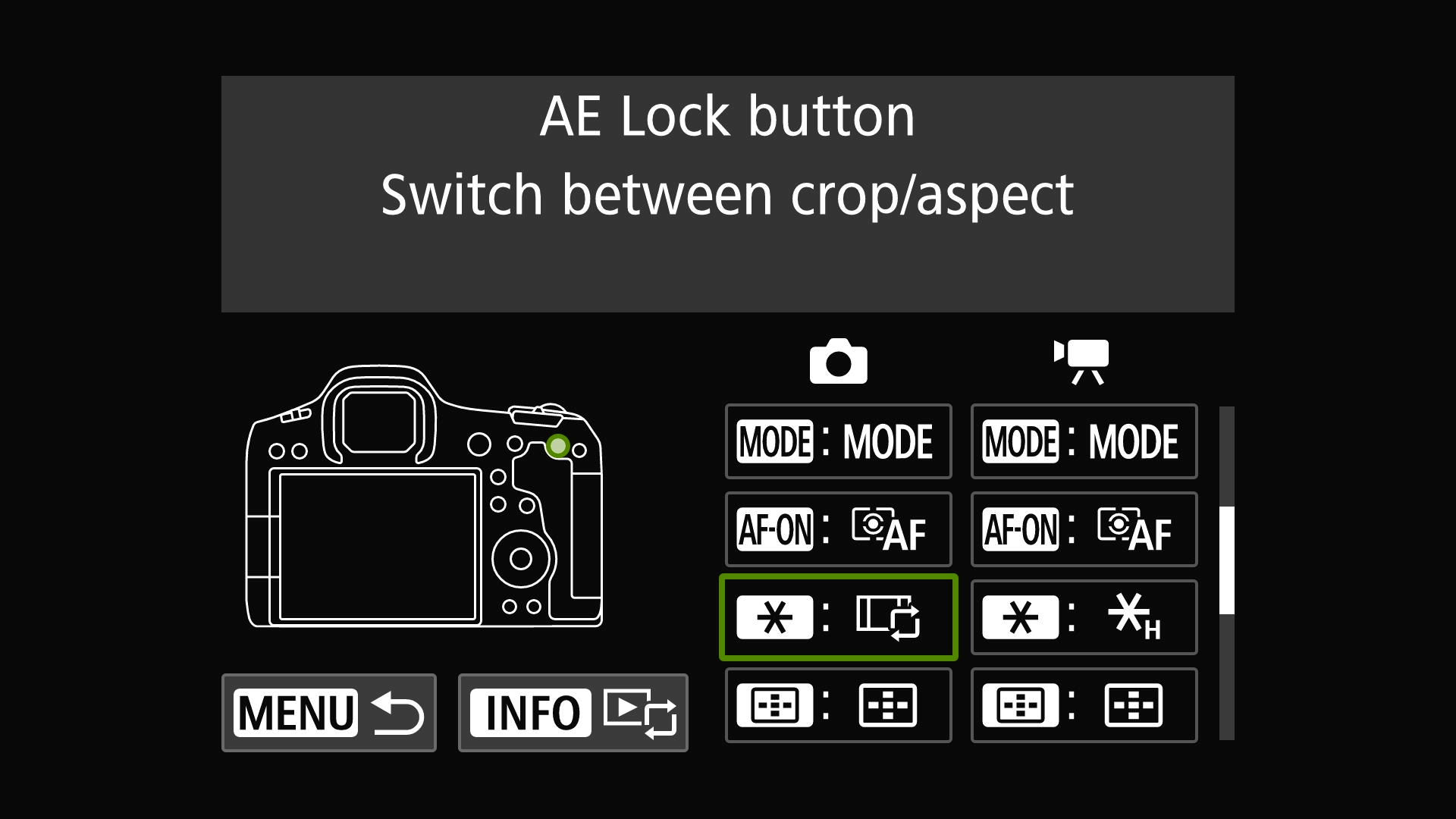
Canon gives you over 50 functions you can assign to a single button such as the rear * control. That abundance is useless unless you treat it as a curated toolkit. The smart move for action shooters is to load one button with what you need in a match: switching between One‑Shot and Servo AF, activating Eye Control AF, jumping to Action Priority AF, turning the screen off, and pulling up White Balance options. Five high‑impact settings, one reachable control. According to one Canon shooter, “You have over 50 options to assign to the * button” and using them this way prevents you from “scrolling for that special setting you can’t find” during play. This is camera menu optimization with teeth: instead of digging through layers while the decisive moment passes, your thumb cycles through the exact behaviors that matter for live action. It’s faster in the field and leads to more properly exposed, correctly focused files that need minimal rescue later.
3. Auto ISO in Manual: Let the Camera Chase Light While You Chase Action
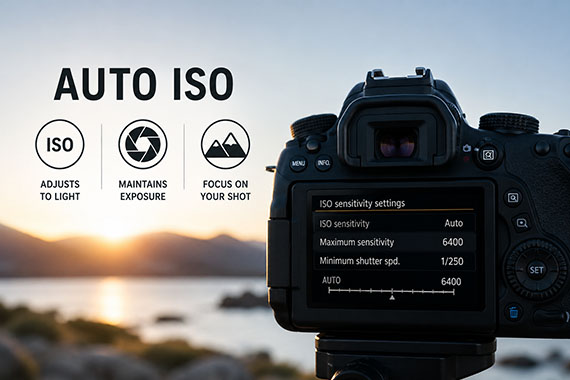
If you are still riding ISO manually during sports, you are wasting attention. Auto ISO, properly configured, is one of the most underrated battery saving techniques and editing time reducers for action shooters. With Auto ISO enabled, your Canon automatically raises or lowers sensitivity as light changes while respecting the exposure settings you’ve chosen. In Manual mode you set aperture and shutter for the sport, and the camera does the rest. For fast‑moving athletes, recommended settings are Minimum ISO 100, Maximum ISO around 6400, and a minimum shutter speed of 1/1000–1/2000 sec. Once you’ve customized the minimum shutter speed and maximum ISO for sports, Auto ISO “becomes one of the most valuable tools your camera offers”. The payoff is clear: far fewer under‑exposed or motion‑blurred frames and far less need for aggressive exposure corrections in post. You get more usable images straight out of camera and can shoot longer bursts without constantly waking the rear screen to tweak ISO.
4. In‑Camera Crop Modes: Compose for the Edit Before You Press the Shutter
Cropping is one of the biggest hidden time sinks in sports editing. Canon EOS cameras like the R5 Mark II and other full‑frame bodies allow you to switch aspect ratios and crop modes with a custom button press. Assigning the * button to toggle from full‑frame to 1.6x crop effectively turns your 200mm into a tighter 320mm field of view at the moment of capture. On cameras such as the EOS R8, pressing the customized button brings up cropping modes so you can flip between full‑frame, square and crop quickly. Doing this in‑camera matters. One photographer reported saving hours on a 4,000‑image tournament because he no longer had to crop every frame shot at full‑frame. When you fill the frame with distant players as you shoot, your JPEGs leave far less room for indecision later. It is exposure and composition refinement at the source, and your editing timeline becomes about selecting the best moments, not performing surgery on every file.
5. Screen Power Control: The Unsexy Setting That Saves Your Battery
Action photography is brutal on batteries: long days, continuous AF, big bursts. Strategic custom settings reduce battery drain during fast‑paced shooting by cutting needless screen time. Canon allows you to customize the * button to switch off the rear screen when you are shooting through the EVF. Selecting “Switch your screen off to save battery power” as one of your five custom functions is low‑glamour but high‑impact. If you are serious about sports, treat the LCD as a liability in the moments that matter. Chimping every burst costs power and attention. With a dedicated control, you can keep the screen dark by default, wake it briefly to review or change settings, then kill it again before the next play. Combine this with a lean action photography setup—AF handled by AF‑ON, exposure stabilized by Auto ISO, crop toggles under a thumb—and your Canon EOS R5, R6‑series or R8 becomes a purpose‑built sports camera across the lineup.
Conclusion: Build One Custom Action Mode and Stop Fighting Your Camera
The point of Canon custom settings is not to collect options but to commit to a working action mode. You have the tools: more than 50 assignable functions, flexible Auto ISO, multiple AF behaviors, crop modes, and screen power control. When you combine them into a single, dedicated setup—back button focus, multi‑function AF/crop button, Manual with Auto ISO tuned for sports, and fast screen toggling—you turn an all‑purpose body like an EOS R5 or mirrorless sibling into a reliable game‑day companion. Stop treating the menus as a labyrinth and start treating them as a checklist. If a setting does not help you keep subjects sharp, exposures consistent, batteries alive, or edits shorter, it does not belong in your action configuration. Do the work once, save it as a custom mode, and from then on your camera does its job while you focus on the match.