


AI Office Automation Is Splitting Into Two Camps
AI office automation is the use of conversational and autonomous AI agents to create documents, spreadsheets, presentations, web apps, and other routine outputs across office workflows, reducing manual effort in everyday tasks while allowing humans to supervise, correct, and redirect the work as it unfolds. This shift matters because it changes not only how we push data into tools, but who—or what—counts as a “knowledge worker.” On one side are integrated assistants, like ChatGPT Work, that plug into existing apps and behave like a smarter Copilot. On the other are platforms like Verse that treat AI as full-fledged employees with their own infrastructure. The key decision for teams is no longer whether to adopt AI, but which style of automation fits the responsibility and risk they are willing to hand over.
ChatGPT Work: Supercharged Copilot for Spreadsheets and Docs
ChatGPT Work is what Copilot always wanted to be: an agent that can gather context across apps, files, and workflows to create documents, spreadsheets, presentations, and web apps. Instead of scripting macros or stitching together add‑ins, you describe the outcome in natural language and let the system break complex tasks into smaller steps and complete them independently over hours. This is where spreadsheet automation tools stop feeling like utilities and start acting like collaborators. For example, you might ask it to analyze customer research and turn it into a marketing brief plus campaign assets, all inside your existing environment. Crucially, you can follow the AI’s progress, answer questions, change directions, and approve certain actions as it works. In opinion, this makes ChatGPT Work ideal for teams that want AI office automation without redefining job roles—augmenting analysts and project managers rather than replacing them.
Verse: Turning AI Into Autonomous Employees
Verse takes a bolder stance: it allows anyone to build and hire autonomous AI employees from a single prompt. These are not lightweight bots glued to a spreadsheet; every employee comes with its own computer, email inbox, phone number, browser, wallet, crypto wallet, Slack account, identity, memory, and persistent intelligence, allowing it to work independently on your behalf 24/7. According to Verse’s product description, “every employee comes with its own computer, email inbox, phone number, browser, wallet, crypto wallet, Slack account, identity, memory, and persistent intelligence.” This turns task automation into full job automation: you can chat with them, call them, assign tasks, or place them in shared Spaces where teams of AI employees collaborate, delegate work, and solve complex problems together. If ChatGPT Work behaves like a powerful assistant, Verse behaves more like an autonomous division, suited to organizations ready to give AI its own identity and infrastructure.
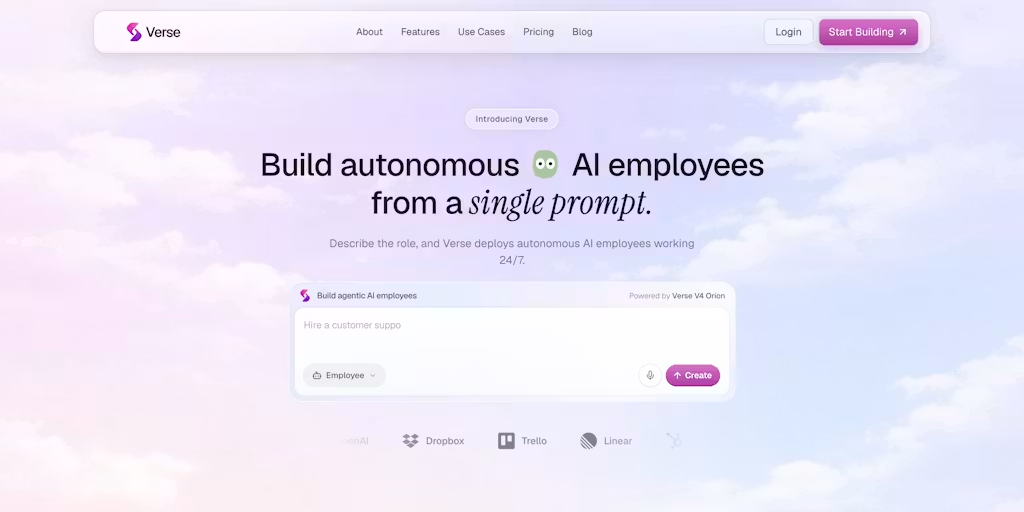
From Spreadsheet Automation to Full Job Automation
The gap between ChatGPT Work and Verse is not a minor feature difference; it is an architectural and cultural divide. ChatGPT Work focuses on AI office automation inside familiar tools, turning context across apps into documents, spreadsheets, presentations, and web apps without changing who “owns” the work. It is designed to handle complex tasks for hours by breaking them into smaller steps and completing them independently, but under continuous human supervision. Verse, on the other hand, assumes you are ready for autonomous AI agents with their own computer, inbox, phone number, browser, wallet, crypto wallet, Slack account, identity, memory, and persistent intelligence. That design invites teams to automate roles, not just repetitive tasks. In practice, spreadsheet automation tools might be enough for departments focused on data entry and reporting, while autonomous AI employees better fit workflows where constant communication, coordination, and multi‑channel execution are the core of the job.
Choosing Your Automation Style: Assistant or Employee?
The real workplace AI comparison is less about brand names and more about responsibility boundaries. If your goal is to reduce manual documentation and data entry while keeping people in charge of outcomes, ChatGPT Work’s agent, embedded in familiar spreadsheet automation tools and document workflows, is the more pragmatic step. It slots into existing processes and encourages supervised, conversational task management. Verse’s autonomous AI agents, equipped with dedicated infrastructure including email, phone, Slack access, and wallets, are better suited to teams willing to treat AI as a first‑class worker with its own identity and long‑term memory. My view: start where the risk is lowest. Use integrated assistants to automate routine office work, then graduate to autonomous AI employees only when you have a clear governance model. AI office automation is not one product; it is a spectrum, and choosing the right point on that spectrum will decide whether AI feels empowering or uncontrollable.





