
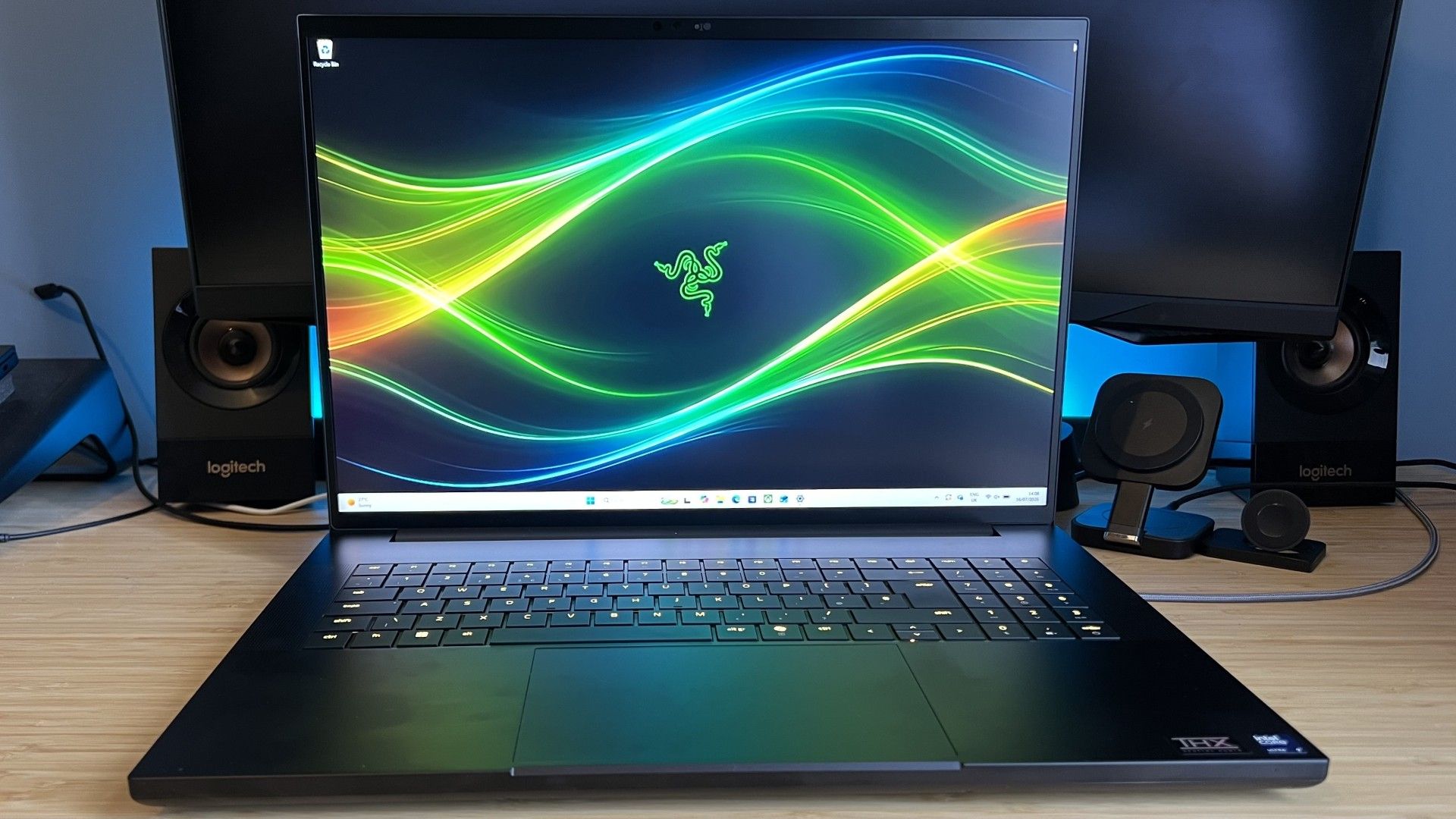

Blade 16 vs Blade 18: The Core Trade-Off
A gaming laptop comparison between the Razer Blade 16 and Blade 18 is about choosing between a portable gaming laptop you can travel with and a high performance gaming machine that stays closer to a desk, balancing slim designs, powerful RTX 5090 graphics, and expensive Core Ultra processors to match very different lifestyles. Bottom line: the Blade 16 is the one to buy if you care about carrying your rig to the office, coffee shop, and LAN nights, while the Blade 18 earns its price premium only if you want the closest thing to a desktop replacement with an 18‑inch display and top‑end parts. Both are premium, both are loud and warm under load, but they serve different users far more than they compete directly.
| Spec | Blade 16 | Blade 18 |
|---|---|---|
| CPU | Intel Core Ultra 9 386H (Panther Lake) | Intel Core Ultra 9 290HX Plus |
| GPU options | GeForce RTX 5090 | RTX 5070 Ti / RTX 5080 / RTX 5090 |
| RAM | 32GB in tested config | 32GB, with 64GB / 128GB options (US) |
| Storage | 2TB SSD in tested config | 2TB SSD tested, 1TB also available |
| Display | Bright OLED, twice-as-bright HDR vs prior gen | Dual-mode UHD+ 240Hz / FHD+ 440Hz |
| Thickness | 14.9mm (thinner than current MacBook Pro) | 1.1in thick chassis |
| Weight | 2.14kg (same as current 14in MacBook Pro) | 3.1kg |
| Ports | 3x USB-A, HDMI, 2x Thunderbolt (one TB5), SD reader, audio jack, power | 3x USB-A, TB5, TB4, RJ45, HDMI 2.1, UHS-II SD reader |
| Typical price (RTX 5090 model) | Upwards of USD 5,000 (approx. ₱280,000) | USD 5,399.99 (approx. ₱302,000) tested; range USD 3,999.99–6,999.99 (approx. ₱224,000–392,000) |
Razer Blade 16: Portable Performance With a Cost
The Razer Blade 16 aims to be the rare high performance gaming laptop you can treat like a work machine, and it succeeds. Its milled aluminium chassis is slimmer than the current 14‑inch MacBook Pro at 14.9mm, and the two weigh an identical 2.14kg, making it a realistic option for frequent travel and office days. You also get generous connectivity, including three USB-A ports, HDMI, an SD card reader, and both Thunderbolt 4 and Thunderbolt 5 – ideal if you dock at a desk or plug in fast external drives. The move to Intel’s Panther Lake Core Ultra silicon is all about better battery life, and it pays off for productivity and lighter gaming away from the wall, though it contributes to a significant price hike over the previous generation. According to one long-term tester, “the 5090-equipped Blade demolished every game I threw at it, regularly managing three figure frame rates even before I reached for any upscaling tech.”
Razer Blade 18: Desktop-Class Muscle in a Laptop Shell
The Blade 18 is aimed at people who want desktop‑class gaming power without owning a tower, and who are willing to trade mobility to get it. Its 18‑inch dual‑mode display can run at UHD+ 240Hz for sharp visuals or FHD+ 440Hz for esports‑grade refresh, and it pairs that screen with GPUs up to the RTX 5090 and an Intel Core Ultra 9 290HX Plus CPU. In testing, this configuration kept pace with one of the most powerful 18‑inch gaming laptops on the market, even when running with half the RAM of a rival MSI Raider, making it a serious contender for top‑end performance. RAM scales up to 128GB in some regions, and storage options of 1TB or 2TB align the Blade 18 with workstation‑level expectations. You pay for that muscle: the tested RTX 5090 model sits at USD 5,399.99 (approx. ₱302,000), with the wider range stretching from USD 3,999.99 to 6,999.99 (approx. ₱224,000–392,000).
Thermals, Noise, and Battery: Shared Caveats and CPU Costs
Both Blades pack huge GPUs into slim frames, and both show the same weaknesses: noise and heat. The Blade 16’s cooling system ramps up aggressively during long sessions, making it one of the louder gaming laptops tested recently. The Blade 18’s slimline chassis becomes noticeably hot to the touch after about half an hour of intense play, reminding you you’re pushing desktop‑grade hardware in a portable body. Core Ultra Series 3 chips are meant to help here by improving battery efficiency, particularly versus the previous AMD Ryzen setups; the Blade 16’s move to Intel Panther Lake is explicitly framed as a change “in the name of battery life.” However, these CPUs arrive alongside wider industry cost rises, from memory prices to AI‑driven component demands, and the switch contributes to a “significant price hike from the outgoing laptop” that buyers will feel.
Buy if / Skip if
- Buy the Razer Blade 16 if you want a portable gaming laptop that can double as a professional work machine you carry daily.
- Skip the Razer Blade 16 if you need absolute desktop-class performance and do most of your gaming in one place with room for a larger chassis.
- Buy the Razer Blade 18 if you want an 18-inch, high performance gaming rig that rivals powerful desktops and other flagship 18-inch laptops.
- Skip the Razer Blade 18 if you travel often, work in coffee shops, or care more about weight and bag-friendliness than screen size.
- Buy the Razer Blade 16 if better battery efficiency and a slim, MacBook-like design matter more to you than having every top-end spec available.
- Skip the Razer Blade 16 if the significant price increase tied to Core Ultra CPUs and rising memory costs puts it out of your budget.
- Buy the Razer Blade 18 if you want wide RAM and GPU options and are comfortable paying a premium for a metal 18-inch chassis with strong performance.
- Skip the Razer Blade 18 if you are sensitive to fan noise and surface heat during gaming and prefer a cooler, quieter setup.





