

Local-first notes vs. cloud-based notes: what’s the real difference?
Local-first note apps are tools that save your data on your own devices and sync it directly between them, while cloud-based note apps depend on remote servers to store, manage, and synchronize your notes across platforms, resulting in different trade-offs for privacy, reliability, and collaboration. In practice, that split often looks like Anytype and HelixNotes on one side, and cloud-first tools such as Notion on the other. If you care about data autonomy and offline resilience, local-first note apps and other cloud-free productivity tools deserve a serious look. But if your day revolves around shared workspaces and real-time collaboration, cloud-dependent tools may still be the smoother choice. Broadly, local-first favors control and privacy; cloud-first favors convenience and team features.

Anytype vs Notion: privacy-first sync vs cloud convenience
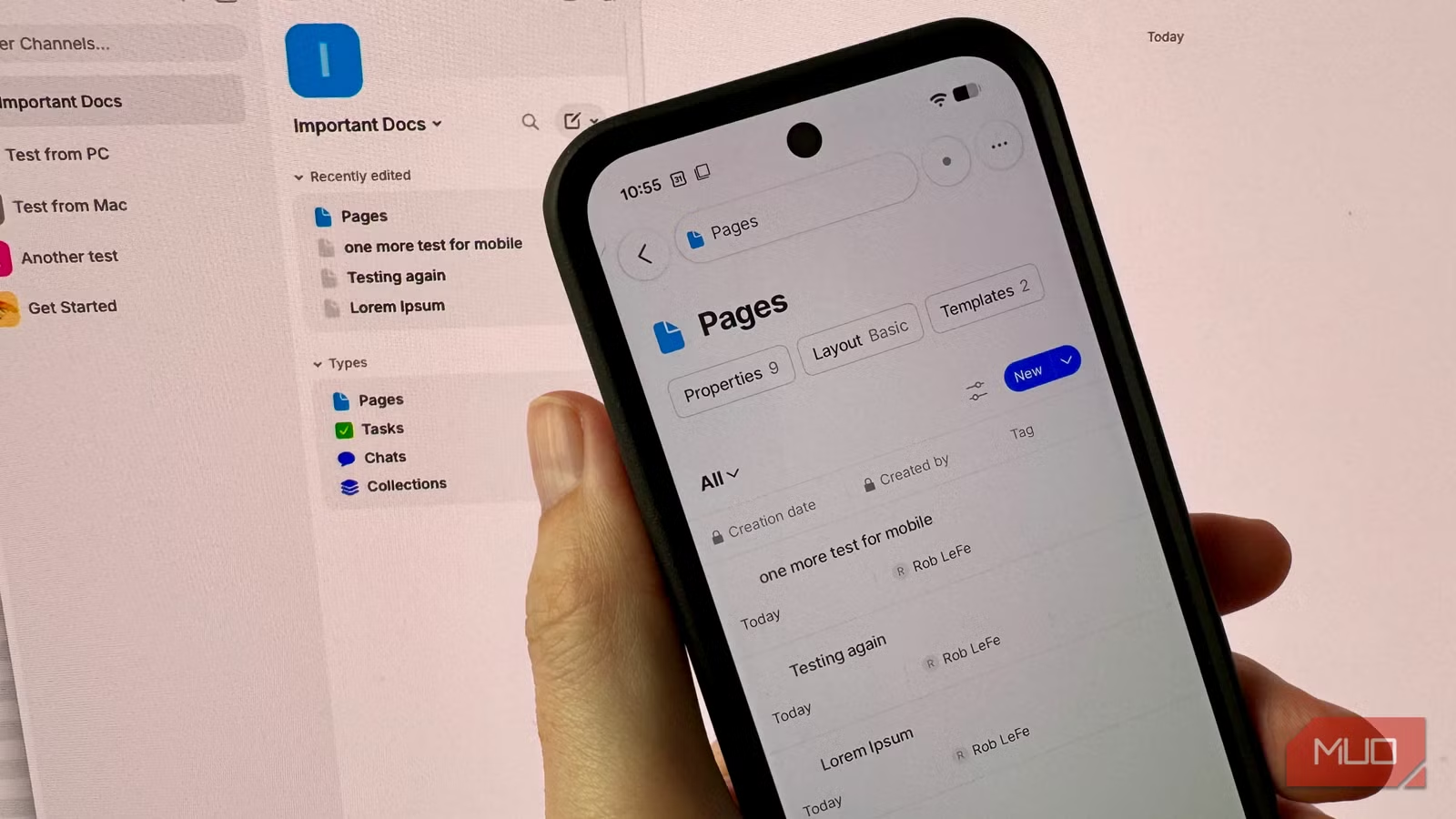
Anytype positions itself as a privacy-first answer to Notion, with an ambitious object-based design and a bold claim: "your data lives on your devices, end-to-end encrypted, and syncs between them peer-to-peer with no cloud required". In default mode, though, Anytype still uses its own backup node for encrypted sync, which functionally behaves like a cloud service. To get the pure local-only experience, you must dig into a hidden preferences pane on the login screen and disable that backup node. Once you do, Anytype’s offline sync comparison is impressive on desktops: a MacBook and Windows laptop pulled a full vault over Wi‑Fi in two or three seconds and stayed in near-instant lockstep, even with the internet unplugged. Notion’s cloud-first model, by contrast, trades some of that local control for simpler onboarding, predictable sync, and strong collaboration features.
The cracks in Anytype’s cloud-free story show up on mobile. On Android, spaces appeared without their documents until the app received Nearby Devices permission, and it never warned that permission was missing. Even after that, the reviewer saw a two-tier sync reality: desktop-to-desktop and phone-to-phone updates moved quickly, but crossing the desktop–mobile line could take over five minutes for a plain text edit. Spaces and channels arrived first; content lagged behind, often throwing a vague "space is not ready" error. The slowness would be easier to forgive if the app told you what was happening. By comparison, a cloud-native tool like Notion hides most of this complexity behind its servers and tends to deliver more predictable cross-device behavior, at the cost of trusting your data to someone else’s infrastructure.
| Spec / Aspect | Local-first (Anytype local-only, HelixNotes) | Cloud-based (e.g., Notion-style tools) |
|---|---|---|
| Primary storage location | Data lives on your own devices; files or objects are stored locally | Data lives on vendor servers; local copies are cached from the cloud |
| Sync method | Peer-to-peer over local network (Any-Sync), no cloud in local-only mode; HelixNotes can remain fully offline | Internet-dependent sync via remote servers; requires online access for full fidelity |
| Cross-device performance | Fast between desktops; slow and opaque between desktop and mobile in Anytype tests; HelixNotes focuses on single-device speed | Generally consistent across desktop and mobile, assuming good connectivity |
| Privacy & data autonomy | End-to-end encryption and local storage maximize data ownership | Vendor controls servers and policies; stronger collaboration, weaker local autonomy |
| Collaboration features | Limited or manual sharing; optimized for personal workflows and private vaults | Rich real-time collaboration, shared workspaces, comments, and presence indicators |
HelixNotes and Obsidian: a lightweight local-first companion
HelixNotes shows a different side of local-first note apps: simplicity. It is a small, lightweight app that locally stores markdown files and behaves a lot like a faster, markdown-native version of a default Notes app. The writer who tested it moved away from an Obsidian vault that had grown to thousands of notes and images and was taking two to three minutes to open. By contrast, HelixNotes opens in seconds, uses minimal resources, and is responsive even with many other apps running. It complements rather than replaces heavier tools like Obsidian: quick, disposable notes go into HelixNotes during the day, then either get promoted into a long-term knowledge base or discarded later. Because HelixNotes saves notes as plain .md files and supports Obsidian-style [[links]], migration stays simple and there is no external database or vendor lock-in to worry about.
For users whose Obsidian vaults are turning into slow, sprawling second brains, this kind of cloud-free productivity tool can act as a clean front porch. Grocery lists and fleeting ideas no longer clutter the main vault, and the primary system remains focused on durable knowledge instead of clutter. HelixNotes is open-source and stores everything on your machine, giving strong data autonomy and offline reliability. The trade-off is that HelixNotes offers none of the collaborative niceties you’d find in cloud-native tools and does not try to sync multi-device in the same ambitious way as Anytype. Installing a second app just for quick notes might seem like more work than it is worth, and in some ways, that’s true. But if your current workflow is bloated and slow, separating fast capture from long-term storage can be a meaningful quality-of-life upgrade.
Choosing your sync model: autonomy vs convenience
Local-first architecture eliminates cloud dependency and keeps your notes closer to home: your data lives on your devices and syncs directly, with end-to-end encryption and no central server in local-only mode. That gives strong privacy and data ownership, especially attractive if you are storing sensitive research, personal writing, or anything you do not want sitting unencrypted on a third-party server. The cost is that you shoulder more complexity and may lose the best of cloud-native collaboration: real-time cursors, easy sharing links, team comments, and consistent behavior across every device. Cloud-based tools, on the other hand, simplify onboarding and cross-device access: sign in once, and your second brain appears everywhere—as long as you trust the provider’s security and are comfortable with remote storage.
In practice, many users may land on a hybrid. Anytype shows that offline sync comparison is no longer binary: you can join its network for convenience or switch to local-only for maximum autonomy. HelixNotes pairs cleanly with Obsidian, capturing quick thoughts without bloating the main vault. According to one reviewer, their Obsidian vault had grown to thousands of notes and images and became painfully slow to open, while HelixNotes remained fast and lightweight. At the same time, Anytype’s mobile sync issues and obscure settings remind us that local-first is still maturing: the slowness would be easier to forgive if the app told you what was happening. If you live in shared workspaces and value frictionless collaboration, cloud-first tools stay compelling. If you measure success in control, longevity, and privacy, local-first deserves to lead your stack.
Buy if / Skip if
- Buy the Anytype local-first setup if you want end-to-end encrypted, cloud-free productivity tools with strong desktop-to-desktop sync and can tolerate slower, less transparent mobile syncing.
- Skip the Anytype local-first setup if you rely on instant, predictable cross-device collaboration and do not want to troubleshoot permissions or hidden settings for reliable sync.
- Buy the HelixNotes workflow if you already use a heavy app like Obsidian, need a lightweight local-first note app for quick capture, and care about markdown, open formats, and no external database.
- Skip the HelixNotes workflow if installing a second app for quick notes feels like unnecessary overhead and you prefer having everything in one cloud-based workspace.
- Buy the cloud-based, Notion-style approach if collaboration, shared workspaces, and consistent mobile–desktop behavior matter more to you than strict data autonomy and offline-only operation.
- Skip the cloud-based, Notion-style approach if you are uncomfortable trusting a vendor’s servers with all your notes and prefer your data to live primarily on your own devices.




