
Forget Manual Snobbery: Configure the Camera to Think as Fast as You Do
Canon EOS custom settings for sports photography are targeted button, exposure, and display configurations that prioritize fast autofocus, responsive exposure control, and minimal in-camera processing so photographers can track fast action, preserve battery life, and reduce the need for heavy cropping or corrections in post-production. The most damaging myth in this context is that “real” photographers must always shoot in full manual mode and that aperture priority or other semi-automatic modes are training wheels. What matters for sports is not how purist your mode dial looks, but how fast you can react. In changing light with players sprinting through patches of sun and shade, clinging to manual out of pride slows you down and costs you frames. Sports shooters should treat the mode dial and custom buttons as tools, not status symbols.
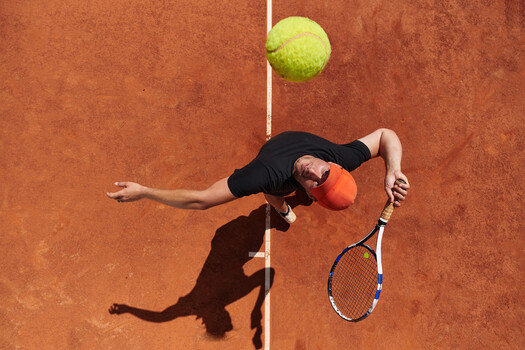
Tip 1: Use Aperture Priority Plus Exposure Compensation for Changing Light
For outdoor soccer, football, or any event where clouds keep sliding across the sun, aperture priority (Av) is your best friend. In this mode, you choose the aperture and either set the ISO or let Auto ISO work within limits while the camera calculates the matching shutter speed for the metered exposure. That means you control depth of field for isolating players, and the body handles the math at game speed. The “A for amateur” sneer is nonsense; plenty of professionals rely on this mode because it is faster and more responsive than manual when the light keeps changing. The key is pairing Av with exposure compensation. Since meters average a scene and can be fooled by bright shirts, floodlights, or dark turf, exposure compensation lets you bias the camera a bit brighter or darker in real time while keeping all the speed advantages.
Tip 2: Prioritize Servo AF and Back Button Focusing for Fast Action Shooting
Sports photography is about tracking motion, not stabbing at focus once. With Canon EOS bodies, a smarter sports photography camera setup is to combine Servo AF with back button focusing. Setting the AF-ON button on the rear of the camera to control autofocus lets you track moving subjects like soccer players with your right thumb, while the shutter button is reserved for metering and taking the shot. According to one Canon sports shooter, “With this custom setup, you can press the ‘back button’ with your right thumb to track focus on moving subjects such as soccer players, or lock focus part of a scene, leaving the shutter button for only taking photos.” Newer EOS models even let you assign AF mode switching (for example from One-Shot AF to Servo AF) to a custom button so you can flip into continuous tracking the moment the action explodes.
Tip 3: Map the * Button to Instant 1.6x Crop for Built‑In Reach and Less Cropping
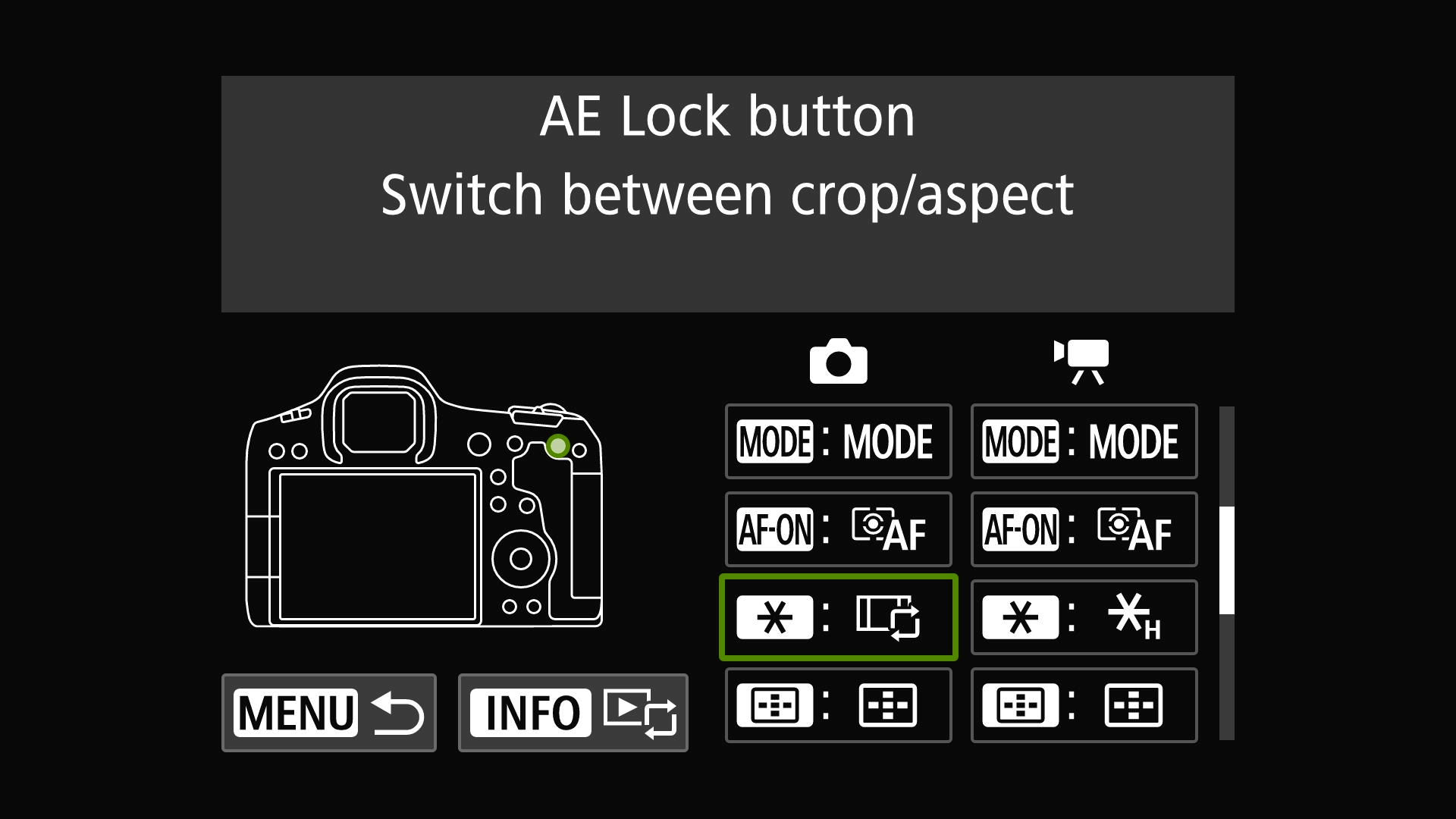
The rear * (star) button is a wasted luxury if you never use Auto Exposure Lock; on Canon EOS mirrorless cameras, it is better used as a reach booster. One effective setup is to assign the * button as a custom control that switches from full-frame to 1.6x crop mode. On an EOS R5 Mark II with a 70–200mm lens, that turns 200mm into a framing equivalent of 320mm at a press, filling the frame with players on the far side of the pitch. Because the * button sits right next to AF-ON, you can hit it mid-play without taking your eye from the viewfinder. This is not only a lifesaver when you do not have time or weather conditions to swap lenses during a packed tournament; it also “saved hours when editing over 4,000 action images,” because there was far less cropping needed on the JPEGs afterward.
Tip 4: Use Custom Buttons to Cut Menu Diving and Save Battery Life
Menu-diving is the enemy of fast action shooting. Canon EOS cameras offer over 50 options you can assign to the * button alone, including switching between One-Shot and Servo AF or activating Eye Control AF for sudden bursts of motion. This flexibility means you can tailor your controls to the specific chaos of youth tournaments, concerts, or any erratic event where you cannot afford to scroll through pages of settings mid-play. At the same time, battery life optimization is not a side note; it determines whether you finish the day with power left. One practical custom setting is to assign a button to switch the rear screen off when you are using the EVF, significantly cutting drain. When you are shooting thousands of frames across multiple short matches, turning the display into a manual, on-demand option rather than a constant power leak keeps the camera alive longer and reduces heat, which can also slow performance.