
GPU Connector Overheating: What Detection Tech Really Promises
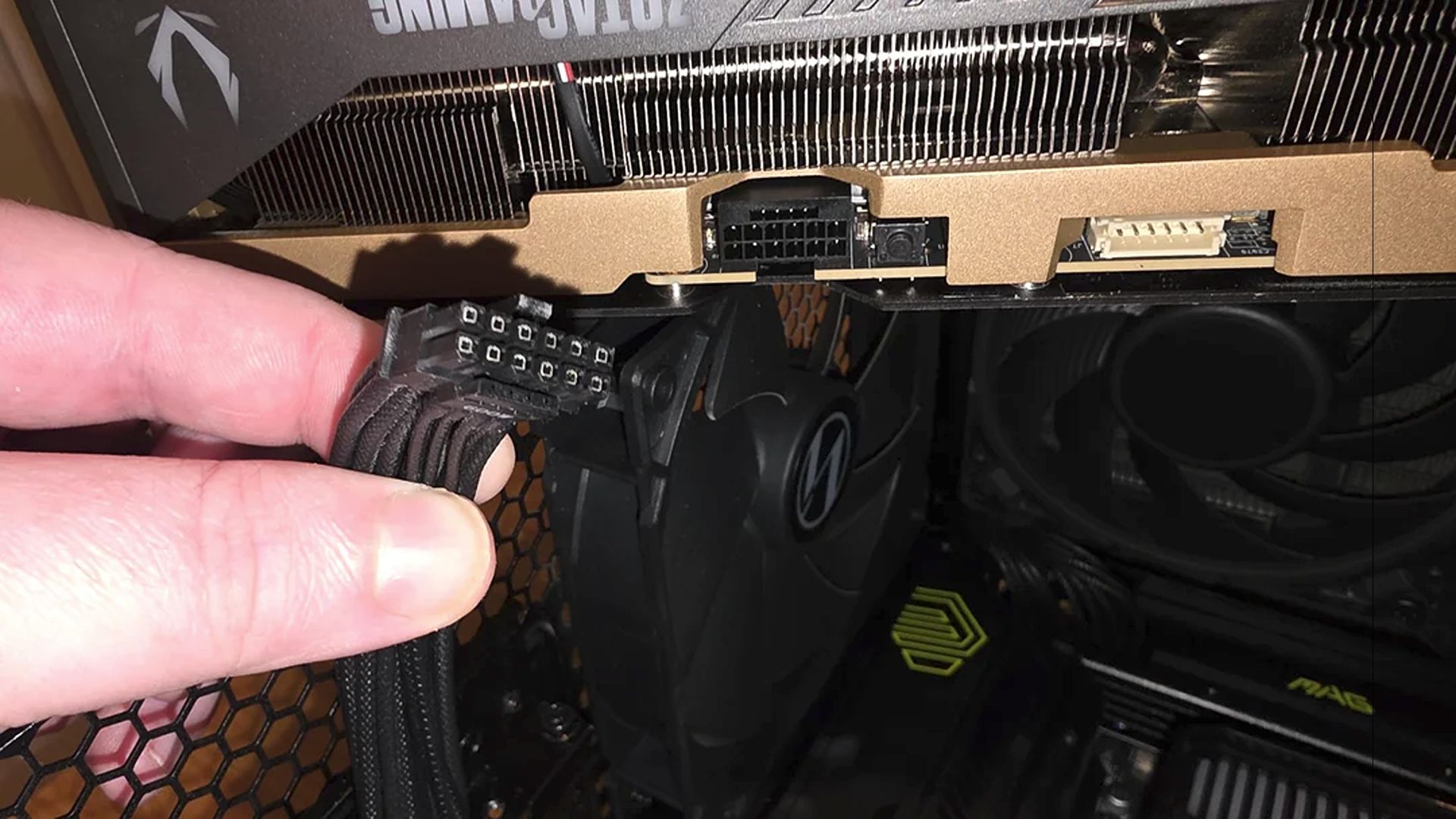
GPU connector overheating is the condition where the high-current power plugs on modern graphics cards, such as 12VHPWR and 12V-2×6 connectors, reach unsafe temperatures that can deform plastic housings, damage pins, or melt the connector itself, potentially killing the card and power supply and turning a premium gaming build into a very expensive failure scenario.
Power supply safety technology is finally catching up to that risk. GIGABYTE’s new GAMING Series PSUs add T-Guard, an active system that monitors the temperature of the GPU power connector in real time using built-in sensors. Instead of passively trusting that a cable is seated correctly, T-Guard watches for abnormal heat from loose connections or heavy loads and limits power to the GPU when things look dangerous. This is a welcome change: modern graphics cards are too costly to be protected only by stickers and user guesswork. But the uncomfortable truth is that monitoring does not neutralize flawed connector designs or mechanical stress. It mainly tells you when trouble has already started.

How T-Guard Works: Smart, Helpful, and Still Reactive
T-Guard is marketed as three-layer protection against GPU connector failures: continuous temperature monitoring, automatic GPU power limiting, and enough grace time to save your work before shutdown. According to one report, “average operating noise stays below 20 dB(A) under typical workloads,” even while this monitoring runs in the background. The PSUs support ATX 3.1 and PCIe 5.1 and come in 750W, 850W, and 1000W variants, so they clearly target high-end GPU configurations.
The clever part is that the PSU does not immediately kill the whole system when it detects abnormal heat on the 12V-2×6 cable. It reduces power only to the graphics card, letting the rest of the PC keep running so you can save files or, if you have integrated graphics, continue with basic display output while you troubleshoot. On a practical level, this is thoughtful design: you get both GPU cable monitoring and a controlled failure mode instead of a sudden black screen. On a risk level, however, it is still a reactive measure. T-Guard responds once overheating appears; it does not change how the connector carries current or how easily it can be misaligned or loosened.
12VHPWR Melting History Shows Monitoring Isn’t a Cure
The industry’s paranoia around GPU connector overheating is earned. Since the shift to 12VHPWR (also known as 12V-2×6), there have been regular reports of melted connectors that take the card down with them, even when users swear the plugs were seated correctly. Manufacturers have tried to compensate with colored 12V-2×6 cables that make it visually easier to confirm a full insertion before hitting the power button. Cooling brands offer external monitoring tools for voltage and temperature at the plug, and PSUs now ship with digital safeguards layered on the cable.
All of that points to the same underlying problem: the connector design and usage patterns are fragile enough that “proper installation” is not always enough to avoid 12VHPWR connector failure. A loose cable, minor contamination, or repeated movement can slip a plug out of its ideal position, concentrating current on fewer pins and driving up heat. T-Guard’s real-time monitoring can spot the resulting temperature spike and throttle power before full-on melting, but it cannot prevent the connector from reaching that tipping point in the first place. Early warning is better than none, but it is not the same as eliminating the conditions that cause overheating.
The Zotac RTX 5090 Smoke Incident: When the Connector Isn’t Guilty
A recent Zotac RTX 5090 Solid Edition failure is a stark reminder that power supply quality and connector monitoring do not cover every way a GPU can die. A Reddit user reported that their system, which had been running fine for about a year with no hardware changes, shut down five minutes into a game tutorial right after updating to NVIDIA driver 610.74. The sequence was brutal: a loud pop, crackling sounds, then a cloud of smoke filling the case.
Naturally, the owner’s first thought was the infamous 16‑pin connector—but inspection showed the power plug looking pristine. The visible damage instead focused on the PCIe interface, with a burn mark on the small gold finger tail near an MLCC capacitor array, hinting at a likely short circuit. Heavy flagship cards are vulnerable to PCB cracking from GPU sag or rough installation, and microscopic fractures in traces above the PCIe slot can later turn into shorts once high current flows. This incident underlines a hard lesson: even perfect power cables and the best power supply safety technology cannot save a card from mechanical stress, marginal board design, or manufacturing defects. Monitoring the connector will not detect a crack that sits quietly until it arcs.
What Users Should Expect: Alerts, Not Immunity
The path forward for ordinary builders is more about layered caution than blind trust in new features. T-Guard’s ability to cut power only to the GPU, keep the rest of the system running, and give you time to save work is a meaningful improvement in usability during a fault. But it is not a force field around your hardware. Keeping your power cables secure is described as “only half the battle”; you also need proper GPU support, good cooling, and careful installation practices to defend your investment.
Proper anti-sag brackets or support stands matter, especially when you move a case and the weight of big coolers and GPUs shifts dramatically. Avoid forcing heavy cards into PCIe slots at awkward angles, and re-check seating and cable engagement whenever you adjust the build. In that context, GPU cable monitoring is best understood as a last line of defense: it can spot overheating early and minimize damage, but it cannot overturn the physics of high current, brittle connectors, and stressed PCBs. If you expect detection tech to make connector failures impossible, you will be disappointed. If you treat it as one smart safeguard among many, it becomes a sensible part of high-end PC power supply safety technology.