
Creator 5 vs Kobra S1 Combo: Which Affordable 3D Printer Fits You?
Budget FDM printers are affordable 3D printers that use fused deposition modeling to melt and deposit plastic filament layer by layer, aiming to balance cost, print speed, precision, and ease of use for beginners and hobbyists entering 3D printing with limited funds. The Flashforge Creator 5 and Anycubic Kobra S1 Combo both target users who want professional-looking results without premium pricing. The Creator 5 leans on a rare budget tool changer for efficient multi-material work, while the Kobra S1 Combo focuses on high-speed, high-precision single-nozzle printing with multi-color capability and strong beginner 3D printing support. In short, choose the Creator 5 if workflow flexibility and multicolor jobs matter most; pick the Kobra S1 Combo if you care more about raw speed, precision printing value, and a smoother on-ramp for your first printer.
| Spec or Feature | Flashforge Creator 5 | Anycubic Kobra S1 Combo |
|---|---|---|
| Approximate price at review time | USD 699 (approx. ₱39,100) on sale | USD 430 (approx. ₱24,000) on sale |
| Motion system | CoreXY open-frame design | High-speed CoreXY motion system |
| Build volume | 256 × 256 × 256 mm cube | Not specified in sources |
| Extrusion setup | Direct-drive tool changer with four toolheads | Single-nozzle system with multi-color capability via combo units |
| Max advertised speed | Described as a fast CoreXY; no exact figure given | Up to 600 mm/s without loss of accuracy |
| Supported materials (examples) | PLA, PETG, TPU; handles higher temps like PET-GF in open frame | Wide variety of single-material filaments; supports demanding materials in enclosed chamber |
| Frame style | Open-frame, not upgradable to enclosed Pro | Fully enclosed design for stable temperatures |
| Bed leveling and tuning aids | Automatic bed leveling plus Z-height adjustment | One-click auto-leveling, vibration compensation, flow rate calibration |
| Multi-color / multi-material approach | Four physical toolheads on a budget tool changer | Combo system offers multi-filament printing; can reach up to eight colors with two Ace Pro units |
| Filament management | Manual loading per toolhead; large purge and prime blocks by default | Built-in active filament drying and optimized algorithm to reduce waste |
Flashforge Creator 5: Budget Tool Changer for Flexible Workflows
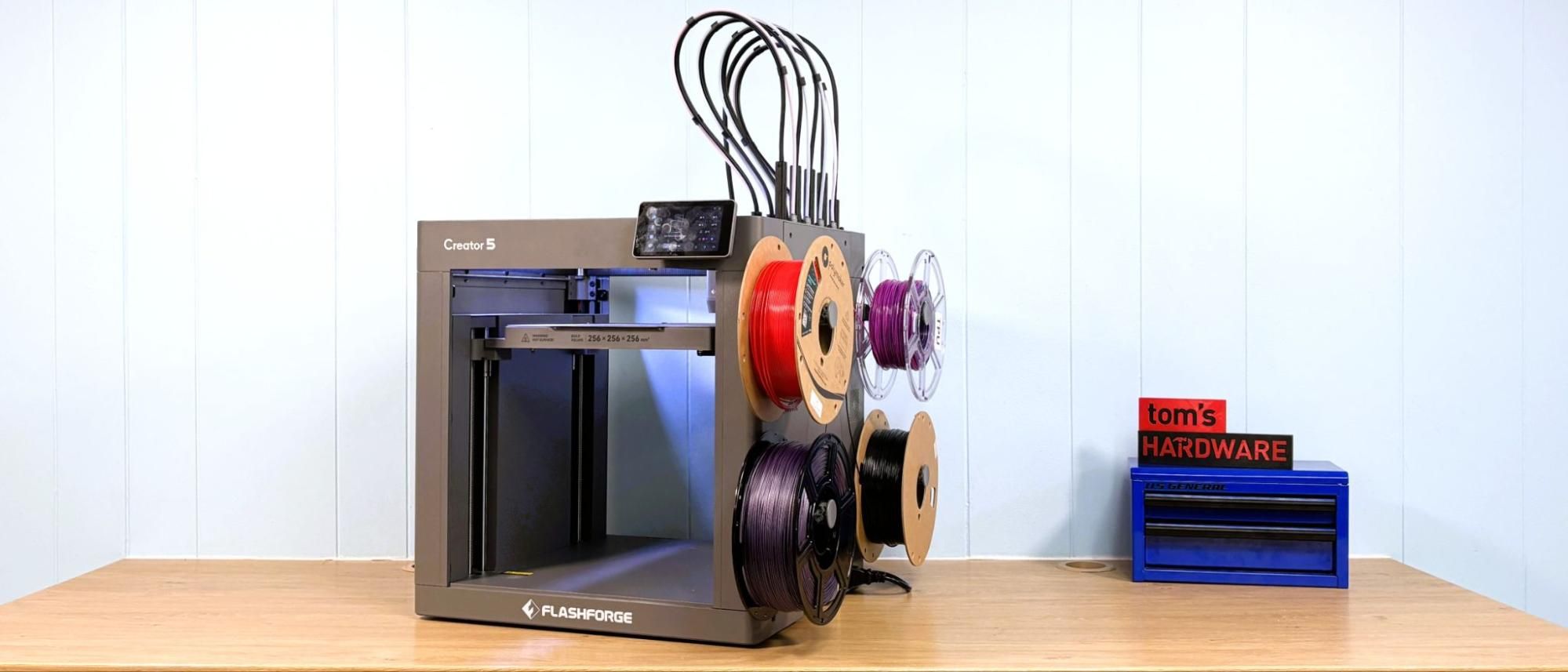
The Flashforge Creator 5 is presented as the best budget tool changer currently available, letting you tap four independent toolheads on one budget FDM printer. That matters if you want multicolor PLA, PETG, or TPU parts without constant nozzle swaps or multiple machines. Its CoreXY motion and 256 mm cubed build volume give you a standard, versatile workspace, and the direct-drive tool changer keeps retractions short for flexible filaments. This machine handles higher hot-end temperatures up to 320°C and a 120°C bed, so you can push into tougher filaments like PET-GF when needed. However, being an open-frame printer limits which high-temperature materials it can safely manage, and the stock purge setup “purges an insane amount of material” with surprisingly large prime blocks that you will want to tune in the slicer.
Anycubic Kobra S1 Combo: Speed and Precision Printing Value
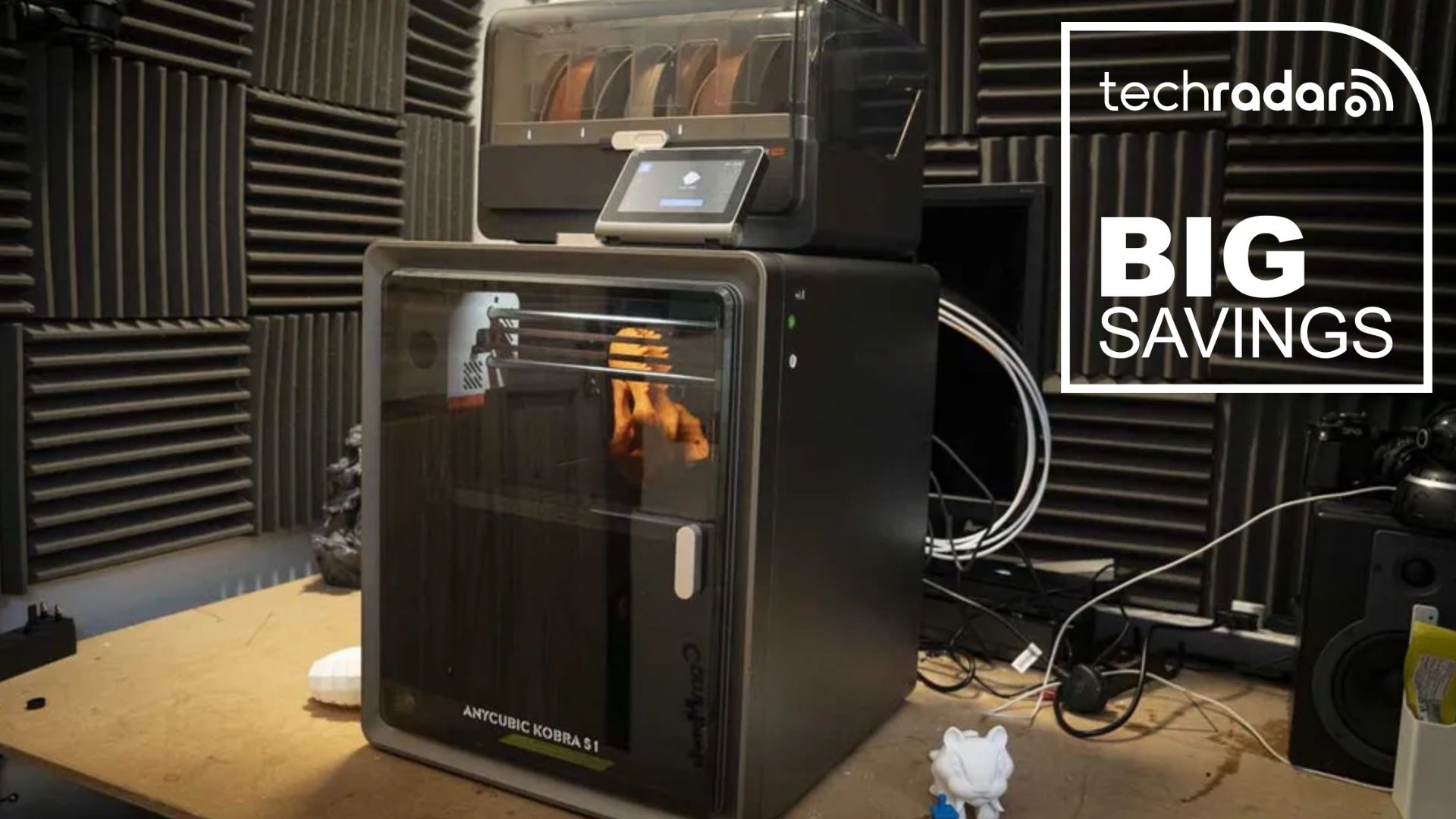
The Anycubic Kobra S1 Combo centers its appeal on speed and precision printing value. Built on a high-speed CoreXY motion system, it reaches up to 600 mm/s “without loss of accuracy,” which helps when turning around prototypes, home projects, or detailed display models. A reviewer wrote that it “blends build quality, price, and absolute precision” and called it “a printer that you can't fail to be impressed with,” highlighting how strong the value proposition is for an affordable 3D printer. As a beginner 3D printing option, the Kobra S1 Combo stands out: one-click auto-leveling, vibration compensation, and automatic flow rate calibration are built in so new users can get repeatable results with minimal tweaking. The fully enclosed frame keeps temperatures stable for materials like ABS, while the active filament dryer fights moisture-related clogs and surface defects during long prints.
Tool Changer vs Single Nozzle: Workflow, Waste, and Who Each Suits
Choosing between these two budget FDM printers is mostly about how you want to work. The Creator 5’s four-head tool changer gives you true hardware-based multi-material flexibility: you can mount different colors or even different filament types, switching tools instead of swapping spools mid-job. For small shops doing product mockups or hobbyists who want repeat multicolor designs, that saves setup time and manual labor, though you must wrestle with heavy purge blocks unless you tune profiles carefully. By contrast, the Kobra S1 Combo keeps a single nozzle but adds multi-filament capabilities through its combo system and optional Ace Pro units, reaching up to eight colors while using an optimized algorithm to cut filament waste. It is also significantly cheaper at USD 430 (approx. ₱24,000) on sale versus the Creator 5 at USD 699 (approx. ₱39,100) on sale, making it the stronger pick for cost-conscious beginners.
Buy if / Skip if
- Buy the Flashforge Creator 5 if you want a budget FDM printer with a rare four-head tool changer for multicolor or multi-material workflows without constant manual swaps.
- Skip the Flashforge Creator 5 if you need an enclosed chamber out of the box or plan to focus on hotter engineering filaments that dislike open frames.
- Buy the Flashforge Creator 5 if your priority is flexible, repeatable multi-tool jobs for a small workshop or micro-business that can justify tuning purge settings to cut waste.
- Skip the Flashforge Creator 5 if you care more about filament efficiency and hate dealing with large purge and prime blocks on multi-material prints.
- Buy the Anycubic Kobra S1 Combo if you want an affordable 3D printer that pairs up to 600 mm/s speeds with “hard to beat” precision for detailed single-material parts.
- Skip the Anycubic Kobra S1 Combo if you specifically want separate physical toolheads instead of a single-nozzle, multi-filament combo approach.
- Buy the Anycubic Kobra S1 Combo if you are new to beginner 3D printing and value one-click auto-leveling, vibration compensation, and guided calibration features.
- Skip the Anycubic Kobra S1 Combo if you rarely print fast or in multiple colors and do not benefit from its high-speed CoreXY and multi-color combo system.