
Kid-Friendly 3D Printing: What It Is and Our Top Pick
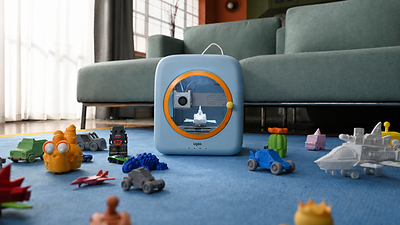
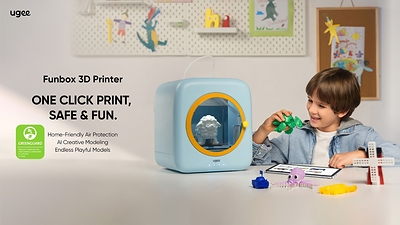
Kid-friendly 3D printing means using beginner-safe, easy-to-operate 3D printers that protect young users, simplify controls, and turn creative ideas into tangible projects while quietly teaching STEM concepts through hands-on experimentation. For most families and primary classrooms, the clear top pick is the ugee Funbox, a purpose-built kids 3D printer that combines home-grade safety, playful design, and one-tap operation. It is backed by UL GREENGUARD and other international toy safety certifications, plus dual HEPA and activated carbon filtration to protect indoor air. Out of the box, children as young as four can use its kid-tailored operating system and app to turn 2D drawings into 3D models, making it the best 3D printer kids can start on with confidence. If you want one beginner 3D printer safe enough for daily home use and structured STEM learning, buy the Funbox first.
Why the ugee Funbox Is the Best 3D Printer for Kids
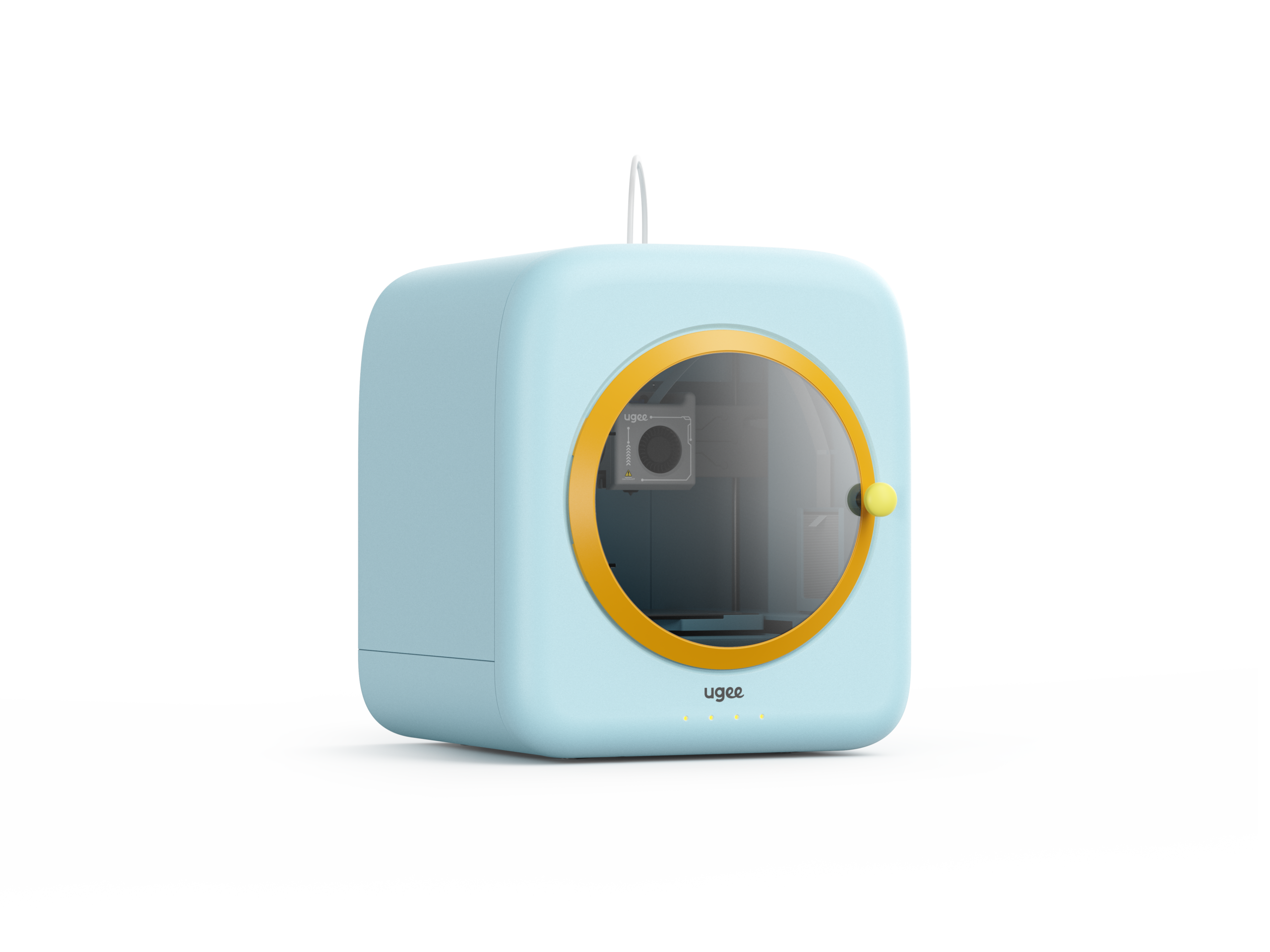
The Funbox is designed from the ground up as a STEM learning 3D printer for ages 4–12, built on three pillars: home-grade safety, one-tap easy operation, and AI-powered creative play. Its fully enclosed, rounded chassis runs on a 12V low-voltage DC supply that complies with IEC safety norms, reducing electric shock risk. It adds a dual HEPA and activated carbon filter with an exhaust fan, plus UL GREENGUARD, ASTM F963-23, EN71, and EN62115 toy safety certifications to protect children’s respiratory health and overall safety. According to ugee’s Global Brand Director Amy Yuan, their UL-certified printers "provide comprehensive eco-friendly safety protection to put parents’ minds at ease." Performance is no toy either: Wi‑Fi 6, a peak print speed of 500 mm/s, and 0.05 mm minimum layer height keep older kids and kidults engaged long term. Pre-orders start at USD 269 (approx. ₱15,000), including seven PLA rolls for early buyers.
What makes the Funbox stand out as a beginner 3D printer safe for young users is its genuinely kid-focused workflow. Children can sketch in 2D and let the AI design tools in the UFun app convert drawings into printable models, lowering the barrier to learning CAD. Three-tier slicing modes—Fast, Standard, and Fine—match the interface to the user’s level, from preschool beginner to teen hobbyist. The UFun app also hosts a rich library of toys, stationery, animal crafts, mechanical models, and free online STEM tutorials that teach structural design and engineering logic during hands-on making. This turns trial-and-error printing into guided STEM projects aligned with STEAM education goals. Downsides: there is no integrated dry box for filament, and it is unclear how nozzle clogs are cleared, which may concern more technical parents.
Best 3D Printers for Teens Ready to Go Beyond Toy-Like Gear
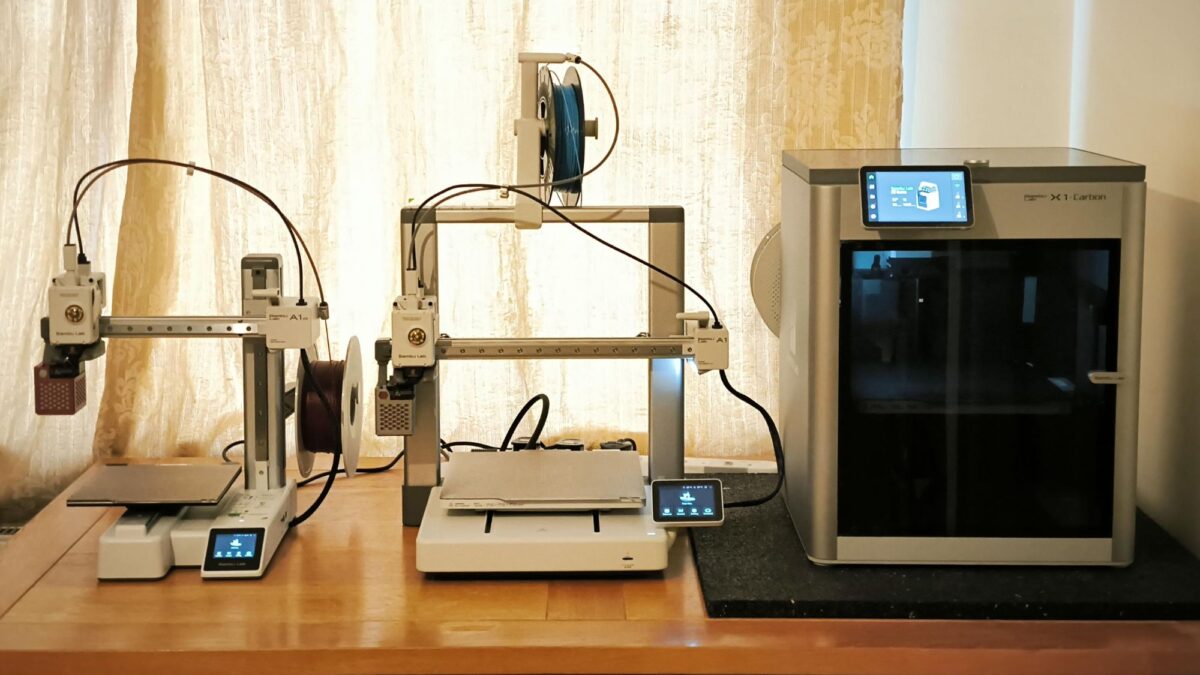
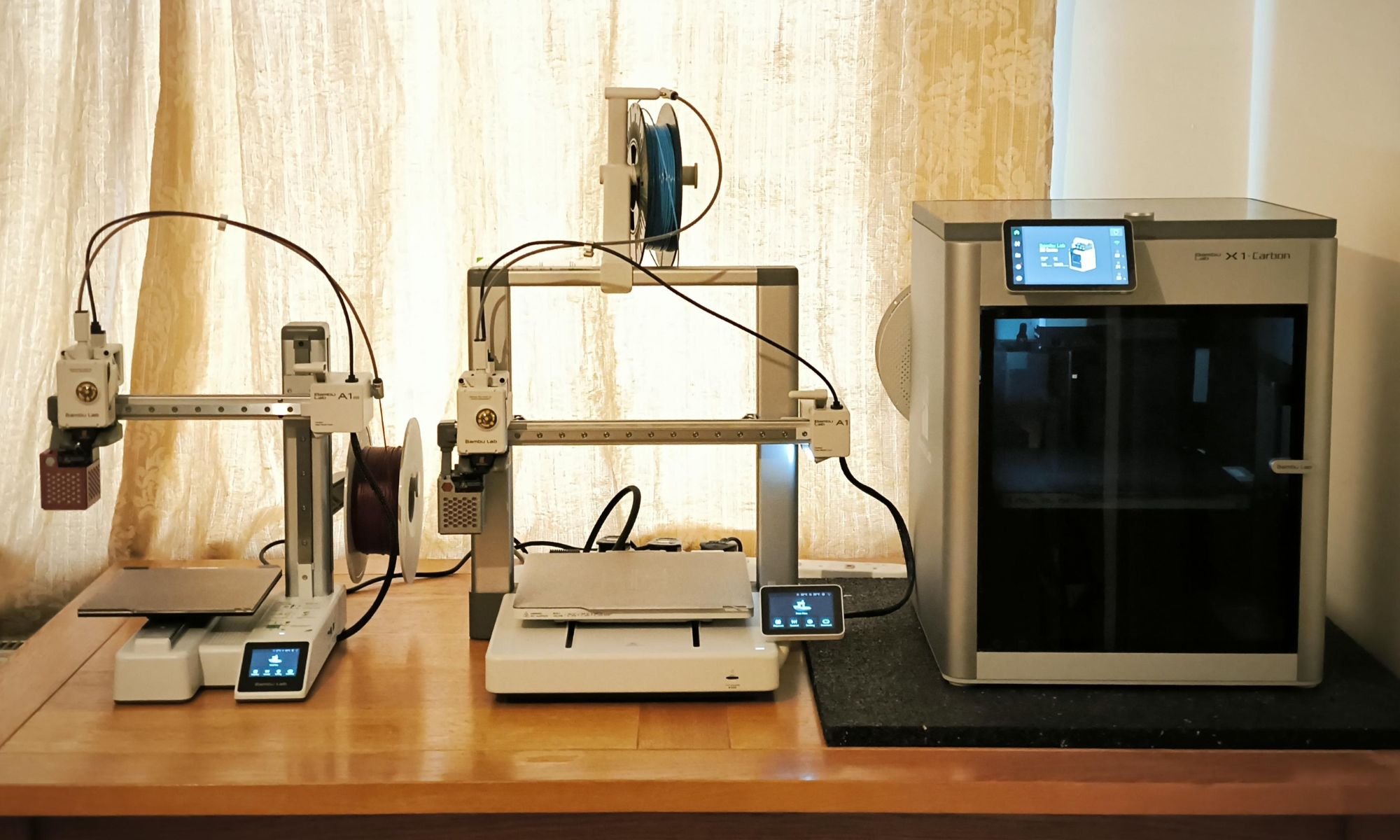
Older kids and teens do not need a special "kid printer"; they need reliable, forgiving machines that build confidence instead of frustration. The Bambu Lab A1 mini and the Elegoo Centauri Carbon (including its emoji-themed edition) are the two best options here. The Bambu Lab A1 mini, priced at USD 279 (approx. ₱15,600), is widely regarded as the best overall for kids and teens because it never feels like a toy yet stays simple enough for supervised use. It arrives nearly ready to go and runs automatic calibration, so many first-time users go from unboxing to first print in about 30 minutes. Paired with the Bambu Handy app and MakerWorld’s thousands of free files, teens can browse models and start prints from a tablet in a few taps. The optional AMS Lite bundle at USD 349 (approx. ₱19,500) adds four-color printing and automatic filament handling, though some buyers later wish they had not skipped it.
For teens who are already serious about engineering or design, the Elegoo Centauri Carbon is the better long-term 3D printer for teens. It costs more than most entry-level models but repays that in durability and growth potential, making it a smart choice for home makerspaces or school labs. The special edition Centauri Carbon 2 Combo wraps this capability in an emoji-inspired exterior, custom emoji-styled interface, and access to officially licensed emoji 3D models, making 3D printing feel culturally familiar instead of cold and technical. Because emojis are universal icons people use every day, this playful design hooks reluctant or anxious learners and turns the printer into something they want to interact with. The main trade-offs for both Bambu and Elegoo: these open-structured rivals have exposed high-temperature nozzles and unfiltered exhaust, so they require stricter supervision and better room ventilation than a fully enclosed kids model.
Budget-Friendly Workhorse: Creality Ender 3 V3 SE for Makers-in-Training
If you need a low-cost, durable printer that teens can grow into, the Creality Ender 3 V3 SE is the standout value pick. A first 3D printer does not need to cost more than USD 300 (approx. ₱16,800), and the Ender 3 V3 SE sells for USD 219 (approx. ₱12,300) while still offering auto bed leveling, automatic Z‑offset calibration, and a direct-drive extruder. These features matter more than fancy add-ons for beginners: manual bed leveling is tedious even for adults, and auto leveling removes the single biggest source of failed prints and discouragement for kids. With supervised use, this printer is an excellent fit for teens who want a grown-up, tinker-friendly machine and for budget-conscious classrooms that need several units for group projects. However, it is not enclosed, so you must teach clear safety rules around hot nozzles and beds.
Reliability is the priority for any kid-friendly 3D printing setup, because one early disaster can kill enthusiasm for the hobby. The Ender 3 V3 SE is capable of high-quality results once dialed in, but it does have one key drawback: owner reports show occasional firmware bugs or defective units, and Creality’s quality control is not considered among the strongest in the industry. That means adults should be prepared to handle basic troubleshooting and potentially exchange a faulty printer. For motivated teens who want to understand their machine, this can even become part of the learning experience, revealing how mechanical, electrical, and software systems interact. Still, for younger children or situations where no adult is comfortable debugging hardware, the fully enclosed Funbox remains the safer and easier first choice.
How to Choose: Safety, Ease of Use, Fun, and STEM Value
When choosing the best 3D printer kids can learn on, focus on five criteria. First, safety certifications and design: look for UL and UL GREENGUARD, ASTM F963-23, EN71, and similar toy safety standards, plus enclosed builds, low-voltage power, and shielding around hot nozzles. Second, reliability: choose printers known for consistent first prints, because an early failure can end the hobby before it begins. Third, setup simplicity: out-of-box operation, auto bed leveling, one-tap workflows, and kid-focused interfaces all reduce the learning curve. Fourth, educational content: apps like UFun that bundle ready-to-print models with STEM tutorials turn casual printing into structured learning. Finally, avoid resin printers for beginners; while they offer fine detail, the messy, smelly, hazardous chemicals do not belong in a child’s workspace. FDM filament printers like Funbox, A1 mini, Centauri Carbon, and Ender 3 V3 SE strike the right balance.
| Spec / Feature | ugee Funbox | Bambu Lab A1 mini | Elegoo Centauri Carbon (emoji edition) | Creality Ender 3 V3 SE |
|---|---|---|---|---|
| Best for | Younger kids (4–12) and cautious parents | Kids & teens who want app-connected ease | Teens ready for a long-term, emoji-themed printer | Budget-conscious teens and classrooms |
| Price* | USD 269 (approx. ₱15,000, pre-order with 7 PLA rolls) | USD 279 (approx. ₱15,600); USD 349 (approx. ₱19,500) with AMS Lite | Higher than basic entry-level printers (exact price not stated) | USD 219 (approx. ₱12,300) |
| Safety design | Fully enclosed, 12V DC, UL GREENGUARD, ASTM F963-23, EN71, EN62115, dual HEPA + carbon filter | Open frame, supervision required around hotend (no enclosure) | Open frame; emoji-themed UI and shell, supervision required around hotend | Open frame, no enclosure; adult supervision required |
| Print speed & precision | Up to 500 mm/s, 0.05 mm minimum layer height | Fast for its class (exact numbers not stated) | High-performance "grown-up" specs (details not fully stated) | Capable, with auto bed leveling and direct-drive extruder |
| Ease of use | One-tap from unboxing; kid-tailored OS; UFun app with AI sketch-to-3D and tiered slicing | Near plug-and-play; auto calibration; strong app and model ecosystem | More advanced; great once configured, better for committed teens | Needs basic tinkering; auto leveling helps but some firmware issues reported |
| Key downside | No dry box; nozzle clog clearing not clearly explained | AMS Lite extra cost; skipping it can cause later regret | Higher price; open, less inherently safe for younger kids | Quality-control complaints and occasional firmware bugs |
Buy if / Skip if
- Buy the ugee Funbox if you want the safest, most kid-focused beginner 3D printer safe enough for daily use by children as young as four under supervision.
- Skip the ugee Funbox if you have older teens who value open tinkering space over an enclosed, kid-themed design and are comfortable managing ventilation and safety themselves.
- Buy the Bambu Lab A1 mini if you want the best 3D printer kids and teens can share, with fast setup, auto calibration, and strong app integration.
- Skip the Bambu Lab A1 mini if you are not willing to supervise an open printer with exposed hot components or pay extra for the AMS Lite later.
- Buy the Elegoo Centauri Carbon emoji edition if you are choosing a 3D printer for teens who will appreciate playful emoji styling wrapped around serious long-term capability.
- Skip the Elegoo Centauri Carbon emoji edition if your priority is maximum safety for younger children or the lowest possible entry price.
- Buy the Creality Ender 3 V3 SE if you need an affordable classroom or garage workhorse and are ready to handle occasional troubleshooting or exchanges.
- Skip the Creality Ender 3 V3 SE if no adult is comfortable managing firmware issues, calibration checks, and teaching strict safety around open hot surfaces.