
Why an Old Phone Makes a Great Smart Home Hub
Turning an old phone into a smart home hub means using a device you already own as a permanent dashboard, automation trigger, and remote control for lights, sensors, and routines, giving it a second life while cutting clutter and the need for extra hardware.
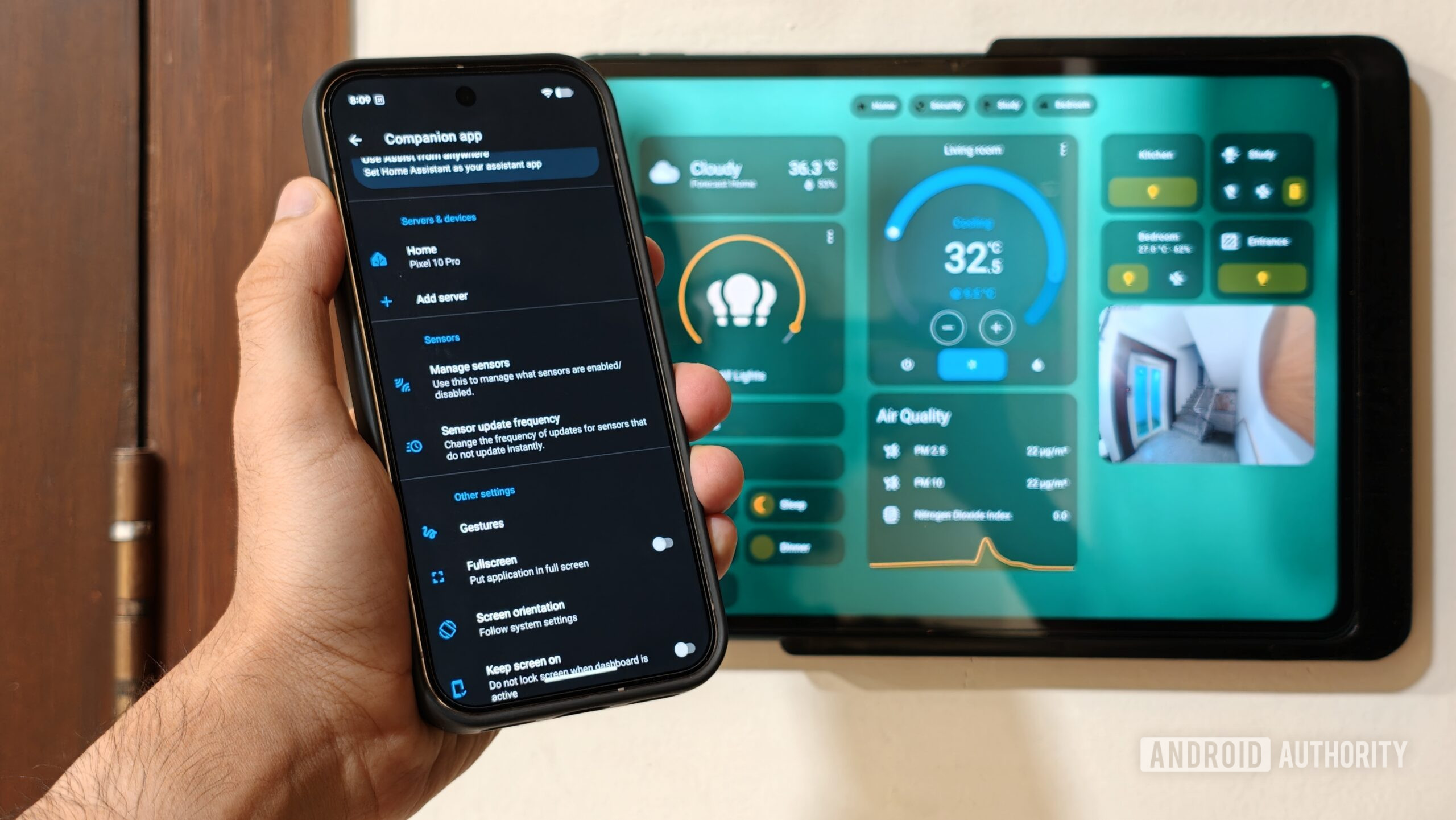
If you have a retired Android or iOS handset in a drawer, you have the core of an old phone smart home system waiting to be repurposed. Home Assistant is the glue: a locally controlled smart home platform that focuses on privacy and customization and can turn any modern phone into a centralized smart home control platform. With its companion app, the phone stops being just another screen and becomes the place where light switches, sensor readouts, and whole-home routines live.
The result feels surprisingly polished. One user described their setup this way: “It saves me time, reduces daily friction, and makes my automated home work like the perfect blend of proactive and reactive systems I was looking for.” Instead of buying dedicated smart displays, remotes, or desk clocks, the old handset becomes all of them at once.
What This Setup Gives You (Beyond Saving an Old Device)
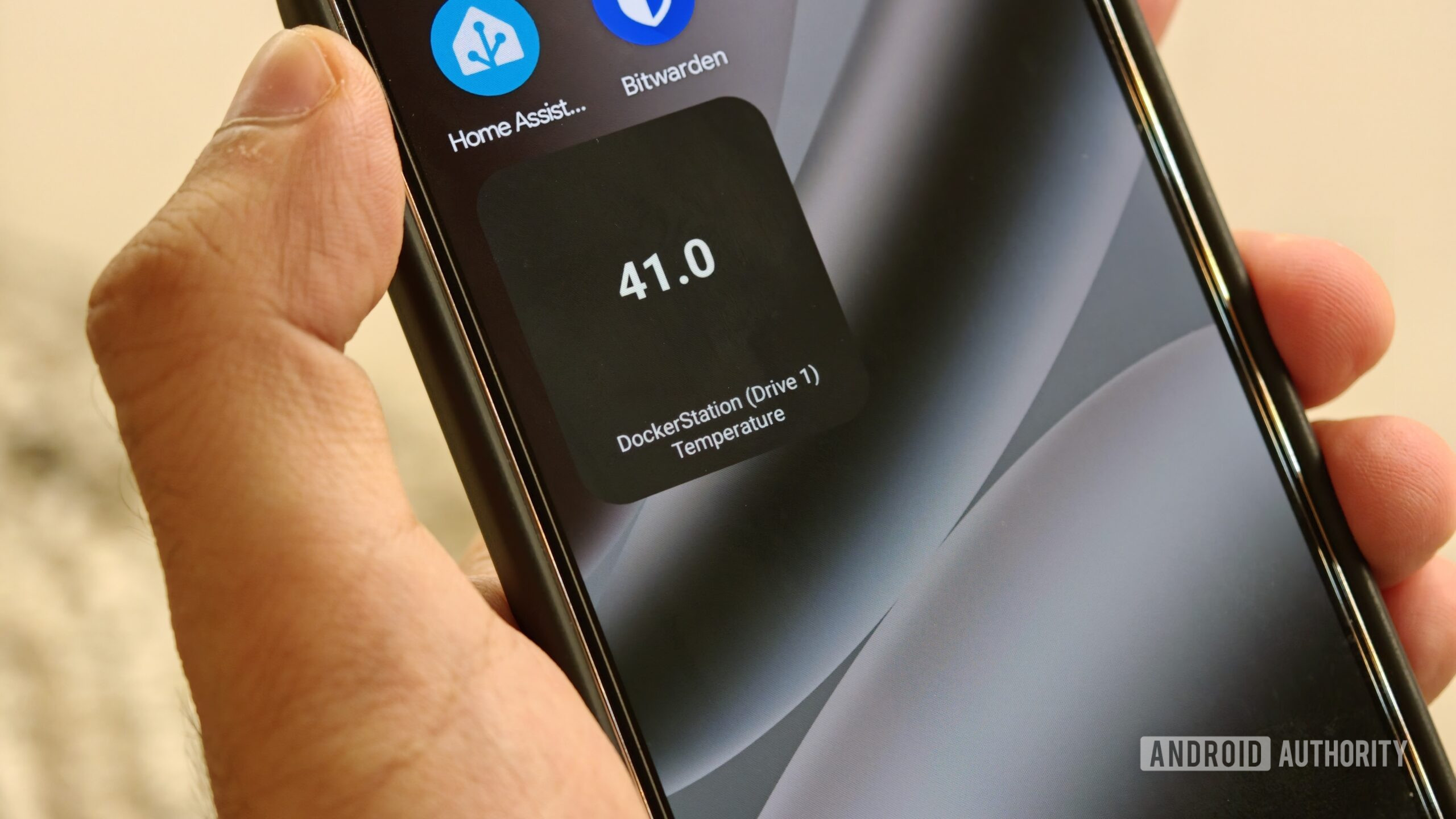
Home Assistant setup on an old phone turns scattered gadgets into a cohesive smart home hub. The mobile app can send dozens of hardware sensor states from the phone—battery level, orientation, charging status, network connection—straight to your smart home dashboard, so your phone’s physical state becomes a trigger for complex home automations instead of being just a handheld remote.
Used this way, dedicated smart home phones eliminate the need for separate hub devices. In a typical desk scenario, you might buy a smart display, a hardware remote, a standalone desk clock, and something to show your calendar. Taking this example, you would likely need a smart display, remote, desk clock, and calendar if you do not manage to buy something with all functionality built in; the cleanest way to bundle those roles was through Home Assistant.
This consolidation is good for the environment and your wallet. Instead of purchasing new sensors and displays for clocks, calendars, or smart home dashboards, you repurpose old phones and tablets that would otherwise sit unused. The integration between a phone and Home Assistant can turn a collection of isolated smart gadgets into a network of triggers and toggles that feels more responsive and personal.
Step-by-Step: Turning Your Old Phone Into a Smart Home Hub
Think of this section like a friend walking you through what to touch and why, so your old phone smart home hub feels intentional instead of another half-finished tech project. The one caveat: while the phone becomes your control center, Home Assistant itself still runs on a separate device on your network. Once that platform is in place, the phone can act as a permanent remote, sensor, and display across Android and iOS ecosystems.
- Connect Home Assistant to your home network and set up your lights, plugs, and other smart devices so they appear as entities in a dashboard.
- Install the Home Assistant companion app on your old Android or iOS phone and sign in to link the device to your Home Assistant server.
- Place the phone where you want a permanent hub—on a desk stand, bedside table, or wall mount—and keep the Home Assistant dashboard open with key controls front and center.
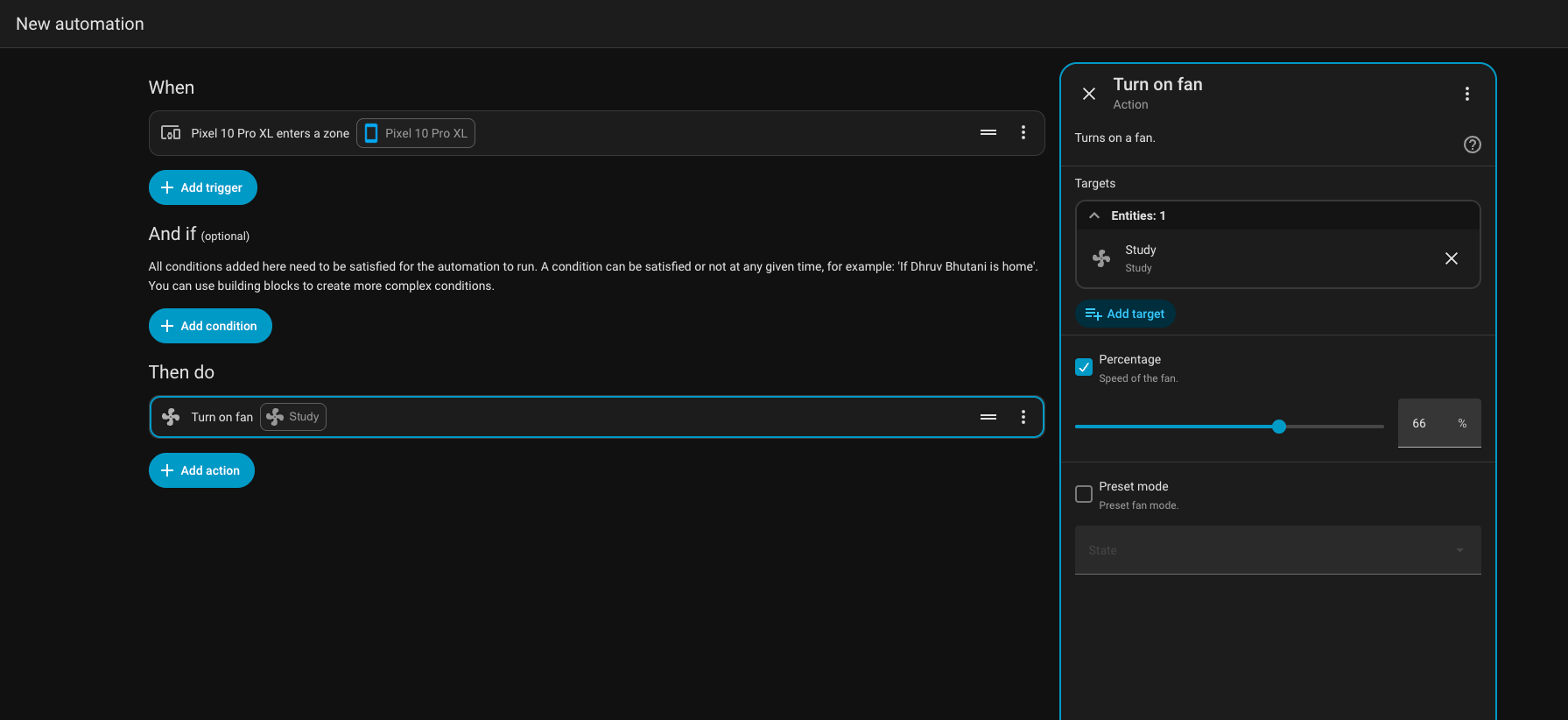
- Create automations that use the phone’s sensors and state changes as triggers, such as Wi‑Fi presence, geofencing, or charging status to switch lights, security modes, or other devices.
- Customize quick-access controls on the phone, using widgets, tiles, or dashboard cards so you can tap lights, fans, or office scenes without digging through menus.
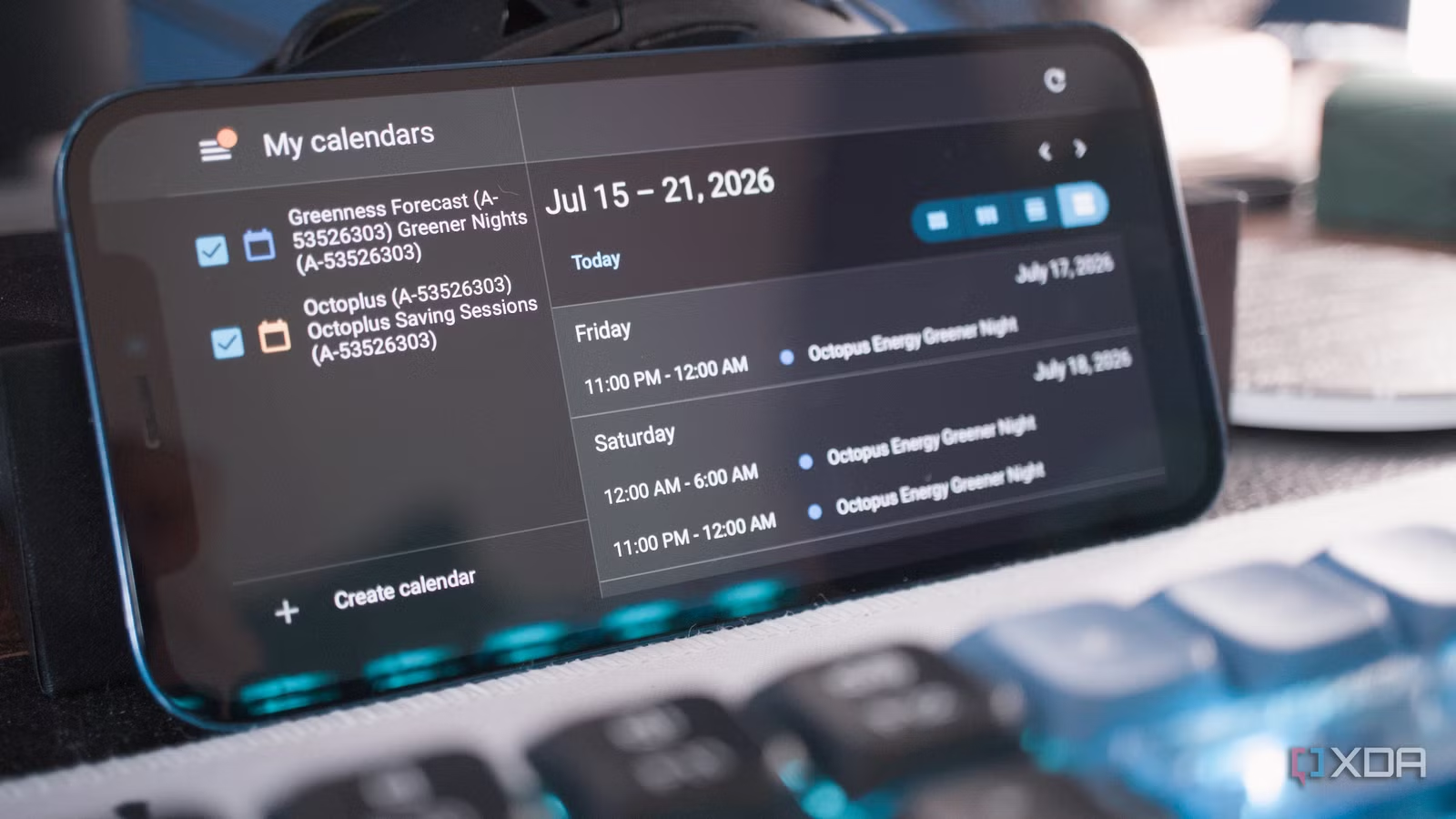
The subtle gotcha here is to treat the phone as “fixed” once you set it up. When you leave it in one spot as a dedicated smart home hub, it starts to feel like a tiny control panel for the working day instead of an aging handset. In one example, an older phone became a desk clock, calendar, and smart home remote that always displayed time, schedule, and office controls in a single dashboard, making it as easy to reach for as a physical light switch.
Using Phone Sensors and Presence for Smarter Automations
Once the basics are in place, the fun part is treating the repurposed old phone as more than a touchscreen. With smartphone-based presence detection, Home Assistant can track whether the device is connected to your home Wi‑Fi and its GPS location to tell if you are home or away. When the phone disconnects from Wi‑Fi and crosses a geofenced perimeter, the house can enter an away mode, turn off an air purifier, switch off lights, and trigger a security system; when it reconnects and you come back, the process reverses.
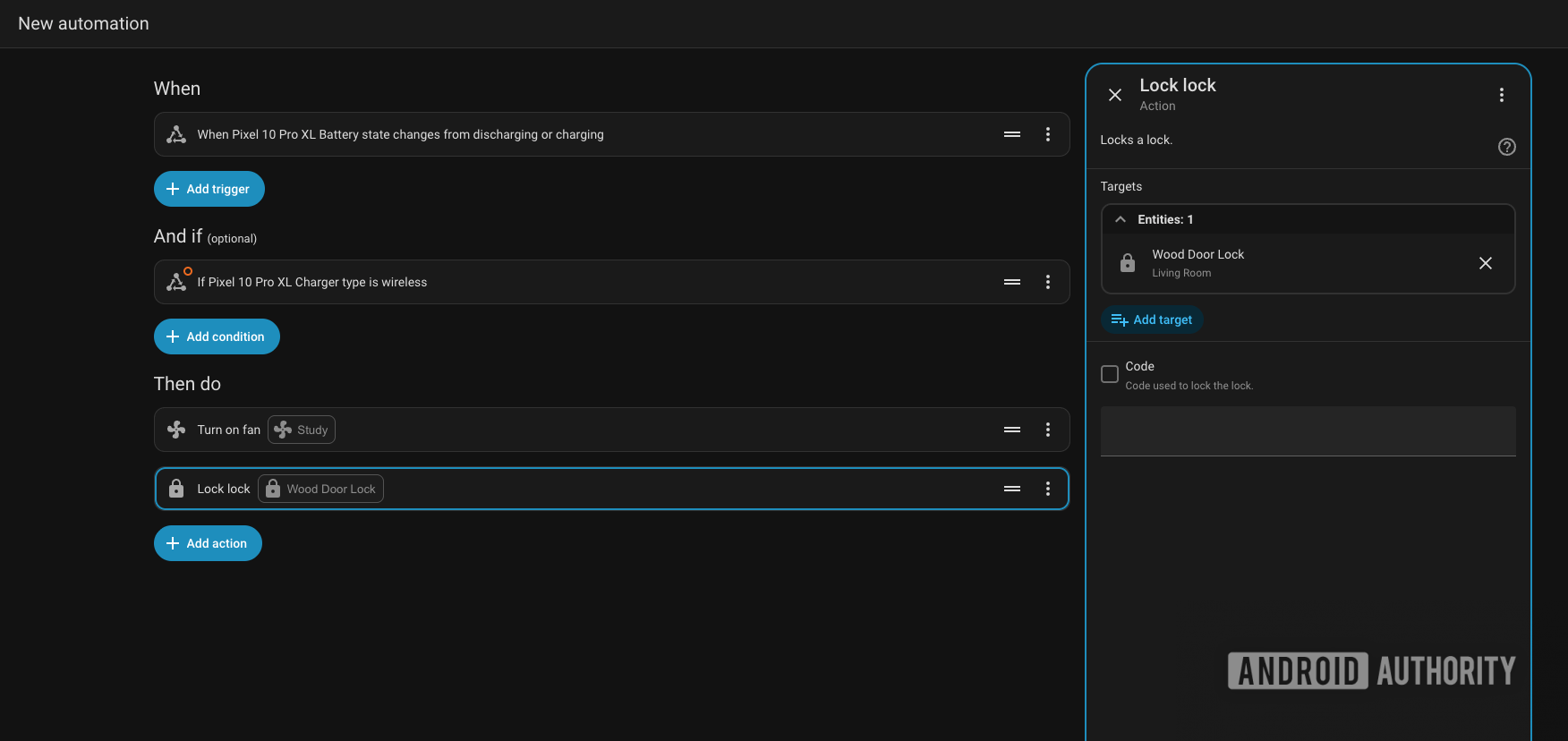
Device hardware sensors can also become smart home triggers. A favorite example is using the charging sensor for a bedtime routine: when a phone changes from discharging to wireless charging after a set time in the evening, Home Assistant can switch off nonessential electronics, start white noise on a speaker, and arm security, all from that single state change. You can build similar routines around orientation, media playback, or battery percentage to adapt the house to what the phone is doing.
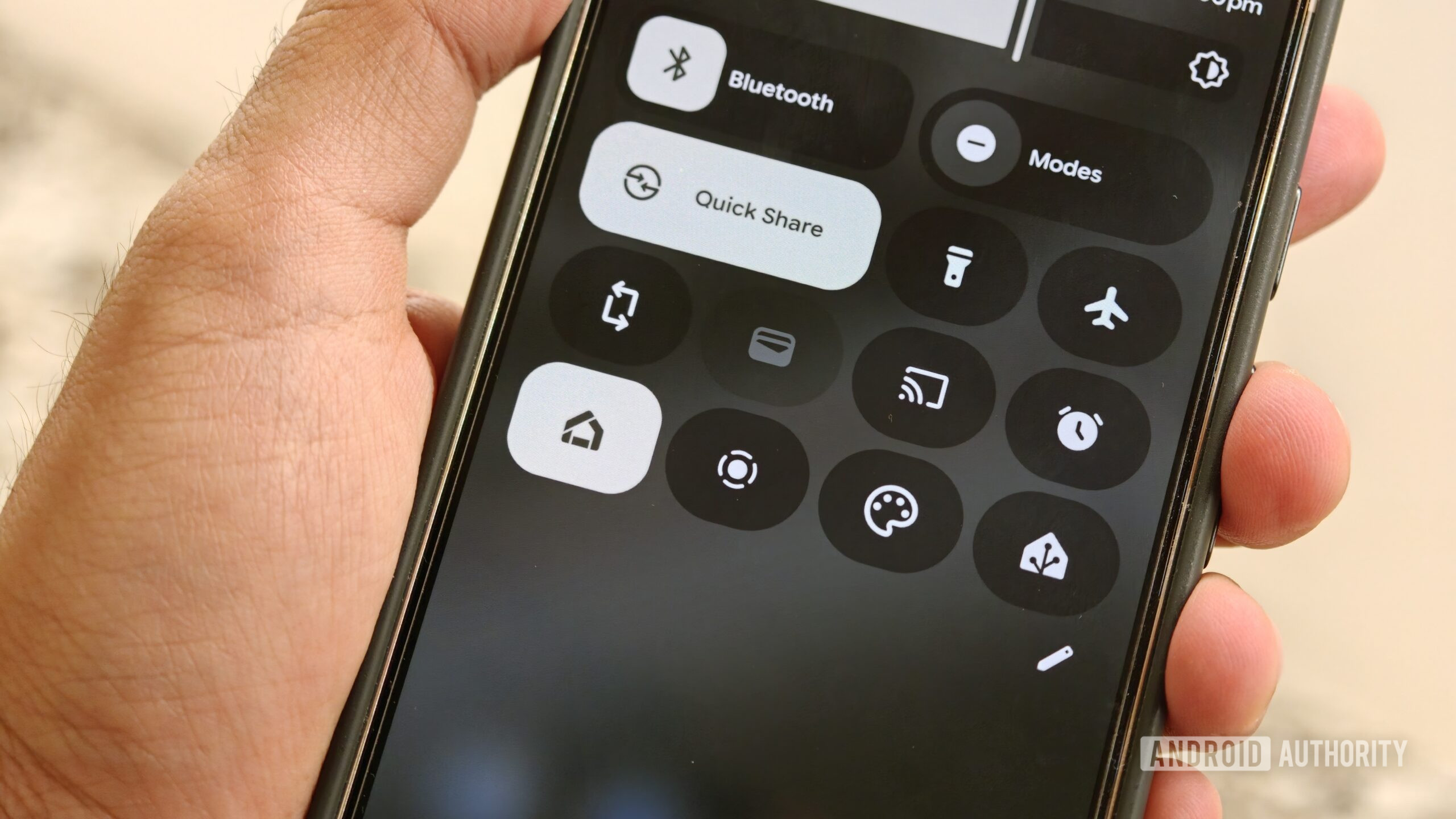
Even with presence and automation handling most events, direct controls matter. Phones that support system-level widgets and quick settings tiles can expose important smart home controls right in the interface, reducing friction when you want to override automation and tap a specific fan or light. Combined with a pinned dashboard clock and calendar, the phone becomes both proactive and reactive: it responds automatically to your habits and still lets you steer the house on demand.
Is It Worth It? Final Thoughts on Repurposing Your Old Phone
Repurpose old phone projects like this are among the most satisfying smart home upgrades because they turn forgotten hardware into daily tools. Instead of leaving a device stuck on a single calendar view, one person built a desk dashboard with a clock, a calendar card, and a few office controls, which made the device feel like a tiny control panel instead of an old phone running one app and was described as handy, easy to use, and completely free.
The main thing to watch for is scope creep. It is tempting to cram every possible card and control onto the screen, but the best smart home hub phones focus on the few things you glance at or tap many times a day: time, today’s events, core lights, key automations. When you keep the interface simple and lean on presence detection and sensor-based triggers to handle routine changes, the system saves you time and reduces daily friction instead of feeling like another gadget to babysit.
Because Home Assistant works with both Android and iOS ecosystems, you are not locked to one platform for this role. Any modern Android phone with the companion app can expose background sensors and quick-access tools, and an older iPhone can sit on a stand as a permanent smart home remote, clock, and calendar. If your goal is a cleaner desk, fewer separate devices, and less e‑waste, turning an old phone into a smart home hub is worth the effort.