

Siri AI in iOS 27: A Smarter iPhone Brain With Rough Edges
Siri’s new AI in iOS 27 is a system-wide upgrade that turns the iPhone’s assistant into a context-aware engine for search, writing, photos, and apps, powered by on-device indexing across your data and visual understanding of what is on your screen or in your camera, but its performance still swings between impressive and frustratingly limited.
The headline change is clear: iOS 27 is now built around Siri AI rather than sprinkled with small assistant tricks. This is no longer a voice-only helper; it is fused into search, a dedicated Siri app, the Camera, and even writing tools. In practice, though, two realities coexist. When it has context, the new iPhone AI assistant feels fast and personal, pulling routes in Maps from a natural question or surfacing the last anime episode you watched from a single keyword. When context runs out, it reverts to the same old dead ends—especially with settings and some third‑party apps.
There is also a hardware gate. Siri AI is only available on the iPhone 15 Pro and newer devices—even if you can download iOS 27, you will not automatically get the new Siri. That limitation makes the upgrade feel more like a flagship perk than a universal reset. Meanwhile, indexing your phone can take several days before everything feels instant, which means the first impression can be underwhelming unless you know what to expect.
Where the New Siri AI Actually Delivers
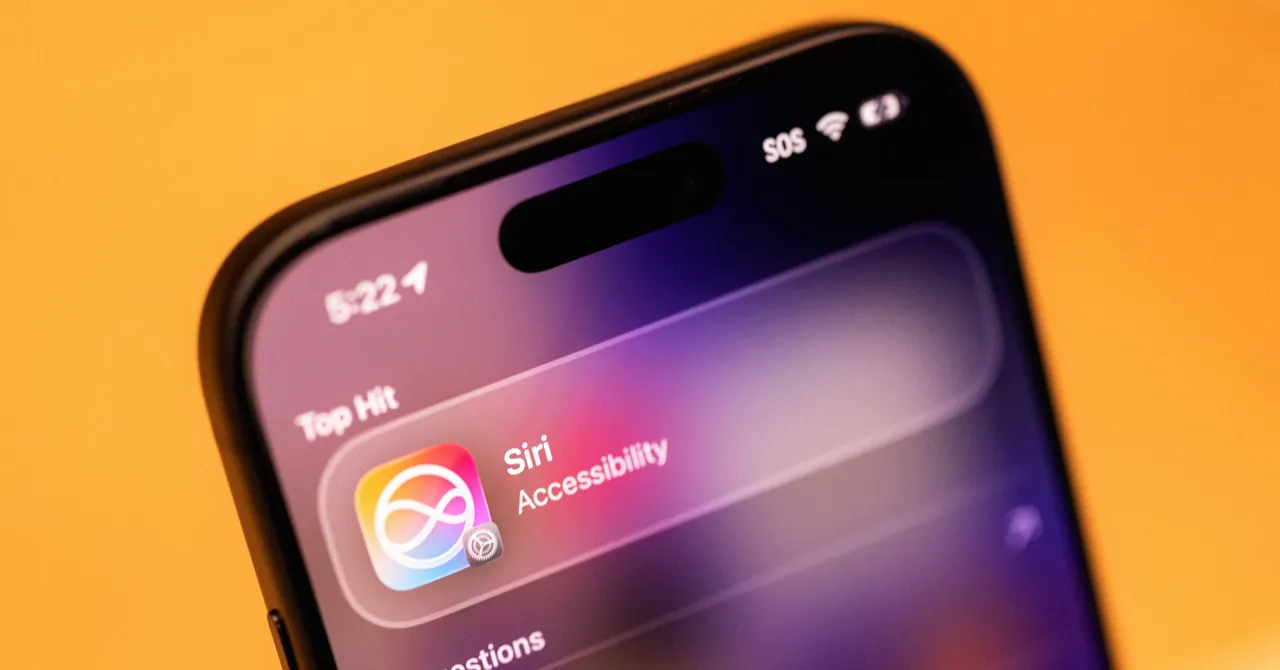
When Siri AI plays to its strengths, it changes how you use your iPhone. The revamped search bar—now a “Search or Ask” field that feeds into Siri by default—turns casual queries into direct actions. Ask for “a good route for driving to Sacramento” and you jump straight into Maps with a route pre‑chosen instead of a list of web links. Type “Black Clover” and Siri offers the exact episode you were last watching in your streaming app. According to one reviewer, “Siri AI works best when it's drawing on context, figuring out what you want and pulling it from inside your iPhone.”
On-screen awareness is another clear win. Siri can read what is visible on your display, so a vague question like “Where did she say this?” while a social post is open still leads to the right answer and relevant links. Its multimodal camera tab builds on that: snap a Muji pen and Siri identifies the brand and nib size, or capture a plant and ask follow‑up questions about care. It can even help pull dates from a poster into your calendar, which is the kind of small, high‑impact trick that makes AI feel helpful rather than flashy.
Basic utility got better, too. The new Siri finally provides a quick, conversational way to handle timers, stopwatches, and alarms without hunting through widgets or the clock app. Dictation accuracy across the system, including long voice memos with multiple speakers, is faster and more reliable at punctuation, which quietly improves everyday note‑taking and messaging. Writing tools are smarter as well: in Mail and Messages, Siri can mimic your usual tone—like bullet‑point updates to a manager—so drafts feel more like you instead of generic AI text. These are not headline‑grabbing features, but they genuinely save time.
Where It Still Feels Half‑Baked
For all the progress, iOS 27 Siri AI is still uneven. The most glaring weakness is system control. Ask it about specific iPhone settings and it “taps out”: it neither adjusts them nor offers clear instructions about where to find the right menu. For an assistant whose AI backbone now powers more of the phone than ever, this gap feels out of step with its otherwise context‑aware design. That inconsistency is the core frustration—you can identify a pen from a photo but not get help with a Bluetooth option.
App support also exposes the beta status. Siri AI can dig up delivery emails and updates, but only if they live in the built‑in Mail app, not Gmail. Meanwhile, image uploads in the dedicated Siri app show no thumbnails or clear confirmations, leading testers to resend the same photo because nothing appears to have happened. These are solvable UI issues, but they make the experience feel like a tech preview, not a polished tool. And some features remain narrow: the new “Expressive Voice” options, which let you tweak Siri’s expressiveness and speaking pace, are limited to US English with a single male and female voice.
Visual intelligence is similarly hit‑or‑miss. Siri can pick out specific images like passport headshots or pictures of your nieces with impressive accuracy, yet fails on more unusual items such as a distinctive Ikea Tiki cup. That unevenness is expected for a beta, but it matters because these are the headline AI features Apple is pushing. The broader ecosystem story is strong—Siri AI is part of the experience across devices, not only the phone—but right now the iPhone implementation still feels like a talented intern that needs supervision rather than a dependable assistant you can trust with anything.
How to Get the Most from Siri AI During the Beta
If you are beta testing iOS 27, you need to set Siri AI up to succeed. First, be patient with indexing. It can take several days for Siri AI to index and optimize search across your phone’s apps and data once you upgrade. Apple suggests keeping your iPhone plugged in and charging for longer sessions to speed this up. Until that process finishes, search results and context‑aware actions will feel patchy, and you might wrongly assume the feature is broken.
Second, curate what Siri can learn. By default, it pulls patterns from your apps to make suggestions across the system, but you can turn this off app‑by‑app. Head to Settings > Siri AI > App Access, pick an app, and toggle “Learn from this App” off if you prefer to keep it out of Siri’s training pool. This helps balance privacy with usefulness and can also reduce irrelevant suggestions from less important apps. For power users, new natural language shortcuts are a quiet game‑changer: you describe a task in a text box (or by voice), and Apple Intelligence builds the shortcut for you, removing the old, intimidating scripting view.
In daily workflows, lean into the areas where Siri AI is strongest. Use the search/ask bar for actions tied to your data—recent shows, specific photos, delivery emails in the Mail app, or quick routes—rather than open‑ended web research. Use the Camera’s Siri tab for objects, documents, and event posters where you can ask for follow‑ups or calendar entries, and rely on “Write with Siri” in Notes, Mail, or Messages when you need to draft something in your own style. Treat setting changes and third‑party app tasks with caution for now; old‑school tapping is still more reliable there.
What Comes Next for Apple’s iPhone AI Assistant
Siri AI in iOS 27 feels like a foundation rather than a finished product. Apple has tied your iPhone’s basic interactions—search, camera, writing, and even widgets—into a single assistant layer, and in many contexts it has “caught up substantially” with rivals. At the same time, there are fewer standout tricks than many expected, and the beta exposes gaps in settings control, third‑party support, and even simple confirmation UI. For a tool that aspires to be more than a smartphone assistant and part of the wider ecosystem, those gaps matter.
The roadmap hints at a slow but steady expansion. Apple says that image generation will eventually have daily usage limits, likely tied to iCloud+ subscription tiers, with specifics to come closer to public launch. That suggests the company sees Siri AI as an ongoing service layer rather than a one‑time feature drop. The more interesting question is whether Apple will close the basics: universal app access, reliable system control, and broader language support for features like Expressive Voice.
If you go in expecting a magical, all‑knowing iPhone AI assistant, you will be disappointed. If you treat iOS 27’s Siri AI as a context‑aware upgrade to the things you already do—timers, routes, image lookups, and quick drafts—it starts to look like one of Apple’s most practical updates in years. The promise is there; the question is whether Apple will move fast enough to turn this promising beta into a dependable everyday habit rather than another half‑baked assistant that users ignore.